Color Models That Actually Matter for Editing
Most photographers work in RGB — the native color space of cameras and screens — but understanding HSV and HSL color models unlocks more intuitive control over color correction. Both models describe colors in terms humans understand: hue (the color itself), saturation (how vivid it is), and lightness or value (how bright it is).
What Is HSL?
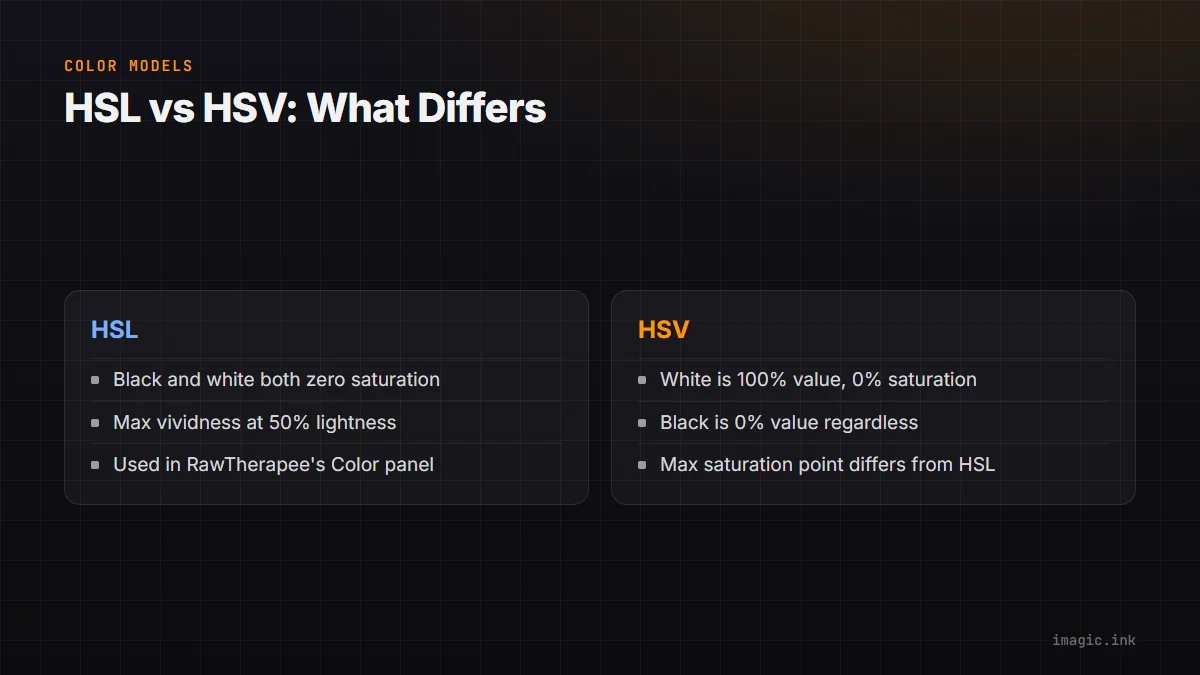
HSL stands for Hue, Saturation, Lightness. In this model, both pure white and pure black have zero saturation, and colors reach their maximum vividness at 50% lightness. When you adjust the HSL panel in a photo editor, you're directly controlling these three properties for each color range independently.
What Is HSV?
HSV stands for Hue, Saturation, Value. In this model, pure white is 100% value with 0% saturation, while pure black is 0% value regardless of hue or saturation. The maximum saturation point is different from HSL, which can make colors appear differently when you move the same slider in an HSV-based tool.
When Does the Difference Matter?
For most portrait and landscape photographers, the practical difference between HSL and HSV is subtle. It becomes more significant in specific scenarios:
- When correcting specific colors in a scene — like shifting a sky from cyan-blue to deeper blue — the HSL model tends to preserve luminosity better.
- When doing technical color work for product photography, knowing which model your tool uses helps you match target color values precisely.
- When creating presets that need to be consistent across different images, understanding the underlying model helps predict how adjustments will interact.
How RAW Editors Use These Models
RawTherapee, which integrates with imagic, uses a Lab color model internally for its processing pipeline but exposes HSL controls in its Color panel. This gives you perceptually uniform adjustments — where equal numerical changes produce equal perceived changes regardless of the starting color. Most other RAW processors (including Lightroom and Capture One) follow a similar approach.
Practical Color Correction Technique
For common color correction tasks, follow this order:
- Start with white balance to get the overall color cast correct
- Use the HSL Hue sliders to shift specific color ranges (e.g., move skin tones toward warmer orange)
- Use the Saturation sliders to reduce or boost specific colors without affecting others
- Use the Luminance/Value sliders to darken or lighten specific color ranges (a favorite technique for darkening skies without a filter)
imagic and Color Quality Scoring
imagic's AI doesn't apply color corrections, but it does evaluate photos for technical quality including exposure and detail — factors that affect how much color correction room you have in a RAW file. A well-exposed RAW file has more recoverable information in the color channels than an underexposed one. imagic's culling stage helps you select files that will respond best to color correction, reducing wasted time in the editing stage.
Summary
HSL and HSV are complementary tools in the color correction toolkit. Lightness-based HSL gives better results for most photographic work. Pair imagic's AI culling (to select the best RAW files first) with RawTherapee's HSL tools (to correct color effectively) for a free, powerful color workflow.