AI selects your best shots, removes duplicates, and batch-edits thousands of photos without a subscription. No creative cloud, no recurring fees.
Point imagic at any folder. It scans and catalogs every photo, RAW, JPEG, and TIFF included, including subfolders. One click to begin.
AI scores every shot on sharpness, exposure, noise, composition, and detail. Duplicates are flagged automatically. Results in seconds, not hours.
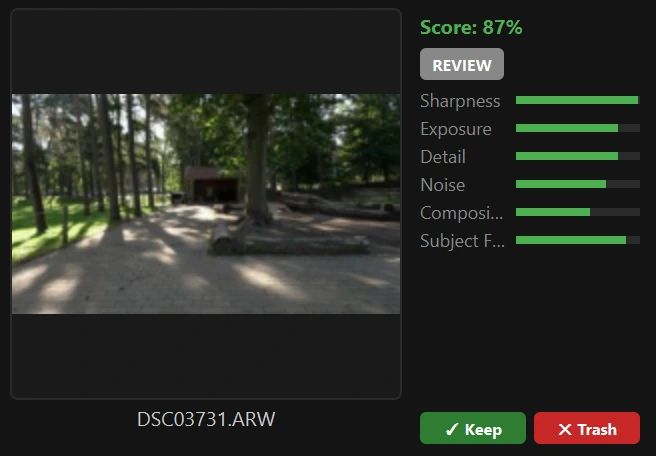
See per-metric breakdowns at a glance: sharpness, exposure, detail, noise, composition, and face detection. Keep or trash each shot with one click.
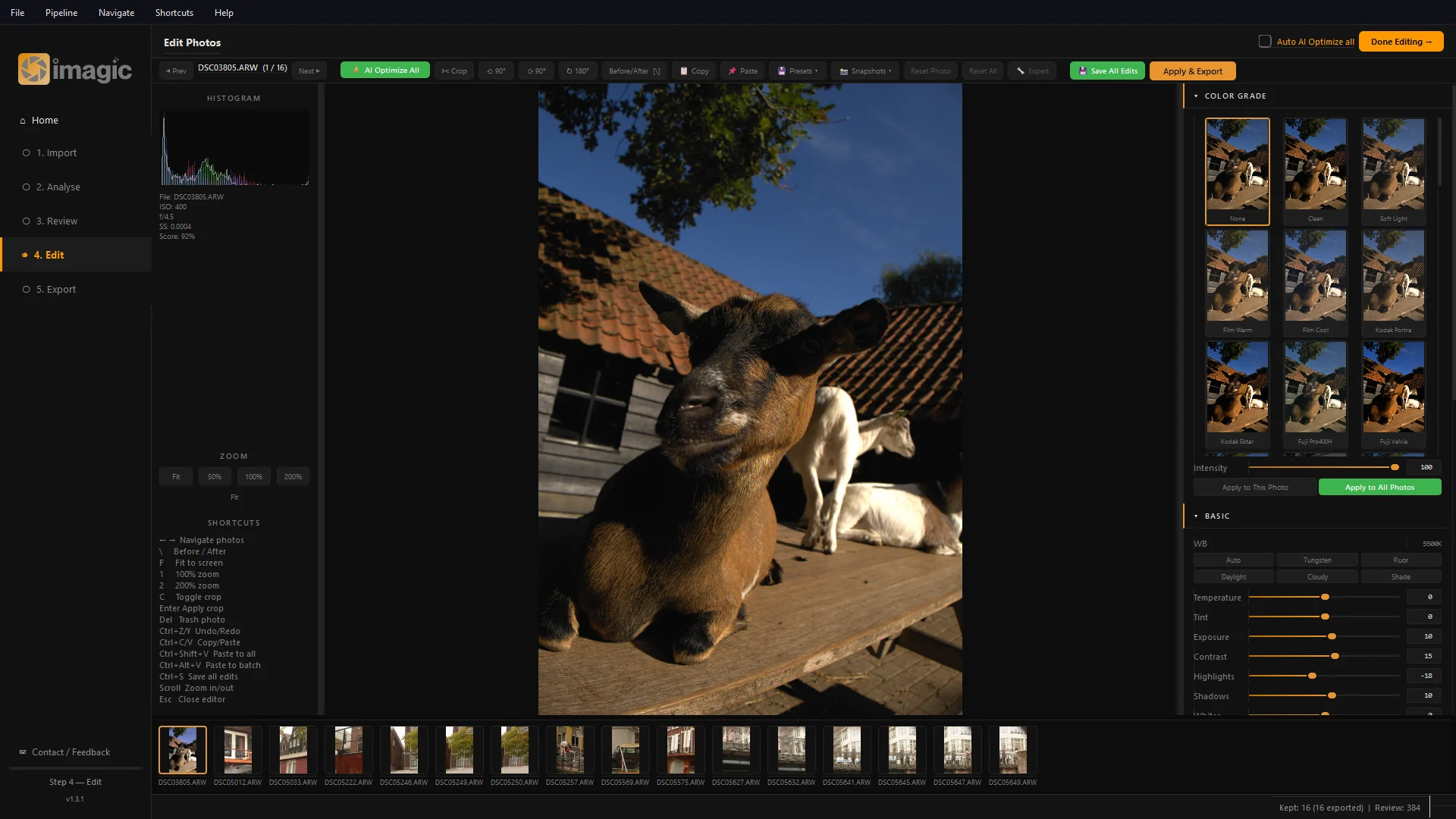
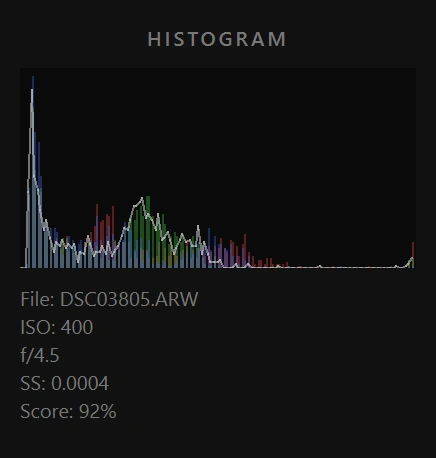
Full editing suite: histogram, exposure, color grading, sharpening, noise reduction, AI auto-enhance, and 6+ style presets with live previews.
Batch-process all kept photos with your chosen settings. Crash-resilient pipeline auto-resumes interrupted exports. Open the output folder when done.
No subscription, no hidden costs. The desktop app is completely free with zero limits. Stop paying Adobe for features you don't use.
AI scores every photo on sharpness, exposure, noise, composition, and detail in seconds. What takes hours in Lightroom happens automatically.
Import → AI Analyse → Review → Edit → Export. Five steps, one flow. No catalogues to manage, no import settings to configure. Point at a folder and go.
Every keep/trash decision and edit you make teaches imagic your preferences. Over time, it gets smarter and more aligned with your eye.
Every photo is scored across 5 metrics: sharpness, exposure, noise, composition, and detail. The AI instantly separates keepers from rejects, so you start with the best instead of sifting through thousands.
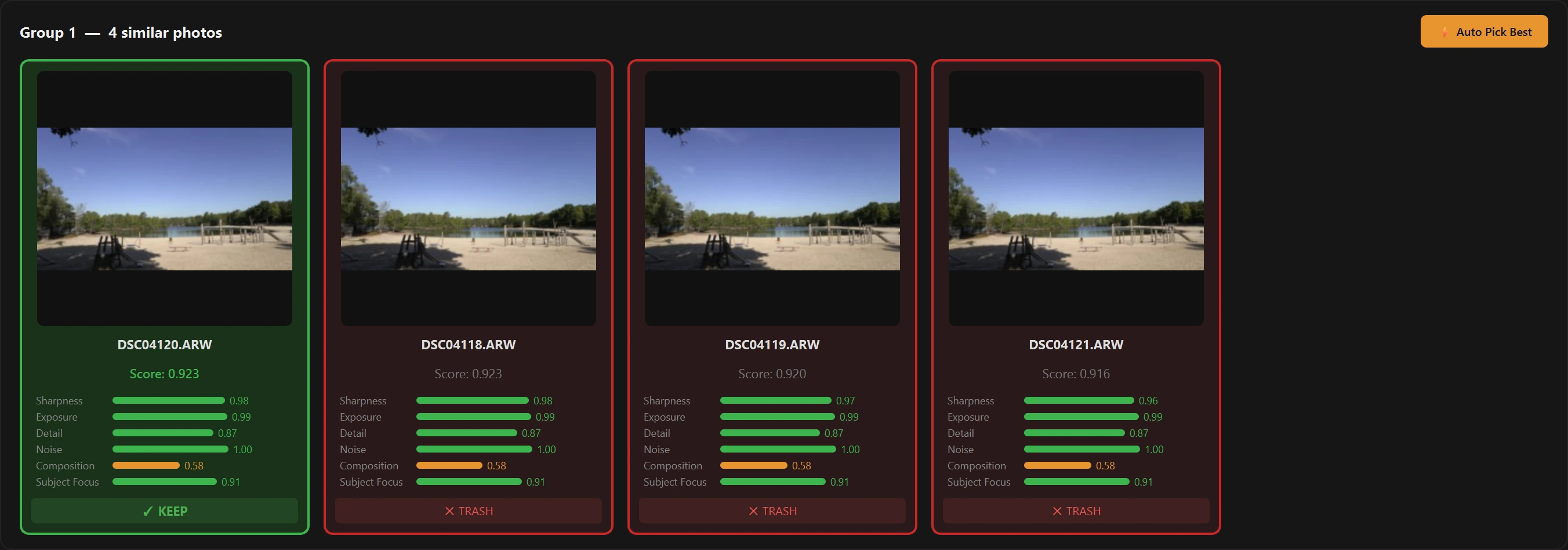
Shot 20 frames of the same scene? imagic finds visually identical photos and burst groups, then picks the sharpest automatically. You'll never manually compare near-identical shots again.
Detects dead space, subjects, and rule-of-thirds alignment. Suggests optimal crop and framing with a confidence score. Accept the suggestion or ignore it, you're always in control.
Automatically detects whether a shot is a portrait, landscape, low-light scene, or high-contrast environment, and applies the perfect processing profile to match.
This is what makes imagic truly unique: the AI tracks your keep/trash decisions, your edits, and your style preferences. Over time, it learns what you consider a great photo and weights its scoring accordingly. It's like training your own personal assistant.
Every AI suggestion can be overridden. Keep a photo the AI rejected. Trash one it liked. Adjust any edit. The AI adapts to your choices, it assists and never dictates.
Scores every photo on sharpness, exposure, noise, composition, and detail, instantly separating keepers from rejects.
Finds visually identical shots and burst duplicates using perceptual hashing, so you keep the sharpest and ditch the rest.
Detects dead space, aligns to rule-of-thirds, and suggests optimal framing with confidence scoring.
6 cinematic grades: Natural, Film Warm, Film Cool, Moody, Vibrant, and Cinematic, with live preview thumbnails.
Parallel multi-threaded export through darktable or RawTherapee. Process thousands of photos hands-free.
Canon CR2/CR3, Nikon NEF, Sony ARW, Fujifilm RAF, Olympus ORF, Panasonic RW2, Adobe DNG, Pentax PEF, and more.
Full AI pipeline + true RAW processing. Everything included.
Or install via pip: pip install imagic
For context: imagic Desktop is a one-time $10 purchase — everything included, no subscription, no recurring fees.
imagic Desktop is available with a one-time $10 license key and no recurring fees. Instead of locking you into a subscription, the product keeps improving through direct feedback from photographers and a tight development loop focused on real workflow pain points.
Yes. imagic runs natively on Windows, macOS, and Linux. You can download platform-specific installers or install it via pip: pip install imagic.
imagic supports all major RAW formats: CR2 & CR3 (Canon), NEF (Nikon), ARW (Sony), RAF (Fujifilm), ORF (Olympus), RW2 (Panasonic), DNG (Universal/Adobe), PEF (Pentax), plus JPEG, PNG, TIFF, and WebP.
imagic's AI analyses every photo across 5 quality metrics: sharpness, exposure, noise, composition, and detail. Each photo gets an overall score. The AI automatically flags duplicates and burst groups, selecting the sharpest shot from each group. You can keep or trash photos with a single click, and the AI learns your preferences over time.
For most photographers, yes. imagic covers the full Lightroom workflow: import RAW files, AI-cull the best shots, batch edit with color grading and exposure adjustments, and export. The key advantage is imagic's built-in AI culling (Lightroom has no equivalent), plus it costs a one-time $10 instead of $9.99/month. For full RAW demosaicing, pair it with the optional RawTherapee integration.
The AI analysis pass typically takes 30–90 seconds for 1,000 photos on a modern machine. Manually culling 1,000 photos in Lightroom takes 2–3 hours. imagic reduces culling time by up to 10×, meaning a typical wedding shoot of 3,000 photos takes minutes instead of a full day.
No. imagic processes everything 100% locally on your machine. No photos are ever uploaded to any cloud server. An internet connection is only needed for initial license key activation. This means your photos stay private and processing speeds are only limited by your hardware.
Yes. imagic's feedback learning system tracks your keep/trash decisions, the manual edits you make, and the color grades you prefer. Over time, the AI adjusts its scoring weights to better reflect your personal taste, like training a photo editor who knows exactly what you look for. After a few sessions, the AI's suggestions align closely with your eye.
imagic is built as a focused product, not as an editable codebase for end users. Improvements come from a strong community, direct bug reports, feature requests, and ongoing feedback to the dev team so the roadmap stays aligned with how photographers actually work.
Join photographers who've replaced their Lightroom subscription with AI-powered culling.