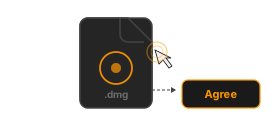
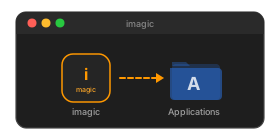
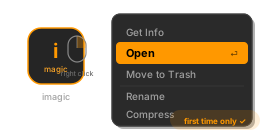
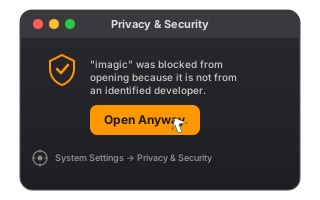
The desktop app is where imagic makes the most sense: unlimited local processing, the full editor, headless automation, and secure device-bound activation without a subscription.
Linux users: pip install imagic — native packages coming soon.
No web quotas, no upload waits, and no image-count ceiling. Point imagic at a folder and let it churn through the job on your own machine.
Histogram, manual controls, color grades, scene-aware presets, and export from the same edit pipeline. What you see is what gets exported.
Batch jobs, headless runs, and crash-resilient export make it practical for real shoots, not just casual browser sessions.
Both the Windows and macOS installers ship with RawTherapee built in for full RAW demosaicing (CR2, NEF, ARW, TIF and more) with zero extra setup.
Your keep/trash decisions and editing choices feed back into the desktop workflow so the assistant gets closer to your taste over time.
One payment. One product key. No subscription fatigue, no seat dashboard, and no vendor lock-in just to cull and edit your own work.
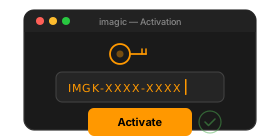
The product key is saved on the device after activation. If you later activate the same key on another device, the earlier activation stops working. That gives you a clean transfer path without allowing one key to stay active everywhere.
That matches the app-side enforcement already built into the licensing backend and startup gate.
100% one-time. You pay $10 once and own the license forever. No monthly charges, no annual renewal, no price increases. Unlike Adobe Lightroom at $9.99/month ($120/year), imagic Desktop is a single purchase.
Your license key and installer download links are emailed automatically once Stripe confirms payment, typically within 1-2 minutes. Check your spam folder if you don't see it. The key is also displayed on the confirmation page.
Your license activates on one machine at a time. When you activate on a new device, the previous device is automatically deactivated. This makes switching to a new computer seamless, with no support ticket required, just activate on the new machine.
imagic Desktop runs on Windows, macOS, and Linux. The same license key activates on any platform. You can also install via Python: pip install imagic.
Yes. Both the Windows and macOS installers ship with RawTherapee built in, giving you true RAW demosaicing for CR2, NEF, ARW, and other formats with zero extra setup. On Linux you can point imagic at your own RawTherapee install for the same RAW pipeline.
No Adobe account, no Creative Cloud, no internet required after activation. imagic is completely independent of Adobe. All processing happens locally on your machine, so your photos stay private and speeds are limited only by your hardware.
Payments are processed securely by Stripe. All major credit and debit cards are accepted: Visa, Mastercard, American Express, and more. The checkout is PCI-compliant and your card details are never stored by imagic.
Yes. You can evaluate the desktop workflow before committing long term, and the license key unlocks unlimited photo processing. imagic is improved through active user feedback and direct iteration with the dev team, so the product keeps getting better based on real usage.