The Culling Stage Is Where Photographers Lose the Most Time
Ask any professional photographer where their workflow bottleneck is, and most will say the cull. It's the least glamorous part of the job — repetitive, time-consuming, and mentally fatiguing. And because it's unpleasant, photographers develop bad habits that make it even slower and less effective. Here are the ten most common culling mistakes and how to fix them.
Mistake 1: Zooming In on Every Photo
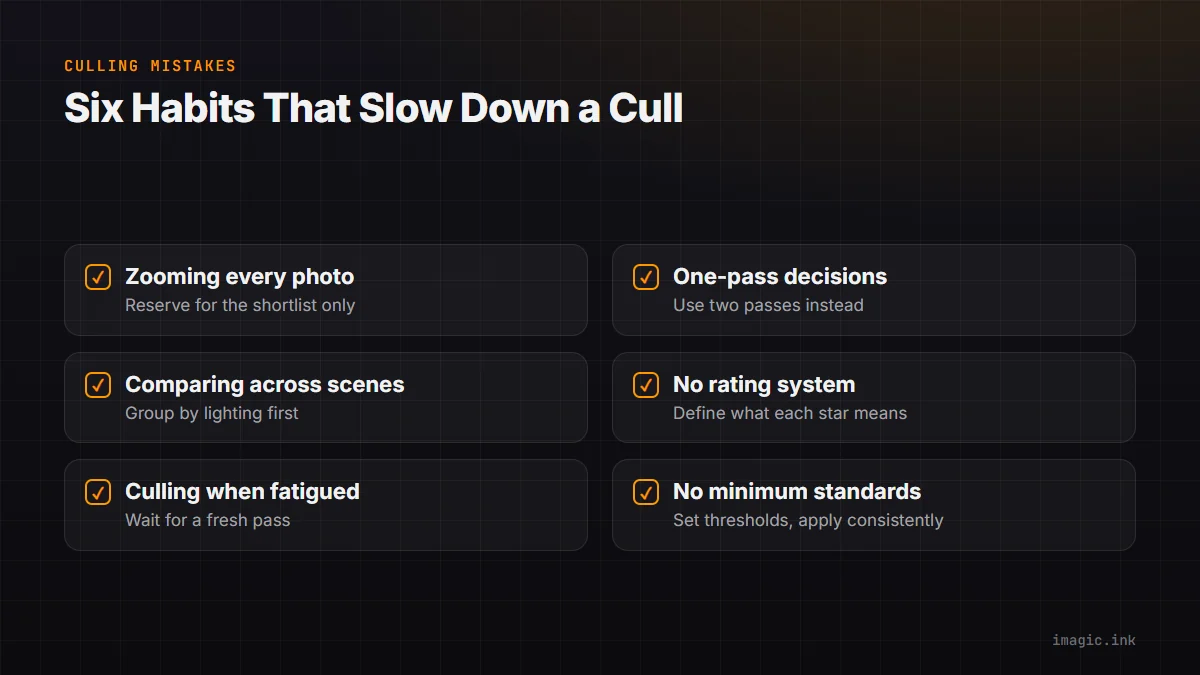
Reviewing at 100% zoom is necessary for checking sharpness, but doing it for every single frame is enormously time-consuming. Reserve zoom inspection for images that pass an initial quality threshold. imagic's AI sharpness scoring eliminates most unsharp frames before you ever zoom in.
Mistake 2: Making Yes/No Decisions in One Pass
Trying to make final keeper decisions in a single review pass leads to inconsistency and fatigue-induced errors. Use a two-pass approach: pass 1 eliminates clear rejects (with AI pre-filtering helping significantly); pass 2 makes final selections from the remaining candidates.
Mistake 3: Comparing Across Scenes
Comparing a golden-hour portrait to an indoor flash photo on the same pass leads to inconsistent standards. Group your cull by scene or lighting condition and apply consistent criteria within each group.
Mistake 4: Keeping Too Many Similar Frames
Delivering 15 nearly identical shots of the same pose isn't generosity — it's leaving the editing work to the client. The rule is one definitive image per pose or moment. imagic's duplicate and burst detection groups similar frames so you can pick the best and move on.
Mistake 5: Culling From Memory Card Instead of Transferred Files
Culling directly from a memory card is slow (card reader speeds vary), risks card failure during review, and means you might accidentally format the card before backup. Always transfer to a working drive first.
Mistake 6: No Defined Rating System
Inconsistent use of stars, colors, or flags means the ratings become meaningless over time. Define what each rating means (5 stars = final delivery candidate; 1 star = technically interesting but needs significant work; rejected = delete) and stick to it consistently.
Mistake 7: Culling When Fatigued
Culling quality degrades significantly when you're tired. You keep more mediocre frames and reject more good ones. If you can't cull immediately after a shoot with fresh eyes, wait for a better moment. The AI pre-filtering in imagic is fatigue-proof — it works just as well at midnight as at noon.
Mistake 8: Ignoring Burst Groups
Treating every frame in a burst as an independent image multiplies the cull time unnecessarily. imagic's burst detection groups these for you. Use it — review groups, not individual frames from bursts.
Mistake 9: No Minimum Standards
Without clearly defined minimum technical standards (minimum acceptable sharpness, minimum acceptable exposure), every decision becomes a judgment call about degree rather than a binary keep/reject. Define your standards and apply them consistently using AI scoring thresholds in imagic.
Mistake 10: Not Reviewing the Final Selection
After completing the cull, do a final review of the selected set as a whole. This reveals duplicates you missed, inconsistencies in quality level, or gaps in the narrative of the shoot. A 10-minute final review of the selected set improves the delivered gallery quality significantly.