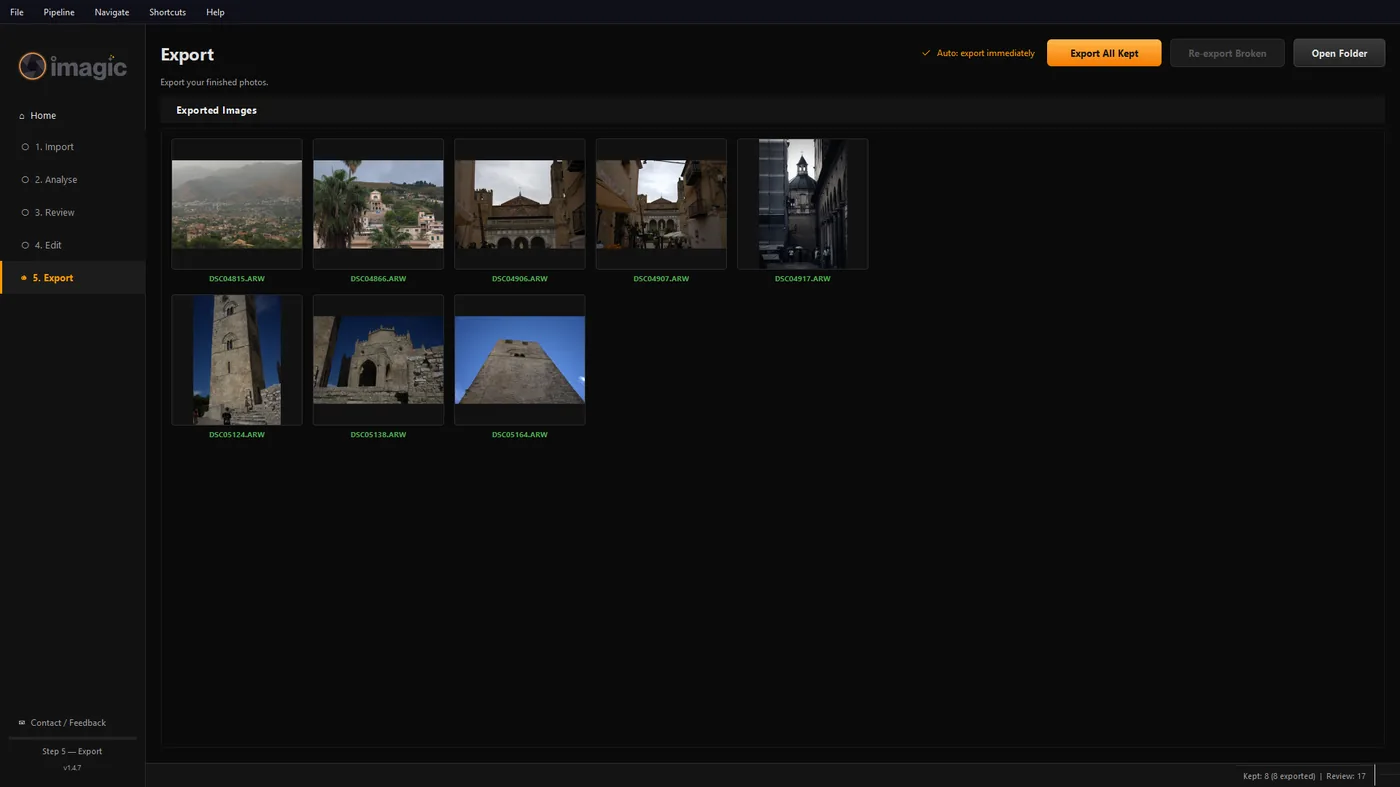
Steps
1. Check the Export page's Open Folder button
On the Export step, Open Folder always opens the exact subfolder from your most recent export, which is the fastest way to find what you just made.
2. Know the two destination modes
The Export Options dialog offers Export folder (a fixed folder you choose, with Change...) or Same as source folder (next to your originals). Leave the subfolder field blank in Export folder mode and imagic names one per shoot automatically.
3. Same as source folder needs a subfolder too, by default
To avoid dropping files straight into a folder of originals, choosing Same as source folder fills in "edited" as the subfolder automatically. Clear that field if you really want exports sitting directly next to the originals with no subfolder at all.
4. Change the destination any time
Open 5. Export, click Export All Kept to bring up Export Options again (or reopen it from Settings), and set a new Export folder with Change..., or switch modes.
Frequently asked questions
I exported but the folder I'm looking in is empty.
It is very unlikely to be empty: imagic puts every export inside a subfolder named for that shoot, either inside your chosen export folder or inside an "edited" subfolder next to your originals. Use Open Folder on the Export page rather than browsing by hand.
Can I turn off the per-shoot subfolder entirely?
In Export folder mode, no, it is how exports from different sessions stay separated. In Same as source folder mode, clearing the subfolder field puts files directly next to the originals with no subfolder.
Related
Other common issues
Still stuck?
Email help@imagic.ink and a person replies, usually within hours.