
A claim that one RAW culling application is the fastest is incomplete unless the test defines what finishes. One product may display embedded previews quickly but leave every selection to the photographer. Another may spend time analyzing first and then reduce the manual review set. A third may create full-resolution previews during import. Timing only the first visible thumbnail rewards a different workflow from timing a defensible final selection.
An honest benchmark therefore measures stages, quality, recovery, and human effort on the same files and hardware. It reports conditions rather than inventing a universal winner. The protocol below is designed for a photographer or studio to run with its own cameras, subjects, and delivery rules. It intentionally provides no fabricated times, rankings, or accuracy percentages.
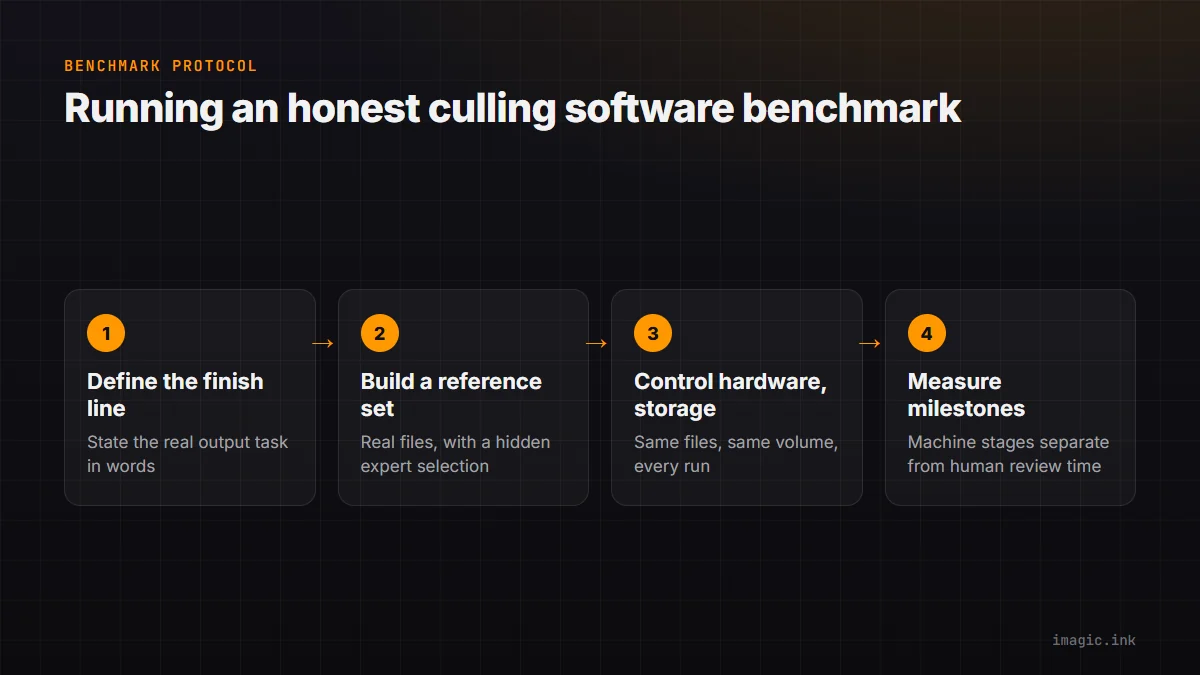
Define the finish line before starting a timer
Choose a real output task. Examples include selecting one frame from each product setup, reducing an event to a client-review set, finding publication candidates from a match, or removing clear technical failures while preserving narrative exceptions. State the target in words and numbers that can be audited. "Finish the cull" is too vague because applications and operators interpret completion differently.
Separate machine stages from human stages. Ingest, indexing, preview creation, and automated analysis can be timed without a person making aesthetic decisions. Review time includes navigation, comparison, rating, exception handling, and correction of automated suggestions. Export preparation may belong in the test if the application requires another conversion before useful delivery.
Choose whether the finish line is first usable preview, all previews ready, first-pass rejection, final keeper set, or handoff into the editor. Report several milestones when they answer different questions. A photo desk needing an immediate first image has a different priority from a wedding studio optimizing the entire next-day selection.
Build a representative reference set
Use files from the exact cameras and modes in production, with permission to use them internally. Include ordinary RAW, compressed variants, high-resolution files, and paired JPEGs where relevant. A mixed set should reflect actual volume by camera rather than giving every format equal weight for convenience.
Include the decisions that make culling difficult: short and long bursts, minor focus shifts, blinks, partial obstructions, intentional motion, repeated compositions, exposure changes, quiet reactions, and isolated one-off frames. A folder of obviously sharp and obviously blurred test charts cannot evaluate grouping or editorial triage.
Create a hidden reference selection through careful expert review before running the benchmark. Mark technically unacceptable frames, acceptable alternates, preferred moments, and protected narrative exceptions. More than one answer may be valid within a burst. The reference should record why, so disagreement can be classified rather than reduced to a misleading single accuracy score.
Control hardware and storage variables
Record computer model, processor, memory, graphics hardware where relevant, operating system, application version, power mode, thermal state, source drive, destination drive, card reader, connection type, free space, and file-system format. Disable unrelated heavy tasks or document them. Keep the computer connected to power when that matches production use.
Storage can dominate ingest and preview work. Copy the same source folder to the same test volume for every application, or use a verified fresh copy for each run. Do not compare one application's cached internal SSD run with another application's direct card read. If network storage is part of normal work, test it as a separate condition rather than silently mixing it into a local benchmark.
Temperature and power policies can change sustained performance. Allow the system to return to a consistent idle state between runs. Randomize application order across repetitions so the first or last tool does not inherit a systematic thermal advantage. Report that variability instead of hiding it behind one decimal place.
Control previews, caches, and prior knowledge
Applications may use embedded camera previews, build standard previews, render full-resolution previews, decode RAW on demand, or combine these strategies. Document the selected setting and the resolution actually inspected. A tool that looks fast at thumbnail size may pause at 100 percent, while another may invest time before review begins.
Use a clean catalog, session, database, or cache for a cold run. Confirm that the application has not previously indexed the files. Then perform a warm run if repeat access matters. Label the two results clearly. Deleting unknown application folders to force a cold state can damage user data, so follow vendor guidance or use a separate test account and disposable test project.
Keep network behavior consistent. If an application requires model downloads, install them before timing unless deployment time is part of the question. If processing is cloud-based or hybrid, record upload conditions and whether files were already present. Do not compare an uploaded warm dataset with a local tool seeing files for the first time.
Measure milestones with a simple log
| Milestone | Start | Stop | Quality check |
|---|---|---|---|
| Ingest available | Import or scan command issued | All files listed | Count and metadata reconcile |
| Review ready | Ingest begins | Target inspection size is responsive | Random files render correctly |
| Analysis complete | Analysis requested | Application reports completion | No silent failures or missing groups |
| First pass complete | Reviewer begins | Every sequence addressed | Protected exceptions retained |
| Final set ready | Review begins | Handoff criteria met | Reference disagreements classified |
Use a monotonic timing tool or screen recording with visible timestamps, and define whether pauses count. Client calls and unrelated interruptions should be excluded or repeated. Deliberate thinking, waiting for a preview, correcting a group, and recovering a mistake belong to operator time because they are part of the cull.
Repeat each condition enough to reveal variability, but do not claim statistical certainty from a tiny sample. Report every run or show a range and median with the count. If one run fails, explain whether it reflects a reproducible product issue, corrupted test state, or an external interruption.
Score decision quality by consequence
False rejection of a unique, important frame is more serious than retaining one extra duplicate. Separate error classes: missed technical failure, incorrect closed-eye judgment, wrong burst representative, split or merged group error, missed unique moment, and extra review candidate. Report counts for each rather than collapsing them into one percentage.
Measure review-set reduction only alongside recall of protected frames. An application can create a tiny review set by discarding aggressively, but that is not useful if it loses the winning reaction. Conversely, a cautious tool may preserve nearly everything and provide little labor reduction. The acceptable tradeoff depends on genre and consequence.
Have the reviewer inspect disagreements blind to the application's recommendation where possible. Record whether the reference was wrong, the software was wrong, or both choices were defensible. Editorial preference is not ground truth in the same sense as file corruption or closed focus.
Control operator learning and interface fit
A familiar application has an advantage over one opened for the first time. Give each tool a defined practice session using files outside the measured set. Configure shortcuts, review mode, grouping, color management, and display scaling. Use the same input device and target inspection behavior where practical.
Then record interactions: key presses, mouse travel, mode switches, accidental rating changes, waits for full resolution, and time spent understanding group state. The count is not a universal usability score, but it can reveal why one workflow feels faster for a particular operator.
For automated systems, include setup and correction. Time spent choosing thresholds, rebuilding groups, or rescuing exceptions belongs in the result. For manual-first browsers, include every comparison needed to reach the same finish line. A fair test holds the output requirement constant, not the number of features used.
Test interruption and recovery
Performance has little value if a long analysis cannot recover safely. On a duplicate test project, close the application during preview creation, interrupt an analysis according to supported controls, disconnect a test source only when safe, and restart the workstation. Confirm whether file count, ratings, groups, and completed work remain coherent.
Do not perform fault testing on the only copy of a shoot. Use disposable copies and documented steps. Record whether recovery is automatic, manual, or impossible, and whether the interface explains the state. A slower tool with clear recovery may be operationally preferable to a fast tool that leaves uncertain decisions after interruption.
Check database portability and backup. Identify which file preserves decisions, how it is backed up, and whether another workstation can resume. Include the time needed to restore a test project if continuity is a major requirement.
Interpret results only within the tested scope
A result applies to the recorded hardware, files, settings, versions, and operator. It should not become a broad claim about every camera or studio. State whether the winner changed between first-preview latency, full review readiness, automated stage, and final selection. Different tools may lead different stages.
imagic's documented local workflow can scan a directory, analyze photos, report library statistics, reselect from stored scores, and keep culling decisions reversible. Re-selection does not rerun analysis, so score freshness must be checked when a prior result may predate the installed scorer. This behavior should be represented correctly in any test. The desktop page provides product context, and the Software Comparisons section supports broader evaluation.
Publish raw run data, settings, exclusions, and the reference-set method when sharing a benchmark. If that evidence cannot be released because client files are confidential, describe the protocol and limitations without pretending outsiders can independently verify the outcome.
Include the handoff that follows the cull
A culling result has limited value if ratings, labels, sequence membership, or filenames cannot reach the next application reliably. Add a handoff trial after the final set is chosen. Export or synchronize decisions through the supported path, open the destination catalog, and reconcile count, rating, color label, orientation, timestamp, and RAW-plus-JPEG pairing. Time manual repair separately.
Test both a normal job and an exception-heavy one. A simple folder may transfer cleanly while virtual copies, grouped brackets, renamed files, or two cameras with overlapping numbers create ambiguity. Record which system becomes authoritative after handoff and whether later rating changes can flow back without overwriting newer work.
This stage can reverse an apparent performance win. A fast first pass followed by a long metadata cleanup may take more operator time than a slower review with a dependable handoff. Report the combined path and keep the culling-only milestone for teams whose desk genuinely needs nothing else.
Frequently asked questions
What is the single most useful culling speed metric?
For most production work, time to a defensible final selection is more informative than time to the first thumbnail. Report machine and human stages separately so the cause remains visible.
How can culling accuracy be measured when taste is subjective?
Use consequence-based categories and allow multiple acceptable frames within a sequence. Technical failures can be scored more firmly, while editorial disagreements should be reviewed and described.
Should a benchmark use only one run?
No. Repetition exposes cache, thermal, network, and background-process variation. Report the number of runs and the spread rather than presenting one unusually good result as typical.