Batch Editing Without the Cookie-Cutter Look
Batch photo editing without a cookie-cutter look: a base style layer, scene-splitting before batching, the 90/10 rule, and a fast QC scan technique.
Step-by-step guides to RAW formats, camera files, batch processing, and getting specific jobs done in imagic.
Batch photo editing without a cookie-cutter look: a base style layer, scene-splitting before batching, the 90/10 rule, and a fast QC scan technique.
Migrate from Lightroom without losing work. Move edits, metadata, and photos to imagic and open-source tools like RawTherapee, step by step.
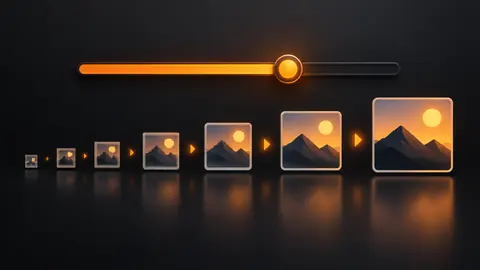
imagic's Interface size setting scales every panel, label and button. Where it is in Settings, the three sizes, and why it needs a restart.
Streamline photo delivery from cull to client gallery. imagic, RawTherapee, and free gallery tools for fast, professional client delivery.
Highlight clipping in photography explained: what clipping means at the sensor level, what is recoverable, and fixing a whole set in batch.
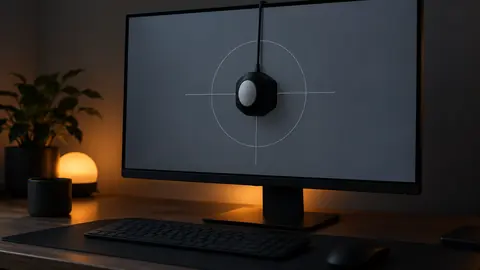
Monitor calibration for photo editing explained: why prints come back wrong, hardware calibrators vs eyeballing, brightness targets, and when it matters less.
imagic 1.5.10 adds zoom and pan to the Review full-size view. Check eyes and focus at 100% before you keep or trash a frame, with the keys that make it fast.
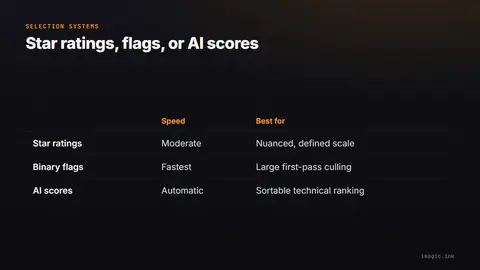
Star ratings vs flags vs AI scores for photo selection: what each system actually means, when it breaks down, and how to migrate between them.
Culling vs editing photography: why judging and adjusting in the same pass slows you down, and how a two-pass pipeline speeds up delivery.
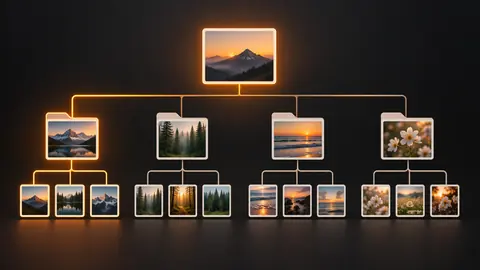
A photo organization folder structure built to survive catalog changes: date-based vs client-based trees, the hybrid that scales, and naming rules.
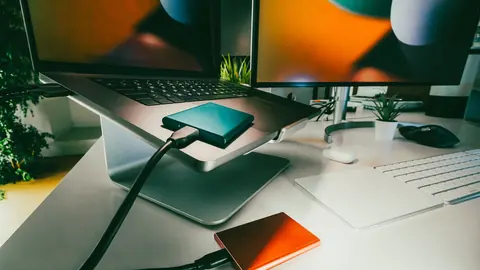
The photo backup strategy every photographer should use: three copies, two media types, one offsite, with concrete, affordable setups for each stage.
imagic 1.5.7 runs in German, Italian, Brazilian Portuguese, Dutch, French and Spanish. How to switch language in Settings, what changes and what stays English.
imagic 1.4.5 checks each eye of your main subject for a blink or a half-closed lid, marks the frame down and names the eye. How it works and how to use it.
Capture One vs Lightroom for beginners: the gentler learning curve, current pricing as of September 2026, and a free way to try RAW editing first.
Sports photography culling in imagic: switch Subject to Action, let pose grouping split each burst into phases, and keep the peak frame of every moment.
How to find duplicate photos on Windows and Mac: exact vs near-duplicate detection, perceptual matching for bursts, and a safe-delete workflow.
How to apply one preset to multiple photos at once, free methods included: when one look breaks across mixed light, and a split-batch strategy.
How to batch resize photos free without Photoshop: resize-on-export workflows, long-edge vs megapixel targets, and when upscaling is acceptable.
The best JPEG export settings explained: what the quality slider actually does, chroma subsampling in plain words, and presets by destination.
Create professional HDR photography without subscriptions. Guide to HDR merging, tone mapping, and natural HDR looks using free tools and imagic.
A photo sharpening guide covering the three-stage model, avoiding over-sharpening halos, export sharpening for screen vs print, and batch defaults.
How to fix white balance fast: reading color casts by eye, the gray-point method, batch-correcting tungsten across 300 frames, and mixed-light triage.
What RAW actually is versus a finished JPEG, real latitude examples explained in words, when JPEG genuinely wins, and a first RAW workflow.
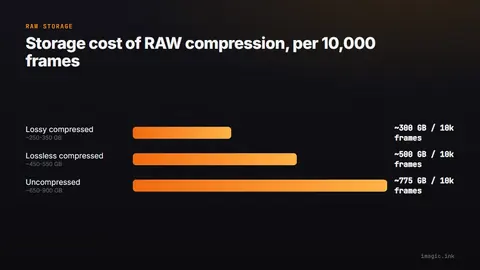
Compressed, lossless, and uncompressed RAW compared across Sony, Canon, and Nikon naming, with storage math and a recommendation by genre.
Try imagic free for 500 exports with no card required, then keep AI culling, duplicate removal, and batch editing with a one-time license from €19 — no subscription.
Download imagic Desktop