
The little red and blue overlay on a histogram looks alarming the first time you see it lighting up a wedding portrait, but clipping warnings are one of the most misread signals in photo editing. Some clipping is a real problem. Some is completely normal and expected. Knowing which is which saves both panic and wasted recovery time.
What Clipping Actually Is at the Sensor Level
A camera sensor can only record a limited range of brightness values before it either runs out of light to register (shadows going to pure black with no detail) or saturates completely (highlights going to pure white with no detail). Clipping is what happens when part of a scene falls outside that range: the sensor records the same maximum or minimum value regardless of how much brighter or darker the real scene actually was. Once that happens, the information is gone from the file, not just hidden, so no amount of software adjustment can reconstruct detail that was never captured in the first place.
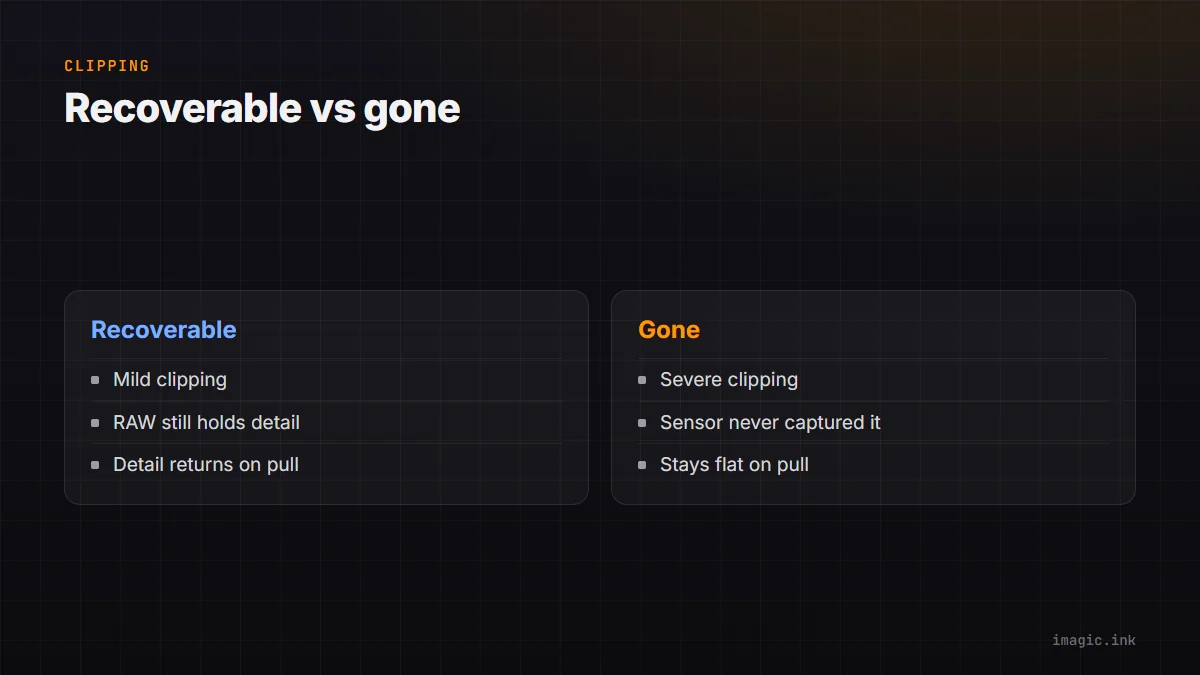
Recoverable vs Gone
This is the distinction that matters most: RAW files hold more highlight and shadow information than the camera's preview or JPEG suggests, so a clipping warning on the back-of-camera screen or in a fast preview often overstates the real problem. Mild highlight clipping, a small blown patch on a shirt or a reflection, is frequently recoverable from RAW data even though it displayed as clipped. Severe clipping, a sky gone completely featureless white across a wide area, usually is not recoverable, because the sensor genuinely never captured any gradient there to bring back. The practical test is simple: pull the highlight or shadow slider hard in your RAW editor and watch whether detail returns gradually or the area stays flat. Understanding photo histograms covers how to read that signal before you even open an editor.
Exposing for Highlights
Because highlight clipping is unrecoverable once it happens and shadow detail is comparatively easier to lift, the standard practical guidance is to expose to protect highlights first, even if that means shadows look darker than ideal on the back-of-camera screen. A slightly underexposed RAW file with intact highlight detail can usually be brought back to a correct-looking result; a blown-out sky cannot. This is especially relevant in high-contrast scenes, backlit portraits, weddings with bright windows, anywhere the dynamic range of the scene exceeds what the sensor can hold in one exposure.
Fixing a Whole Set When It Is Consistently Off
If an entire shoot comes back with the same clipping issue, a metering habit that ran hot for a whole session, or a lighting setup that consistently blew highlights, the fix belongs in a batch pass rather than image by image. Apply a highlight recovery adjustment to one representative frame, confirm it holds detail without introducing artifacts, then sync or batch-apply that same correction across the set. imagic's batch editing applies one adjustment across hundreds of images at once, which turns a consistent exposure mistake from hundreds of individual fixes into a single correction applied everywhere it is needed.
When to Just Accept the Loss
Not every clipped highlight needs rescuing. A small specular highlight, a shine on glass or metal, is supposed to be pure white and trying to pull detail back into it usually looks worse than leaving it clipped. Reserve recovery effort for clipping that is actually hurting the image, a blown face or a featureless sky where real detail existed, rather than chasing every red warning pixel on the histogram. imagic's exposure scoring flags likely clipping automatically during a cull pass, which helps separate the frames worth a recovery attempt from the ones where the exposure was simply a miss. More on reading exposure signals lives in the guides section of the blog.
Frequently asked questions
Is shadow clipping less serious than highlight clipping?
Generally yes. Modern sensors tend to hold more recoverable shadow detail than highlight detail, and noise in recovered shadows is usually more forgivable than a featureless blown-out highlight. It is still better to avoid severe shadow clipping when possible.
Does shooting RAW eliminate clipping problems?
No, but it gives you more room to recover from mild clipping than a JPEG would. Severe clipping, where the sensor captured no gradient at all, is unrecoverable in any file format.
Why does the camera's histogram show clipping that RAW editing software does not?
The camera's histogram is usually based on the embedded JPEG preview, which has less dynamic range than the underlying RAW data. A RAW editor reading the actual sensor data can often recover detail the camera's own preview suggested was already lost.