Every major camera brand names its RAW compression options slightly differently, which makes "should I shoot compressed or lossless?" harder to answer than it should be. Sony has compressed and lossless compressed ARW. Canon has CR3 and a compressed C-RAW variant. Nikon has Lossless Compressed, High Efficiency, and High Efficiency* NEF. This is the plain-language version of what those choices actually cost you.
The Naming Chaos, Decoded
Underneath the brand-specific names, there are really three categories:
- Uncompressed: every bit of sensor data kept, largest files, no quality tradeoff by definition
- Lossless compressed: file size reduced through compression that can be perfectly reversed, so no data is discarded (Sony's lossless compressed ARW, Nikon's Lossless Compressed NEF, most cameras' default "RAW")
- Lossy compressed: file size reduced by discarding some data, similar in principle to JPEG but far less aggressive (Sony's compressed ARW on older bodies, Canon's C-RAW, Nikon's High Efficiency and High Efficiency* NEF)
Lossy RAW compression is not the same thing as JPEG. It typically discards far less information and the files remain fully editable RAW data with wide latitude, just with a smaller quality margin than lossless.
What the Quality Cost Actually Looks Like
In normal shooting conditions, correctly exposed, moderate dynamic range, lossy compressed RAW and lossless compressed RAW are typically indistinguishable after editing. The difference shows up at the edges: heavy shadow recovery, extreme dynamic range scenes, or images that will be pushed hard in post. That is where lossy compression's discarded data can show as slightly rougher gradients or marginally more visible noise in recovered shadows. For a well-exposed portrait or landscape edited normally, most photographers cannot reliably tell the files apart in a blind comparison.
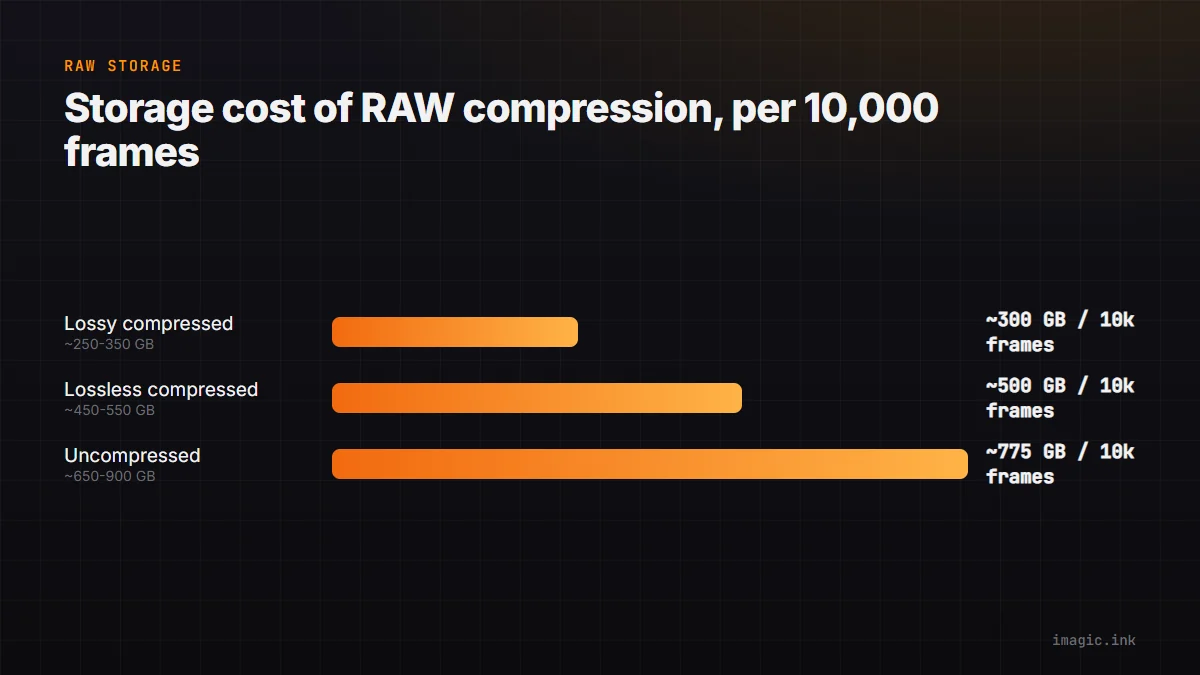
Storage Math Per 10,000 Frames
Rough figures vary by body and scene complexity, but the relative gap holds across brands:
| RAW type (45MP-class body) | Typical size | Per 10,000 frames |
|---|---|---|
| Lossy compressed | ~25 to 35 MB | ~250 to 350 GB |
| Lossless compressed | ~45 to 55 MB | ~450 to 550 GB |
| Uncompressed | ~65 to 90 MB | ~650 to 900 GB |
The gap between lossy and uncompressed at volume is not small: it is the difference between one 1TB drive and needing two or three per year of heavy shooting. See RAW File Backup Strategy for Photographers for how that volume affects backup planning.
Recommendation by Genre
There is no single right answer, but a reasonable default by shooting style:
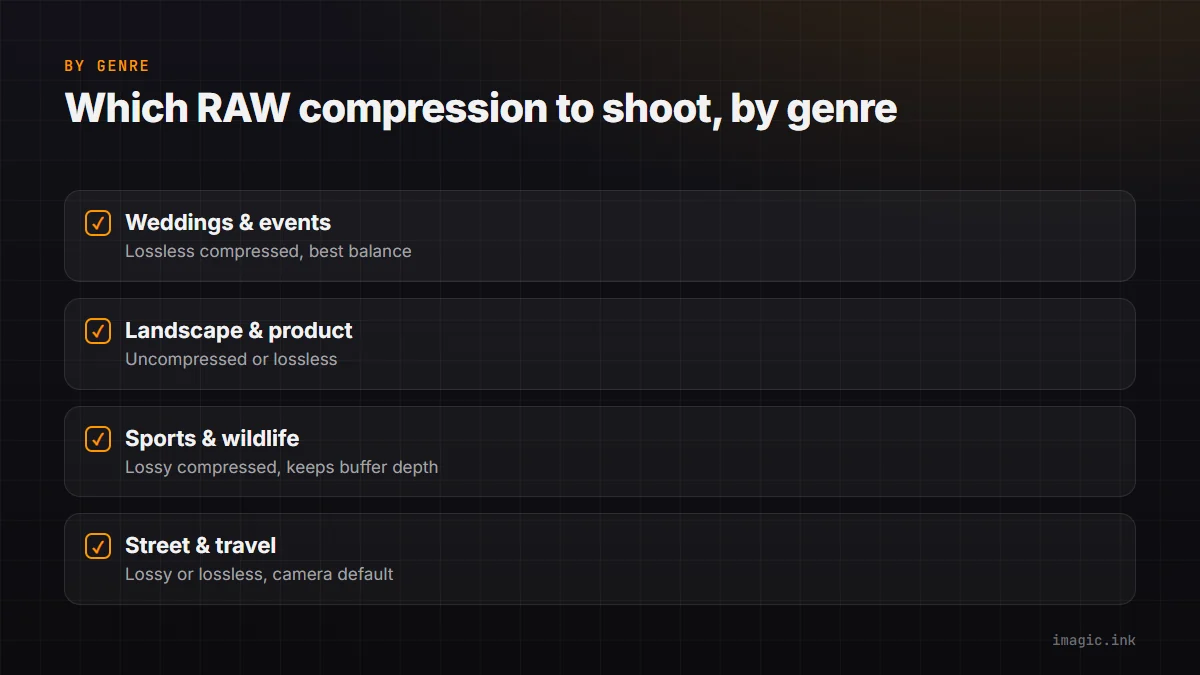
- Weddings and events (high volume, tight turnaround): lossless compressed is usually the best balance of quality and manageable file size
- Landscape and product (lower volume, heavy post-processing): uncompressed or lossless compressed, since the extra headroom matters more when you are pushing tonal range hard
- Sports and wildlife (very high frame counts, fast bursts): lossy compressed keeps buffer depth and card write speed usable, and the quality gap rarely matters at typical viewing sizes
- Street and travel (portability, card space matters): lossy or lossless compressed, whichever your camera defaults to
Working With Any of These in imagic
imagic reads CR2, CR3, NEF, ARW, RAF, ORF, RW2, DNG, and PEF, compressed or lossless variants included, through its own built-in RAW processing engine, with everything handled locally. If you are choosing a body-specific workflow, see the Sony A7 IV camera page or browse supported RAW formats. For more format guides, visit the Guides category.
Frequently asked questions
Is lossy compressed RAW basically a JPEG?
No. It is still full RAW sensor data with wide editing latitude, just with a smaller amount of information discarded during compression than a lossless file. It is much closer to lossless RAW than to JPEG in editability.
Should I switch to uncompressed RAW for every shoot?
Usually not. Uncompressed is worth it for the small subset of shoots where you know you will push tonal range hard; for most everyday work, lossless compressed captures nearly all the same benefit at meaningfully less storage cost.
Does RAW compression affect editing software compatibility?
Occasionally. Newer compressed formats (like Nikon's High Efficiency* NEF) can lag behind in third-party software support, so it is worth confirming your editor handles your camera's specific RAW variant before committing a paid shoot to it.
Try imagic free for 500 exports, no card required, RAW processing for all 9 supported formats included. Start the free trial.