Storage is one of those recurring costs photographers underestimate until a drive fills up mid-season. Here is realistic RAW photo storage math by genre and body resolution, a tier system for where files should actually live, and the cheapest upgrade most people skip.
Storage by Genre and Frame Count
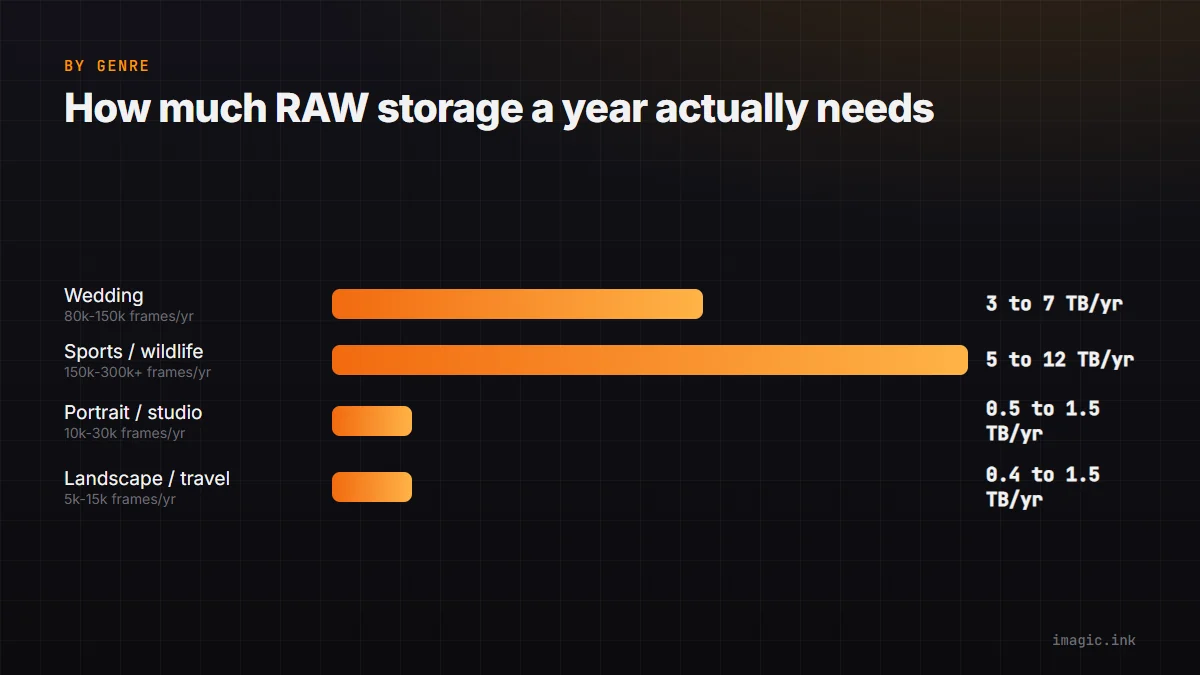
Annual frame counts vary enormously by specialty, and that, not body resolution alone, is the bigger storage driver:
| Genre | Typical frames/year | Approx RAW storage/year (24 to 45MP) |
|---|---|---|
| Wedding (30 to 40 weddings) | 80,000 to 150,000 | 3 to 7 TB |
| Sports/wildlife (high burst use) | 150,000 to 300,000+ | 5 to 12 TB |
| Portrait/studio | 10,000 to 30,000 | 0.5 to 1.5 TB |
| Landscape/travel (fewer, larger files) | 5,000 to 15,000 | 0.4 to 1.5 TB |
A 24MP body's lossless RAW runs roughly 25 to 35MB per frame; a 45MP body runs roughly 50 to 65MB. Double the resolution is not double the frame size because compression efficiency scales with detail, but it is close enough that resolution and volume compound fast for high-frame-count genres.
NVMe, HDD, and NAS: Match the Tier to Access Pattern
Not all storage needs to be the fastest or the most redundant. Matching tier to how often you actually touch a file saves real money:
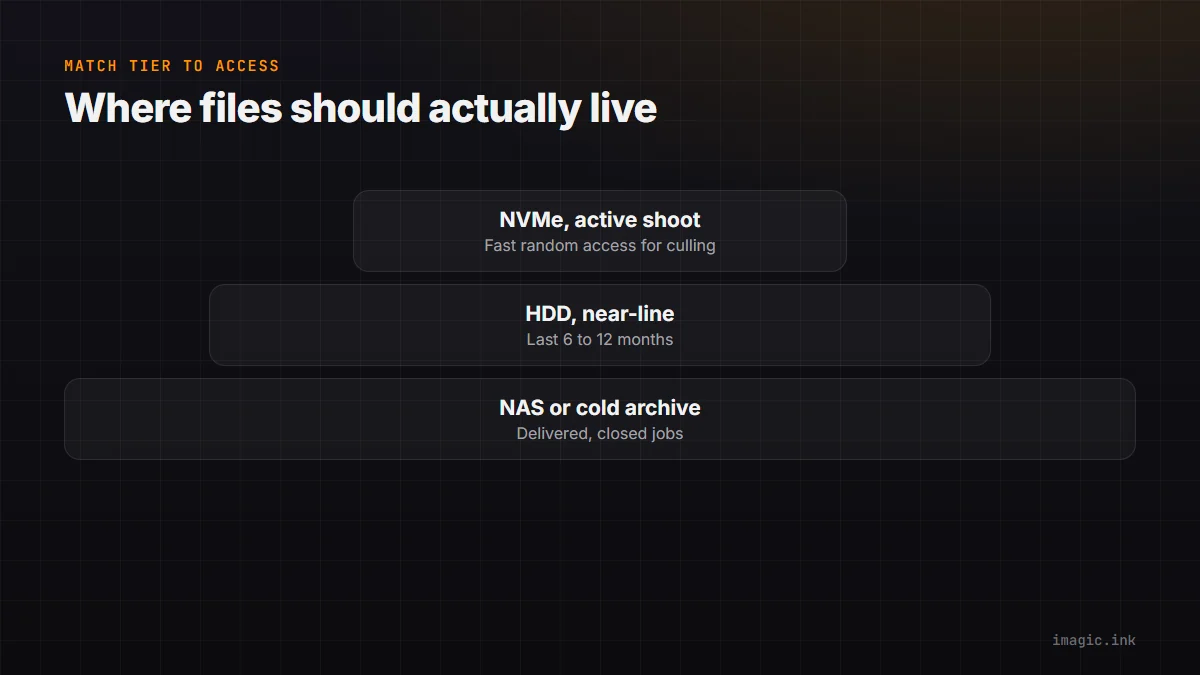
- NVMe SSD (active shoot): the drive you are culling and editing from right now. Fast random access matters here because culling software reads thousands of thumbnails and previews rapidly.
- HDD (near-line, last 6 to 12 months): cheaper per terabyte, fine for shoots you might revisit for a reprint order or album revision but are not actively editing.
- NAS or cold archive (delivered, closed jobs): redundant storage (RAID or equivalent) for anything a client might request again years later. Slower access is fine since you are not editing from it.
A common mistake is keeping everything on fast, expensive storage indefinitely. Moving delivered, closed jobs to a cheaper tier within a month or two of delivery is typically the highest-leverage storage decision available, ahead of buying more of the expensive tier.
Culling: The Cheapest Storage Upgrade That Isn't a Drive
Before buying more storage, it is worth asking how much of what is on the drive should not be there at all. A typical unculled shoot keeps every frame from every burst, including the 8 near-duplicate frames of a single moment where only 1 was ever going to be delivered. Aggressive, early culling routinely removes 60 to 80% of raw frame count from high-burst genres before archiving, which is a bigger storage saving than most hardware upgrades and costs nothing beyond the time to run it.
imagic's AI culling scores sharpness, exposure, and closed eyes, and groups near-duplicate bursts, so the reject pile is identifiable before it ever gets archived rather than being carried forward, drive after drive, for years. See How to Choose Photo Culling Software for a fuller comparison of culling approaches.
A Practical Storage Budget
For a working photographer shooting a moderate wedding season (25 to 35 weddings at 24 to 45MP), a reasonable annual plan looks like: 1 to 2TB of fast NVMe for active work, an HDD or NAS tier of 4 to 8TB for the near-line year, and an off-site or cloud cold copy of anything irreplaceable. Backing up culled deliverables rather than every raw frame from every shoot cuts that footprint substantially. For backup structure specifically, see RAW File Backup Strategy for Photographers.
Where imagic Fits
imagic processes RAW files locally on Windows or Mac, nothing uploaded, and its AI culling (available at every tier including the free trial) is the step that keeps storage growth proportional to what you actually deliver rather than everything you ever shot. It supports CR2, CR3, NEF, ARW, RAF, ORF, RW2, DNG, and PEF. Browse supported RAW formats or more planning content in Industry Insights.
Frequently asked questions
How much storage does a wedding photographer need per year?
Typically 3 to 7TB of raw storage for a season of 25 to 40 weddings, though this varies with body resolution, RAW compression setting, and how aggressively you cull before archiving.
Is cloud storage or a local NAS better for RAW archives?
Both have a place: a local NAS is usually cheaper per terabyte and faster to restore from, while cloud storage adds off-site protection against fire, theft, or hardware failure. Many working photographers use both rather than choosing one.
Does culling before archiving really save meaningful space?
Yes, often more than any single hardware purchase. Removing near-duplicate bursts and clear technical rejects before a shoot is archived commonly cuts stored frame count by more than half for high-burst genres.
Try imagic free for 500 exports, no card required, AI culling included from the first shoot. Start the free trial.