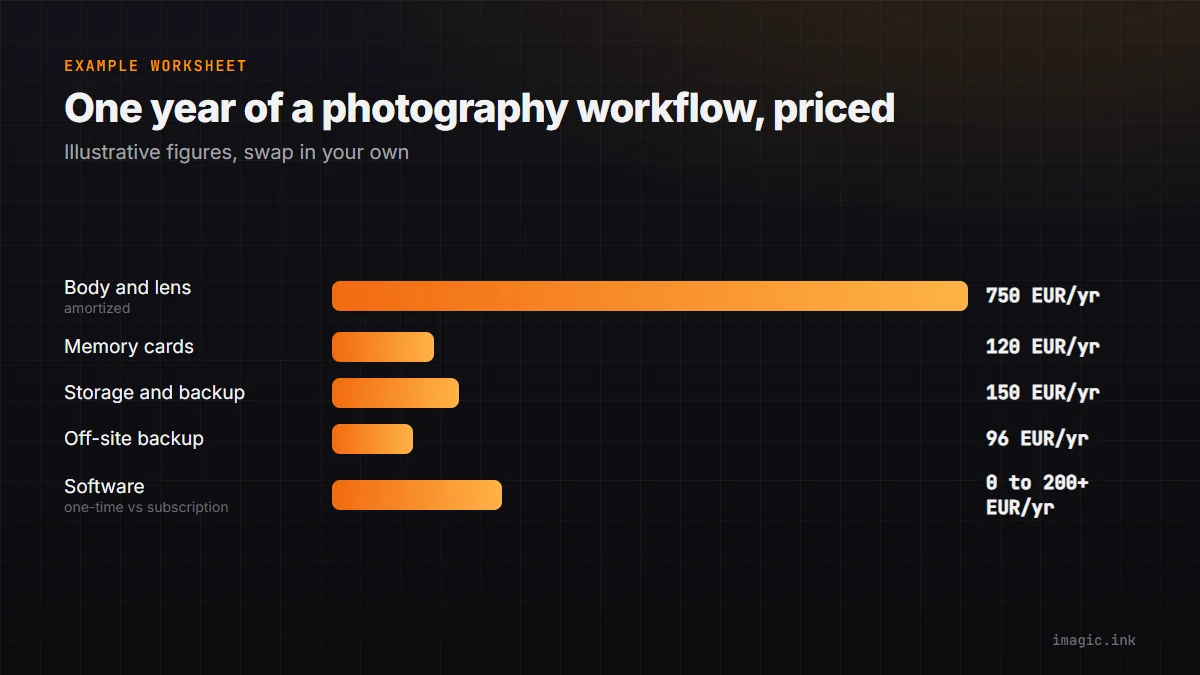
A camera body's price tag is the number every buying guide leads with, and it is the smallest recurring line in a working photography budget. Once a body ships, the ongoing costs start: memory cards sized to the burst rate, a storage system that survives a drive failure, a backup habit that survives a lost card, and editing or culling software that keeps charging, or does not. Checked 15 August 2026, this guide builds a full-workflow cost model around five categories: body and lens, cards, local storage, backup, and software. Every calculation is labeled with its assumptions so the figures can be swapped for a reader's own currency, file sizes, shooting volume, and keeper rate.
Why the sticker price is the wrong number to budget from
A single retail price answers one question: what does the body cost today, in one region, before tax. It does not answer the question a working budget actually needs, which is what the whole workflow costs per year of use. Two photographers who buy the same body can have very different annual costs depending on how long they keep it, how many frames they shoot per year, whether they subscribe to editing software or buy it once, and how they back up the result. Amortizing a purchase, spreading its cost across the years it is actually used, turns a large one-time number into a comparable annual figure that sits next to subscriptions, card purchases, and storage spend.
Camera-market shipment data adds context for that planning horizon without acting as a price signal. The Camera and Imaging Products Association tracks global shipment volumes and publishes regular releases; a recent CIPA release and the association's ongoing shipment statistics show how the market moves year over year. That data describes unit volume, not retail pricing, so it belongs in a budget conversation only as background on how long a given body class tends to stay in production, not as evidence for what any specific camera costs.
Body and lens: amortizing the biggest single line item
2026 has brought a normal spread of body announcements across price tiers, and each one is a live reference point for the amortization exercise rather than a fixed number to copy. Ricoh's compact GR IV has a published specification sheet and a support Q&A page that covers compatibility and setup questions. Panasonic's full-frame LUMIX S1II and S1IIE were introduced together, with details in Panasonic's announcement. Nikon's Z6III sits in the same full-frame mid-tier, documented on its product overview page. Canon's R6 Mark III has a full reference manual published at cam.start.canon. None of these pages should be read for a price figure to reuse here; each region and retailer sets its own number, and it changes. Check the official page in a reader's own currency before treating any figure as current.
Canon's flagship EOS R1 is a useful case study in why a single quoted price is unreliable across an article's shelf life. As of the 15 August 2026 check, Canon's US store page for the EOS R1 lists the body as unavailable rather than showing an active buy button. That is a regional stock status, not proof the camera is discontinued everywhere, and it means a workflow budget built around this body should be built for an existing owner or a used-market buyer, with a check of the relevant regional Canon site before assuming any number still applies.
The amortization math itself is simple once a body price is known. Take the total spent on a body and its primary lens, divide by the number of years it will realistically stay in the working kit, and the result is an annual hardware cost. For example only, substitute real numbers: a kit that cost 3,000 in local currency and stays in use for four years before the next upgrade comes to 750 per year, or roughly 63 per month. Trading in the outgoing body against the next one lowers that effective annual figure further, though resale value is an estimate until an actual buyer is found, not a guaranteed number to bank on in advance.
Cards and buffer: turning a burst rate into a storage bill
A camera's continuous burst rate and buffer depth, published on its own specification and manual pages such as the Ricoh GR IV support pages and the Canon R6 Mark III manual, determine how fast a card fills during a fast sequence, but they do not translate into a storage figure on their own. That requires file size and shooting duration as inputs, and both vary by camera, RAW compression setting, and subject.
Here is a worked example using illustrative numbers only; the real inputs belong on a reader's own spec sheet and shot log. Suppose a body is set to shoot at 20 frames per second, a burst lasts 3 seconds, the camera is triggered for 40 such bursts across a session, and each RAW file averages 45 megabytes. That is 20 x 3 x 40 x 45 megabytes, or roughly 108 gigabytes for the session. If a third of those frames are near-duplicates removed during culling and roughly 15 percent survive as keepers, the number that actually needs long-term storage and backup is closer to 16 gigabytes, while the working card and short-term local drive still need headroom for the full 108. Swap in the real burst rate from a camera's own specification page, the actual average RAW size for its sensor and compression setting, and an honest keeper rate, and the same formula produces a defensible card and storage budget instead of a guess.
Local storage and the 3-2-1 backup habit
A card is not a backup, and a single internal drive is not a backup either; both are single points of failure. The common structure that photographers and archivists use is the 3-2-1 rule: at least three copies of a file, on two different types of media, with one copy kept somewhere other than the working location. In practice that usually means the original card, a working drive on the editing machine, a second physical drive kept separately, and sometimes an off-site or cloud copy for the keeper set.
The ongoing cost here has two parts: the hardware itself, replaced every few years as drives age or capacity runs short, and any recurring cloud or off-site storage fee if that route is chosen. As an example calculation only, a photographer who nets around 200 gigabytes of keeper files per year and rotates local drives every three years might budget for two drives at once (working plus backup) sized to hold three years of accumulation with headroom, then add whatever a chosen off-site or cloud tier charges per month for the keeper set alone rather than the full unculled take. Culling aggressively before that off-site copy is made keeps the recurring storage bill tied to actual keepers rather than every frame a burst mode produced.
Where the editing software sits in this picture matters for the backup plan too. A tool that processes entirely on the local machine, the approach imagic's desktop application uses for its culling and RAW editing, does not add a mandatory cloud storage line to the budget, since photos are not required to leave the machine to be processed. It also does not provide one; backup remains the photographer's own responsibility either way, and a local-only tool should not be assumed to include an off-site copy just because it avoids uploading files by default.
Software: subscription creep versus a one-time license
The clearest ongoing cost divide in a 2026 workflow is between subscription editing or culling software and one-time licenses. Adobe has published a notice about pricing and storage-tier changes to its Lightroom plans; the details are on Adobe's 1TB plan FAQ and the current tiers are listed on its plan comparison page. A subscription's true annual cost is its monthly fee times twelve, repeating every year the photographer keeps paying, with no point at which the software is fully owned. For a dedicated year-by-year and three-year comparison across the leading subscription and one-time culling tools, see the separate three-year software cost breakdown; this guide keeps the software line short so it can sit next to the hardware and storage numbers above in one worksheet, and the dedicated look at the Lightroom pricing change covers that specific notice in full.
The AI culling category worth knowing before building a software line: Aftershoot publishes its tiers at aftershoot.com, FilterPixel at filterpixel.com, and Imagen AI's plans are described in its support article. All three are subscription or usage-metered products, which means their annual cost recurs indefinitely rather than tapering off. Narrative's Select tool runs on Windows, with system requirements and setup confirmed on its own Windows support page, and its pricing is listed at narrative.so/pricing. Each of these tools has a real strength and a real limit: they are not for a photographer who wants a single upfront payment and no recurring bill, since all four price on a subscription or metered basis as of this check.
imagic prices the other way: one-time EUR licenses, Lite at 19, Plus at 49, and Max at 99, with a 500-export free trial that does not require a card, checked 15 August 2026 on the product's own pages. Once a license is bought there is no recurring software fee for that tier, which is the calculation that makes a one-time license cheaper than a subscription past a certain number of years, the exact year depending on the subscription's monthly price. imagic is not for you if the workflow needs cloud-based team collaboration, a mobile app, tethered capture, or full digital-asset-management cataloging across a large existing library; it is a desktop-only, local-processing culling and RAW editing tool, and the Max tier's added MCP server and command-line interface are for photographers who want to script or automate parts of their own local workflow, not a feature that uploads files anywhere on its own.
Building a one-year workflow worksheet
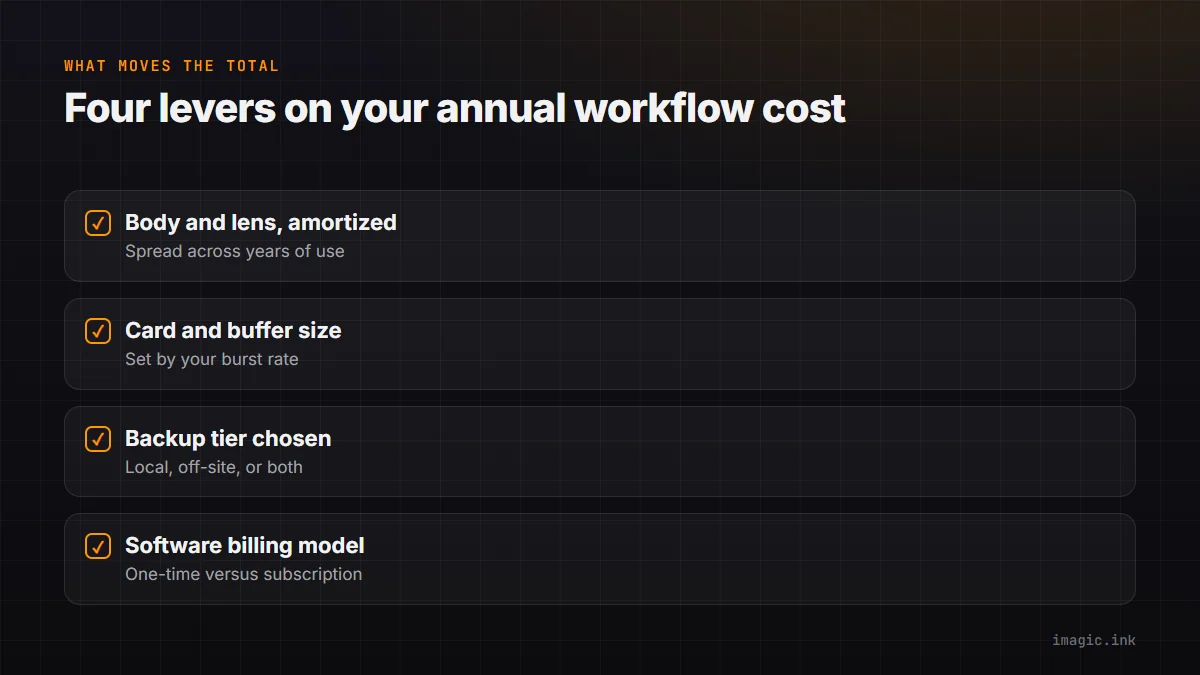
Combining the four categories above into a single annual figure is the point of the exercise. The structure below uses example numbers only, clearly separated from the sourced facts earlier in this guide, so a reader can replace every value with a real one from their own region and shooting pattern:
| Category | Example annual figure | Assumption behind it |
|---|---|---|
| Body and lens (amortized) | 750 | 3,000 kit cost divided across a 4-year hold |
| Memory cards | 120 | Two replacement cards sized to a season's burst volume |
| Local storage and backup drives | 150 | Working plus backup drive, replaced on a 3-year rotation |
| Off-site or cloud backup | 96 | 8 per month for the keeper set only, not the full unculled take |
| Editing or culling software | 0 to 200+ | One-time license amortizes toward 0 after year one; a subscription repeats its full annual fee every year |
The software row is deliberately shown as a range rather than a single figure, because it is the one category where the underlying billing model, not just the price, changes the shape of the total over several years. Everything else on this table trends toward a flat or slowly rising annual cost; a subscription software line is the one that keeps charging the same amount indefinitely unless a reader switches models. Filling in real numbers for each row, using the assumptions stated beside them, turns this from a generic example into an actual budget a photographer can compare year over year.
Frequently Asked Questions
How much should a photography workflow cost per year in 2026?
There is no single defensible number, because body choice, shooting volume, and software billing model all move the total by large amounts. The worksheet above is a template for building that number from a reader's own inputs rather than a published average, since an average across very different shooting styles would hide more than it reveals.
Is a one-time software license actually cheaper than a subscription over three years?
It depends on the subscription's monthly price and how long the license is used. A one-time purchase costs more in its first year than a single month of a subscription, then costs nothing further for as long as the software is used, while a subscription repeats its full charge every year. Past whatever point the accumulated subscription payments exceed the one-time price, the license comes out ahead; the exact crossover year depends on the specific numbers, which the three-year software cost breakdown works through in detail.
Do I still need a backup plan if my culling software processes everything locally?
Yes. Local processing means photos are not required to leave the machine to be culled or edited, which is a privacy and network property, not a backup property. A local-only tool has no bearing on whether a drive can fail or a card can be lost, so the 3-2-1 backup habit described above still applies regardless of which editing software is used.
How do I estimate storage needs without an exact burst-rate figure for my camera?
Pull the real continuous burst rate and buffer depth from the camera's own specification or manual page, note the average RAW file size that camera and setting combination actually produces, and multiply by realistic burst duration and frequency for a typical session. Apply an honest keeper rate on top, since only surviving files need long-term storage and backup, while the working card and short-term drive still need headroom for the full unculled take.