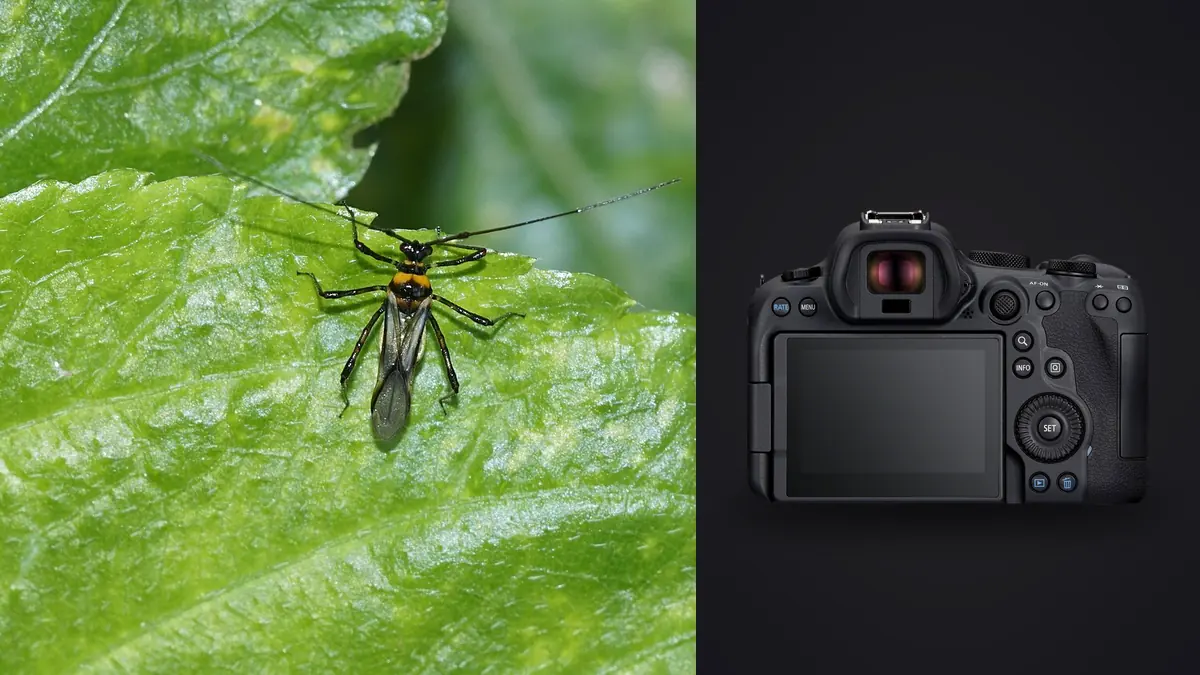
Why the R6 Mark II Ends Up in a Lot of Macro Bags
I did not buy the Canon EOS R6 Mark II for bugs. I bought it as a general-purpose body and only started pointing it at dragonflies and jumping spiders because it was already on the strap during a wetland walk in early spring. Two seasons later it is my default macro camera, not because it has some headline macro-specific feature, but because the parts that matter for insect work (fast, low-light autofocus, a sensor that tolerates heavy cropping, and in-body stabilization that keeps handheld focus stacks usable) all happen to be strong on this body.
This is not a spec sheet regurgitation. It is what changed in my settings menu and my field habits once I started shooting insects seriously with this camera, plus what happens after the card comes out and I am staring at 900 nearly-identical frames of the same damselfly.
Autofocus: What Actually Works on Moving Insects
The R6 Mark II's animal detection AF was trained on birds, dogs, and cats, not on insects, and Canon has never officially added insects as a detection category. That said, it still helps indirectly. On a resting dragonfly or a stationary mantis, the eye-detect algorithm frequently locks onto the compound eyes even though the subject wasn't the intended training target, because the contrast and shape of an insect eye against a leaf background reads similarly enough to what the model expects. It is inconsistent, though, and I would not plan a shoot around it.
What I actually rely on is a small AF area (I use the 1-point Spot AF or a small Flexible Zone) combined with back-button focus, and I do almost all fine adjustment manually by rocking my body forward and back rather than turning the focus ring. At 1:1 or higher, the depth of field is measured in millimeters, and the AF motor hunting for confirmation costs more time than it saves. For insects that are actively moving (a bee working a flower head, for instance) I switch to Servo AF with a small zone and accept a lower keeper rate in exchange for more attempts.
One setting I changed early: AF Case in the custom menu. The default tracking sensitivity is tuned for subjects moving predictably across the frame, which an insect almost never does. I dropped tracking sensitivity toward the "locked on" end and reduced acceleration/deceleration tracking, which stopped the camera from jumping to a leaf every time a subject's wing flicked.
Burst Shooting and the Buffer Reality
The R6 Mark II will do 40 fps in electronic shutter mode, which sounds perfect for catching a bee mid-liftoff. In practice I use that speed sparingly. Electronic shutter on this sensor introduces rolling shutter skew on fast wing beats, and at 1:1 magnification even a slow-looking insect movement is fast relative to the frame. For general macro work I sit at 12 fps mechanical shutter, which avoids the skew and still gives me enough frames to catch a wing at a useful position.
The buffer matters more than the frame rate once you're chasing a subject that might fly at any second. Shooting compressed RAW, I get a genuinely useful buffer depth before the camera slows down, enough for a solid two-second burst, which for insect work is usually the entire window you get before the subject reacts to your lens shadow. The card matters here too. A slower UHS-I card will bottleneck the buffer clear-out and leave you staring at a "BUSY" indicator right when the insect repositions.
Handheld Focus Bracketing Instead of a Rail
The R6 Mark II has built-in focus bracketing (Camera menu, not a feature bolted on through firmware from a third party), and it is the single biggest reason I stopped carrying a macro focus rail into the field. You set a step width and a number of shots, half-press to set your starting focus point, and the camera racks focus and fires automatically. For a resting insect on a still morning I'll set 15-25 steps at a narrow step width and let it run.
The catch is that this only works when the insect holds still, which rules out most jumping spiders and anything foraging. For those I fall back to a single well-focused frame at f/8 to f/11 and accept a thinner slice of sharpness rather than trying to stack a moving target. When I do get a good bracket sequence, the IBIS (up to 8 stops of shake correction depending on the lens) is what makes handheld bracketing viable at all. Without it, a 20-frame handheld stack would have enough frame-to-frame drift that stacking software would fight to align them.
Field Settings Comparison
These are the three configurations I actually rotate between in the field, based on what the insect is doing when I find it.
| Scenario | Shutter Mode / Speed | AF Mode | Aperture | ISO Handling |
|---|---|---|---|---|
| Resting subject, focus stack | Mechanical, 1/200s | Single-shot, manual fine focus | f/8 (native, no stacking blur) | ISO 400-800, fixed |
| Foraging insect, handheld single frame | Mechanical, 1/500s min | Servo, small zone | f/11-f/13 | Auto ISO, ceiling 6400 |
| In-flight attempt (bees, small flies) | Electronic, 20-30 fps | Servo, spot + tracking | f/13-f/16 | Auto ISO, ceiling 12800 |
The in-flight row is the one I use least and keep the fewest frames from. Even with the buffer and the frame rate working in its favor, wing-position luck dominates the outcome more than any camera setting does.
What the Sensor Gives You for Cropping
The 24.2 MP sensor is not a macro-specialist resolution. Cameras built specifically for high-magnification wildlife work often sit closer to 40-60 MP so that heavy cropping stays usable. What the R6 Mark II gives up in raw pixel count it partly makes back with clean high-ISO files, which matters because insect macro work under a diffuser or in shaded understory frequently pushes ISO into four digits. I have cropped a 24 MP frame down to roughly a third of the frame width for a jumping spider portrait and still had enough resolution for a reasonably sized print, but I would not plan on cropping much further than that and expect a clean result.
The practical upshot: get physically closer with the lens rather than relying on crop headroom. A 100mm macro at 1:1 will always beat a wider lens cropped to match, both in resolution and in background compression.
The Part Nobody Puts in the Camera Review: Sorting the Files
A single decent insect macro outing with this camera, mixing focus-bracket sequences with burst attempts at moving subjects, routinely leaves me with 1,000-2,000 RAW files. A 20-frame focus stack that I'll only actually use one composite from still counts as 20 files I have to look at, and a 3-second burst at 20 fps of a bee taking off is 60 frames where maybe four have the wings in a usable position.
For a long time I did this the honest, tedious way: full-screen zoom on every frame, checking wing position and eye focus one at a time. It's the main reason a good field day used to cost me two evenings of screen time before I ever touched color grading. That's the workflow gap that pushed me toward using imagic for the first pass. It scores sharpness and focus locally on the actual pixel data rather than relying on the camera's own in-body flagging, which matters because a frame can look sharp in the tiny in-camera preview and still be soft once you check true focus on the compound eyes at 100%. It also clusters burst sequences and near-duplicate frames automatically, so a 20-frame focus-bracket set shows up as one group instead of 20 separate decisions, and I only open the two or three flagged as sharpest to pick the keeper.
None of this happens in the cloud, which matters more for macro work than people expect: focus-stack sources and burst sequences are exactly the kind of RAW files nobody wants to wait on an upload queue for, especially in the field with spotty signal. Everything runs locally on the laptop, so I can do the first pass sitting in the car between locations rather than waiting until I'm back on a fast connection.
The other piece that's actually changed my editing habits: once I have a folder of keepers, I run imagic's apply_my_style preset, which is trained on my own past edits rather than a generic macro or wildlife preset baked in by someone else. My insect edits lean toward slightly cooler shadows and restrained saturation on greens so foliage doesn't fight the subject for attention, and having that applied automatically across a batch means I'm only manually adjusting the handful of frames that need something unusual, like a strongly backlit wing.
Lens Pairing Notes
I have used three lenses on this body for insect work, each with a different tradeoff. The RF 100mm f/2.8L Macro is the one I reach for most; its Spherical Aberration control ring is a genuinely useful creative tool for insect portraits where you want a slightly dreamier background rendering without changing aperture. For genuinely tiny subjects (jumping spiders under 6mm, springtails) I've adapted an old EF 100mm with a set of extension tubes, which loses autofocus speed but gains magnification beyond native 1:1. For flighty subjects where working distance matters more than raw magnification, a 180mm-equivalent macro gives enough standoff distance that dragonflies tolerate the approach better than they do at 100mm.
Where This Camera Falls Short for Macro Work
Being direct about the limits: this is not a purpose-built macro camera, and it shows in a few places. There's no in-camera focus-stack compositing (unlike some competing bodies), so every stack has to be merged in separate software afterward. The 24 MP sensor, as mentioned, limits how far you can crop before print quality suffers. And the animal-detect AF, useful as it occasionally is on stationary insects, cannot be relied on the way it can for birds or mammals. If insect macro were the only thing I shot, I'd look hard at a higher-resolution body. As a do-everything camera that also handles macro well, though, it's earned its spot in the bag.
For context beyond the mastering canon eos r6 mark ii for macro insect photography guide focus in entry 5, continue with desktop editor overview. These resources connect the subject to a practical local review process.
Frequently Asked Questions
Does the Canon EOS R6 Mark II have a dedicated macro autofocus mode?
No. There's no macro-specific AF mode, and animal eye detection was not trained on insects, though it sometimes triggers on resting subjects with visible compound eyes. For anything at or beyond 1:1 magnification, single-point AF combined with manual body-rocking for fine focus is more reliable than trusting the tracking system.
Is 24.2 MP enough resolution for insect macro photography?
It's workable but not generous. You can crop moderately, roughly down to a third of the frame width, and still get a usable result, but if your workflow depends on heavy cropping to reach effective magnification, a higher-resolution body will serve you better. Getting physically closer with the lens beats cropping every time.
Can I focus stack handheld with this camera, or do I need a rail?
The built-in focus bracketing feature combined with in-body stabilization makes handheld stacking realistic for stationary subjects, which covers a good portion of insect macro work (resting dragonflies, sleeping bees, most spiders). For anything that moves during the sequence, a rail doesn't help either, since the subject itself is the variable, not the camera.
How do I manage the number of RAW files a macro/insect outing produces?
Volume is the real challenge with this workflow, not any single camera setting. Focus-bracket sequences and burst attempts at flight shots multiply file counts fast. Local culling tools like AI-assisted photo culling that score sharpness on actual pixel data and cluster bursts automatically cut review time dramatically compared to checking each frame manually at full zoom, which is especially useful when you're trying to review a card's worth of files between locations rather than after a full day of shooting.