A reliable Nikon Z9 street and documentary photography RAW Workflow is a chain of decisions, not a preset applied after the card is full. Capture settings determine which detail survives, file organization protects the evidence, selection identifies the frames that answer the brief, and development prepares those frames for a defined destination. This guide keeps those stages connected so a correction in one stage does not create an avoidable problem in the next.
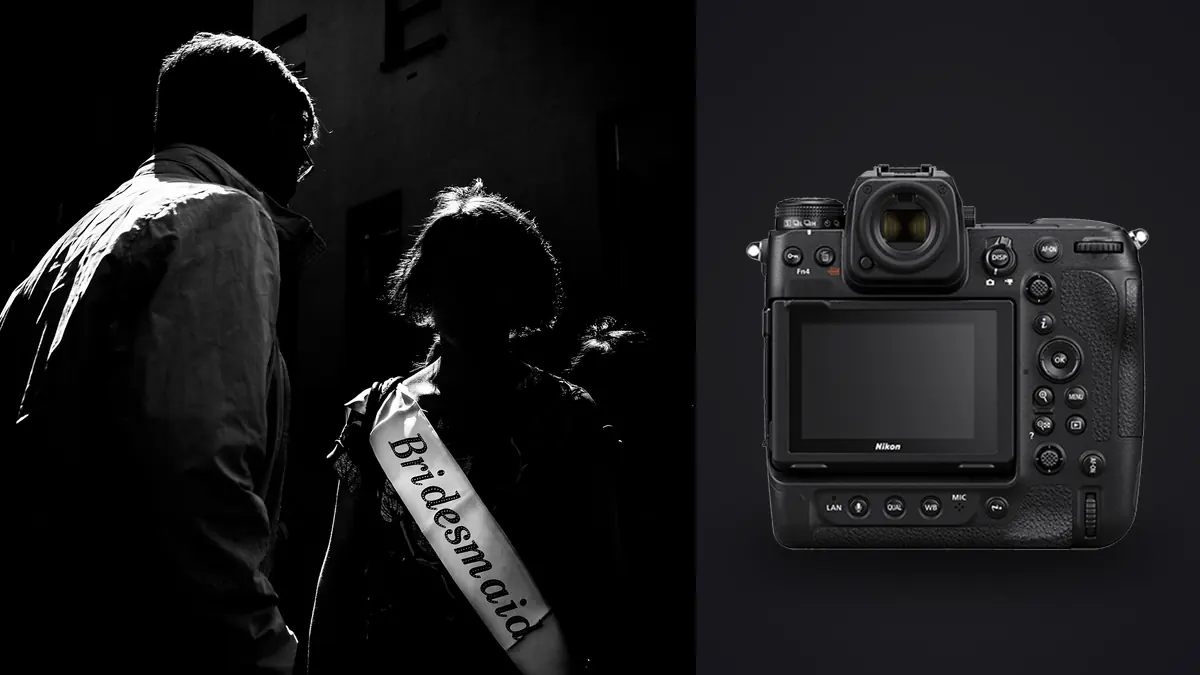
The Nikon Z9 uses a 45.7 megapixel stacked full-frame sensor with electronic capture, subject detection, and two CFexpress Type B or XQD-compatible slots. It is a large integrated-grip camera, so it will not become discreet simply because the shutter is quiet. Its value in documentary work is robust operation, responsive focus, and detailed NEF files when the photographer's presence and access are already appropriate.
Translate the assignment into file requirements
Define the result before choosing a Nikon Z9 RAW setting. Record the final image count, likely crop ratios, largest output, color space, delivery format, metadata requirements, and whether the photographs must work as a sequence. For street and documentary photography, also identify the visual facts that technical scoring cannot infer, such as subject identity, gesture, spatial accuracy, garment continuity, species behavior, or the order of an event. These criteria become the basis for the edit.
State whether the work is open street observation, an assigned community story, an event record, or a longer project with named participants. Define consent practice, access, caption standard, location precision, treatment of minors and vulnerable people, and whether images may be staged. Plan the final sequence before capture so a frame can be valued for context and continuity instead of being judged only as a standalone graphic moment.
| File | Purpose | Handling rule |
|---|---|---|
| NEF original | Reversible camera evidence | Keep unchanged |
| Review derivative | Fast comparison or proofing | Label as a derivative |
| Working edit | Adjustment and version history | Keep linked to its source |
| Delivery export | Use in the approved destination | Build to a written specification |
Capture RAW files that remain editable
Select shutter speed from the intended rendering of walking, cycling, traffic, or gestures, and use Auto ISO only with deliberate limits. The Z9 has no mechanical shutter, so test artificial lights, signs, screens, and fast lateral motion for bands or shape distortion. Quiet capture can reduce interruption, but it does not remove the need for consent or situational awareness. Use short bursts only when a relationship changes too quickly for one frame.
A wide tracking area can follow a clear subject, while a smaller dynamic or custom area helps when faces overlap in a crowd. Subject detection may choose the nearest person rather than the person central to the story, so keep direct area control available. For layered wide-angle scenes, manual zone focus can preserve timing and composition. Verify the actual focus plane where foreground objects partly cover the subject.
Make a representative test with the Nikon Z9 under the actual light, then inspect the intended focus plane, subject movement, brightest color channel, darkest important texture, and frame edges at full resolution. A bright rear display can hide clipping, while a small preview can disguise motion or focus error. Stabilization can reduce camera movement, but it cannot stop a moving street and documentary photography subject. Subject recognition can help acquisition, but it cannot decide which subject matters.
Assign separate jobs to lens, position, and light
Pair the Z9 with a lens that matches access and the desired social distance. A moderate wide view includes environment but requires physical proximity, while a normal or short telephoto can simplify a crowded background. The body and a large zoom attract attention, so avoid pretending the camera is unseen. Choose a safe position, keep routes open, and let the ethical relationship with subjects guide distance more than focal length alone.
Record a neutral reference whenever the Nikon Z9 street and documentary photography lighting changes materially, and leave that frame beside the photographs it describes. The reference should establish a starting point rather than erase an intentional cast. Protect important highlights with the histogram and channel warnings instead of relying on screen brightness. RAW latitude can reshape recoverable tones, but it cannot recreate texture after a channel is fully clipped.
Preserve the RAW sequence during ingest
Use mirrored NEF recording when the story cannot be repeated and media capacity allows it. Keep days, neighborhoods, events, or interview subjects in separate card and ingest folders, preserve sequence order, and synchronize the clock with audio or notes. Record caption details beside frame ranges as soon as practical. Before publication, remove exact coordinates where they could expose a private home, vulnerable person, or sensitive activity.
JOB_CODE/
  PURPOSE_STREET_AND_DOCUMENTARY_PHOTOGRAPHY/
  01_CAMERA_ORIGINALS/
    CAMERA_CARD_001/
  02_VERIFIED_COPY/
  03_REVIEW/
  04_WORKING_EDITS/
  05_EXPORTS/
  06_DELIVERY_NOTES/
Copy each Nikon Z9 street and documentary photography card or storage unit as a complete, uniquely named folder. Record the expected file count, create a second independent copy, and verify both before returning media to use. Keep separate camera folders until duplicate filenames, clock offsets, and sequence boundaries are resolved. Review files and exported JPEGs should never sit where they can be mistaken for the only NEF master.
imagic supports Nikon NEF for local scoring, burst grouping, and non-destructive editing. It can organize a technically repetitive Z9 sequence, but it cannot judge consent, factual context, caption accuracy, or documentary significance, so those decisions remain with the photographer and editor.
Cull by sequence before judging isolated frames
Group the Nikon Z9 photographs by action, pose, bracket, lighting setup, location, or composition before assigning selects. Remove obvious accidents from the working view first, including unintended releases, blocked frames, unrecoverable clipping, focus on the wrong plane, and duplicates with no independent value. Use a reversible reject status rather than deleting originals. The second pass can then compare technically viable alternatives against the street and documentary photography brief.
Review chronologically in compact scenes. Remove accidental releases, blocked frames, electronic-light bands, unintended motion, and focus on the wrong person, then compare expressions, gestures, layers, signs, edge relationships, and narrative progression. Closed eyes, blur, or deep shadow may be intentional and should be judged in context. Keep pairs or transitions when their relationship adds information that neither isolated frame carries.
imagic can score sharpness, exposure, closed eyes, and composition while grouping bursts and near-duplicates on the local Windows or macOS computer. In this Nikon Z9 street and documentary photography RAW Workflow, those results are an ordered review aid, not an editorial verdict. Privacy-sensitive files stay on the machine, and culling changes a status rather than deleting the camera original. Human review still decides meaning, consent, continuity, and intentional technical departures.
Develop the master in a stable order
Start NEF processing with a restrained profile and group files by real lighting condition. Protect bright signs and faces without making every shadow equally visible. High resolution reveals small focus and motion errors, so solve them by selection instead of heavy sharpening. Moderate grain can fit the event, while excessive smoothing removes surface and atmosphere. Keep crop decisions reversible until the sequence layout is known.
Apply broad corrections before local ones in the Nikon Z9 street and documentary photography set. A practical order is input profile, white balance, exposure, highlight and shadow placement, tone curve, color, lens correction, noise treatment, and capture sharpening. Revisit earlier controls after a major profile or exposure change. Judge sharpening at an appropriate magnification and inspect both a critical detail and a smooth area, since settings that clarify an edge can also turn noise or skin texture into a distraction.
Control color without erasing the scene
A documentary day can move through daylight, transit lighting, shop windows, and night LEDs. Establish a credible white point for each condition and allow intentional local casts to remain. Compare known objects and skin across neighboring frames, but do not force unlike locations into one neutral balance. If using black and white, create the conversion from channel relationships and tonal purpose, then preserve the color NEF edit as a separate version.
Build adjustment groups from real Nikon Z9 street and documentary photography capture conditions rather than applying one correction to the entire job. A new room, weather state, stage act, light source, lens, or exposure method can justify a new baseline. Synchronize controls that should match, then inspect the first, middle, and last keeper in every group. Crop, aggressive recovery, local masks, and subject-specific cleanup generally need individual confirmation.
Keep brackets, bursts, and composites traceable
A Z9 burst should remain a short record of changing action rather than a pool of interchangeable files. Select the clearest relationship and retain nearby context until captions and chronology are secure. Do not remove people, signs, or objects in a way that changes documentary meaning. Sensor dust and minor technical cleanup can be separated from content alteration through versioned working files and written editorial rules.
Any Nikon Z9 street and documentary photography composite or multi-frame result should remain traceable to all of its components. Normalize shared settings before alignment or blending, preserve unused edge area until geometry is final, and inspect seams at meaningful detail. If a frame was captured at a different time or exposure for a foreground, window, background, or moving subject, keep that distinction in the working notes and disclose it when the destination's editorial rules require disclosure.
Run quality control at image and set level
Inspect each approved Nikon Z9 street and documentary photography photograph at three scales. Full image view reveals composition and tonal balance, a practical output view reveals how the destination will look, and a critical detail view reveals focus, motion, noise, halos, dust, and masking defects. Then compare the set as a sequence. White point, black placement, saturation, crop logic, and sharpening should feel coherent without forcing unlike lighting conditions into an artificial match.
- Source check: confirm every edit points to the intended NEF original.
- Technical check: inspect focus, motion, clipping, noise, lens correction, and composite edges.
- Editorial check: confirm subject identity, sequence meaning, consent, and requested exclusions.
- Consistency check: compare neighboring keepers under the same capture condition.
- Output check: open a rendered file outside the editing view before delivery.
Export for the stated destination
Export a concise ordered set with verified names, locations at the approved precision, embedded profile, and the required caption fields. Inspect dark areas and saturated signs after web compression. Remove unnecessary coordinates and private notes from metadata, and keep alternate selects access-controlled until publication decisions are final. Archive the original NEF sequence so later questions about timing or context can be answered from the source.
Set dimensions, profile, bit depth, compression, metadata, naming, and output sharpening for the Nikon Z9 street and documentary photography files from the delivery note. JPEG suits many web and gallery uses, while TIFF can preserve more information for a print or downstream retouching stage. Keep a full-resolution approved master when future derivatives are likely. Verify pixel dimensions and embedded profile, open representative files, and compare the delivered count with the approved selection.
The desktop photo workflow explains local processing boundaries, the single-photo editor offers a focused derivative workflow, and the Workflow & Editing collection connects this process to related photography systems. These references support the Nikon Z9 plan, but the written street and documentary photography brief remains the authority for the job.
Use a final RAW Workflow checklist
- Write the purpose, crop, output, sequence, and privacy requirements.
- Confirm NEF, compression, card role, focus method, and shutter behavior.
- Make a focus, motion, highlight, and color-reference test under working light.
- Keep each card or storage unit intact inside a unique camera-original folder.
- Create and verify two independent copies before reusing media.
- Group related Nikon Z9 frames before comparing technical and editorial value.
- Normalize global development by real capture condition, then inspect exceptions.
- Preserve every required component of a bracket, stack, burst, or composite.
- Render to the delivery specification and inspect files outside the editor.
- Archive the originals, adjustment records, approvals, and export recipe.
Frequently asked questions
Should every Nikon Z9 street and documentary photography photograph be recorded as RAW?
RAW is appropriate for the Nikon Z9 street and documentary photography job when it needs recoverable white balance, highlight control, substantial tonal work, or a durable editing master. A JPEG-only choice can be reasonable for a controlled immediate use, but it should be tested against the actual output and kept clearly identified as the camera-rendered source.
Can automated scoring choose the final street and documentary photography selection?
No. Scoring and duplicate grouping can narrow technically repetitive Nikon Z9 street and documentary photography files, but they do not know which moment, subject, relationship, garment, behavior, or spatial fact answers the brief. A photographer or editor must make the final editorial choice.
When is the Nikon Z9 RAW Workflow complete?
The Nikon Z9 street and documentary photography process is complete when approved images have been rendered to specification, opened and checked, counted against the selection, delivered through a verified copy, and archived with the NEF originals and adjustment records. An edit that has not survived output verification is still unfinished.