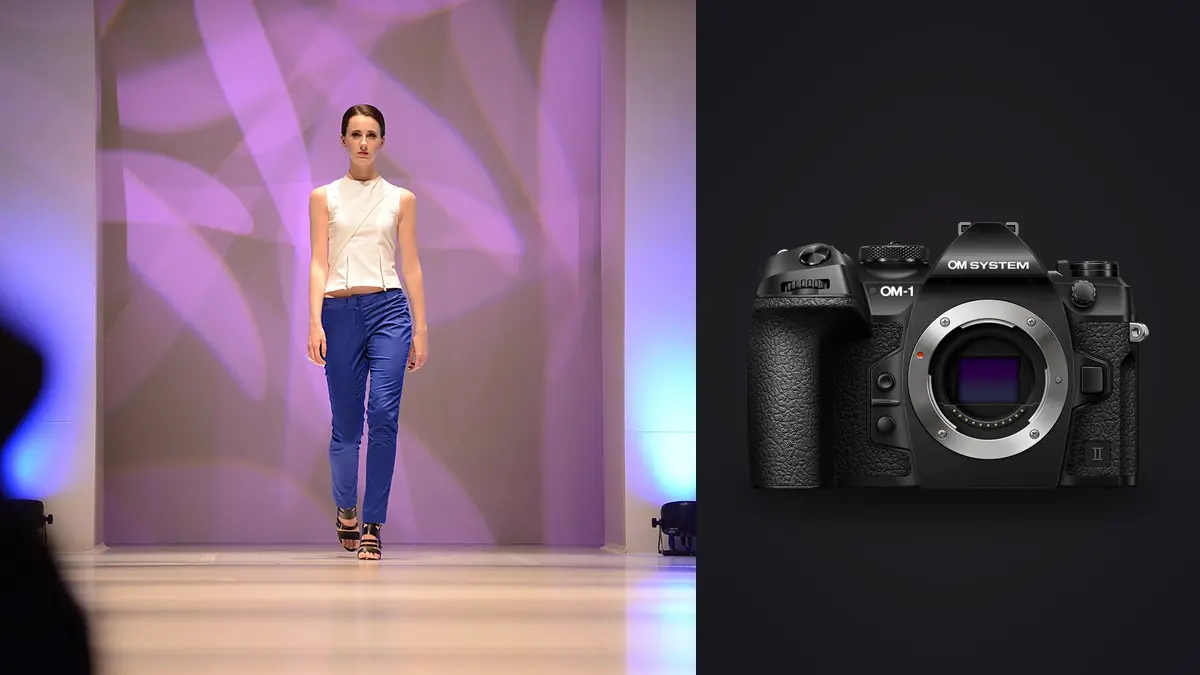
Nobody on a fashion agency's approved gear list expects to see a Micro Four Thirds camera. Picture telling a producer you're bringing the OM System OM-1 Mark II to a forty-look e-commerce lookbook shoot: the first question might well be whether you own a "real" camera too. Two days and about 3,400 frames later, the client would care about exactly one thing: did every look land on the site looking clean, consistent, and on schedule. The sensor size would never come up again. That's the honest starting point for this piece. The OM-1 Mark II is not the obvious choice for fashion work, but for a specific kind of lookbook job, the volume-heavy, schedule-crunched, run-and-gun kind, it earns its spot for reasons that have very little to do with megapixels.
What a lookbook day actually looks like
Editorial fashion photography gets the magazine coverage, but most fashion photographers spend far more days shooting lookbooks: the catalog of looks a brand needs for its website, its line sheets, and its social feed. A typical lookbook day for a mid-size apparel brand runs twenty-five to fifty looks, each one needing a handful of angles, a couple of movement frames (fabric caught mid-step, a hair flip, a jacket swing), and at least one clean, still, "hero" frame per look for the product page. Multiply that out and you're looking at somewhere between 2,500 and 5,000 raw files by the end of the day, shot against a tight clock because the model, the stylist, and the studio are all billing by the hour.
That's a very different brief from a single high-stakes editorial portrait. Nobody is chasing one perfect frame. You're chasing forty or fifty "good enough, fast enough, consistent enough" frames, and the camera's job is to not become the bottleneck between the rack of clothes and the delivered gallery.
The parts of the Mark II update that actually matter for this job
OM System sold the Mark II update on AI-assisted subject detection and a redesigned processing engine, and both of those show up in ways that matter on a lookbook set specifically. The cross-quad pixel AF sensor holds focus through fast wardrobe movement noticeably better than the original OM-1 did, and human detection (eye, face, body) stays locked even when a stylist steps into frame to adjust a hem between shutter presses. On a shoot where the subject is turning, walking toward camera, or catching a jacket mid-toss, that reliability saves real time, because you're not stopping to check focus confirmation on every third frame.
The other change that quietly pays for itself is the improved weather sealing (rated to IP53) combined with a genuinely useful battery upgrade over the original Mark I. Lookbook shoots move outdoors more often than editorial teams admit, usually because someone wants "a few natural light options" tacked onto a studio day, and the OM-1 Mark II can keep shooting through light drizzle on a rooftop location without a second thought. Full-frame bodies from the big three also seal well at this price point now, so this isn't a unique advantage, but paired with how little the body weighs, it means you're not asking an assistant to carry a rain cover and a second body bag between four locations in one afternoon.
Burst speed and Pro Capture for movement frames
Every lookbook needs a few frames with life in them: a coat flaring out, hair catching the wind from a fan, a step forward that isn't stiff. The OM-1 Mark II's electronic shutter burst (up to 50fps with continuous AF at a reduced rate, faster still with fixed focus) means you can fire a two-second burst around the exact moment a garment moves the way the stylist wants, rather than trying to time a single frame. Pro Capture, which buffers frames before the shutter is fully pressed, has saved more "the fabric just settled into the right shape" moments than I expected going in. It's a party trick on paper and a genuine workflow tool once you've shot a few hundred movement frames with it.
Lens choices that actually make sense for lookbook work
The lens conversation matters more than the body for this kind of shoot, because the M.Zuiko PRO line is built around exactly the brief lookbook work demands: fast, sharp wide open, weather sealed, and light enough to hand-hold all day while still being able to switch lenses quickly between a full-body look and a detail crop.
| Lens | Full-frame equivalent | Best use on a lookbook set | Note from actual use |
|---|---|---|---|
| M.Zuiko 12-40mm f2.8 II PRO | 24-80mm | Full-length look shots, walking frames, general coverage | Lives on the body 70% of the day; fast enough AF to keep pace with a walking model |
| M.Zuiko 40-150mm f2.8 PRO | 80-300mm | Compressed backgrounds, candid movement between poses | Best background separation in the bag, but heavy enough that a monopod helps by hour six |
| M.Zuiko 45mm f1.2 PRO | 90mm | Hero product shots, single-look portraits for the site | Closest thing to a full-frame "creamy" look this system produces |
| M.Zuiko 20mm f1.4 PRO | 40mm | Environmental lookbook frames, behind-the-rack context shots | Underrated for lifestyle-flavored lookbooks; distortion is well controlled |
| M.Zuiko 90mm F3.5 Macro | 180mm | Stitching, fabric texture, jewelry and accessory detail crops | Doubles as a tight product lens; 2x macro ratio is more than most lookbooks need |
If I had to strip the bag down to two lenses for a one-day lookbook job, it's the 12-40mm and the 45mm f1.2. That combination covers full-body, three-quarter, and hero crops without a single lens change slowing the set down.
The depth-of-field question, addressed honestly
Micro Four Thirds carries a 2x crop factor, which means the classic full-frame "buttery background" look takes real effort to replicate. A 45mm f1.2 on this system behaves, in terms of background blur, closer to a 90mm f2.4 on full frame. For editorial fashion work shot against an environment, that's a genuine limitation, and I won't pretend otherwise. Full-frame shooters get separation almost for free at wider apertures.
For lookbook work specifically, though, this matters less than it sounds. A large share of e-commerce lookbook frames are shot against seamless paper or a flat, evenly lit wall precisely because the client wants the garment readable, not the background dissolved into bokeh. On the frames where a soft background actually helps (lifestyle-style lookbook sets, outdoor location work), the PRO f1.2 primes get you close enough that clients have never flagged it as an issue. Where it does bite is long lens work at moderate apertures. The 40-150mm f2.8 wide open is good, but stopped down even a stop to hold more of the garment in focus, the background starts firming up faster than a full-frame 70-200mm would at the same setting.
The real bottleneck: getting through 3,000 frames before the client meeting
Here's the part gear reviews skip and clients actually care about. A lookbook shoot doesn't end when the last look wraps, it ends when a clean, curated gallery lands in the client's inbox, and between those two points sits a pile of several thousand near-duplicate frames from all those movement bursts. Culling that manually, look by look, burst by burst, at the end of a twelve-hour shoot day is where most of the actual pain in this job lives, not in the camera settings.
This is where imagic earns its place on a lookbook shoot. It runs the local sharpness and focus scoring against the whole take, flags which frame in each Pro Capture burst is actually sharp on the eyes and hands rather than just "close," and clusters the near-duplicate frames from each look together so I'm reviewing groups instead of scrolling through 3,400 individual thumbnails. Because it processes everything on the machine rather than uploading a client's unreleased collection to a cloud service, it also sidesteps any conversation with brand teams who are understandably twitchy about pre-launch product photos leaving their control. For anyone still doing this sort by eye, our breakdown of how AI photo culling actually works is worth a read before your next big shoot day.
Keeping sixty looks color-consistent enough to pass as one shoot
The other place a lookbook shoot can quietly fall apart is color consistency. Shoot across a full day, and you'll cross a couple of light changes (cloud cover, a location move, a flash head that drifted half a stop), and the raw files won't match each other straight out of camera even though they're all destined for the same product grid. OM System's color science handles skin tones reasonably well out of the box, but it leans slightly warm and can push certain fabric reds a touch orange under mixed lighting, which is exactly the kind of thing a brand's color-sensitive product team will catch immediately.
Rather than hand-grading sixty final selects one at a time, I do a first pass on ten or twelve representative frames across the different lighting setups from the day, then let imagic's apply_my_style feature carry that grade across the rest of the take. Because it's trained on your own edits rather than a generic preset, it holds up across skin tones and garment colors in a way a one-size-fits-all LUT usually doesn't, and it gets a full lookbook to a consistent, deliverable state in a fraction of the time batch-editing by hand would take. If your workflow is still bottlenecked at this stage, it's worth comparing against our tips for a faster photo workflow more broadly.
Where the system still shows its age
None of this is a free pass. Base resolution tops out at 20 megapixels, which is fine for web and social lookbook use but starts to feel thin if a client later wants a large-format print or a heavy crop for a billboard. The handheld high-res mode gets you to roughly 50 megapixels for static shots, but it's a non-starter for anything with movement in it, so it doesn't help on the exact frames where this camera earns its keep. Dynamic range in harsh midday sun, the kind you get on an outdoor lookbook add-on shot at noon with no time to wait for better light, is noticeably tighter than what a modern full-frame sensor pulls out of a blown highlight on a white garment. I've had to be more careful about exposing to protect highlights on white and pastel clothing than I ever was on full-frame bodies, and it costs a little time in review to confirm nothing clipped.
There's also a practical staffing issue nobody puts in a spec sheet: if you hire a second shooter or a photo assistant for a busy lookbook day, there's a real chance they've never touched an OM System menu, whereas almost every assistant in the industry has muscle memory for Canon or Sony controls. It's a small friction cost, but on a day where every minute is billed, it's worth planning for.
Frequently Asked Questions
Is the OM-1 Mark II fast enough to keep up with a moving model on set?
Yes, for lookbook-style movement (walking toward camera, fabric flutter, hair flips) the AF tracking and up to 50fps electronic burst keep pace comfortably. It's not built for sports-level unpredictable motion across a huge frame, but that's rarely what a lookbook shoot demands.
Can this camera replace a full-frame body for high-end editorial fashion work?
For environmental, background-dependent editorial images where deep subject separation is part of the look, a full-frame body with fast glass still has an edge. For studio and e-commerce lookbook work shot against seamless or flat backgrounds, the difference is much smaller than the spec sheets suggest.
How many lenses do I actually need in the bag for a one-day lookbook shoot?
Two will get most jobs done: a 12-40mm f2.8 II PRO for full-length and general coverage, and a 45mm f1.2 PRO for hero shots and any frame where background softness matters. Add the 40-150mm f2.8 PRO only if the brief calls for compressed, distant-background frames.
What's the biggest time sink on a lookbook shoot that has nothing to do with the camera?
Culling and color-matching several thousand near-duplicate frames after the shoot wraps. That's the stage where software like imagic's local burst clustering and consistent style application make the bigger difference to delivery time, more than any single camera spec.