
Editing travel photos while traveling is a different problem from editing them once you are home. Storage is limited, power is not always guaranteed, and the shoot keeps growing every single day instead of arriving as one finished batch. The workflow has to account for all three constraints at once.
Daily Card Hygiene
The single riskiest habit on the road is letting memory cards fill up without a verified backup. Every day, or as close to it as possible, copy the day's cards to at least two separate locations, a laptop drive and a portable SSD at minimum, and verify the copy completed before formatting or reusing a card. Losing a card mid-trip is bad; losing a card that was never actually backed up because a copy silently failed is worse, and it happens more often than photographers expect when this step gets rushed at the end of a long day.
Cull-Daily Discipline
Culling at the end of each shooting day, rather than letting raw files accumulate across a two or three week trip, is what keeps the whole workflow manageable. A trip's worth of unculled frames, easily 5,000 to 10,000 images by the end, is a genuinely intimidating task to face all at once; the same volume culled in daily 200 to 400 frame batches never feels overwhelming, because it never gets a chance to pile up. imagic's AI quality scoring runs locally, so this daily cull does not depend on hotel wifi being reliable, which on the road it frequently is not.
Storage Triage on a 1TB Laptop
A common travel setup is a laptop with around 1TB of storage split between the operating system, applications, and photo files, which fills up faster than photographers expect once RAW files from a high-megapixel body start accumulating daily. The practical triage: keep the current trip's culled keepers and recent unculled frames locally, and move older, already-culled and backed-up days off to a portable drive once they are confirmed safe in two places. Rejected frames from the daily cull should be deleted, not just left in place, since they are the largest reclaimable chunk of space and provide no value sitting on a nearly full drive.
Batch Editing on Battery Power
Editing sessions on the road often happen on battery, in an airport, a train, a hotel room without easy outlet access, which makes editing efficiency a real practical constraint, not just a time-saving preference. Batch editing, applying one correction across a day's frames shot under similar light rather than adjusting each image individually, finishes faster and burns less battery than a long per-photo editing session. Save deeper, more deliberate editing for hero shots once you are back on reliable power, and use the road time for culling and base batch correction only.
Putting the Day Together
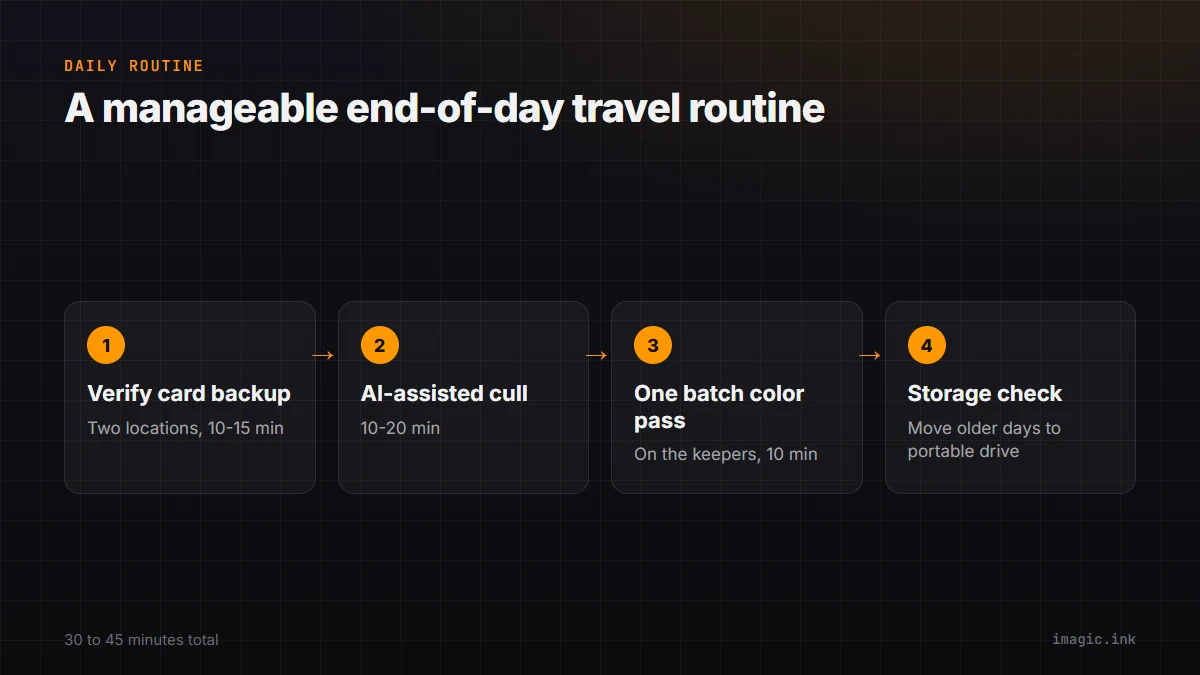
A realistic end-of-day routine: verified card backup to two locations (10 to 15 minutes), AI-assisted cull of the day's frames (10 to 20 minutes depending on volume), one batch color pass on the keepers (10 minutes), and a quick storage check to see if anything older needs to move to the portable drive. That is a manageable 30 to 45 minute routine that keeps the whole trip from turning into an unmanageable backlog. See travel photography workflow tips and backing up and organizing a photo library for more on the storage side. imagic's local processing suits travel photography work specifically because it does not depend on a connection, and more road-friendly habits live in the tips and workflow archive.
Frequently asked questions
How much storage should I keep free at all times on a travel laptop?
Aim to keep at least 15 to 20% free at any point, since running a drive nearly full slows performance and leaves no buffer for an unexpectedly heavy shooting day.
Is it safe to delete rejected frames immediately after culling?
Yes, once you have confirmed the keepers are backed up in at least two locations; rejected frames add no value and are usually the fastest way to reclaim meaningful space.
Should I do any real editing on the road, or wait until I'm home?
Daily culling and light batch correction are worth doing on the road to stay ahead of the volume; save deeper, per-image editing for hero shots until you have reliable power and a larger screen.