AI noise reduction marketing tends to show one impressive before-and-after slider and imply the technology can rescue any high-ISO file into something clean and print-ready. It genuinely helps, more than classic noise reduction did five years ago, but it has real limits, and understanding the tradeoff it makes is more useful than any single demo image.
The Detail-vs-Plastic Tradeoff
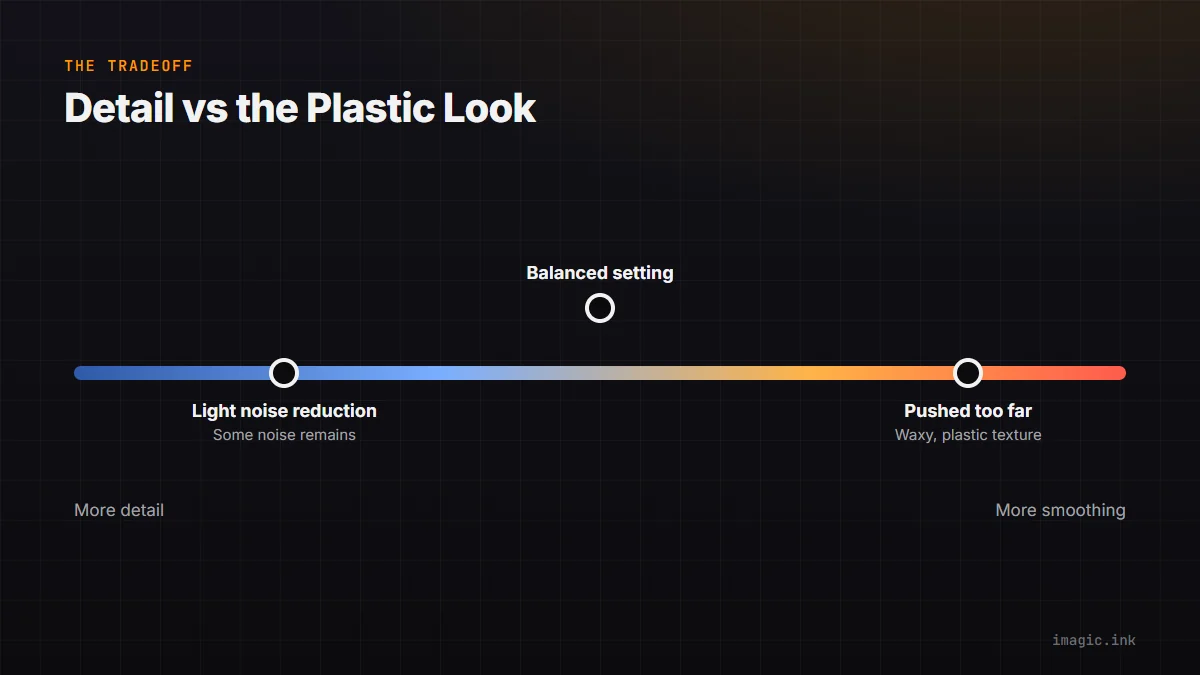
Every noise reduction approach, AI or otherwise, is making a tradeoff between removing noise and preserving fine detail, because at a pixel level noise and fine texture can look similar to an algorithm. AI-based engines are generally better at telling the two apart than older frequency-based methods, which is why they can smooth noise while keeping edges and texture looking more natural. Push any engine too hard, though, and you get the well-known "plastic" look: skin, foliage, and fabric texture smoothed into a waxy uniformity because the algorithm has started treating real detail as noise. The tradeoff does not disappear with better AI, it just moves to a higher noise level before it becomes visible.
High-ISO Rescue: Real Limits
Modern AI noise reduction has genuinely extended usable ISO ranges, recovering shots that would have been unusable a decade ago. But it cannot recreate detail that was never captured. Extreme high-ISO shots with heavy underexposure lose real signal, not just gain visible noise, and no algorithm can invent detail that the sensor never recorded accurately. The honest framing: AI noise reduction moves the "acceptable" ISO ceiling up meaningfully, often by a stop or two of comfortable, deliverable quality, but it does not make every ISO usable, and pushing an already marginal exposure even higher still produces a marginal result, just a smoother-looking one.
Where Classic Noise Reduction Still Suffices
For moderate ISO ranges, the kind most shoots actually use most of the time, classic noise reduction approaches are often visually indistinguishable from AI results, because there is simply less noise to disambiguate from detail in the first place. The gap between AI and classic methods widens specifically at the high end, where classic methods start losing detail faster than AI ones do. If your typical shoot rarely goes past a moderate ISO, the choice of noise reduction engine matters much less than editing guides tend to suggest.
Comparing Engine Types
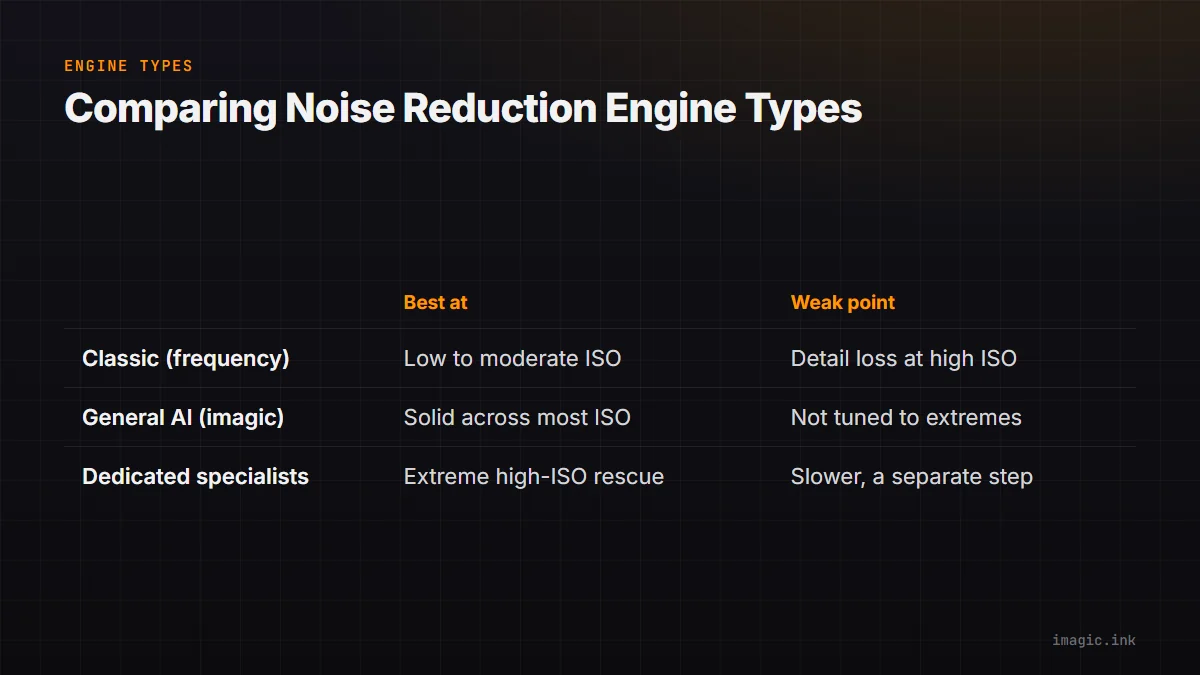
| Engine type | Best at | Weak point |
|---|---|---|
| Classic (frequency-based) | Low to moderate ISO, fast processing | Detail loss climbs quickly at high ISO |
| General AI noise reduction (imagic and similar) | Solid results across most real-world ISO ranges, fast batch use | Not tuned as tightly as dedicated specialist tools at extreme ISO |
| Dedicated NR specialists | Extreme high-ISO rescue, maximum detail retention | Slower, often a separate step outside your main editor |
Honest Placement of a General Editor's Noise Reduction
imagic's noise reduction, like most noise reduction built into a general RAW editor, is tuned for solid, fast, batch-friendly results across the ISO ranges most photographers actually shoot at, rather than chasing the absolute maximum recoverable detail at extreme ISOs the way a dedicated specialist tool like DxO PhotoLab does. For a wedding or event shoot with occasional high-ISO frames mixed into a normal batch, that is the right tradeoff: fast, good-enough, applied consistently across hundreds of files. For a photographer whose entire genre lives at extreme ISO (some astrophotography and low-light documentary work), a specialist tool alongside a general editor makes more sense than expecting one tool to be best at everything.
Frequently asked questions
Is AI noise reduction always better than classic methods?
At high ISO, generally yes, because AI is better at distinguishing real detail from noise. At low to moderate ISO the difference is often small enough that it rarely changes which tool you should pick.
Why do some AI-denoised photos look plastic or waxy?
This happens when noise reduction is pushed too aggressively and the algorithm starts smoothing real texture along with noise. Dialing back strength, especially on skin and fine texture, usually fixes it.
Do I need a specialist noise reduction tool?
Only if a meaningful share of your work is shot at extreme high ISO where every bit of recoverable detail matters. For typical shoot ISO ranges, a general editor's built-in noise reduction is usually sufficient.
See also noise reduction in modern photo editing and how imagic compares to ON1 Photo RAW. More in AI & Technology.