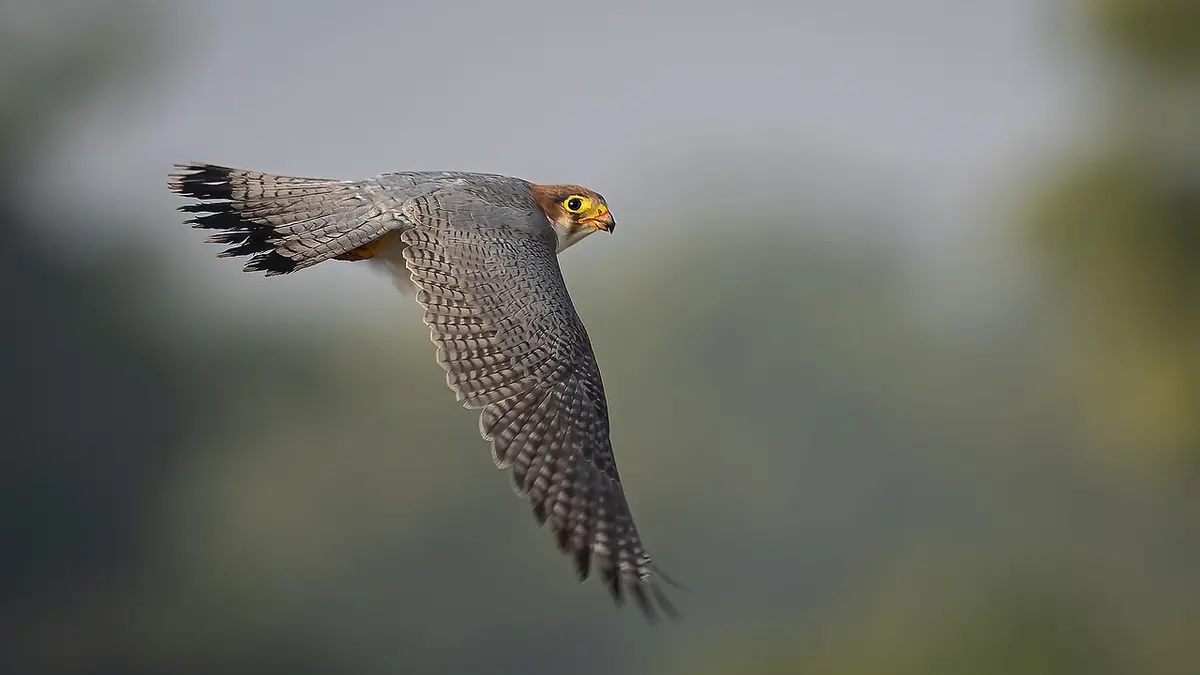
A fast burst rate does not solve timing. It creates more samples around a moment, each of which consumes buffer space, card capacity, ingest time, storage, and attention. The useful skill is deciding when a sequence deserves density and when one or two deliberate frames will communicate the action more clearly.
This workflow is intentionally camera-neutral. Maximum rates, buffer depth, autofocus behavior, and file restrictions vary by model, firmware, lens, card, shutter mode, battery state, and shooting conditions. Use the current manufacturer manual for exact limits, then run a controlled test with the settings and media intended for the assignment. The principles below remain useful when the headline numbers change.
Define the moment before choosing a rate
Break the action into phases. A track jump has approach, takeoff, flight, landing, and reaction. A bird launch has posture, wing opening, separation, and clean flight. A wedding processional has approach, recognition, eye contact, and embrace. Each phase has a different visual peak and may need a different framing or burst length.
Write the desired frame in plain language: both feet clear of the hurdle, ball separated from the hand, eyes visible between wings, or two faces turned toward each other. That description guides camera position and anticipation. Without it, a photographer can hold the shutter through the whole event and still miss the readable instant because the angle, background, or focal length was wrong.
Use a higher rate where small timing changes materially alter the image. Use a lower rate or single frame when the subject is predictable, flash recovery limits the sequence, or nearly identical files add no decision value. Burst speed is one setting inside a coverage plan, not a quality rating.
Test the real buffer and card combination
Manufacturer figures are measured under stated conditions. Your usable sequence can be shorter if the camera is writing a larger RAW variant, recording RAW plus JPEG, applying a special feature, using a slower card, operating in heat or cold, or tracking focus through a lens that cannot sustain the advertised behavior. Test the exact combination rather than importing a number from a review.
- Format an approved card in the camera after all files are safely copied.
- Set the intended RAW type, shutter mode, autofocus mode, and drive rate.
- Photograph a moving practice subject with realistic exposure settings.
- Record when the cadence changes and how long the write indicator remains active.
- Try menu access, playback, and a second burst during card writing.
- Repeat with a partly depleted battery and the expected ambient conditions if practical.
The result is an operating envelope, not a competitive benchmark. Convert it into a simple rule such as "three short sequences remain available before a pause" or "the camera must be clear before the final lap." Keep reserve capacity for an unexpected moment. Filling the buffer during an early, low-value sequence can cost the decisive frame later.
Choose shutter mode for subject and light
Electronic shutters can enable high rates and quiet operation, but many sensors read the frame over time. Fast lateral movement, rapid panning, rotating equipment, LED boards, and artificial lighting can reveal distortion or banding. A mechanical shutter may reduce some problems while adding sound, wear, viewfinder interruption, or a lower maximum rate. The correct mode depends on the scene and the camera's measured behavior.
Make a pre-event comparison under the actual venue lights. Photograph a moving straight edge, an electronic display, and a face at the expected shutter speeds. Look for bent objects, uneven exposure bands, color changes, and viewfinder behavior. Anti-flicker features can alter timing or rate, so confirm the manual's limitations rather than assuming they are free.
Shutter speed controls motion rendering, not just exposure. A faster setting can define a foot, wing, or ball, while a slower setting can communicate speed through controlled blur. Stabilization does not freeze an independently moving subject. Decide what must be sharp, what may blur, and whether a panning treatment is intentional. Then choose aperture and ISO around that decision.
Configure autofocus around interruptions
Subject-detection labels are starting points. The operator still selects the target and decides how the system should react when another runner, branch, official, or microphone crosses the frame. Test tracking sensitivity, zone size, subject switching, and focus priority on a representative sequence. A setting that clings helpfully to a bird behind reeds may be too slow to switch between athletes.
Begin tracking before the visual peak. Give the camera a clean subject, stable stance, and enough time to establish motion. Keep the active area away from predictable distractions when composition allows. If the subject will enter a known plane, prefocus or use a constrained zone rather than asking the camera to search the entire frame at the decisive instant.
Depth of field is part of focus reliability. A very wide aperture can isolate the subject but makes small distance changes more consequential. Stop down when the background permits and the story needs several faces or body parts readable. Evaluate focus on the intended subject feature, not merely any high-contrast edge that happens to look crisp.
Shoot deliberate micro-sequences
Start each burst just before the predicted peak and release immediately after it. This creates a compact sequence with a reason for every frame. Reacquire, recompose, and wait for the next phase. Long holds increase redundant files, make it harder to see where one attempt ends, and can carry the camera past the best composition as the subject moves.
Vary coverage rather than duplicating one angle all day. Secure the safe frame, then change height, focal length, background, or phase of action. A final gallery benefits more from visual variety than from hundreds of almost identical files. For team sports, keep a written or mental coverage list so burst enthusiasm does not hide missing players, reactions, details, and establishing views.
Use voice notes, ratings, protected frames, or a brief notebook entry when the camera supports a practical marker. Record bib numbers, key plays, or sequence times. These annotations become valuable at ingest, particularly when a deadline requires finding one specific athlete before the complete cull.
Ingest without breaking sequence evidence
Copy cards into uniquely named card folders and verify them before reuse. Preserve original filenames and capture times until an independent second copy exists. If two cameras have overlapping file numbers, keep their card and body identities visible. Do not merge everything into one folder and hope a rename can reconstruct the order later.
EVENT_NAME/
  ORIGINALS/
    CAM_A_CARD_01/
    CAM_A_CARD_02/
    CAM_B_CARD_01/
  WORKING_SELECTS/
  EDITED_MASTERS/
  DELIVERY/
  INGEST_LOGS/
Keep camera clocks synchronized before the assignment when multiple bodies are involved. Capture a common reference frame if exact sequence alignment matters. During ingest, compare file counts with card counts and retain logs or checksums where the copy tool provides them. A burst workflow magnifies small ingest errors because one missing frame may be the peak of the sequence.
Cull in passes with different questions
The first pass removes obvious technical failures and marks urgent editorial moments. The second compares related frames within each action. The third checks gallery balance across subjects, angles, expressions, and story beats. Trying to answer all three questions while moving frame by frame encourages inconsistent decisions.
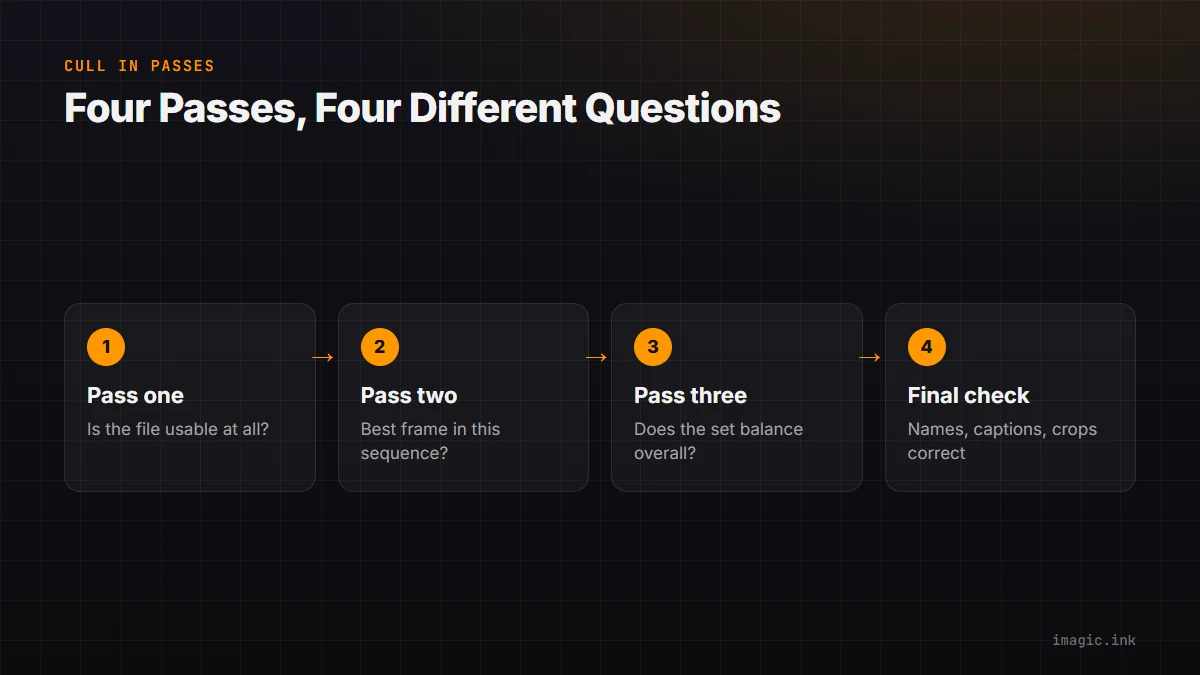
- Pass one: Is the file readable, relevant, and potentially usable?
- Pass two: Which frame best expresses this particular sequence?
- Pass three: Does the overall set meet the brief without needless repetition?
- Final check: Are names, captions, crops, and delivery requirements correct?
Within a sequence, compare focus on the intended subject, gesture, body position, expression, obstruction, background, ball or equipment position, and crop flexibility. The sharpest file is not automatically the best. A slightly less crisp frame may be the only one showing the winning touch, clean face, or complete object. Keep technical scores visible as evidence, not as a substitute for editorial judgment.
Use local analysis with reversible decisions
imagic's documented flow is to scan an already copied directory, run photo analysis, review library statistics, and continue with selected photos. Analysis covers sharpness, exposure, closed eyes, composition, and near-duplicate or burst grouping on the local machine. Culling changes status and does not delete the source files. That makes a cautious review possible, provided the photographer still confirms the chosen moment.
If the desired keeper count changes, reselect_photos re-ranks stored scores rather than running analysis again. That distinction matters. If the installed scorer has changed since a file was analyzed, check freshness first and reanalyze stale photos when appropriate. Re-ranking old numbers cannot correct an outdated score.
Do not export to an invented destination. Confirm the output folder, naming convention, dimensions, and file type before a batch writes files. The desktop workflow explains the local application, and the Tips and Workflow section contains related guidance for ingest, review, and delivery.
Measure success by decisions, not files captured
After the job, review where bursts helped and where they created noise. Note missed moments, buffer interruptions, focus switches, banding, excessive near-duplicates, and coverage gaps. Compare the number of meaningful sequences with the total file volume, but do not set an arbitrary keeper percentage. Different assignments legitimately produce different ratios.
Keep a short technical log beside the finished job. Record camera and firmware, lens, card model, RAW type, drive mode, shutter mode, autofocus configuration, unusual lighting, and any point where cadence slowed. The log turns a vague impression into a setup that can be repeated or corrected. It also helps distinguish a card bottleneck from a focus problem or an operator timing error when several factors changed at once.
Review rejected sequence leaders before final delivery, not because every automated decision is suspect, but because unusual frames carry disproportionate story value. Intentional blur, a partially hidden face, or an unconventional composition can score poorly while being editorially essential. A brief exception pass protects those images without returning to an unrestricted frame-by-frame trawl.
Adjust one variable for the next event: timing, burst length, AF area, shutter mode, card choice, or annotation. A controlled change is easier to evaluate than replacing the entire setup. The objective is a repeatable path from anticipated action to a concise, defensible selection.
Prepare a same-day handoff without losing burst context
When an editor needs images before the full cull is finished, create a clearly named priority export from confirmed selects rather than moving originals out of their sequence folders. Include creator, event, subject, frame identifier, caption status, and color-space information required by the desk. Mark unverified names or results explicitly; speed does not excuse an inaccurate caption.
Keep the priority selection linked to the source burst so a later challenge can be reviewed against neighboring frames. Record whether the delivered image used an electronic shutter, unusual crop, or intentional motion treatment when that fact could explain visible geometry. The complete archive and slower second pass can then proceed without confusing an early derivative with the only master.
Frequently asked questions
Should the camera always be set to its maximum burst rate?
No. Use the rate that gives enough timing resolution for the subject without overwhelming the buffer or review. Predictable action and slower phases often need fewer frames.
Is lossless compressed RAW always the best burst format?
It can reduce file volume while preserving RAW flexibility, but availability and burst behavior vary by camera. Check the manual and test the exact format, card, and software path before paid work.
Can an automated culler choose the decisive sports moment?
It can surface technical quality and group similar frames, but the photographer must judge story, gesture, subject identity, and context. Treat automated ranking as a review aid.