The best no-subscription photo editor is rarely one application. RAW development, cataloging, culling, pixel retouching, metadata, proofing, and delivery are different jobs. A photographer who tries to replace an entire subscription suite with the first free RAW converter often discovers the missing pieces only after moving a live project.
This guide treats "best" as a fit decision rather than a universal ranking. Software availability and license terms were checked against official product information on 15 August 2026. Darktable and RawTherapee are free, open-source RAW developers. Capture One still describes a perpetual Pro license alongside subscriptions, with the perpetual purchase tied to a specific major version. Prices, camera support, and operating-system requirements change, so verify them in the vendor's current regional store before buying.
Define what no-subscription must mean
Open-source software and a perpetual commercial license are not the same arrangement. Open-source tools can normally be used without a recurring payment, while development is sustained by contributors and donations. A perpetual license usually grants continued use of the purchased version, not every future feature or camera update. The application may eventually stop working on a newer operating system even though the license itself has not expired.
Write down the requirement precisely. Is the goal a predictable cost, complete offline use, freedom from account validation, access to source code, or the ability to keep editing old projects after payments stop? Those lead to different choices. Capture One's official license guidance, for example, says its perpetual Pro license covers a specific version and related service updates, while major-version upgrades are optional purchases. That is different from both a subscription and a community-maintained open-source release.
Also separate storage from software ownership. A desktop editor can still synchronize files to a cloud service, and an open-source application can sit inside a folder managed by consumer cloud storage. Conversely, a subscription application may allow local originals. Map where photographs, previews, sidecars, catalogs, and backups live instead of inferring privacy from a billing label.
Choose Darktable for an integrated open-source workflow
Darktable describes itself as a photography workflow application and RAW developer with a virtual lighttable and darkroom. It manages image records in a database, stores editing information non-destructively, and can also write XMP sidecars. That combination suits photographers who want one environment for browsing a collection, applying ratings and tags, developing files, and exporting derivatives.
Its strength is breadth. The lighttable supports filtering and organization, while the darkroom offers a modular image-processing pipeline. Color management, masks, history, batch operations, export options, and optional OpenCL acceleration make it capable of handling a complete RAW development stage. Breadth also means a learning curve. Module order, scene-referred processing, color profiles, and performance settings deserve deliberate setup rather than random slider movement.
Darktable is a strong starting point when these statements are true:
- You want a database-backed library and RAW editor in the same program.
- You are willing to learn a modular, non-destructive workflow.
- Your camera and lenses are supported by the current release.
- You can test XMP, metadata, and export behavior before migration.
- You do not require a proprietary studio feature that only another tool supplies.
Do not assume that an old Lightroom or Capture One edit will look identical after import. Ratings, keywords, crops, and some metadata may transfer in useful ways, but rendering engines interpret tone, color, masks, noise, and lens corrections differently. Preserve the old catalog and finished exports until representative projects have been checked.
Choose RawTherapee for file-oriented RAW development
RawTherapee's official description emphasizes a free, cross-platform RAW processing system with a non-destructive floating-point engine and multiple demosaicing choices. Its file-browser approach appeals to photographers who prefer folders over a central catalog, or who already use another application for asset management.
The interface exposes a large set of technical controls for demosaicing, detail, color, tone, lens correction, and output. That makes it useful for photographers who care about the conversion stage and want to study how the rendered file is built. Processing profiles can be saved and applied across images. The tradeoff is that a file-oriented developer does not automatically replace every catalog, collaboration, or pixel-editing function in a larger suite.
RawTherapee fits well when the directory tree is already authoritative, a separate tool handles long-term search, and rendered quality is the main selection criterion. It also works as a focused converter in a mixed stack. For example, one application can manage metadata and selects, RawTherapee can develop the approved RAW files, and a layer-based editor can finish the small number of images needing compositing or detailed retouching.
Test the exact RAW files produced by every active camera. "Supports the brand" is not enough. New bodies can change compression, metadata, pixel layouts, and camera profiles. Open several normal files, high-ISO files, long exposures, compressed variants, and any unusual mode used in paid work. Confirm thumbnails, orientation, color, lens data, crop, and export before relying on the workflow.
Consider a perpetual commercial editor for studio requirements
A commercial perpetual license can be sensible when a required capability, supported camera, vendor profile, tethering workflow, or support channel is worth paying for, but recurring access is not. Capture One's current Pro offering is the clearest example in this comparison. Its official pages distinguish the one-time license from subscription plans and describe the perpetual option as suited to photographers who do not depend on the newest updates or hardware support.
The decisive phrase is "specific version." A perpetual purchase is not a promise that a camera released several years later will be supported. Operating-system upgrades can also create pressure to update the editor. Estimate ownership cost using realistic upgrade events rather than assuming either annual upgrades or no upgrades forever:
planning cost = purchase price
 expected major upgrades
 required add-ons
 backup and storage
 migration labor
 training time
Check activation rules, offline validation behavior, device limits, update policy, and catalog compatibility in the current license terms. Save installers, license records, and a plain-language note about the last operating system on which the tested version works. Those records are part of a durable production environment.
Build a stack around jobs, not brands
A realistic no-subscription stack may contain four layers. The first copies and verifies cards. The second culls, rates, and groups related frames. The third develops RAW files. The fourth handles pixel-level work and delivery. Some applications cover several layers, but assigning ownership prevents two catalogs or sidecar systems from fighting over the same files.
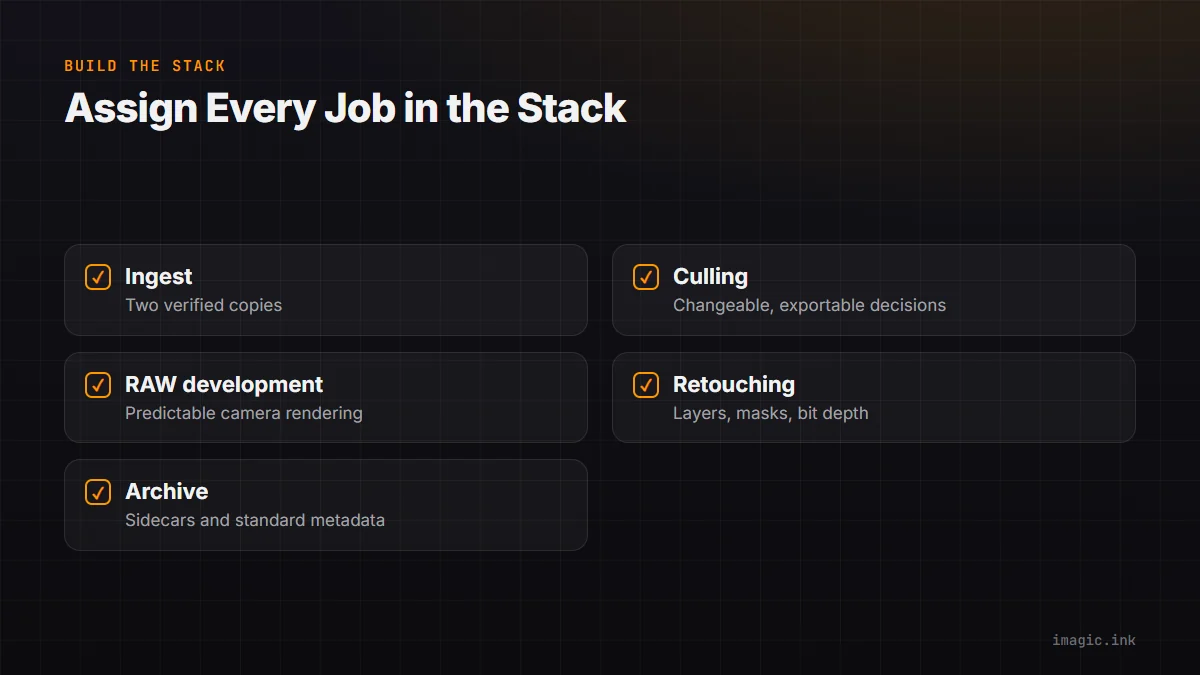
| Job | Decision question | Evidence to test |
|---|---|---|
| Ingest | Can it make and verify two copies? | Checksums, logs, card structure |
| Culling | Can decisions be changed and exported? | Flags, ratings, groups, metadata |
| RAW development | Does it render your cameras predictably? | Color, detail, lens data, batch output |
| Retouching | Does it support the required local edits? | Layers, masks, bit depth, round trips |
| Archive | Can another tool understand the result? | Sidecars, standard metadata, final masters |
imagic can occupy a local photo-culling and non-destructive editing layer where its documented workflow fits. It ingests a directory, analyzes quality and related frames, stores reversible statuses and adjustments, and exports after a destination is confirmed. Its style tools use the photographer's learned profile rather than a generic preset. Check the current desktop information and installed tool schema before assigning it responsibilities outside that documented surface.
Run a migration rehearsal before cancelling anything
Choose three completed projects: a normal job, a technically difficult job, and an older archive. Duplicate them onto test storage. Export ratings, labels, keywords, captions, and other standard metadata from the current system where possible. Keep proprietary catalog files, presets, profiles, and finished masters. Then rebuild a small delivery in the proposed stack.
- Verify that every original opens and has the correct orientation and capture time.
- Compare color and tone with an approved reference, not with memory.
- Confirm that selects, captions, keywords, and copyright fields survive.
- Recreate one batch edit and one difficult local correction.
- Export JPEG and TIFF files to the real delivery specifications.
- Move the test project to another computer and confirm it remains understandable.
- Document any manual repair that would be required across the full archive.
Do not cancel the old service merely because the new editor opens a RAW file. A migration is complete when active projects can be delivered, archives can be found, and a second person can follow the written process. The software comparison library can help identify further candidates, while the main photography blog covers backup, color, and workflow questions that sit outside any single editor.
Use a weighted shortlist instead of a feature count
Create a scorecard using requirements that affect actual work. Give critical items, such as camera support, color-managed export, or tethering, more weight than optional conveniences. Reject any candidate that fails a non-negotiable requirement even if its total feature count is high. A missing requirement cannot be averaged away by ten features that are never used.
Measure the complete path on your own hardware: copy, preview, select, develop, retouch, export, reopen, and archive. Record errors and operator time as well as render time. Include the cost of learning and maintaining the stack. The best result is the least risky system that meets the brief, preserves access to originals, and leaves a practical exit route.
Include accessibility and support in the scorecard. Keyboard navigation, screen scaling, readable controls, language support, documentation quality, and an active help community can determine whether a theoretically capable editor is usable every day. If more than one person works on the files, have each operator complete the rehearsal. A workflow that depends on one expert remembering undocumented steps is fragile, even when every component is free.
Finally, freeze the production environment deliberately. Record application versions, plug-ins, color profiles, export presets, and operating-system details. Update on a test machine or duplicate project first, especially near a deadline. No-subscription ownership gives control over when to change; it does not remove the need to manage change.
Preserve a readable archive outside the application
A no-subscription workflow should not exchange a recurring bill for an unreadable private archive. Keep original camera files in a documented folder structure, preserve the editor's sidecars or database backups, and retain final approved derivatives in open, well-supported formats appropriate to the job. Record which component carries ratings, keywords, crops, and processing history. If only one application understands a critical decision, that dependency belongs in the scorecard.
Run a restore drill on another account or computer. Reinstall the approved version from a lawful source, restore one project, reconnect originals, and reproduce a delivery export. Note which profiles, fonts, plug-ins, scripts, and lookup tables are missing. A folder that can be copied is not necessarily a project that can be reconstructed.
Keep a plain-text handoff note beside each long-lived job with application version, sidecar policy, color space, output recipe, and any manual exception. This makes future access less dependent on memory and helps distinguish a maintainable purchase from software that merely launches without a subscription.
Frequently asked questions
Is open-source software automatically better than a perpetual license?
No. Open source offers important freedoms, while a commercial perpetual product may provide a particular workflow, profile, or support channel. Choose according to requirements, maintenance capacity, and tested output.
Can Darktable or RawTherapee reproduce all existing Lightroom edits?
Do not expect exact rendering translation. Preserve originals, catalogs, sidecars, and approved exports, then test which metadata transfers and which visual edits must be rebuilt.
Does a perpetual license include every future camera?
Usually it covers the purchased version under the vendor's stated terms, not indefinite future compatibility. Check the current policy and budget for an upgrade when a new camera or operating system requires one.