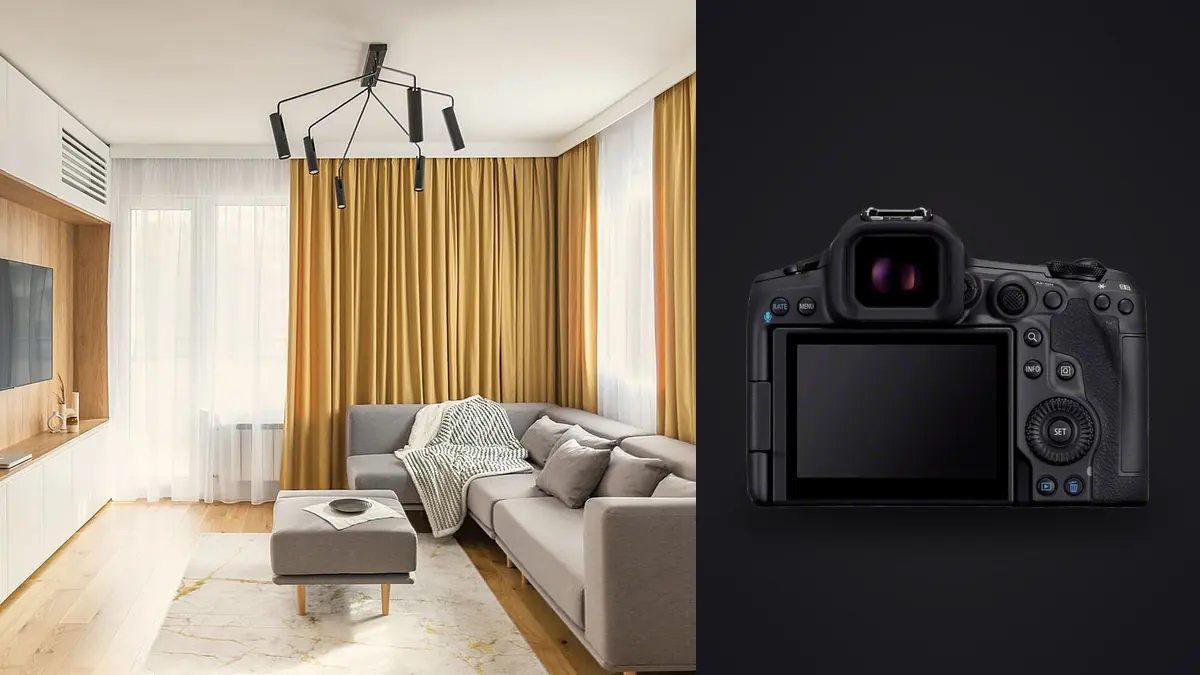
Picture picking up the EOS R5 Mark II after three years of shooting an original R5 for interior design and small-scale architecture photography, such as boutique hotels, design studios, and new-build residential interiors. It would be easy to expect the upgrade to change little. Same 45 megapixels on paper, same RF mount, same rough shape in the hand. Over a run of real interior shoots, the parts that actually move the needle are not the parts Canon led with at launch.
The sensor change nobody talked up, but interiors benefit from
Canon's marketing around the Mark II leaned hard on the 30fps electronic shutter and the Eye Control autofocus carried over from the R3. Neither matters much when your subject is a sofa. What does matter, and what took me a couple of shoots to notice, is that the new sensor is stacked rather than the older on-chip design in the original R5. Practically, that means the sensor reads out faster, which cuts down the rolling shutter skew you get on electronic shutter when there's any movement in frame, a stylist reaching in to fluff a cushion, a curtain moving in the air conditioning draft, someone walking past a doorway in the background.
That readout speed is also why I now shoot most interior work on full electronic shutter rather than mechanical. On the original R5 I avoided electronic shutter indoors because the readout was slow enough to smear anything that moved and because banding under LED lighting was a real problem in mixed-lighting rooms. The Mark II still isn't immune to banding under flickering LEDs, nothing fully is, but it happens less often and I catch it on the rear screen instead of finding it back at the desk. The bigger win is silence. On a hotel shoot with guests two rooms over, or a residential job where the family is still living there during staging, a completely silent shutter means I'm not the reason someone's baby wakes up from a nap.
Dynamic range and how I actually bracket a room
Interior work lives or dies on how you handle the gap between a bright window and a dim interior corner. The Mark II's dynamic range at base ISO is very close to the original R5's, Canon didn't reinvent sensor science here, but the improved noise floor at ISO 400 and above gives me more room to bracket handheld for the frames where a tripod isn't practical, like walking a hallway during a walkthrough. Below is roughly what I dial in depending on the room, adjusted on site from there.
| Room type | Base ISO | Aperture | Bracket spread | Frames |
|---|---|---|---|---|
| Bright window-wall living room | ISO 100 | f/8 | 2 stops | 5 |
| Mixed daylight and tungsten kitchen | ISO 200 | f/9 | 1.3 stops | 3 |
| Windowless bathroom or hallway | ISO 400 | f/7.1 | single exposure | 1, plus a focus-bracket pass |
| Evening lobby with practicals lit | ISO 800 | f/5.6 | 1.7 stops | 5 |
Five frames per angle sounds modest until you're shooting fourteen angles through a house and end up with seventy raw files for one room count in a job that has twelve rooms. That volume is where a lot of the actual time cost of this camera lives, and I'll come back to it, because the sensor upgrade is only half the story once you're back at the laptop.
Focus stacking without carrying a view camera
Interior shots often need a foreground object, a console table, a chair arm, a coffee cup someone styled in for scale, sharp at the same time as a window view thirty feet away. Stopping down to f/16 to get there costs you real sharpness to diffraction on a 45 megapixel sensor, and it doesn't fully solve the problem anyway on wide interiors where the depth range is extreme. The R5 Mark II carries over in-body focus bracketing from the original R5, up to 999 frames per sequence, but the interval between shots is noticeably tighter now, which matters because the light in a room with any window at all keeps shifting while you're mid-stack. A sequence that used to take eight or nine seconds on the old body clears in closer to five or six, which is the difference between a clean stack and one with a visible exposure step where a cloud moved.
I run these stacks at f/8, six to ten frames, focus point starting on the nearest styled object and letting the camera step back to infinity. Canon still doesn't do in-camera depth compositing worth trusting for a final file, so I'm merging in Photoshop or Helicon afterward either way. The camera's job here is just giving me clean, evenly spaced source frames without me racking focus by hand and guessing at the increments.
Original R5 versus the Mark II, for this specific kind of work
If you already own an R5 and are wondering whether the upgrade is worth it for interiors specifically, rather than for sports or wildlife where the autofocus and burst improvements actually get used, here's the comparison that mattered to me.
| Spec | Original EOS R5 | EOS R5 Mark II | Why it matters on an interior shoot |
|---|---|---|---|
| Sensor | 45MP CMOS, non-stacked | 45MP stacked CMOS | Faster readout, less rolling-shutter skew shooting electronic in a room with any movement |
| Electronic shutter top speed | 20 fps | 30 fps | Irrelevant on a tripod, occasionally useful catching a stylist mid-adjustment silently |
| IBIS rating | 8 stops | 8.5 stops | Matters for the handheld frames while a tripod leg is still being leveled |
| Focus bracket interval | Slower, fixed steps | Faster, shorter gaps between frames | Tighter stacks mean less exposure drift mid-sequence near a window |
| Launch price, body only | $3,899 | $4,299 | The $400 gap buys the sensor and processor, not new glass |
My honest read: if your R5 is working and your bottleneck is lenses or lighting, keep the R5 and spend the money on a tilt-shift instead. If you're renting or buying new and the choice is between the two bodies at similar used prices, take the Mark II for the readout speed alone.
Lenses matter more than the body upgrade did
None of the sensor talk above changes much if the lines in your photo aren't straight. I shoot most interiors on the RF 16-35mm f/2.8, and for anything with a lot of vertical architecture in frame, exposed beams, tall bookcases, a stairwell, I still reach for a manual TS-E tilt-shift adapted onto the RF mount rather than correcting verticals in post. Correcting a strong lean afterward crops in from the edges and stretches the geometry in ways that read as slightly wrong even if a client can't say why. Getting it right in camera with the shift function costs you a slower workflow on a tripod, but the file comes out cleaner.
The R5 Mark II's electronic level, visible in the viewfinder and on the rear screen, is more useful for interiors than it sounds on paper. Interior rooms rarely have a true horizon to eyeball against, and a half-degree tilt across a wide room reads as obviously wrong once you're staring at a straight bookshelf edge in the corner of frame. I check the level on every single tripod setup now, not just the ones that look off through the viewfinder.
What forty-plus interior shoots did to my evenings
Here's the part that doesn't show up in review videos. A single interior job with bracket sequences the way I described above easily produces six to eight hundred raw files by the end of the day, and 45 megapixel raws run close to 55 megabytes each uncompressed, so a full day's shoot can land north of 40GB before I've even opened a laptop. Dual card slots (CFexpress Type B plus SD UHS-II) mean I shoot a mirrored backup in camera, which has saved a job once already when a card started throwing errors halfway through a shoot.
The actual bottleneck moved from "can the camera keep up" to "can I sort this fast enough to keep up." Culling bracket sets by hand, picking the sharpest of three near-identical handheld safety frames, telling the five-shot HDR brackets apart from accidental duplicates when I bump the shutter twice, used to eat a full evening per shoot. I run everything through imagic now before I touch Lightroom. Its local sharpness scoring is genuinely useful for the handheld hallway walkthrough frames specifically, since it flags which of three nearly identical shots actually has crisp focus on the point I cared about, and the burst and duplicate clustering groups the bracket sequences together automatically instead of me scrolling through a flat filmstrip of seven hundred thumbnails trying to remember where one HDR set ends and the next begins. Because it runs entirely on my machine, nothing from an unreleased hotel renovation or a not-yet-listed house goes anywhere before I've decided what leaves my hard drive, which matters more in this genre than people outside it usually realize since many of these shoots are under an NDA until a launch date.
Once the culling is done, I lean on imagic's apply_my_style feature to get a first pass of my usual interior color treatment across the keeper set overnight, since it's trained on my own past edits rather than a generic preset pack, and it gets close enough on the color temperature and shadow lift that I'm mostly doing fine adjustments the next morning instead of grading three hundred images from scratch. If you haven't looked at how that kind of local culling actually scores sharpness under the hood, this breakdown of how AI photo culling works covers the mechanics better than I can here. And if the color side of an interior job is where you're losing time, the guide to color grading workflow is worth a read alongside whatever body you're shooting.
Where I think Canon overshot for this specific genre
I'll say the unpopular part plainly: a lot of what the Mark II improved is wasted on interior and architecture work. Thirty frames per second and the upgraded Eye Control autofocus exist for wildlife and sports shooters tracking erratic subjects, and I have used precisely none of that on a tripod in a living room. The 8K raw video is a genuinely impressive spec that most interior shooters will open rarely, say for a ten-second pan of a lobby for a website, and even then downsampling from 4K footage makes sense because the 8K files are an absurd amount of storage for a ten-second clip nobody scrutinizes at full resolution. If your work is exclusively static interiors on a tripod, you are paying for autofocus tracking and video specs you may never touch, and that's worth knowing before you justify the upgrade to yourself on features you won't use.
Frequently Asked Questions
Do I need the Mark II if I already shoot interiors on the original R5?
Not urgently. The resolution is identical and the dynamic range gap at base ISO is small. The stacked sensor's faster readout and the shorter focus-bracket interval are real improvements, but neither is a reason to sell a working body mid-season. I'd wait until your R5 needs a shutter service or you're adding a second body anyway.
Is 45 megapixels overkill for interior photography?
For a magazine spread or a large print in a hotel lobby, no, it's close to the right amount of room to crop and still hold detail. For web listings and social content, it's genuinely more than most jobs need and just means bigger files to store and cull. I shoot full resolution regardless because I don't always know at capture time which images will end up printed large.
What lens pairs best with the R5 Mark II for architectural interiors?
A wide zoom like the RF 16-35mm f/2.8 covers most rooms, but for anything with strong verticals in frame, a manual tilt-shift adapted onto the RF mount still beats correcting the geometry afterward. Keep the zoom for speed on jobs with a tight schedule and reach for the tilt-shift when a client is paying for print-quality architectural work.
Does the R5 Mark II handle HDR bracketing automatically?
It shoots the bracket sequence automatically once you set the spread and frame count, but it doesn't merge anything in camera worth using for a final deliverable. You're still combining exposures in Photoshop, Lightroom, or a dedicated HDR tool afterward. What the camera does well is keep the bracket exposures consistent and fast enough that nothing shifts between frames on a still tripod setup.