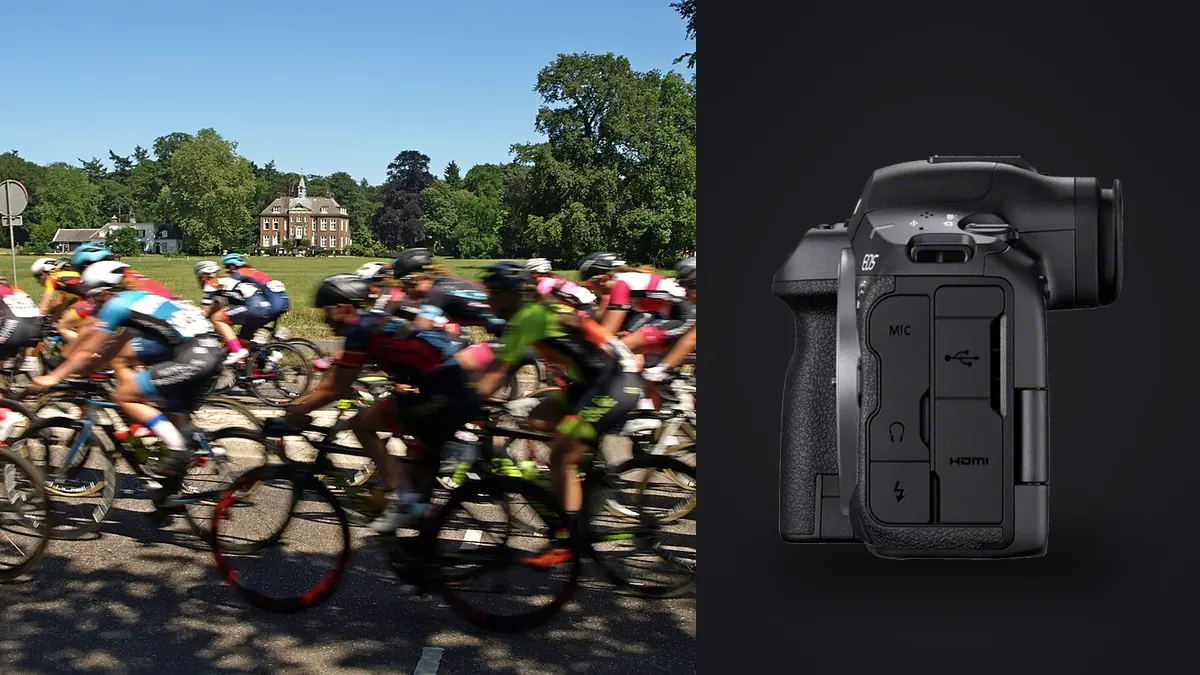
A Canon EOS R5 Mark II can produce a dense track-day folder long before the final heat. The workflow problem is not only file size or burst speed. It is preserving a trustworthy original, separating repeated attempts at the same corner, finding the frame with the cleanest subject position, and delivering files that match the brief without losing context. Those decisions need a plan that starts in the camera and continues through export.
This workflow assumes still RAW capture at a circuit, athletics track, cycling course, or similar action venue. It does not depend on a particular event volume or promise a turnaround time. Instead, it creates checkpoints that scale: card preparation, verified ingest, sequence-aware culling, restrained editing, and a documented handoff.
Design the capture for the edit that follows
Decide what the final set must contain before the first burst. A race report may need establishing frames, starts, key competitors, decisive action, reactions, and a finish. A sponsor brief may prioritize readable logos and clean backgrounds. A participant gallery needs broader coverage and dependable identification. This shot map prevents the cull from favoring only dramatic but repetitive images.
Set both camera clocks accurately, especially when more than one body or photographer is involved. Consistent time allows all files to sort into event order. Choose a file-naming prefix that distinguishes the body if the camera supports it, and reset neither numbering nor time during the assignment. Photograph an event schedule or a written marker between sessions when metadata alone will not explain the transition.
Select RAW or C-RAW according to required editing latitude, compatibility, card capacity, and the software that will open the files. Test the entire route before the event: capture, copy, decode, adjust, and export. A smaller format is not useful if a required application cannot interpret it, while the largest format is wasteful if the delivery never needs its extra latitude.
Use the two card types with a clear failure plan
The R5 Mark II combines a CFexpress Type B slot with an SD slot. Their performance and capacity can differ, so write mode should reflect the assignment rather than a generic rule. Simultaneous recording provides an in-camera second copy when both cards can sustain the chosen settings. Separate RAW and JPEG recording can provide rapid access to JPEGs but does not duplicate the RAW original. Overflow extends capacity but leaves each image on only one card.
Label cards physically and format them in the camera only after their previous contents have been verified elsewhere. Use a simple state system: ready, exposed, and copied. Keep exposed cards away from empty ones, with the write-protect switch used on SD cards when appropriate. Never format a card merely because the event has moved to a new session.
Burst settings affect card strategy more than headline speed suggests. A short, anticipated burst at a hurdle, apex, or finish creates meaningful variation. A long burst during an uneventful approach fills buffers and multiplies review work. Choose a drive rate that captures changes in stride, wheel position, or expression, then release as soon as the moment is over.
Ingest into an immutable original structure
At the workstation, create a job folder whose name includes a sortable date and a plain event identifier. Inside it, keep original capture separate from working files and exports. A useful structure has folders for original cards by camera, a working selection, output masters, and delivery JPEGs. The precise names matter less than using the same structure every time.
Copy each card into its own subfolder before renaming or editing anything. If an ingest application can verify the copy with checksums, enable that verification. Otherwise compare file counts and total sizes, then open samples from the beginning, middle, and end of the card. Do not erase the card after the first copy. Keep it untouched until a second verified copy exists on a different physical device and the job retention policy allows reuse.
Do not import only apparent keepers from the card. The camera screen is too small for reliable focus comparison, and a neighboring burst frame may have a cleaner gesture. Preserve the complete original capture, including marker frames. The archive should be able to reconstruct what happened even if the working selection changes later.
Normalize metadata without breaking chronology
After verification, apply descriptive metadata in batches. Add event name, venue, date, photographer credit, and rights information where required. Keep participant names out of filenames unless the delivery system and consent process call for them. Names change, spellings can be wrong, and sensitive information can travel farther than expected in a file path.
When several cameras were used, sort by capture time and inspect obvious overlaps. Correct a clock offset through metadata in the working catalog or sidecar workflow, not by changing the archived originals. Document the correction. Then add broad labels for practice, qualifying, heats, finals, podium, or behind-the-scenes material. These labels make a later second cull much easier.
Preserve camera-generated sequence information and filenames until burst groups are understood. Immediate renaming can hide which files were adjacent on the card. If final renaming is required, do it after the selection has stabilized and keep a mapping or metadata reference back to the source name.
Cull in passes that answer different questions
The first pass removes only technical failures and accidental frames. Check severe focus misses, unusable exposure, blocked subjects, and frames captured while lowering the camera. Do not decide the whole story at this stage. A technically imperfect reaction may still matter more than a clean but generic action frame.
The second pass works within bursts. Compare the subject's face, eye line, limb or wheel position, separation from rivals, sponsor visibility, and background intersections. Pick one or two candidates per distinct moment rather than rewarding every sharp frame. Zoom enough to confirm focus, then return to fit view for composition. A perfectly sharp subject can still have an awkward clipped foot or a pole emerging from the helmet.
The third pass builds the set. Spread selected frames across competitors, locations, focal lengths, and phases of the event. Remove duplicates that tell the same story even if they came from different bursts. Check the brief explicitly. If an important participant is absent, return to that portion of the chronology instead of lowering standards across the whole folder.
imagic can support the first two passes on Windows or macOS by processing files locally, scoring sharpness, exposure, closed eyes, and composition, and grouping near-duplicates or bursts. Status changes do not delete source photos, so a rejected frame remains reversible. The software assists comparison; it cannot know which athlete, sponsor, or race incident the assignment requires.
Handle disputed scores and stale analysis carefully
An automated score is evidence, not a verdict. If the preferred moment ranks below a neighboring frame, inspect the actual focus plane and motion. Panning blur, intentional obstruction, or a helmet visor can make a conventional sharpness judgment less useful. Keep the frame when its editorial value outweighs the technical issue.
For a library analyzed with an older scorer, check score freshness before defending an unexpected result. Reselecting photos only re-ranks stored scores; it does not analyze the pixels again. If the installed tool reports stale scores, use the dedicated freshness and reanalysis workflow before comparing results. This distinction prevents repeated ranking from being mistaken for a new technical assessment.
Keep ratings semantically simple. For example, reject can mean technically unusable, one rating can mean alternate, and a higher rating can mean final candidate. Avoid a complicated ladder whose meaning changes midway through the event. Color labels can describe delivery groups, but they should not duplicate the same decision already stored in ratings.
Edit for continuity across changing conditions
Start with representative frames from each lighting condition: open sun, cloud, shade, artificial light, and mixed zones. Correct white balance and exposure at the group level, then check individual images. Trackside surfaces and colored uniforms can bias automatic white balance, so use neutral references when available while preserving the actual atmosphere.
Apply lens correction and cropping consistently. Leave appropriate space in front of a moving subject, maintain level horizons unless a deliberate tilt adds energy, and avoid radically different aspect ratios without a delivery reason. Watch bright painted markings and reflective logos when raising shadows. A local contrast adjustment that helps asphalt texture can make skin or sponsor graphics look harsh.
Edits should remain non-destructive so crop and tone choices can be revised without altering the CR3 original. If the photographer has trained a personal style profile from edited work, apply_my_style can provide a consistent starting point for selected frames. It is a learned interpretation of that photographer's edits, not a generic preset and not a replacement for checking mixed light frame by frame.
Run a pre-export quality-control pass
Review at two scales. At fit view, assess pacing, color continuity, crop variety, and repeated moments. At high magnification, check critical focus, noise, dust marks against sky, edge artifacts, and accidental clipping. Compare adjacent images because a color shift is easier to see across a sequence than in isolation.
Confirm the requested output profile, dimensions, compression, naming convention, and metadata. JPEG suits common gallery and editorial delivery; TIFF is useful when a downstream workflow needs a larger rendered file. Export to a new delivery folder rather than over the originals. Open several exported files in a separate viewer to verify that the result does not depend on the editor preview.
Use the workflow and editing guides for related handoff practices, and review the desktop workflow when local culling and non-destructive processing fit the job. Neither page substitutes for the event's written brief, which remains the final authority on output.
Package delivery so another person can understand it
Separate full-resolution files from web or social derivatives when both are requested. Use filenames that sort predictably and do not expose private notes. Include a plain manifest or delivery message stating file count, format, color space, intended use, and any embargo or credit line supplied by the organizer.
Keep the delivered set unchanged after handoff. If a correction is needed, create a clearly versioned replacement and state exactly which files changed. Retain the working project, original copies, and export settings according to an agreed policy. A workflow is complete only when the recipient can open the files and the photographer can reproduce the delivery decision later.
Frequently asked questions
Should Canon R5 Mark II sports files be renamed during ingest?
Keep source names through the first burst comparison so chronology remains obvious. Rename final selections later if the delivery convention requires it, while preserving a reference to the original filename.
Can automated culling choose the final sports story?
No. It can surface sharp frames and group similar bursts, but it does not know the required athlete, sponsor, turning point, or narrative balance. A human final pass must apply the brief.
When is it safe to reuse the memory cards?
Only after the complete capture has been copied and verified on at least two separate physical devices, and after the assignment's retention policy permits reuse. A visible thumbnail or a single unverified copy is not enough.