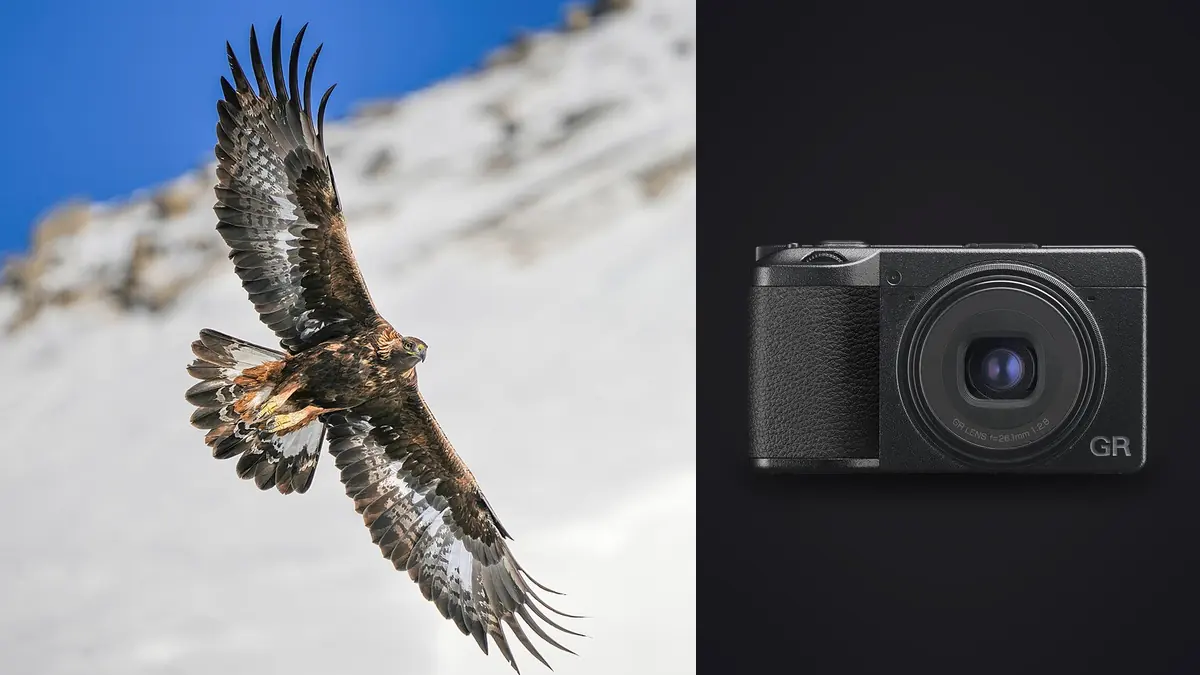
The Ricoh GR IIIx is an unconventional wildlife camera. Its fixed 40mm-equivalent view does not provide the subject scale of a long telephoto, and it asks the photographer to work with habitat, proximity, and behavior rather than distant frame-filling portraits. That limitation can produce a coherent environmental story, but it also makes the review process vulnerable to heavy crops and misplaced expectations.
This RAW Workflow is built for the DNG files the GR IIIx records and for situations in which wildlife appears within a wider scene. It distinguishes behavior evidence from ordinary duplicates, protects the chronology of short flight sequences, sets rational crop limits, and keeps field observations connected to the photographs without turning uncertain identification into fact.
Define a realistic deliverable for a fixed 40mm view
Before shooting, decide whether the project is an environmental essay, a close-range hide sequence, an urban-wildlife record, or a opportunistic field notebook. A small bird far across a wetland will occupy few pixels, no matter how carefully the DNG is processed. Cropping can refine framing, but it cannot recreate feather detail that was never sampled at useful scale.
Environmental compositions should give habitat a job. Shoreline, branches, street furniture, architecture, weather, or human proximity can explain how the subject lives. A wide frame is not automatically meaningful because it includes more space. During culling, ask whether that space contributes scale, direction, or tension; otherwise it is merely empty.
For close-range work, set ethical distance before image quality. Do not approach nests, feeding sites, or resting animals merely to compensate for the fixed lens. If a subject changes behavior because of the camera's presence, back away. The workflow should make room for an unsuccessful but responsible encounter.
Record DNG sequences with field notes
Set the camera clock accurately and begin each location with a frame that can be associated with a note, without revealing sensitive coordinates in a public image. Record provisional species, behavior, weather, and access conditions separately. If location disclosure could threaten wildlife, keep precise coordinates in a protected research note and remove them from public derivatives.
Use DNG for adjustment latitude and optional JPEGs only as references or rapid communication files. Short bursts are useful for takeoff, landing, wing position, and interactions, but continuous shooting across unrelated behavior creates a difficult cull. Stop when the action changes, recompose, and begin a new sequence.
The compact battery and card plan should support a verified handoff rather than encourage risky deletion in the field. Rotate labeled cards if needed and keep used media physically separate from empty media. Do not erase apparently weak frames on the rear screen; the small preview cannot reliably show fine focus, and a behavior record may matter even when it is not a portfolio image.
Ingest by location and encounter
Copy each card into a source folder named by date and neutral location code. Verify file count, total size, and representative DNG files, then create a second copy on separate storage. Preserve the original card folders until filename collisions and clock order have been resolved.
Within the working copy, divide files by encounter rather than by species too early. An uncertain field identification may change after review, while date, location code, and sequence remain factual. A manifest can connect frame ranges to notes without embedding sensitive or speculative details in filenames.
Keep originals, review previews, developed masters, documentary records, and publication selects separate. A technically weak file that documents rare behavior may belong in the record folder but not the portfolio folder. That distinction prevents one rating system from trying to express every possible value.
Cull for behavior before applying a heavy crop
Review each encounter at fit-to-screen size and identify changes in posture, direction, interaction, and wing position. Mark the frames that explain the behavior, then inspect focus and motion. This order avoids choosing a technically crisp but behaviorally empty frame simply because it survives magnification.
imagic can analyze DNG files locally and provide signals for sharpness, exposure, composition, and duplicate or burst groups. It can reduce the effort of locating similar frames, but it does not identify species or decide which stage of a behavior matters. Culling sets statuses and does not delete the originals, so documentary exceptions can remain available.
When comparing a burst, look at the head and eye where visible, wing edge, feet, and the relationship between subject and background. Motion blur may be expressive in a wing while the head remains readable. A high generic sharpness score should not force every moving part to become static.
Set a crop budget based on output
Create the intended output dimensions before final crop decisions. A modest web image can tolerate a different crop from a large print or double-page spread. Record the remaining pixel dimensions after cropping and evaluate the rendered result, not only the percentage shown by an editor.
Do not crop every environmental frame into an imitation telephoto portrait. The GR IIIx's useful distinction is often the relationship between wildlife and place. Keep at least one wider version when the surroundings explain scale or behavior. If a tight crop is needed for identification, label it as a record derivative rather than allowing it to replace the original composition.
Excessive cropping magnifies focus error, noise, demosaicing artifacts, and atmospheric softness. It also makes background branches and bright objects appear larger relative to the subject. Judge the crop together with noise treatment and output sharpening because these decisions interact.
Develop files for natural detail and stable color
Begin with lens correction, white balance, and exposure. Preserve bright plumage and reflective water before lifting deep shade. A histogram covering the whole scene can hide clipping in a small white bird, so inspect the subject and individual color channels. Keep one broad baseline per lighting condition rather than applying automatic corrections independently to every frame.
Use noise reduction conservatively around feathers, fur, grass, and water texture. Those patterns can be mistaken for noise by aggressive settings. Sharpen only after the crop and noise balance are known, then inspect halos along beaks, branches, and high-contrast skylines. A clean edge is more credible than an exaggerated outline.
Color should support identification without becoming a false field mark. Avoid pushing saturation until subtle feather differences separate unnaturally. If color accuracy matters, use a neutral reference captured under comparable light and retain the unedited DNG for later reassessment.
Build a sequence that explains the encounter
A concise wildlife set can move from habitat to presence, behavior, detail, and departure. Not every encounter provides all five parts, and inventing a complete story by mixing times or locations can mislead. Keep captions tied to what the frame actually shows, and distinguish observation from inference.
Near-duplicate groups should usually yield one strong visual representative, but a behavior sequence may need several adjacent files. Keep multiple frames when each advances the action, such as approach, contact, response, and separation. Remove files that repeat the same information without improving gesture or clarity.
The Workflow and Editing category contains related process articles, while the desktop application overview explains local support for DNG review and export. These tools organize evidence; they do not replace field ethics or species expertise.
Export publication and record versions separately
Prepare publication JPEGs according to the recipient's dimensions, color space, filename, caption, and sharpening requirements. Create documentary record files separately when they need visible timestamps, scale references, or less aggressive crops. Do not send the record derivative as though it were the final aesthetic composition.
Inspect exports for edge halos, blocked shadows, posterized sky, orientation, and metadata. Remove precise location coordinates from public versions when disclosure could cause disturbance. Preserve those details securely only for legitimate research or personal records.
Archive the original DNG files, encounter manifest, notes, adjustment records, and delivered files. Keep a second copy away from the working device. If an identification changes, update the catalog or manifest without renaming the historical source into a claim that was not known at capture.
Diagnose focus and motion before changing the grade
A small subject can appear soft for several different reasons: autofocus may have selected the background, the subject may have moved, the camera may have moved, atmospheric haze may have reduced detail, or the crop may simply exceed the useful information in the file. Inspect a sequence rather than one frame. If the sharp plane moves from foreground to background, focus acquisition is implicated. If the whole scene shifts directionally, camera movement is more likely.
When a bird crosses the frame, compare eye, body, wing, and background separately. A readable head with blurred wings may be a successful motion rendering. A crisp branch behind a soft bird usually is not. Record the failure category with a keyword or color label so later setup changes address the actual issue rather than applying more sharpening to every file.
Exposure correction cannot create missing subject detail. Before investing time in a severe crop, make a quick output-sized proof. If the eye, beak, or body edge remains ambiguous at the delivery size, preserve the frame as an encounter record or exclude it from aesthetic delivery.
Keep field observations synchronized with final filenames
After renaming, create a mapping from original camera name to final project name. Update the encounter manifest with the final select filenames and retain the original range. This allows a later identification review to find adjacent frames that show another angle, even if those files were not developed.
Captions should state observable behavior conservatively. Terms such as feeding, carrying nesting material, or territorial display should be used only when the sequence supports them. If an action is uncertain, describe posture and movement instead of assigning motive.
Keep rejected context frames long enough to support the agreed research or editorial purpose. A wider image may show habitat, flock size, or another individual that changes the interpretation of a tight select. When the retention period ends, apply it consistently to working copies and backups, and preserve only records that the project is authorized to retain.
Frequently asked questions
Is the Ricoh GR IIIx suitable for distant birds in flight?
Its fixed 40mm-equivalent view is not designed to provide the subject scale of a long telephoto. It is better suited to close, ethical opportunities and environmental images in which habitat is part of the frame.
Can imagic identify the best wing position automatically?
It can group similar DNG files and provide technical quality signals, but wing position and behavior meaning require human review. Preserve adjacent frames when they form a genuine action sequence.
How much can a GR IIIx wildlife DNG be cropped?
The practical limit depends on focus, noise, subject scale, and final output dimensions. Judge a rendered file at its intended display size instead of relying on a fixed crop percentage.