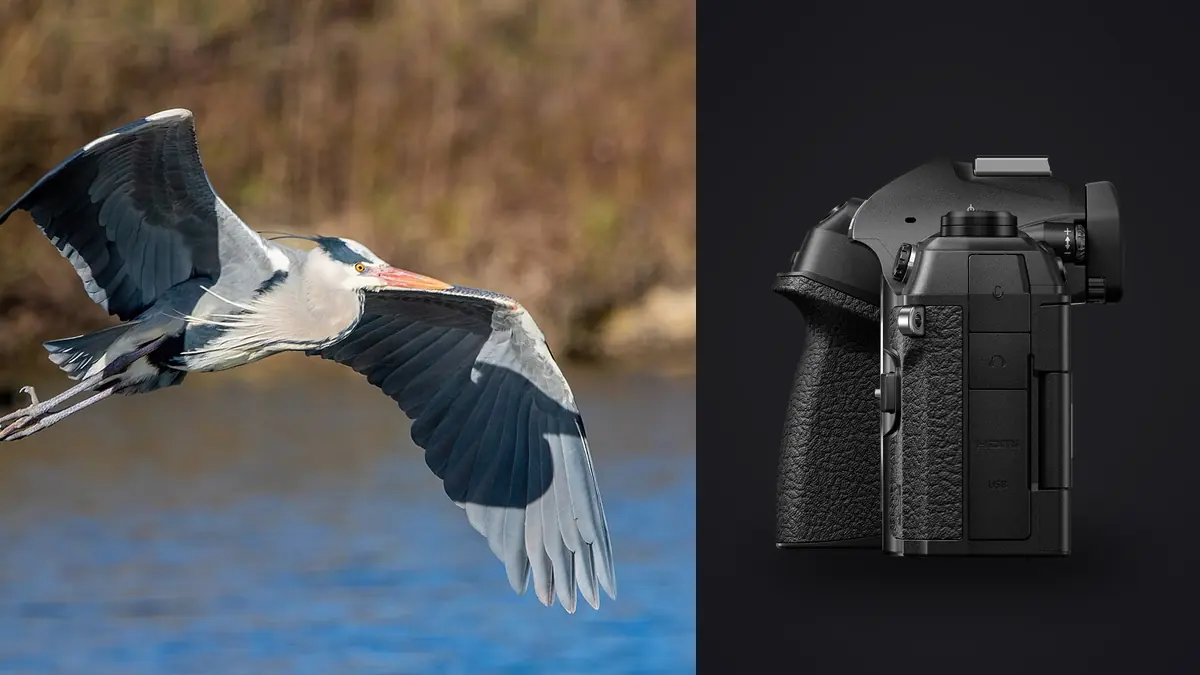
Wildlife and birding in flight photography produces more raw files per session than almost any other genre, and the OM System OM-1 Mark II makes that volume problem worse in a useful way. Pro Capture buffers frames before the shutter is even pressed, SH2 shooting pushes well past normal continuous rates, and a single afternoon at a raptor flight demonstration or a shorebird roost can leave a card holding several thousand ORF files. None of that capture volume matters if the workflow after the shoot cannot keep up with it. This is a RAW workflow guide built specifically around that problem: how ingest, backup, culling, editing, export, and archive should be structured when the camera is an OM-1 Mark II and the subject is fast, erratic, and shot in bursts rather than single frames.
Why OM-1 Mark II burst shooting changes the RAW workflow math
The OM-1 Mark II's stacked Four Thirds sensor and Pro Capture modes are built for exactly this kind of shooting, which is precisely why the RAW workflow needs to be planned before the trip rather than improvised after it. Pro Capture starts saving frames from the moment the shutter button is half-pressed, so a fast dive or a kingfisher strike gets recorded even if the trigger finger is a beat late. SH2 continuous shooting adds more frames on top of that. The practical result is that a single flight sequence, from launch to landing, can generate hundreds of ORF files where a slower continuous mode might have produced a dozen. Multiply that across a full day of shorebirds working a tide line or raptors circling a thermal, and the card fills with a mix of near duplicates: several frames where the wing is in nearly the same position, some where the eye is closed mid-blink, and one where the composition and the wingspan actually line up. The settings below are not exhaustive, but they are the ones that most directly shape how much gets ingested and how the cull needs to run afterward.
| Setting | Typical use for birding in flight | Effect on the workflow |
|---|---|---|
| Pro Capture (SH1 or SH2) | Pre-buffers frames before the shutter is fully pressed | Adds extra near-duplicate frames per sequence, raising cull volume |
| High-speed electronic shutter burst | Sustained frame rate through a full flight pass | Produces long unbroken sequences that reward burst grouping over frame-by-frame review |
| Bird Detection AI subject tracking | Holds focus on the eye through erratic flight | Cuts the number of soft-focus rejects, though it does not reduce raw file count |
| Dual UHS-II card slots | Mirrored or backup recording | Determines how the ingest step should be structured |
| ORF, compressed or uncompressed | Native raw format | Sets the storage and processing load carried through the rest of the workflow |
Ingest: getting ORF files off the card without losing the sequence
The first workflow decision happens before the shoot even starts, in how the dual card slots are configured. Recording raw to one card and a JPEG backup to the second is common for events, but for a heavy burst genre like birding in flight, mirroring raw to both cards is usually the safer default: a single dropped or corrupted card during a multi-thousand-frame day should not mean losing an entire flight sequence. That decision matters again at ingest time, since it determines whether the import step needs to reconcile two card volumes or just copy one.
At ingest, treat the OM-1 Mark II's ORF output the same way any high-volume raw workflow should: copy to at least two physical locations before anything else happens, verify the file count matches the camera's frame counter, and keep the original folder structure the camera wrote rather than renaming on the fly. Renaming during copy is a common place for import scripts and card readers to silently drop or truncate files, and a flight sequence missing three frames from the middle is far harder to notice than a set that is short a discrete number of images at the edges. Sort by capture time rather than by filename, since Pro Capture can write buffered frames in a way that makes the file numbers less reliable than the embedded timestamp for reconstructing what actually happened during the burst. Because all of this processing happens on the machine doing the import, keeping it local rather than round-tripping through a cloud service also matters at this volume; the tradeoffs are covered in this local versus cloud photo culling comparison.
Back up before a single frame gets reviewed
Culling before backup is the most common way a good flight sequence gets lost, because the instinct to delete obvious misses (the frames where the bird is a blur, the ones with a branch across the eye) happens fast, and the safety net is not always in place yet. The rule that holds up across genres, and matters more here because of the sheer frame count involved, is to get raw files onto a second independent drive before any deleting starts. For a longer look at structuring that step, including how many copies to keep and where, see this raw file backup strategy guide.
For a day that produced several thousand ORF files, the backup step also works as a natural checkpoint to confirm nothing was corrupted in transit. A backup that finishes without errors and matches the source file count is the signal that it is now safe to start being aggressive about deleting the frames that will never be keepers.
Culling a flight sequence down to the keepers
This is where the OM-1 Mark II's raw volume becomes a real time cost rather than just a storage number. A single Pro Capture burst from a strike or a takeoff can produce eighty or more nearly identical frames, and reviewing each one individually at full resolution is not a realistic use of an evening. A more workable approach is two passes: a fast pass that groups the burst and eliminates frames with closed eyes, motion blur on the head, or a wing blocking the eye, followed by a slower pass on the surviving handful where composition and peak wing position actually get compared.
Grouping by burst rather than reviewing frame by frame is the single biggest time saver in a wildlife and birding in flight RAW workflow, and it is worth using software that does that grouping automatically rather than scrolling through a folder in capture order. This is one of the places imagic is built for: it groups duplicate and burst sequences automatically and scores frames for sharpness, closed eyes, and composition, running locally on the machine rather than uploading a card's worth of ORF files anywhere. For an OM-1 Mark II shooter clearing a few thousand frames after a shorebird session, cutting the review from a frame-by-frame slog to a scored, grouped shortlist is the difference between finishing the cull that evening and still working through it days later.
The general principles of burst culling, such as setting a threshold for what counts as too similar to keep both frames, or deciding between two frames that are both technically sharp but differ in wing position, apply regardless of camera brand. A dedicated look at that trade-off is worth reading: sports photography burst culling covers the same decisions for another burst-heavy genre, and most of it carries over directly to birds in flight.
Editing the ORF files: what actually needs correcting
Once the keepers are chosen, the editing pass for OM-1 Mark II wildlife files tends to be narrower than for other genres, since the sensor and processor combination already handles a lot of the heavy lifting in camera. The two corrections that come up most often are white balance and noise. Backlit flight shots against bright sky routinely need a custom white balance pull rather than relying on auto, since a large expanse of sky can bias the camera's read toward cooler or warmer than the bird's actual plumage. Noise shows up mainly in early morning or late afternoon sessions where ISO climbs to keep shutter speed fast enough to freeze wingbeats, and a Four Thirds sensor at higher ISO benefits from a noise reduction pass that protects fine feather detail rather than a blanket smoothing setting.
Because the raw files come off the camera in large batches, the more efficient way to work is to correct one representative frame from a session (matching light, matching ISO) and then apply that correction across the rest of the keepers rather than adjusting each file from scratch. Batch editing with a saved style handles this well, and it is one of imagic's core features: set white balance and noise reduction once on a representative frame, then apply that style to the rest of the session's keepers in a single pass. Its RAW processing runs on its own built-in RAW engine, which decodes ORF files without the color shifts that some lighter raw converters introduce on Four Thirds files, and that distinction matters more for feather and plumage color than it does for most other subjects.
Export and delivery from a flight sequence
Delivery format depends on the client, but the split is usually straightforward for wildlife and birding in flight work: JPEG for web galleries, print labs, and most client delivery, TIFF when a frame is headed for a large print or further work in another program. Export at full resolution and let the client's print size or platform handle downsizing, since the 20 megapixel-class files from the OM-1 Mark II are not so large that intermediate resizing saves meaningful time.
For a birder or wildlife photographer processing multiple outings a month, the export step is also where naming and organization pay off later. Keep the export folder structure aligned with capture date and location rather than a generic edited folder, since flight and behavior sequences get referenced again for species identification, submission to citizen science databases, or comparing a bird's plumage across seasons. A consistent naming convention at export time (species, location, date) saves far more searching later than it costs to set up now.
Archive: what to keep and for how long
The archive decision for a heavy burst genre is different from something like portrait or event work, where nearly every raw file that survives the cull is worth keeping indefinitely. For OM-1 Mark II flight sequences, it pays to be more deliberate: keep every selected keeper's raw file, plus a handful of the next-best alternates from each burst in case an edit choice needs revisiting later, but there is little reason to archive the full unculled burst of eighty near-duplicate frames once a keeper has been chosen and backed up. Storage is cheap, but searching an archive years later for one usable frame among dozens of near-identical duplicates is not a good use of time.
A reasonable rule is to archive keepers and near-misses to at least two locations (one local, one offsite or cloud), and to revisit the archive during the off season to confirm nothing has become unreadable. Camera raw formats have a long track record of remaining readable, but individual drives and cards do not, and that mismatch is the actual risk in a multi-year archive.
This kind of camera-and-genre-specific breakdown is part of a broader set of RAW workflow guides on the site. The Workflow & Editing category covers ingest, culling, and export approaches for other camera and genre combinations, which is useful for comparing how much of this advice is OM-1 Mark II specific and how much applies to any high-burst setup.
Frequently asked questions
How many raw files does a typical OM-1 Mark II birding in flight session produce?
The exact count depends on Pro Capture settings and how long each burst runs, but a single flight sequence at SH2 can easily reach several hundred frames, and a full day at a location with regular activity, such as a shorebird roost or raptor flight demonstration, commonly produces a few thousand ORF files. That volume is the main reason a structured RAW workflow, from ingest through archive, matters more for this genre than for slower-paced photography.
Should raw files be culled before or after backup?
Backup should always come before culling starts. Deleting frames from a single copy on the camera's card, or even a single copy on a laptop, risks losing a keeper permanently if a mistake is made during the fast first pass, and the first pass on a large burst session is exactly when mistakes are most likely.
Does the OM-1 Mark II's Four Thirds sensor need different raw processing than a full-frame camera?
The ORF files need the same standard raw processing steps as any other format: white balance, exposure, and noise reduction. The smaller sensor makes noise reduction at higher ISO more consequential for preserving feather detail, and backlit flight shots need more attention to white balance than they would on a sensor with more dynamic range headroom. Software that decodes ORF accurately, rather than treating it as an afterthought behind more common formats, makes a visible difference on these files.