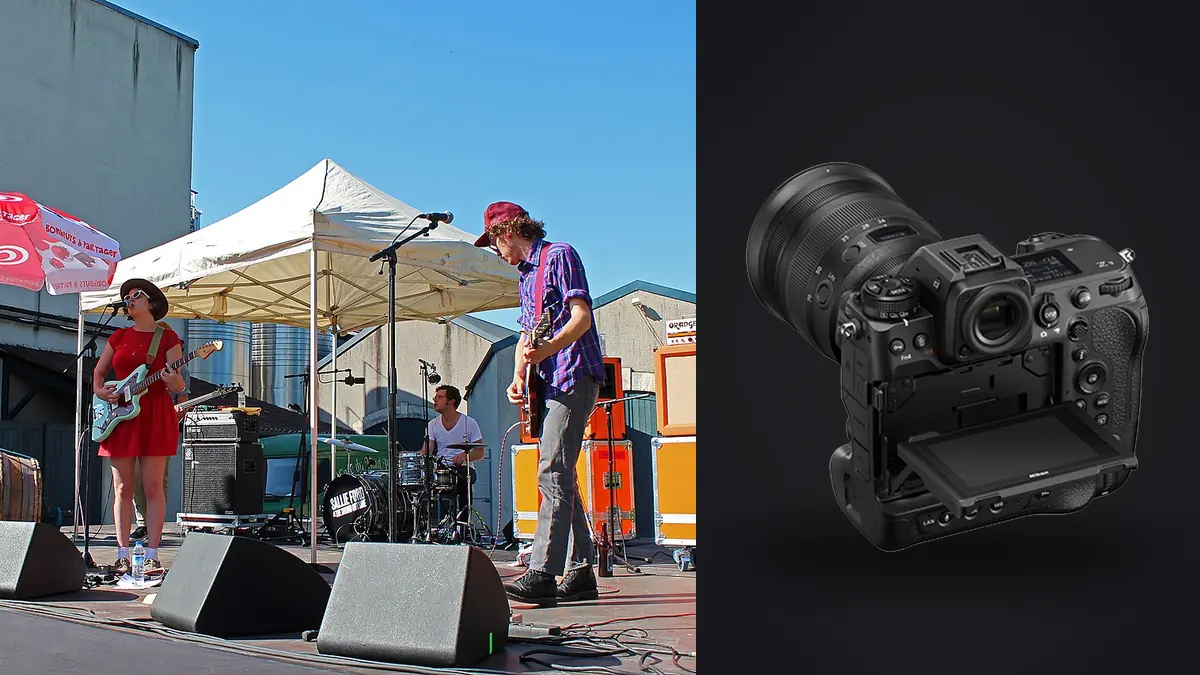
A Nikon Z9 concert card can contain a complete performance in dense clusters: entrances, gestures, lighting changes, crowd reactions, and quiet transitions. The camera's electronic capture and fast sequence options make it easy to record alternatives, but the editorial task is not to keep the most frames. It is to preserve the moments that explain the show while controlling flicker, color, noise, captions, and delivery order.
This RAW Workflow keeps NEF files tied to act and song context, separates rapid deadline exports from the complete edit, and uses burst analysis without discarding meaningful gesture. It also accounts for a second camera, changing LED light, and the metadata a venue or publication needs.
Turn the running order into a file plan
Record the venue, date, event name, acts, approximate set times, access restrictions, and delivery requirements before the first performance. Synchronize the Z9 clock with any second body and with the note-taking device. Accurate time helps connect frames to songs, stage events, and caption notes later.
Use an act code and, where practical, a song or set segment code. A quick written frame range is less disruptive than photographing a bright phone screen in a dark pit. At a festival, treat each artist as a separate assignment inside the larger project so names and rights do not drift across folders.
Define mandatory coverage from the brief: clean artist identity, full stage, instrument detail, audience relationship, sponsor placement, or a specific opening-song deadline. Optional creative frames should remain separate from required evidence until coverage is complete.
Choose a stable NEF policy before stage light changes
Select the NEF option that meets quality, storage, and downstream compatibility requirements, then keep it stable during the event. A sudden format change can complicate preview generation and create inconsistent latitude inside one sequence. Reference JPEGs can support a rapid edit, but preserve the NEF as the primary source.
Use short bursts around a developing gesture rather than holding the shutter through an entire passage. Begin just before the movement, continue through its peak, and stop once expression or composition changes. This creates comparison groups with a visual reason and reduces the chance that several songs become one indistinct block.
Electronic stage lighting can produce brightness or color variation between frames. Keep shutter mode and speed metadata intact and note major changes. A neighboring frame may show a cleaner phase of the light without any exposure adjustment, so do not process each anomaly in isolation.
Copy cards into a verified source layer
Create separate originals folders for each card and camera. Copy files, verify expected counts and representative NEF images, then make a second verified copy on separate storage. If a deadline edit starts during the event, work from the copy and leave the card structure untouched until the backup policy permits reuse.
Preserve original filenames until overlapping numbers and clock offsets have been resolved. A working rename can combine date, act, camera, and padded sequence. Keep a mapping back to the original name so a publication request can be reconciled with source media and field notes.
Separate rapid selects, full-review selects, developed masters, captioned exports, and finals. The fastest folder is not automatically the final archive. Label every delivery version with enough clarity that an editor does not publish an uncaptioned preview after a corrected final arrives.
Use technical analysis as a queue, not an editor
imagic supports NEF and can analyze sharpness, exposure, closed eyes, composition, and near-duplicate or burst relationships locally. Its culling decisions set statuses and do not delete original files. This makes it useful for locating comparison groups and probable technical failures without uploading unreleased performance images.
A concert frame can succeed outside those generic signals. Closed eyes may be part of singing, silhouette can be intentional, and stage haze can lower contrast while preserving atmosphere. Review the sequence around each suggestion and choose according to expression, gesture, performer identity, and assignment need.
If scores appear inconsistent, run the freshness check before defending or repeatedly reselecting. Reselection only changes ranking from stored values. Stale files require reanalysis to receive a current verdict, after which human review still makes the final decision.
Compare gesture, focus, obstruction, and light in order
Start with gesture and interaction at contact-sheet size. Mark frames where posture, instrument position, and expression carry the moment. Next inspect the intended focal area. Finally compare microphone overlap, raised audience phones, stage rails, exit signs, and light phase. This sequence protects expressive candidates without ignoring delivery quality.
Motion does not have one correct appearance. A sharp face with a moving hand can communicate energy, while an unreadable face may fail a news requirement. Evaluate blur against subject and use. Stabilization can reduce camera movement, but it cannot stop performers, cables, hair, or drumsticks.
Do not keep a full burst simply because every file is technically sound. Retain additional frames only when they alter expression, action, light geometry, or editorial function. The rejected status remains reversible if a later story edit needs another stage of the gesture.
Diagnose LED flicker before adjusting exposure
Apply identical provisional settings to adjacent files and compare them quickly. A pulsed source may create alternating brightness, color, or bands even though camera settings remain fixed. If only one frame differs sharply from its neighbors, the lighting cycle is a stronger explanation than a sudden RAW-development problem.
Choose a clean neighboring gesture where possible. Lifting a dark flicker frame can amplify noise, while local band correction can leave visible transitions. Record recurring problems by stage area and shutter setting so capture choices can be adjusted at the next permitted opportunity.
Do not neutralize intentional color merely because it is saturated. Red, blue, and magenta washes may leave limited information in one channel. Protect important highlights, make skin believable where the light allows, and preserve the visual identity of the show.
Match a second camera without flattening either file
Keep camera-specific RAW baselines through the first development pass. Match profile, white balance, exposure, black level, and contrast using frames made under the same stage light. Different sensors and lenses need not become numerically identical; they need to sit together without an obvious unexplained jump.
Review lens perspective as part of the match. A wide pit image and a distant telephoto frame can show the same instant while conveying different scale. Do not crop both into identical compositions merely for uniformity. Let each viewpoint contribute a distinct piece of the performance.
After matching, interleave the two cameras by corrected capture time. If clocks differ, document the offset rather than rewriting original metadata without a record. Use a visible shared event, such as a lighting cue, to confirm sequence order.
Build a complete performance edit
Lay out the selected frames in chronological order and check coverage. A balanced set may include the room, entrance, recognizable portrait, physical action, collaboration, crowd response where permitted, detail, and ending. Not every show provides every element, but repeated close portraits should not conceal missing context.
Reduce visual repetition across songs. If two frames share framing, expression, and lighting, keep the stronger unless both are required for separate editorial facts. A quieter transition can improve pacing and show personality more effectively than another peak-action image.
Review sponsor logos, guest identities, backstage access, and audience privacy under the contract. A technically strong image may remain restricted. Keep private sources outside the public select path and record any crop or redaction made for publication.
Develop noise and detail for final size
Begin with exposure and color, then evaluate noise. Opening deep stage shadows can reveal distracting color patterns, while crushing them can remove hair, clothing, and venue context. Set a useful black point and preserve the shadows that carry information.
Apply noise reduction with attention to eyes, hair, instrument texture, smoke, and fabric. Excessive smoothing can make haze break into patches and skin look artificial. Add sharpening only after crop and output dimensions are known, and inspect high-contrast edges for halos.
Use one baseline per stable lighting scene, not one treatment for the full concert. The Camera Hardware section provides broader equipment context, while the desktop workflow page explains supported local processing.
Caption, export, and preserve both deadlines
Verify performer names, roles, venue, city, date, and event from authoritative records. Do not infer identity from appearance or copy an unverified social tag. Attach captions after the final selection is stable so metadata stays with the correct filename.
Export deadline JPEGs with agreed dimensions, color profile, filename, credit, and metadata. Inspect the exact outputs for banding, crop, orientation, and color. Final delivery may use larger JPEG or TIFF files and should be created from developed masters, not from compressed deadline copies.
Archive NEF originals, card manifests, clock correction, notes, selects, adjustment records, captions, and every delivered version. Preserve which deadline received which file. That history prevents a rapid early export from being mistaken for the final considered edit.
Control temporary files at the venue
A deadline workstation may create previews, cache folders, temporary exports, and transfer copies outside the main project tree. Identify those locations before the show and keep them on approved storage. A finished upload does not mean every local derivative is accounted for.
When a card runner, editor, or publicist participates, define who has possession of each card and which folder is authoritative. Use a handoff log rather than memory. The log should record card identifier, copy status, return, and any early delivery made from it.
At wrap, compare the handoff log with physical media and the verified source folders. Remove temporary deadline copies only after the archive is secure and the retention policy permits it. Sign out of transfer accounts on shared venue equipment.
Check commercial marks and access details before release
Concert frames can expose credentials, security positions, unreleased staging, audience wristbands, or sponsor conflicts. Review the full composition, not only the performer. Follow the assignment agreement when deciding whether to crop, withhold, or seek approval.
Keep any restricted source in the protected archive and document the public derivative. A crop that removes a credential should remain linked to the uncropped NEF, while the delivery manifest identifies the approved version.
Frequently asked questions
Should every Nikon Z9 concert burst be reduced to one frame?
No. Keep multiple frames when they show distinct stages of action or different editorial information. Reduce only sequences that repeat the same gesture, lighting, and function.
Can RAW processing fully remove LED flicker?
Not always. A neighboring frame captured at a different phase of the light may be cleaner than a heavily corrected file. Compare the sequence before committing to repair.
Does imagic delete rejected NEF files?
No. It changes selection status while the original remains on disk. That allows a later editorial pass to recover a frame if the story needs it.