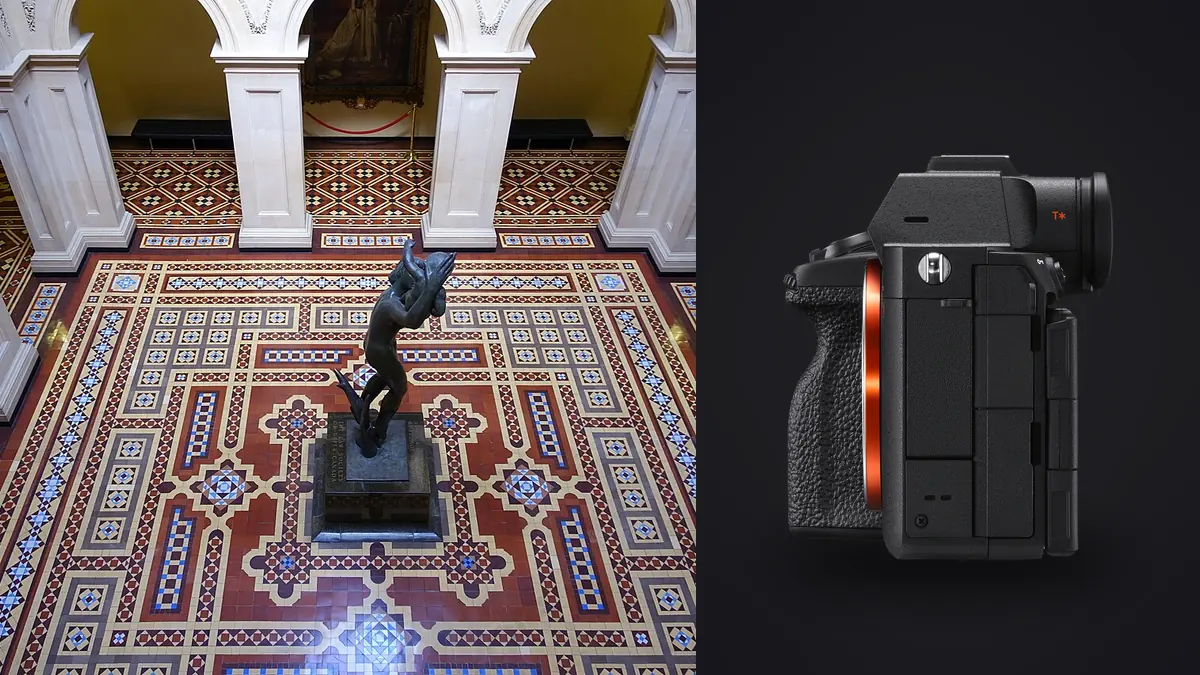
Interiors are an unforgiving genre for a camera. You're usually fighting a window that's four or five stops brighter than the room, a client who wants the space to look "natural" but also wants every corner sharp, and a schedule that gives you maybe forty minutes per room before the next one. I've shot interiors and small commercial architecture jobs with a few different bodies now, and the Sony A7R V has become the one I reach for first, not because it's flashy, but because three specific things about it map directly onto problems this kind of work actually has.
The dynamic range problem doesn't go away, but it gets more forgiving
Sony rates the A7R V's sensor at roughly 15 stops of dynamic range at base ISO, and while I don't treat marketing numbers as gospel, the practical difference from older 42 and 50 megapixel Sony bodies is real. Shooting a living room with a bay window at midday, you can expose for the interior and still pull back meaningful cloud detail and window mullion definition from the highlights in Lightroom, without the blown-out white rectangle you'd get on a body with a stop or two less headroom. That said, I still bracket. Any room with a window worth showing gets a three or five frame exposure bracket, because no sensor fully solves an 8 to 10 stop range in one frame, and clients notice blown windows faster than almost anything else in a listing photo. The extra dynamic range just means my brackets need fewer stops between frames and I spend less time blending seams in the shadows.
Where this matters more than people expect is mixed lighting. A kitchen with warm tungsten under-cabinet lights, cool daylight from a window, and a client who left the fluorescent pantry light on is a genuinely hard white balance situation. The extra shadow latitude means I can shoot for the highlights and still recover clean color information in the tungsten-lit corners during editing, rather than that recovered shadow area turning to mush the way it would on an older sensor pushed past ISO 800.
Pixel shift is the feature everyone mentions and almost nobody uses correctly
The A7R V inherited Sony's pixel shift multi shooting from the A7R IV, and on paper it's the killer feature for architecture: the sensor physically shifts in half-pixel and full-pixel increments across up to sixteen exposures, collecting close to 963 million pixels of raw data that Imaging Edge Desktop merges into a single 240.8 megapixel composite. In practice, I use it on maybe one in every fifteen interior jobs, because the requirements are strict. The camera has to be on a solid tripod, the room has to be completely still (no HVAC-driven curtain flutter, no ceiling fan, no dog wandering through), and you need Sony's desktop software to do the merge since the camera itself just writes sixteen separate ARW files.
When it's worth the hassle: hero shots for a print portfolio, a marble countertop or herringbone floor detail that's going on a lobby wall at four feet wide, or stone and tile work where a client's designer wants to show grout lines and material texture at a resolution normal delivery files can't support. For a standard listing gallery or a blog post, it's overkill and it multiplies your file count for zero visible benefit at web resolution.
| Mode | Shots captured | Final resolution | What the room needs to hold still for | Where I actually use it |
|---|---|---|---|---|
| Single frame | 1 | 61MP (9504 x 6336) | Nothing, handheld is fine | Walkthroughs, occupied rooms, anything with people or pets in frame |
| Pixel Shift x4 | 4 | 61MP with full RGB data per pixel, no demosaic guessing | A few seconds, tripod required | Patterned fabric or fine joinery where a normal RAW shows moire |
| Pixel Shift x16 | 16 | ~240.8MP composite from ~963MP of captured data | Roughly ten seconds of dead calm, tripod required | Print-sized hero shots, stone and tile macro detail, large-format lobby prints |
The lens gap nobody warns you about
Sony still doesn't make a native tilt-shift lens for E-mount, which is a genuine gap for architecture work where you want to correct converging verticals optically rather than in post. Most A7R V interior shooters I know end up in one of three camps: adapting a Canon TS-E lens with a Metabones or similar adapter and living with manual everything, buying the Laowa 15mm f/4.5 Zero-D shift (which is manual focus and manual aperture but genuinely sharp and much cheaper than the Canon glass), or skipping shift lenses entirely and leaning on the sensor's resolution to absorb a keystone correction crop in Lightroom. I mostly do the third option now. With 61 megapixels of source material, cropping five or ten percent off the frame edges after a perspective correction still leaves plenty of resolution for anything short of the pixel-shift print scenario above, and it means I'm shooting with fast, sharp, autofocusing glass like the 16-35mm f/2.8 GM II instead of manually focusing a shift lens on a ladder.
For genuinely tight rooms, the 12-24mm f/2.8 GM earns its keep, but be aware how much distortion correction is happening under the hood at 12mm. Straight lines near the frame edges can develop a subtle wave if you also apply a strong keystone correction on top of the lens profile, so I try to get as close to level and square in-camera as I can before I touch anything in post.
Focus bracketing when depth of field runs out
Interiors often want a foreground element (a chair, a table setting, a doorway) sharp along with a background wall thirty feet away, at an aperture wide enough to avoid diffraction softening on a 61 megapixel sensor, which in practice means staying at f/8 or wider on most of my glass. The A7R V's built-in focus bracketing handles this by firing a sequence of frames at incrementing focus distances that you then stack in Photoshop or Helicon Focus. It's slower than a single well-stopped-down frame, but for a foreground-to-background composition where f/11 or f/16 alone won't get there, it's the difference between a usable shot and a soft one.
The screen and the level, which sound boring until you're the one straightening every wall in post
The A7R V's four-axis multi-angle screen (it tilts like a traditional Sony screen but also flips out to the side like a vari-angle) sounds like a minor spec bump, but for interior work where you're often shooting from low angles or over furniture, being able to see the screen from odd positions without a right-angle finder attachment saves real time. Paired with the electronic level overlay in the viewfinder or on the screen, I get verticals close enough in-camera that post-processing correction is a small nudge rather than a full rebuild. That matters more than it sounds like it should, because every degree of correction you apply in Lightroom costs you resolution at the frame edges.
What a day of shooting actually produces, and where the culling happens
A single interior job, six or seven rooms, three exposure brackets per room plus a couple of detail shots and the occasional pixel-shift hero frame, easily produces four to six hundred RAW files by the end of the day. That's the part of this workflow nobody puts in the camera review. Sorting through hundreds of near-identical bracket frames to find the sharpest one in each set, at 1am after a long shoot, is where a lot of photographers lose the evening.
This is the part of my workflow that changed when I started running everything through imagic before it ever touches Lightroom. It clusters the bracket sets and near-duplicate frames automatically, so instead of scrolling through fifteen visually identical shots of the same kitchen counter I get one cluster with the sharpest frame flagged using its local focus scoring, which actually matters on a 61 megapixel sensor where "looks sharp" on a laptop screen and "is actually sharp at 100 percent" are two different things. Because it runs entirely on my machine rather than uploading anything, it's also the only part of this workflow I don't have to think twice about when the property is unreleased and under NDA, which is a real concern in this genre.
The other piece I lean on is imagic's apply_my_style preset, trained on my own past edits rather than a generic filter. Interior work has a house style you develop over dozens of jobs (how warm you let the wood tones run, how much you pull back the window highlights, how much contrast a stone countertop gets), and having that applied automatically as a first pass across a few hundred frames means I'm adjusting individual shots from a consistent baseline instead of building the look from scratch fifty times a day. If you're curious how the underlying culling logic actually decides what's sharp versus what's a near-duplicate, our breakdown of how AI photo culling works covers the mechanics in more depth than I can here.
Battery, cards, and the unglamorous logistics
The A7R V takes CFexpress Type A or SD UHS-II cards in both slots, and I run one of each: CFexpress for the fast pixel-shift bursts and RAW bracket sequences, SD as a mirrored backup so a card failure doesn't mean reshooting a property. Battery life is rated for roughly 530 shots via the LCD, which in practice, with the screen on constantly for framing and leveling, gets me through most single-property shoots on one battery with a second as insurance. It's not a body you'd want to run all day without spares, but for interior work where you're moving room to room rather than shooting continuously, it holds up fine.
Frequently Asked Questions
Is 61 megapixels overkill for real estate listing photos?
For MLS-sized web images, yes, largely. Where the resolution earns its keep is cropping flexibility (pulling a vertical Instagram crop and a horizontal listing crop from the same frame without losing quality), print materials for high-end listings, and the headroom it gives you to correct perspective without visibly softening the result. If you're only ever delivering 2000px web images, a 24 or 33 megapixel body will do the job with smaller files to manage.
Do I need pixel shift mode for a typical interior design portfolio shoot?
Usually not. Reserve it for static rooms, tripod setups, and situations where the final output is large print or extreme material detail. For anything with people, pets, moving light, or a tight shooting schedule, single-frame capture at 61MP already has more resolution than most delivery pipelines need.
What's the biggest workflow bottleneck once you're back from the shoot?
Volume, not editing skill. A multi-room job with exposure brackets and focus stacks routinely produces several hundred RAW files, and manually comparing near-identical frames to find the sharpest one per bracket is the slowest part of the day. That's the specific problem local culling tools like imagic are built to shorten, by clustering the near-duplicates and surfacing the sharpest frame in each set before you open an editor.
Does the lack of a native Sony tilt-shift lens actually hurt architectural work?
It's a real limitation if you want fully optical perspective correction, but it's manageable. Adapted third-party shift lenses work, and with a 61 megapixel sensor there's enough resolution to absorb a digital keystone correction and still deliver a sharp, high-resolution final file for most interior and small commercial jobs.