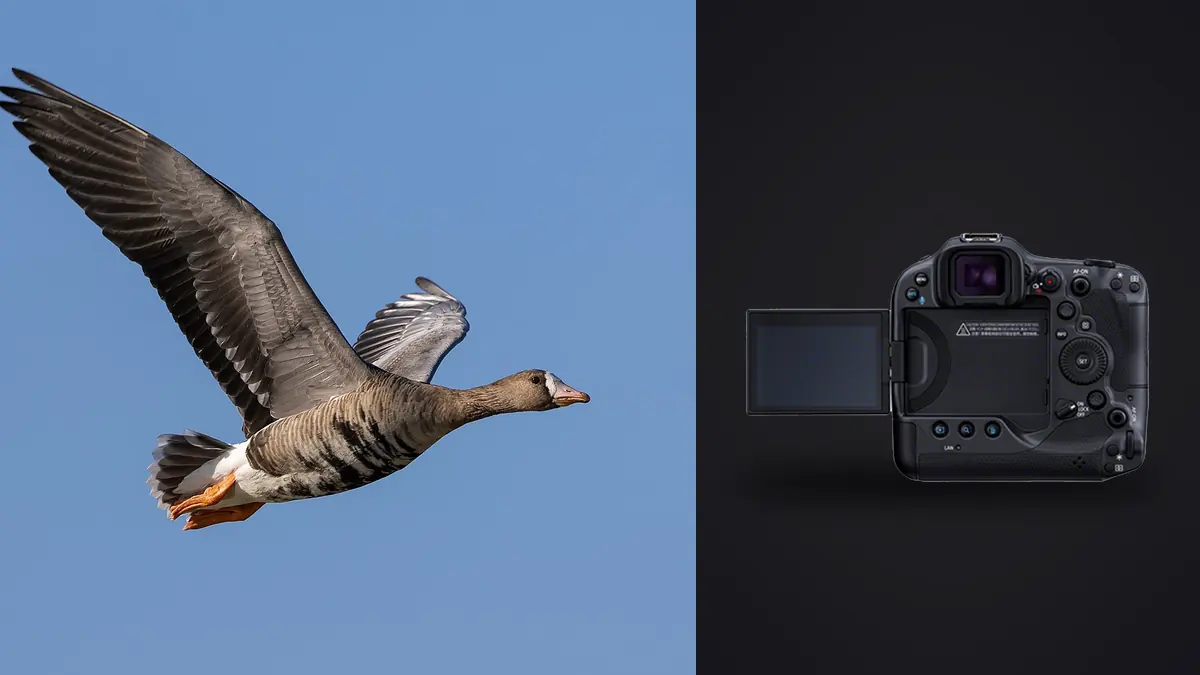
A Canon EOS R3 wildlife and birds-in-flight RAW Workflow should keep fast CR3 sequences connected to behavior, habitat, and field notes. The camera's stacked full-frame sensor, integrated vertical body, and subject detection support long-lens action, but the edit still needs to know which bird matters, what happened, and whether publishing the location is safe.
The R3 uses CFexpress Type B and SD media, so capture redundancy and transfer need explicit planning. After backup, technical scoring can organize focus and exposure review, while a human preserves rare behavior, species context, ethical boundaries, and story variety.
Prepare a field record that protects wildlife
Note date, broad location, habitat, weather, species confidence, and observed behavior. Keep exact nest, den, roost, or rare-species coordinates in a restricted record. Public metadata should not make a sensitive site easy to find.
Set distance and access limits from law, land rules, and subject response. If feeding, alarm calling, nest visits, or travel paths change because of the photographer, move back or stop. Do not trim vegetation, block routes, or use bait simply to improve a frame.
Synchronize camera time with any second body or audio notes. A correct sequence can distinguish approach, takeoff, interaction, and landing. Caption only observed facts, and label uncertain behavior or identification honestly.
Choose a CR3 option the archive can read
Select RAW or compressed RAW after verifying the entire software chain. Make representative files with current firmware and open them in development, metadata, and archive tools. Preserve the native CR3 original even when another stage uses TIFF or JPEG.
Set a stable preview profile and white balance within one light condition. Pale plumage, reflective water, and sunlit fur can lose texture while the average frame appears moderate. Use histogram and highlight information as guides, then inspect a representative RAW.
Choose shutter speed for wings, heads, legs, and panning intent. Stabilized lenses and the camera's handling reduce some movement, but they do not freeze the animal. A sharp eye with blurred wings can be intentional when the motion reads clearly.
Design mixed-card recording on purpose
The R3 has CFexpress Type B and SD slots. Determine whether the camera writes duplicate CR3, separates RAW and JPEG, or overflows, then read both cards. Different media can affect the practical plan, so test the chosen file type and burst behavior together.
Label every card and distinguish blank, exposed, and copied media physically. In rain, dust, or cold, change cards in shelter and confirm the door is secure. Avoid opening the camera near sand, spray, or nesting material.
Duplicate recording is a useful first layer but not a complete backup. Create a working copy and separate verified backup before formatting either card. Open files from both destinations and from the final burst on each card.
Capture behavior in bounded sequences
Start a short burst before a takeoff, bank, landing, prey transfer, chase, or display and release after the phase ends. Long unbroken capture through unchanged flight produces repetitive files and can leave less attention for the next event.
Use an autofocus area that matches the background. Broad detection may work against open sky, while a controlled zone helps through branches or multiple birds. Confirm that the selected eye belongs to the intended individual. The nearest subject is not always the story.
Make a habitat frame and a clean identification view in addition to peak action. A final set needs place, scale, and behavior variety. A tight flight portrait alone may not explain the encounter.
Build verified copies without breaking groups
Copy originals into folders by date, broad location code, camera, and field segment. Preserve timestamps and sequence numbers. Keep catalogs, previews, and exports outside the immutable CR3 directory.
Use a transfer log when several cards or hides are involved. Record source ID, approximate sequence range, copy destinations, verification, and return state. A card should never be formatted from memory during a busy field day.
Compare file counts and use a trusted verification method. Open examples from each behavior sequence, including the last frames where a full card or power interruption may appear. Keep one copy physically separate during travel when practical.
Review technical failures without deleting
The first pass can mark empty frames, complete obstructions, severe camera movement, and focus that misses every useful feature. Do not delete during this pass. A thumbnail can hide a rare interaction or identification mark that becomes important later.
Within each burst, compare near eye, head, wing position, prey or nesting material, branch overlap, and background. The cleanest technical frame may conceal the behavior. Keep an adjacent alternate when it carries a distinct phase.
Then audit the session for habitat, portrait, action, interaction, and transition. Avoid filling the selection with one repeated bank angle simply because it produced the strongest scores.
Interpret imagic results correctly
imagic supports CR3 and processes files locally on Windows or macOS. It can score sharpness, exposure, closed eyes, and composition and group bursts or near-duplicates. These are useful technical cues, not species or behavior judgments.
When a verdict appears implausible, check score freshness. A saved score can predate a newer scorer. Reselecting a different count ranks the same stored values; reanalyze stale photographs when current scores are needed.
Culling changes status and never deletes an original. This allows a behavior frame to be restored after expert review. Any later physical deletion should follow verified backups, retention rules, and conservation or research obligations.
Make species and behavior decisions manually
Check diagnostic features at sufficient size and compare field notes. Do not turn a tentative recognition result into a confident rare-species caption. Record who confirmed an identification and which visible features support it when that matters.
Separate observation from motive. A bird near another bird may be courting, competing, or simply passing. A still image rarely proves intent. Captions should describe visible action and established context without unsupported narrative.
Exclude images that reveal protected locations or normalize harmful practice. Ethical context can outweigh visual quality. A technically ordinary frame may remain valuable for research, while a dramatic but misleading picture may not belong in publication.
Develop CR3 files by habitat light
Group adjustments by coherent conditions such as open sky, woodland shade, reflected water, backlight, or dusk. Establish exposure, white balance, and broad contrast on a representative file, then inspect every synchronized frame.
Apply noise reduction and sharpening carefully. Fine feather barbs, fur, grass, and water texture can be mistaken for noise. Strong sharpening creates bright halos around wings and bills against smooth sky. Judge at final output size.
Preserve natural background transitions. Excess clarity can make foliage busy and separate the animal unnaturally. Use local tools in another editor when complex masking is required; imagic does not provide layers or generative fill.
Keep crops and metadata honest
Evaluate a crop at its delivery dimensions. Focus, movement, atmospheric shimmer, lens detail, and high ISO limit usable enlargement. A crop is not additional optical reach and should not be described as such.
Retain enough habitat when it explains scale or behavior. Create non-destructive vertical and horizontal variants from the same CR3. Keep source identity in every derivative name so a caption or identification correction can reach all copies.
Remove exact GPS and private property details from public exports. Preserve them only in controlled research records where appropriate. Check background signs, houses, and vehicle plates as well as embedded coordinates.
Separate research records from publication selects
A wildlife sequence may carry scientific or conservation value even when it is not selected aesthetically. Store identification notes, observer names, behavior uncertainty, and restricted coordinates in a controlled record keyed to the CR3. Public captions should receive only the safe, verified subset.
When an expert revises an identification, update the source record and locate every affected derivative. Preserve the former label in change history rather than leaving contradictory filenames and captions. Do not alter the original capture metadata to make a later conclusion look contemporaneous.
Research retention and publication retention may differ. A technically weak frame can show a diagnostic feature or sequence phase, while a public portfolio needs a smaller edit. Keep these roles distinct so archive cleanup does not erase evidence accidentally.
Account for long-lens atmosphere in development
Heat shimmer, mist, spray, dust, and distance can soften a subject even when autofocus and camera support were correct. Compare adjacent frames and background detail before applying aggressive sharpening. Atmospheric blur is not recovered by stronger edge contrast.
Use crop and clarity cautiously on distant birds. Deep crops magnify both subject detail and air disturbance. A wider habitat image may produce a more honest and visually stronger result than a brittle close view created in processing.
Record when a sequence crossed a major distance or atmosphere change. Do not synchronize one detail baseline across near shaded portraits and distant sunlit flight. Judge each group at delivery size and preserve natural edge transitions. If shimmer varies frame by frame, compare several adjacent moments before choosing; the autofocus score alone cannot describe moving air. Retain a wider version when the atmosphere is part of the habitat story and species context. Record that choice.
Export a verified wildlife set
Confirm JPEG or TIFF, color space, dimensions, compression, sharpening, filename, credit, caption, and safe metadata. Export only approved files to a confirmed destination. Keep research, publication, and portfolio derivatives distinct when their metadata differs.
The imagic desktop workflow explains local culling and non-destructive export, while Workflow and Editing provides broader process guidance. Long-term sighting records and rights management require their own archive.
Open every output and inspect eye detail, edges, gradients, crop, profile, caption, and location data. Compare the set with field notes and approved count. Archive CR3 originals, notes, edits, masters, and delivery records.
Use an R3 wildlife RAW workflow checklist
- Ethics: define distance, access, and location disclosure limits.
- Notes: record observed behavior and identification confidence.
- Format: verify CR3 compatibility across the software chain.
- Cards: confirm CFexpress and SD routing with actual files.
- Bursts: capture bounded behavior phases and habitat context.
- Copies: verify two storage destinations before formatting.
- Cull: compare technical quality, anatomy, behavior, and variety.
- Scores: check freshness before relying on unexpected results.
- Edit: batch by habitat light and preserve natural detail.
- Deliver: audit captions, locations, crops, profiles, and source IDs.
Frequently asked questions
Does imagic know which bird behavior is rare?
No. It can score technical qualities and group bursts, but rarity, species identity, and behavior require knowledgeable human review and field context.
Does reselecting R3 files generate fresh scores?
No. Reselection ranks stored scores. Use the freshness check and reanalyze stale files when updated analysis is needed.
Should every bird-in-flight frame be tightly cropped?
No. Habitat, flight direction, scale, and publication layout can make a wider frame stronger. Judge crop quality and meaning at the intended output size.