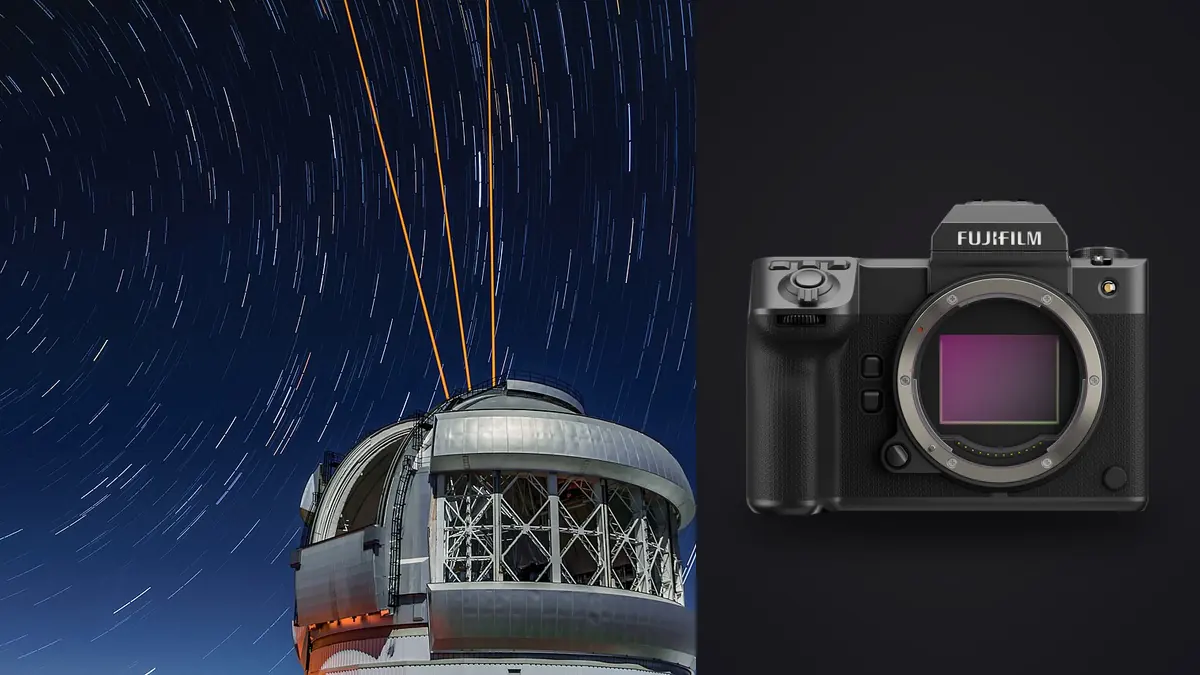
A Fujifilm GFX 100 II astrophotography RAW Workflow needs stronger sequence discipline than a typical single-frame edit. A finished night image may draw on tracked or untracked sky exposures, a foreground frame, dark frames, and a panorama or stack assembled elsewhere. The source files can look repetitive, yet each has a specific role that must survive copying, culling, development, and merge preparation.
The camera's 102-megapixel medium-format RAF files provide extensive detail, but they also make storage, lens performance, movement, and edge alignment easy to scrutinize. The goal is not to collect the longest possible sequence. It is to create a complete, documented set whose exposure, focus, timing, and calibration choices can be reconstructed later.
Write the stack plan before darkness
Define the intended result: single-frame stars, a short noise-reduction stack, a tracked sky with separate foreground, a star trail, or a multi-panel scene. Each method requires a different capture order and later treatment. A simple written plan prevents a foreground exposure from being mistaken for a stack member or a tracker test from entering the final set.
Give the location, composition, and sequence a short identifier. Record lens, focal length, aperture, focus reference, orientation, tracker state, and any filter. Note moon phase and broad sky conditions without inventing precision the field tools did not provide. For protected or fragile sites, omit coordinates from public derivatives and follow access rules.
Prepare a separator convention. A hand over the lens, a slate lit briefly, or a metadata rating can mark the beginning and end of a group without changing the tripod. Use a method that will not introduce stray light into another photographer's exposure. The sequence should remain understandable months later.
Choose RAF settings for the full software chain
Select a RAW compression format that every required application can decode. Make sample RAF files before travel, including the expected long exposure and high ISO range, then open them in the developer and stacking software. Compatibility is more important than a theoretical storage advantage that blocks a later stage.
Disable settings that create inconsistent processing between stack members unless they are part of a tested method. Keep white balance fixed for coherent previews, even though RAW allows later adjustment. Use manual exposure for a stack so brightness does not drift because a cloud, headlamp, or foreground changed the meter.
High resolution magnifies focus error. Establish star focus with magnified live view, then lock or tape controls only in a reversible, equipment-safe way. Recheck after temperature changes, a lens adjustment, or a camera move. A sharp first frame does not guarantee the final frame stayed sharp.
Separate sky, foreground, and calibration frames
Sky stack members should share framing, focus, aperture, and exposure unless the method explicitly calls for a change. Avoid touching the tripod, zoom, or focus ring. If an aircraft, cloud, light beam, or dew event crosses a frame, note it rather than ending the entire sequence. Later review can decide whether the affected file is repairable or should be excluded.
A foreground exposure may use different focus and shutter time. Mark the transition clearly and record whether the sky moved naturally between components. Combining moments can be an accepted creative technique, but the result should not be presented as a single exposure when that distinction matters. Keep the original timing available.
Dark frames require the same relevant exposure conditions with no light reaching the sensor. Bias or flat frames belong only in methods and software that use them correctly. Do not create calibration files by vague habit. Document their relationship to the light frames so an older dark set is not paired casually with a different session.
Control dew, power, and accidental light
Dew can soften an entire sequence gradually. Inspect the front element with a dim, considerate light between groups, not during active exposures nearby. Use a suitable lens heater when conditions require one, route its cable so it cannot tug the camera, and record when heat begins. A frame made before and after dew may not belong in the same stack.
Start with charged batteries and stable external power only when the connection is secure and appropriate for the environment. Avoid moving the camera during a battery change. Check remaining card capacity before a sequence rather than interrupting it. Long sessions should use a planned change point between compositions.
Shield displays, focus lamps, vehicle lights, and phones. Preserve dark adaptation and respect other observers. A light-contaminated frame can sometimes be rejected, but repeated careless illumination damages everyone else's work. Safety lighting remains essential around cliffs, roads, wildlife, and uneven ground; plan routes in daylight.
Copy large RAF sets with verification
At the workstation, copy every card to a working directory and to separate backup storage before formatting. Organize by date, location code, composition, and sequence without scattering calibration files. Compare counts and verify content, then open samples from each group, including the final frame where dew or power problems often appear.
Keep original filenames or add a collision-safe prefix if multiple cameras can overlap. Do not rename frames solely by capture time until any clock error is understood. Preserve exposure and lens metadata because it helps identify an accidental change within a stack.
Create enough free working space for intermediate files without placing them in the original directory. Stacking applications may produce aligned components, masks, caches, and large masters. Those derivatives need their own version and cleanup policy. The original RAF set should remain untouched.
Cull stack members differently from hero frames
Review at full frame first for clouds, aircraft, satellites, light spills, tracker slips, tripod movement, and composition changes. Then inspect stars near the center and corners for focus, trailing, and optical behavior. A frame can look sharp centrally while a disturbed tripod or lens issue affects only one region.
Do not rank stack members by composition when composition is intentionally identical. Their role is consistency. Exclude a file only for a reason the stacking method cannot handle or for a documented creative choice. Keep excluded frames available until the final merge is verified because a different rejection algorithm may use them differently.
imagic can ingest supported RAF files locally, assess sharpness and exposure, and group near-duplicates. Identical framing is expected in a star stack, so duplicate grouping is an aid to navigation rather than a reason to keep only one. Mark the entire component group and make final inclusion decisions in the stacking application.
Normalize RAW development before stacking
Apply compatible lens correction, white balance, broad exposure, and conservative detail settings consistently across sky members. Avoid local masks, gradients, or per-frame tone changes before alignment unless the chosen stack method requires them. Variations create seams and uneven noise that become harder to diagnose after merging.
Preserve highlight color in bright stars and avoid clipping a channel through aggressive saturation. Lift shadows cautiously; the combined stack should carry much of the noise improvement rather than extreme correction on each component. Turn off output sharpening until the image reaches its final size.
Process foreground files according to their own exposure and focus needs, but keep color direction plausible relative to the sky. A warm foreground under a cool sky can be natural, while contradictory shadow directions or impossible brightness can make the composite unconvincing. Record major interpretive choices for future revisions.
Stack and merge in dedicated software
imagic does not align or merge star stacks, combine HDR frames, stitch panoramas, or provide layers. Export or convert the prepared components in the format required by dedicated stacking software, retaining enough bit depth and color information for the next stage. Do not use a small delivery JPEG as a merge source.
Inspect alignment at edges, around trees, mountains, buildings, and horizon lines. Tracked sky and fixed foreground require careful masking because their motion differs. A star trail needs gap checks and a decision about aircraft or satellite traces. Keep the editable master and the source-frame manifest together.
Label a composite honestly where editorial or scientific context requires disclosure. The artistic practice of stacking is established, but a viewer should not be led to believe that separate times, focal planes, or tracked components came from one untouched exposure when that claim matters.
Finish the master at delivery size
After merging, refine contrast, color, local balance, and noise without erasing natural sky gradients. Watch for posterization, repeated patterns, dark halos, and crunchy stars. Reduce the image to the intended output, then apply final sharpening. A huge master viewed close can encourage corrections that harm a print or web image.
Create JPEG or TIFF derivatives according to the recipient's color space, dimensions, and compression. imagic can export those formats for non-merged files, while a stacked master will normally leave the dedicated editor. The desktop page covers the local base workflow, and Camera Hardware provides broader equipment context.
Open the final outside the editing application, confirm profile and orientation, and compare it with the approved master. Archive the RAF components, calibration group, manifest, stack project, editable master, and delivery derivatives. Remove temporary alignment files only after recovery is understood.
Retain a small rendered reference beside the archive manifest. It gives future software migrations a visual target without replacing the editable master. When applications change, reopen a representative RAF and the stack project before assuming that profiles, masks, or blend settings translate identically.
For a multi-panel result, verify that every panel and overlap region is represented in the manifest. A finished panorama can hide a missing original until a larger re-export is requested. Keeping panel order, orientation, and tracker state documented protects the option to rebuild the image later.
Use an astrophotography RAW workflow checklist
- Method: define single frame, sky stack, tracked composite, trail, or panorama.
- Identity: mark every composition and sequence without moving the camera.
- Consistency: lock framing, focus, aperture, exposure, and white balance.
- Components: separate sky, foreground, dark, and other calibration roles.
- Conditions: monitor dew, power, light intrusion, and physical safety.
- Copies: verify two storage copies before card reuse.
- Cull: inspect each member for movement, focus, clouds, trails, and contamination.
- Normalize: develop stack members consistently and conservatively.
- Merge: use dedicated software and retain a source manifest.
- Deliver: inspect gradients, edges, color profile, metadata, and final size.
Frequently asked questions
Can imagic stack GFX 100 II night-sky RAF files?
No. imagic can help organize, cull, and make non-destructive adjustments, but it does not align or merge star stacks. Prepare consistent components and use dedicated stacking software.
Should calibration frames be mixed across nights?
Only when the stacking method and relevant capture conditions make them genuinely compatible. Record how each calibration group was made and avoid pairing files by guesswork.
Is every frame with an aircraft trail unusable?
Not necessarily. Some stacking methods can reject transient trails, while other workflows may exclude the frame. Keep it until the merge is evaluated and document the decision.