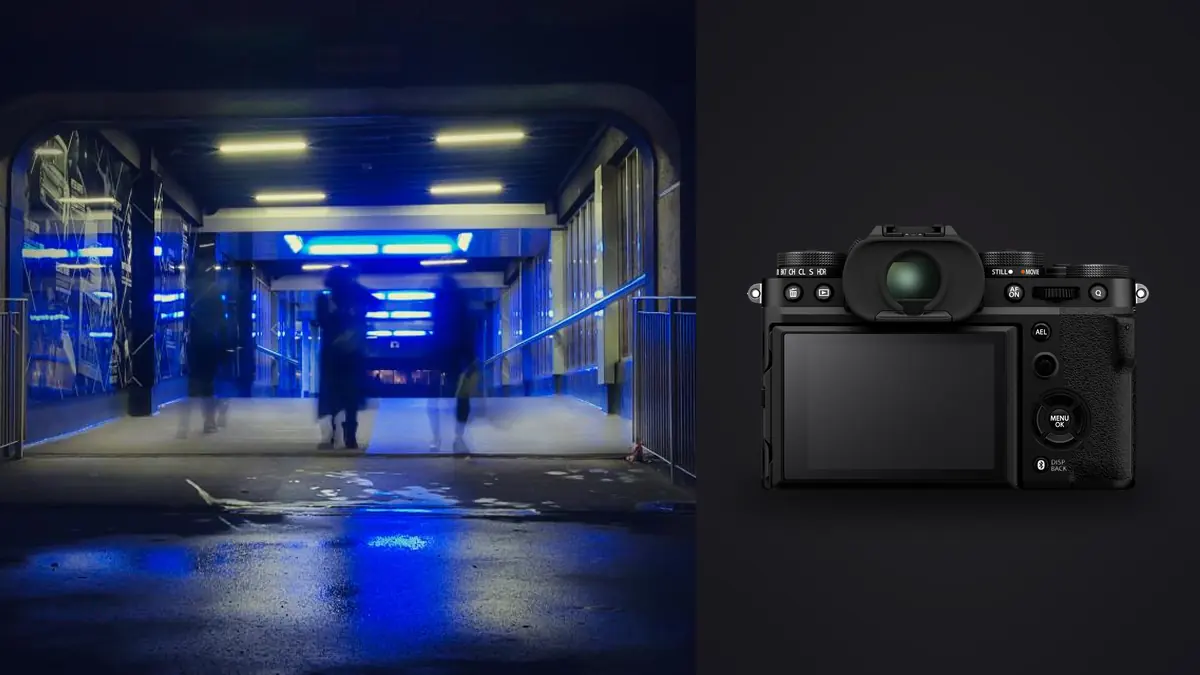
Street and documentary folders are rarely neat collections of isolated masterpieces. They contain approaches, pauses, repeated gestures, accidental frames, changing light, and visual notes that only make sense in sequence. The Fujifilm X-T5 adds high-resolution RAF files and strong in-camera JPEG options to that mix. A good workflow preserves the original chronology while making enough structure to find the picture later.
The central choice is not RAW versus JPEG as a matter of identity. It is deciding what each file is expected to do. A film-simulation JPEG can be a fast reference or immediate deliverable, while the RAF retains greater freedom for difficult color and exposure. This workflow keeps both useful without doubling confusion.
Choose a capture pair that has a purpose
RAW-only capture is efficient when every selected image will be developed and quick sharing is irrelevant. JPEG-only can make sense for a tightly controlled, immediate workflow when the chosen film simulation and exposure are already final. RAW plus JPEG offers both, but it should not lead to two separate archives with uncertain authority.
If recording both, treat the RAF as the source negative and the JPEG as a reference or delivery candidate. Match filenames and keep pairs together during ingest. Decide whether both card slots will record duplicates, separate formats, or overflow. The X-T5 has two SD card slots, and the chosen mode should be verified on the camera display before leaving a location.
Use a consistent film simulation as the review reference for a body of work unless a deliberate visual change marks a new chapter. A different simulation on every walk makes the contact sheet harder to judge. The simulation can influence the JPEG and preview, while the RAF still provides an editable source for supported software.
Preserve time and context in the camera
Set date, time, and time zone accurately. Documentary sequencing often depends on knowing which expression or event came first, and multiple bodies need synchronized clocks. Avoid resetting frame numbers during an active project. If traveling across time zones, document whether the project will use local time or a fixed reference before changing the body.
Photograph a simple marker when the context changes: a street sign, location note, event schedule, or written card. These frames can remain outside the final selection while making the later folder intelligible. Voice notes recorded separately can add names or context without forcing sensitive information into filenames.
Protect the chronology during capture by resisting constant in-camera deletion. A small screen cannot prove fine focus, and deleting breaks the visual trail around a moment. Use card capacity and short deliberate bursts rather than trying to edit between subjects on the street.
Ingest the cards without rewriting the evidence
Create a date-led project folder and copy each card into a clearly named original subfolder. Do not mix card contents or rename files before verification. If two bodies use overlapping Fujifilm filename ranges, the card or camera subfolder prevents collisions. Keep hidden sidecar or auxiliary files until the copy has been confirmed.
Use checksum verification when available. At minimum, compare counts and sizes and open RAF samples from across each card. Make a second verified copy on a different physical device before cards are formatted. A synchronized folder on the same drive is not protection from drive failure.
Keep the original folder read-only in practice even if the operating system does not enforce it. Develop through a catalog, sidecars, or another non-destructive method. If filenames need a project prefix, rename only a working copy or use a tool that records the original name in metadata.
Separate the edit into contact, sequence, and story passes
The contact pass asks only whether a frame deserves closer attention. Remove accidental shutter presses, unrecoverable exposure, total focus failure, and images blocked beyond usefulness. Keep ambiguity. Documentary value can survive imperfect edges, motion, or grain, so technical neatness should not be the only criterion.
The sequence pass compares neighboring attempts. Find changes in gesture, eye line, spacing, background, and the relationship between people. A burst may contain several sharp frames but only one where all visual elements separate cleanly. Conversely, two adjacent images may form a meaningful pair and should not be reduced to one merely because they look similar.
The story pass leaves chronology and looks at the whole selection. Check whether the set repeats one kind of distance, excludes quiet transitions, or overuses the most dramatic subject. Build rhythm with establishing frames, interactions, details, pauses, and exits. A documentary edit is a statement about relationships, not a leaderboard of technical scores.
Use automation as a filter, not an editor of meaning
imagic can scan RAF files locally on Windows or macOS, analyze sharpness, exposure, closed eyes, and composition, and group near-duplicates or bursts. That is useful for finding obvious technical candidates in a dense walk. Rejected status remains reversible and does not delete the file, which supports a cautious first pass.
Automated analysis does not know that a soft figure identifies an important witness, that a repeated frame establishes duration, or that a technically clean image creates an ethical problem. Review selected and rejected groups yourself. If a stored score seems inconsistent, check freshness before re-ranking; reselecting uses existing scores rather than analyzing the photograph again.
Keep the software mention in proportion to the work. The photographer decides context, consent, representation, and sequence. Local processing protects files from an unnecessary upload, but it does not resolve whether publishing a recognizable person is lawful or responsible in a particular jurisdiction.
Reconcile the JPEG look with the RAF
Begin RAW development beside the matching camera JPEG when that JPEG reflects the intended mood. It provides a reference for contrast, color, monochrome response, and grain, but it is not a command to reproduce every baked choice. Use the RAF when highlights need recovery, mixed light needs correction, or local tonal separation is important.
Fujifilm RAF files use an X-Trans color filter arrangement, so rendering can vary between applications. Test the chosen decoder on fine foliage, brick, hair, and repeated texture before committing a whole project. Avoid compensating for poor demosaicing with excessive sharpening. Evaluate a rendered export at the final size.
Apply corrections by lighting group rather than forcing one global preset over the entire day. Open shade, hard sun, fluorescent interiors, and night LEDs need different starting points. If a monochrome JPEG drove the edit, keep enough RAW color information archived to revisit the work, but do not mix color and monochrome outputs casually in one final sequence.
Edit non-destructively and protect documentary integrity
Basic exposure, white balance, crop, lens correction, and restrained tonal work can clarify what was recorded. Avoid removing people, moving objects, or constructing events when the work claims documentary truth. If a composite or significant alteration is permitted for an artistic project, label and manage it as such rather than allowing it to pass as an unaltered document.
Crop with attention to context. Tightening around a gesture can strengthen a frame, but removing a nearby person or sign may change its meaning. Keep the full RAF so the original relationship remains available. Straightening is useful when an accidental tilt distracts, while deliberate geometry should not be normalized automatically.
Metadata can carry captions, dates, locations, and rights information, but precise location may endanger vulnerable people or reveal a sensitive site. Include only what the publication and archive need. Separate private research notes from exported public metadata.
Build a delivery set for its actual destination
An editor may need full-resolution JPEGs in a specified color space and naming convention. A personal essay may need a smaller sequence with controlled dimensions. An archive may retain TIFF masters alongside RAF originals and sidecars. Ask for the format, dimensions, metadata, credit, deadline, and transfer method before exporting.
Export into a versioned folder and inspect it outside the editing application. Confirm sequence order, orientation, color consistency, file count, and captions. Check that the first and last images feel intentional. A set that works in a grid may need a different order when viewed one image at a time.
The workflow and editing category contains related process guides, while imagic desktop describes local culling, non-destructive edits, and JPEG or TIFF export. Neither is a digital asset management system, so a long-term documentary archive still needs its own catalog, backup, and retention plan.
Archive the project with a decision trail
Retain verified RAF originals, the final edit list, sidecars or project data, caption information, and the delivered files. Store at least one copy separately from the active workstation. Periodically verify that archived files still open and that the software needed to interpret project data remains documented.
Keep a short edit note explaining the project's time range, locations at an appropriate level, key exclusions, and delivery version. This helps a future editor understand why two similar frames remained or why certain images were withheld. It also separates the stable historical record from temporary working labels.
When revisiting the project, create a new version of the selection rather than silently replacing the first delivery. Documentary understanding can change, but the earlier published or delivered set should remain reproducible.
Close the loop with field notes
After each walk, record which camera settings caused friction, which locations need a different time of day, and which visual ideas remain incomplete. Keep this note beside the project rather than relying on memory. It can explain why a sequence contains repeated attempts or why a particular block was photographed under several kinds of light.
Separate technical notes from judgments about people. A useful technical note describes missed focus near reflective glass, a shutter interaction with LEDs, or a lens that felt too tight. Speculation about a stranger's identity or motives does not help the edit and can create unnecessary sensitive data.
Before the next outing, convert one repeated issue into a small change. Assign a faster AF switch, set a more suitable minimum shutter speed, or choose a different lens. This feedback loop makes the workflow serve the developing project instead of turning every session into an isolated folder.
Frequently asked questions
Should the Fujifilm X-T5 record RAF and JPEG for street work?
Record both when the film-simulation JPEG has a clear reference or delivery purpose and the RAF is needed for flexibility. Use RAW-only when every selected frame will be developed and duplicate pairs add no value.
Can near-duplicate street frames all be discarded?
No. Compare gesture, spacing, context, and sequence before reducing a group. Two similar images may show duration or form a pair even when only one is technically sharpest.
Does local culling replace a documentary ethics review?
No. Local analysis can protect privacy during processing and surface technical candidates, but a person must decide consent, context, possible harm, caption accuracy, and publication suitability.