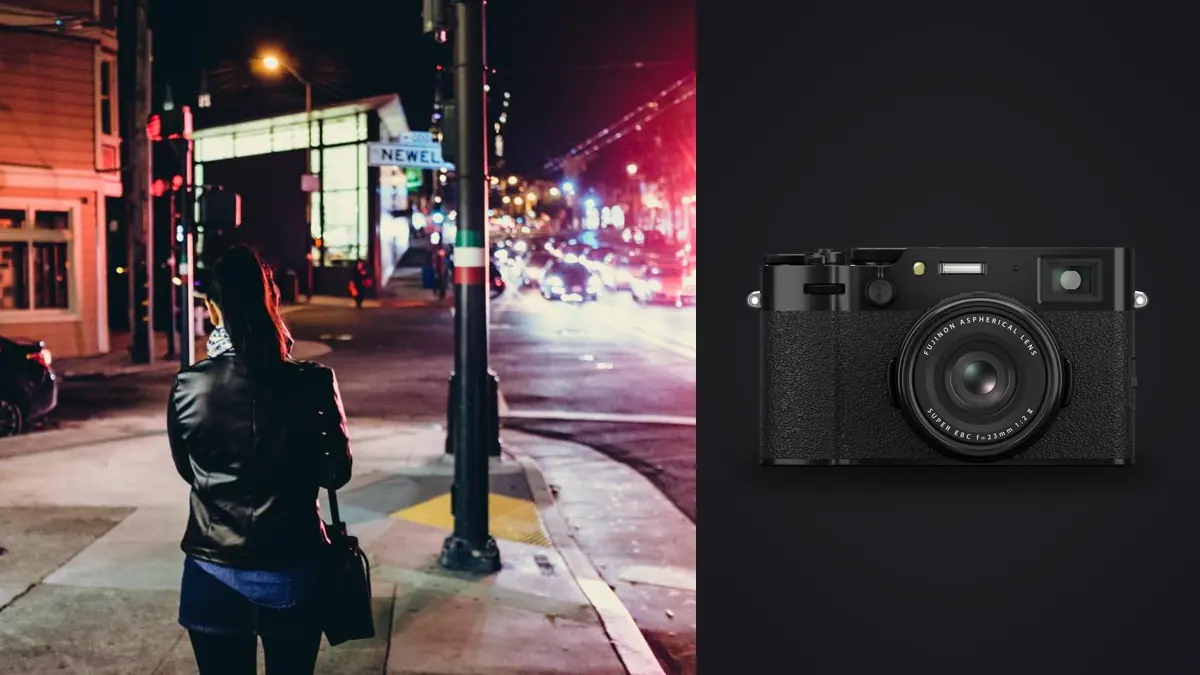
The Fujifilm X100VI encourages a fluid kind of street photography. Its fixed 23mm lens gives a familiar 35mm-equivalent view, the compact body is easy to carry, stabilization helps with static low-light scenes, and the leaf shutter can be quiet. The 40-megapixel sensor also makes it easy to return with more detail and more files than a casual outing appears to contain.
A documentary workflow should preserve context, sequence, and ethical judgment from the moment the RAF files leave the card. It should not reduce the folder to whichever frames score highest technically. Street photographs often depend on gesture, relationships, and timing that only become clear when neighboring images are compared.
Set a capture pattern that survives ingest
Choose whether the camera records RAF only or RAF plus JPEG. A JPEG with a chosen film simulation can act as a visual note and quick proof, while the RAF remains the flexible source. Recording both increases file count and requires pairing discipline. Test the complete process before making it the default.
Keep the camera clock accurate and choose a consistent filename policy. If multiple cameras contribute to a documentary project, synchronize them before leaving. The X100VI's fixed lens already makes focal-length metadata simple, so time, location notes, and project identifiers become the useful organizing signals.
Shoot short sequences when a relationship develops, but stop when the moment resolves. A fixed-lens camera rewards moving and waiting rather than holding the shutter through every possibility. The culling workflow will be stronger when each group represents a distinct observation.
Protect the card before making judgments
Copy the complete card to a clearly named project folder. Create an independent verified copy before formatting the card. Open RAF files from the beginning, middle, and end, and confirm that matching JPEGs remain paired. A thumbnail grid is not proof that every source file can be read.
For ongoing documentary work, use date and location subfolders inside a stable project structure. Do not rename files with a method that can collide across days or cameras. Keep a text note for unusual events, permissions, requested exclusions, and any clock error that will affect sequence order.
Do not delete in camera merely to simplify ingest. A frame that looks weak alone may explain a later image, and accidental deletions are harder to recover from a reused card. Selection status is safer than physical deletion during the first review.
Make the first pass about technical possibility
Remove accidental exposures, frames with no usable subject, severe unintentional movement, and files that cannot meet the intended output. Keep deliberate blur, silhouettes, and unusual exposures when they carry the observation. Technical rules should serve the project rather than erase its visual language.
Judge sharpness where meaning resides. A foreground face can be soft while a background gesture is the subject. A reflection can carry the important detail. Before rejecting, identify what the photographer was responding to. If that intent is no longer visible, the frame can leave the set.
Mark uncertain files without stopping the pass. Documentary selection becomes slow when every ambiguous frame demands a final answer immediately. A hold group lets the sequence and project needs resolve those questions later.
Compare neighboring frames as a sequence
Group images made from the same position and event. Compare body language, edge entries, eye direction, object overlap, and whether the background supports the subject. The sharpest frame may not be the clearest moment. One step or glance can change the relationship completely.
Select a lead frame, then ask whether any neighbor adds information. Keep a second only when gesture, scale, or consequence differs. Near-duplicates weaken a tight edit and can make viewers search for a distinction that is not meaningful. A three-frame progression should have a beginning, development, and result.
Look beyond local sequences to repetition across the whole outing. Fixed 35mm-equivalent framing can produce many similar mid-distance compositions. Balance them with close details, broad context, layers, and quieter transitions without forcing variety that was not actually observed.
Use local scoring without losing documentary intent
On Windows or macOS, imagic can analyze sharpness, exposure, closed eyes, and composition, then group duplicates and burst frames while photos remain local. That is useful for navigating a large X100VI folder, especially when several attempts differ only slightly.
Automated analysis cannot determine whether a photograph is fair, whether a gesture is misleading, or whether context changes its meaning. It also cannot know that intentional blur is central to the image. Treat scores as a technical layer and preserve an independent editorial rating.
If a frame is ranked poorly but remains important, inspect the actual file and keep it for the right reason. If a high-ranked frame lacks meaning, remove it. A disciplined disagreement with automation is part of the workflow, not a failure of it.
Edit the RAF file with a stable baseline
Begin with white balance, exposure, and broad tone. The camera JPEG may provide a useful reference for the atmosphere seen in the field, but the RAF does not need to imitate it exactly. Decide which qualities support the project, such as restrained contrast, open shadow detail, or a consistent monochrome treatment.
Apply batch adjustments only to images made under related light. A street can shift from sun to shop interior to colored night lighting within minutes. One synchronized white balance or shadow lift across all three creates inconsistency rather than solving it. Divide by lighting condition first.
Use non-destructive edits and keep the original RAF untouched. The free single-photo editor can help explore one treatment, while a full project benefits from a desktop workflow with selections intact. Avoid heavy clarity and sharpening that make pavement, signs, and skin compete equally.
Crop without turning 35mm into every lens
The 40-megapixel file allows moderate cropping, but the fixed lens is part of the camera's visual discipline. Crop to refine edges, correct a small horizon error, or prepare a required ratio. Do not routinely turn distant subjects into tight telephoto frames. The missing subject separation and changed perspective will remain visible.
Check the final pixel dimensions and delivery size before committing to a crop. A square social frame, full-width website image, and print spread need different space. Keep an uncropped master adjustment so alternative output can be made without starting from a compressed JPEG.
Edge decisions matter in street work. A partial person entering the frame may create tension or distraction. Compare a crop that removes the element with one that gives it enough space. The cleaner image is not always the more truthful or dynamic one.
Run an ethical and privacy review
Legality varies by place and should be checked separately, but a publishable choice also needs ethical review. Ask whether a vulnerable person is identifiable, whether the image humiliates without public value, whether a private moment was exposed unfairly, and whether captions could misrepresent what happened.
Children, medical situations, protests, homes, documents, and visible addresses deserve additional care. Blur or crop is not always enough; sometimes the responsible choice is not to publish. Keep sensitive files local and restrict access according to the project's purpose.
Review metadata before public export. Precise locations can endanger a person or reveal a private routine. Remove information that is not necessary for the audience while retaining an internal archive record where appropriate and lawful.
Sequence a final set with pace
Lay out the candidates as small thumbnails. Choose an opening image that establishes tone or place, then vary scale and visual density. Strong photographs can weaken each other when adjacent frames repeat the same geometry. A quieter transition may give the next complex image room to work.
Check factual order when the set claims chronology. Do not rearrange cause and effect for visual convenience without making the structure clear. Captions should distinguish observation from inference and avoid invented motives. Verify names and locations from reliable notes.
Ask what each image contributes. Remove frames that merely prove more photographs were taken. A concise set protects viewer attention and gives the fixed-lens perspective a coherent voice.
Export and verify the delivery
Export to a separate folder with the requested dimensions, profile, metadata, and file type. JPEG is practical for web and common delivery; TIFF may be appropriate for a controlled downstream print or editing stage. Do not overwrite the RAW or working master.
Open the exported set independently. Inspect dark gradients, skin, sharpening edges, crop boundaries, and filename order. View both full size and the expected display size. Count the files and compare them with the approved selection.
Archive the RAF sources, selection record, captions, and non-destructive edits under the project policy. More methods for reliable handoff are collected in the workflow and editing guides.
Maintain continuity across a long documentary project
A project that spans weeks or seasons needs more than date folders. Keep a simple log of locations, recurring people, permissions, visual themes, unresolved captions, and frames that should not be published. The log should reference filenames without duplicating sensitive images into casual notes.
Revisit earlier selects at planned intervals. A frame that seemed complete on day one may become repetitive after the project develops, while an initially quiet image may provide the transition a later sequence needs. Preserve the original ratings so changes in editorial judgment remain visible.
Keep the X100VI clock, file format, and baseline rendering consistent across outings. If a firmware reset, daylight-saving change, or second body alters metadata, record it immediately. Sequence order is much easier to repair from a factual note than from visual guesswork months later.
Create periodic contact sheets at one size and neutral background. They reveal repeated camera distance, missing places, overused gestures, and color drift across days. Use that evidence to guide future observation rather than manufacturing a shot merely to fill a category.
Keep a separate list of photographs whose publication status is unresolved. Do not let a high rating move them into the export set until permission, identity, and context have been confirmed. Editorial continuity includes carrying uncertainty forward visibly instead of forgetting it between shooting days.
Review that unresolved list before every export, even when the new delivery contains only recent photographs. A recurring subject or location can connect files across dates and change what is safe to publish.
Frequently asked questions
Should X100VI street photographers keep both RAF and JPEG?
It can be useful when the JPEG acts as a visual reference or quick proof, but it doubles pairing work. Choose one tested policy and keep matching files together through ingest.
Can automatic culling understand an intentional street blur?
It may score the file as technically soft. The photographer must decide whether blur carries meaning and preserve a separate editorial rating from the technical score.
How much should a 40-megapixel X100VI file be cropped?
Crop according to final dimensions and composition, not a fixed percentage. Moderate refinement is useful, but extreme crops cannot recreate the perspective or isolation of a longer lens.