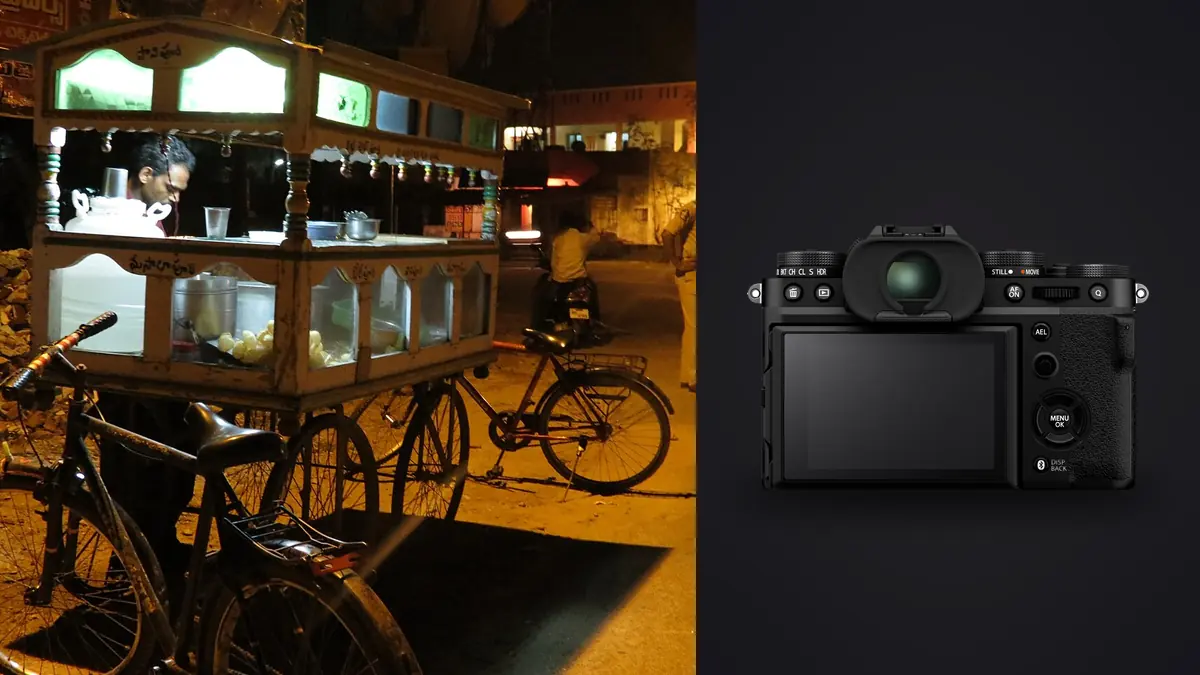
A Fujifilm X-T5 street and documentary RAW Workflow has to protect more than technically strong frames. It must retain sequence, location context, captions, and the ethical reasoning behind a selection. Street scenes often produce isolated moments without a formal shot list, so the archive needs enough structure to distinguish an accidental fragment from a photograph that belongs to a coherent story.
The X-T5 records high-resolution RAF files, offers two SD card slots, and provides film-simulation previews that can shape decisions in the field. Those previews are useful, but they are not the only interpretation contained in the RAW. A careful workflow keeps the camera rendering as a reference, preserves the original data, and makes human context the final selection criterion.
Start with documentary purpose and boundaries
Decide whether the work is a daily visual notebook, a defined neighborhood project, an assignment, or breaking news. The purpose changes what metadata matters and how aggressively a sequence can be reduced. A single striking expression may suit a daily frame, while a documentary essay needs transitions, place, relationships, and evidence that cannot be replaced by visual polish.
Record legal, ethical, and access boundaries appropriate to the location. Public visibility does not remove the need for judgment about vulnerable people, private moments, children, medical situations, or identifiable addresses. Consent may be necessary even where capture is lawful, depending on use and circumstance. Keep sensitive notes outside public metadata when disclosure could cause harm.
Set a caption habit before the walk. A phone note, voice memo, or notebook can record names with permission, approximate location, event, and verified facts. Separate observed information from assumptions. A photograph can imply a story that the scene did not support, and a careful archive should not turn inference into a confident caption.
Choose RAF plus preview settings deliberately
RAW capture preserves adjustment latitude, while an accompanying JPEG can retain the chosen Fujifilm rendering for immediate reference. Decide whether both are needed. RAW plus JPEG adds pairs to every sequence and affects card use, transfer, and review. If the JPEG is only a visual note, label that role so it is not mistaken for the final master.
Keep film simulation, white balance shift, tone, grain, and color settings stable within a project unless a deliberate visual transition is recorded. The rear-screen preview can influence exposure and selection, but a contrast-heavy rendering may hide recoverable shadow relationships. Check the histogram and important highlights rather than judging solely by the mood of the preview.
Test the chosen RAF compression with the applications used later. Preserve camera metadata and sidecar information where the workflow requires it. Avoid converting or renaming the only copy during ingest. The original card file should remain available as a reference even if derivatives receive descriptive names.
Use dual SD cards as part of a larger backup plan
The X-T5 has two SD slots. Configure them for duplicate recording, RAW and JPEG separation, or overflow according to the project, then verify the result with actual files. Duplicate cards provide useful in-camera redundancy, but both copies still travel in the same body until one is removed and stored separately.
Carry fewer cards than can be managed accurately. Label them, lock exposed media when appropriate, and keep blank cards in a separate case orientation. Do not format a street session merely because thumbnails appeared on a computer. Create a working copy and a separate verified backup, then open files from across the card before reuse.
When travel spans several days, keep one copy physically separate from the working equipment as soon as practical. Encrypt sensitive documentary material according to the project's threat and access model. A cloud backup is not required for a sound workflow, and it may be inappropriate for restricted subjects or locations.
Preserve walks and moments at ingest
Use folders that retain date, project, and walk or assignment segment. Avoid overfitting the physical folder tree to every theme, since one photograph may carry several ideas. Collections, ratings, or keywords can provide conceptual groupings without duplicating the RAF file into multiple directories.
Synchronize camera time and correct any known drift before combining bodies, but keep a record of the original timestamp if documentary chronology matters. Preserve sequence numbers. A short run before and after the selected frame can show how a gesture developed and can help verify that the final crop or caption does not misrepresent the event.
Keep private caption notes and public metadata separate. Exact coordinates, contact details, access instructions, and unpublished names should not automatically travel with exported files. Build a deliberate metadata preset for each destination instead of stripping or including everything by habit.
Cull for context before peak expression
Begin with a chronological pass at a moderate size. Look for scenes, repeated subjects, transitions, and changes in light before magnifying individual eyes. Mark moments that establish where the story happens. A context frame with ordinary technique may be more useful than another isolated portrait when the edit lacks place.
On the second pass, compare near-duplicates for gesture, obstruction, edge relationships, and subject awareness. Technical sharpness matters, but so do dignity and implication. If a person appears distressed or exposed, ask whether publication serves the documented purpose or merely creates spectacle. Selection is an editorial act.
Keep alternates when sequence carries meaning. The instant before eye contact may feel observational, while the next frame acknowledges the camera and changes the relationship. Neither is universally correct. Retaining both through the story edit allows the final use and caption to determine which is honest.
Use automated review without losing narrative
imagic can ingest supported RAF files on Windows or macOS and process them locally. It can score sharpness, exposure, closed eyes, and composition and group bursts or near-duplicates. That can reduce repetitive inspection, but it does not know whether a frame establishes place, confirms a fact, or respects a vulnerable subject.
Use statuses as reversible filters. A rejected photograph remains on disk because culling does not delete it, so a later story edit can restore a contextual frame. Avoid treating an automatic rank as publication permission. Run a human pass across every included person, caption, edge, and sequence after technical filtering.
If an analysis verdict looks inconsistent with the file, check score freshness. Reselecting a different keeper count ranks stored values and does not update an older score. Reanalysis is appropriate for stale photos; it is not required merely because the story needs a wider or narrower edit.
Develop RAF files by scene, not by entire day
Group adjustments by coherent light: open shade, hard sun, transit interiors, artificial night light, or a specific room. A single walk can pass through all of them. Set white balance and exposure from a representative frame, then synchronize conservatively. Keep the original film-simulation preview nearby as a creative reference when it informed capture.
Protect faces and pale signs without flattening the atmosphere. Deep shadow may be integral to a scene, and lifting every dark region can introduce distraction and weaken intent. Conversely, a dramatic preview should not justify losing information needed to understand the subject. Make tonal choices against the story and final medium.
Use noise reduction and sharpening at the expected output size. High-resolution files encourage close inspection that may be irrelevant to a newspaper page or web essay. Preserve natural texture and avoid edge halos around silhouettes, signs, and architecture. Crop only after checking whether peripheral details alter meaning.
Keep color and monochrome decisions reversible
A monochrome camera preview can help the photographer see shape and timing, while the RAF retains color information. Do not discard that information merely because the first edit is black and white. Store the monochrome interpretation as a non-destructive version or derivative so a later editorial need can return to color.
Choose monochrome for a coherent reason across a project, not simply to rescue mixed color. Color can carry factual information such as uniforms, signs, weather, or lighting conditions. Black and white can clarify relationships but can also remove evidence. Compare both when the decision affects interpretation.
When color remains, avoid forcing every location into one palette. Consistency can come from contrast, density, and restrained saturation while allowing real fluorescent green, winter blue, or warm shop light to remain. Documentary color should not imply a different condition from the one observed.
Export for publication without exposing private data
Confirm image dimensions, color space, compression, sharpening, naming, caption fields, credit, and rights information for each outlet. Remove precise GPS and private notes unless explicitly required and safe. Keep the approved caption attached to a stable file identifier so text and image do not separate during handoff.
imagic stores adjustments non-destructively and exports JPEG or TIFF without rewriting the RAF original. The desktop page describes that local route, and Workflow and Editing offers broader culling guidance. imagic is not a full digital asset manager, so long-term search, rights tracking, and publication history need a separate archive plan.
Open every rendered file and inspect crop, profile, caption ID, and orientation. Compare the final sequence at its intended display size. A coherent documentary edit needs rhythm as well as individual quality, so include openings, transitions, details, and endings rather than ranking only isolated peaks.
Keep a small publication log after delivery. Record which derivative, caption, crop, date, and outlet were approved, plus any later correction. This does not require a complex catalog, but it prevents an outdated caption or withdrawn frame from returning to circulation when the project is revisited. Restrict the log when it contains sensitive names or locations.
Use a documentary RAW workflow checklist
- Purpose: define the project, audience, ethical boundaries, and caption standard.
- Capture: choose RAF or RAW plus JPEG and keep preview settings intentional.
- Cards: verify dual-slot behavior and separate exposed media from blank cards.
- Copies: make verified working and backup copies before formatting.
- Context: retain chronology, notes, transitions, and meaningful alternates.
- Cull: combine technical review with dignity, accuracy, and narrative value.
- Develop: batch by actual light and keep monochrome decisions reversible.
- Metadata: separate public captions from sensitive location and contact notes.
- Export: audit sequence, profile, crop, caption, rights, and privacy.
Frequently asked questions
Should X-T5 street photography use RAW plus JPEG?
Use both when the camera rendering serves as a useful reference or immediate deliverable and the extra file pairs fit the workflow. RAF alone is simpler when every image will be developed later.
Can a sharpness score choose the strongest documentary frame?
No. It can help identify technical quality, but context, dignity, factual value, and sequence determine documentary importance. Review those qualities manually.
Does a monochrome preview remove color from the RAF file?
No. The RAW retains color sensor data even when the camera preview is monochrome. Keep the conversion non-destructive so later editorial needs can revisit the color version.