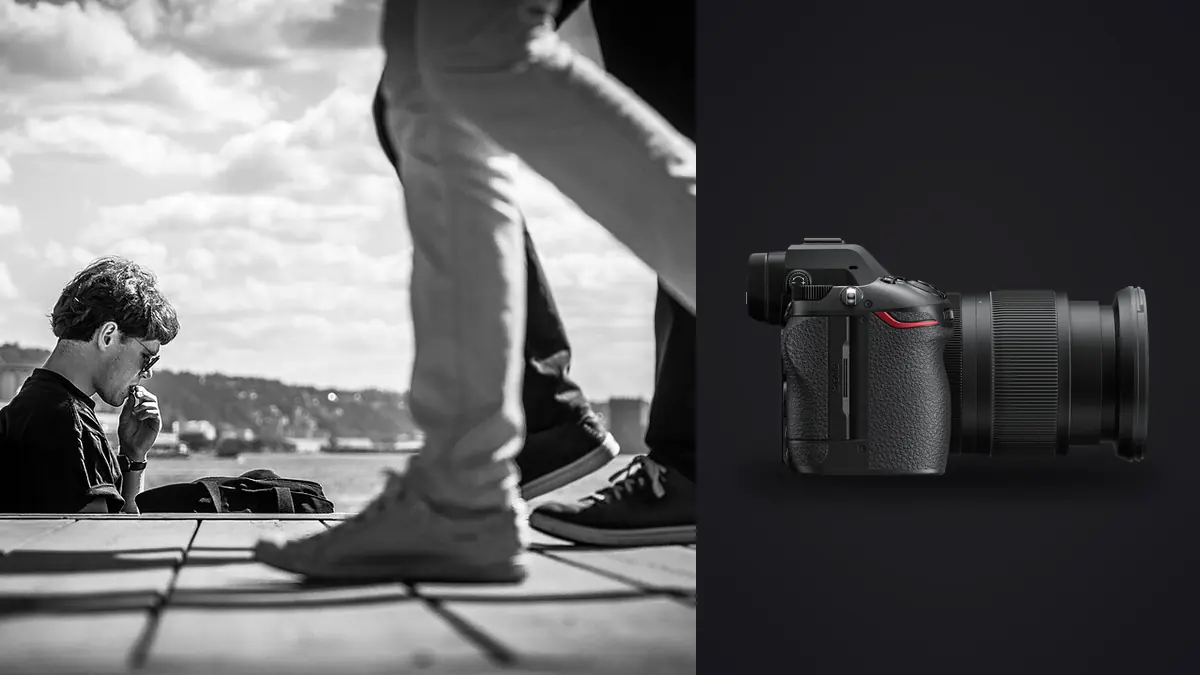
A street photography workflow has to protect two kinds of truth. The files need technical integrity from card to archive, and the edit needs to preserve the context in which each photograph was made. A Nikon Z6 III folder may mix careful single frames, short reactions, accidental exposures, repeated walks past the same corner, and images whose ethical meaning changes when seen beside their neighbors.
This Lens and Location Guide begins before capture, with focal-length role, route, working distance, recurring light, and the consequences of photographing in a particular place. It then carries those field decisions into a context-aware review of Nikon NEF files. The aim is not to manufacture a dramatic set from every walk, but to choose positions and lenses that produce photographs which hold up without quietly rewriting the event.
Assign common street focal lengths distinct jobs
A 28mm lens can hold close relationships, foreground, architecture, and crowd density, but it often places the photographer physically near the event. A 35mm view balances a person with recognizable environment. A 50mm lens selects gestures and layers from farther away, while a short telephoto can isolate across a street but narrows context and magnifies obstruction.
Choose one primary role for the walk. Constant lens changes break observation and expose equipment in poor conditions. A small prime can make framing easier to anticipate; a zoom can adapt when the route moves between broad squares and restricted interiors. The useful choice is the one whose working distance remains ethical, legal, and visually coherent.
Check close-focus behavior, flare around streetlights, edge rendering, stabilization, and hood clearance on the actual lens. Process representative files at the intended display size and compare the complete frame, not only center detail.
Design a route around light and repeatable positions
Walk the route without photographing first. Note public and private boundaries, transit rules, security-sensitive areas, schools, clinics, shelters, and places where vulnerable people gather. Identify where stopping would block movement or create conflict. A lawful vantage point can still be ethically poor if it exploits distress or removes context.
Map light transitions: morning cross-light on one facade, open shade beneath an arcade, reflected color near glass, interior spill at dusk, and artificial light after dark. Revisit a small number of positions instead of chasing every subject. Repetition teaches how bodies separate from the background and how the chosen lens handles distance.
Build an alternate route for rain, crowds, closures, or changed access. Keep broad location notes without retaining unnecessary personal or precise sensitive information. A location plan should increase attention to the place, not turn people into interchangeable targets.
Finish capture with context the files can keep
Set the camera clock accurately before a project and keep it synchronized with any second body or audio recorder. Sequence depends on time. A minute of drift can separate an action from the frame that explains it, and two cameras with inconsistent clocks make a documentary edit unnecessarily difficult. Photograph a clock or create a shared reference at the beginning of a multi-camera day.
Use in-camera ratings sparingly if they help mark a clear moment, but do not spend the street session editing on the rear screen. A tiny preview cannot reliably resolve focus, background gestures, or the relationship between adjacent frames. It can confirm exposure and recording, then attention should return to the environment.
Record short notes when context will not be obvious later. A voice memo can preserve a name, public event, general location, or reason for making a frame. Do not record sensitive personal details casually, and never imply consent or identity that was not established. The note is evidence for captioning, not permission to publish.
Ingest NEF files without flattening the chronology
Create a project folder that separates original card copies, working data, selects, exports, and notes. Copy each card intact into its own clearly named folder. Preserve Nikon filenames during the first ingest so gaps and sequence order remain visible. If filenames roll over or multiple bodies overlap, add a body or card identifier at the folder level before considering a later rename.
Verify copies with checksums when your transfer tool supports them. Otherwise compare file counts and byte totals, then open samples from the beginning, middle, and end of each card. Create another verified copy on a separate physical device before erasing media. Two folders on one disk are not two protections against device failure.
The Z6 III records NEF options described in Nikon's current product documentation. Keep the selected RAW type consistent within a project unless a deliberate reason is noted. Software support can lag new camera releases, so test the actual format through the full developer and export path before relying on it for an assignment.
Preserve source files and working decisions separately
Treat the copied NEF folders as read-only originals. Store ratings, crops, tonal adjustments, and color work in non-destructive application data or sidecars. Do not move rejects out of the original chronology merely to make the working folder look clean. A rejected frame can later explain timing, identify a person, or restore context around a selected image.
Back up the project database or sidecars as well as the photographs. A RAW file without its selection and caption history is not a complete working archive. Use versioned names for major edits and exports instead of overwriting the only delivered set. Keep a simple note of application version and any essential profile used for development.
Separate privacy controls from backup. Local storage reduces transmission, but an unencrypted portable drive can still expose people and locations. Use access controls appropriate to the project, remove unnecessary copies from travel devices, and decide how long names, contact details, and precise locations should be retained.
Make a technical pass before an editorial pass
First identify frames that are accidental, unreadable, or technically unusable for the intended output. Diagnose rather than react. Find the sharpest plane, distinguish subject movement from camera movement, and check whether clipped detail matters. A blurred hand can describe urgency; an unreadable face at the intended display size may simply fail the picture.
Keep this pass permissive. Do not reject a frame because it lacks the obvious subject if a gesture at the edge or a relationship with the next image gives it value. Mark uncertain pictures separately and return after viewing the full day. Street work often becomes legible through repetition and sequence rather than through a single technically perfect frame.
imagic supports Nikon NEF among its listed RAW formats. After verified ingest, scan the directory before running analysis. It can locally score sharpness, exposure, closed eyes, and composition, and it can group near-duplicates. A rejected status does not delete the original, so the automated result can serve as a reversible technical filter.
Use contact sheets to see rhythm and repetition
Build contact sheets in chronological order before sorting by rating. Look for repeated subjects, changing distance, movement through a space, and moments where the photographer's position affected the scene. A sequence of five modest frames may explain an encounter more honestly than one isolated dramatic crop.
Then create a second view grouped by place, motif, or story thread. Chronology reveals cause and reaction; thematic grouping reveals patterns that occurred hours apart. Preserve both views. Rearranging images is an editorial tool, but it should not erase the original order that supports captions and accountability.
Reduce obvious repetitions only after comparing expressions, hands, overlapping bodies, signs, and background events. In a short burst, the technically sharpest frame may have the weakest relationship between people. Keep alternate selects until the sequence and intended page or gallery layout are stable.
Check what an automated rank cannot know
Quality scores cannot determine whether a vulnerable person should be shown, whether a gesture is misleading without context, or whether a rare imperfect frame is essential to the story. They also cannot confirm names, locations, or the meaning of an event. Human review must cover ethics, factual captions, narrative balance, and the consequences of publication.
If a score appears plainly inconsistent with the file, check freshness before changing the selection target. Stored scores can predate a scoring change. Reselecting only re-ranks those stored values; it does not inspect the image again. Use the freshness report and reanalyze stale photos when current scoring is needed.
Review both selected and rejected groups at the end of the technical pass. Search for small groups, isolated frames, and unusual exposure conditions that automated ranking may handle poorly. A local tool keeps image processing on the workstation, but local operation does not make the editorial decision neutral.
Develop one lighting state at a time
Choose representative files for daylight, open shade, night street lighting, interiors seen through glass, and any other distinct condition. Establish white balance and tonal direction per state. Synchronize only adjustments that transfer. One color temperature across a whole walk can neutralize meaningful differences between fluorescent shops, late sun, and sodium-colored streets.
Use highlight and shadow recovery to support what was present, not to force every frame into the same histogram. Deep shadow can carry atmosphere or protect identity. A bright sign can remain bright if its text and color are not central. Watch individual color channels around illuminated advertising, reflective clothing, and saturated vehicle lights.
Apply noise reduction at the intended output size and preserve edges that describe faces, type, rain, and pavement. Excessive texture can make skin and concrete harsh; excessive smoothing can erase environmental detail. Correct lens distortion and perspective when they distract, while respecting the spatial character of a close, reactive photograph.
Sequence for meaning, then perform an ethics review
Write a one-sentence purpose for the set. Select an opening that establishes place or tone, middle images that develop relationships, and a closing frame that resolves or deliberately leaves a question. Avoid using three variations of the same visual idea merely because each is individually strong. Variety in scale, distance, direction, and density helps the viewer read the work.
Check whether sequencing invents causality. Two adjacent images made at different times can imply that one person reacted to another when they never met. Captions and layout should not create a claim the chronology cannot support. If order is thematic rather than temporal, make that editorial choice clear when context requires it.
Perform a separate review for dignity, consent where applicable, vulnerable subjects, private information, house numbers, license plates, screens, and exact locations. Laws differ by place and use, so seek qualified guidance for publication questions. Ethical judgment should exceed the minimum legal threshold when an image could cause avoidable harm.
Export a controlled derivative, not a new master
Choose dimensions, file type, color profile, sharpening, metadata, and naming from the destination. A projection, print proof, editorial upload, and web gallery need different outputs. Export a small test group first, then open those files outside the editor to verify profile, orientation, crop, artifacts, and caption fields.
When using imagic, stored non-destructive edits are applied at export. A learned style is available only after a style profile has been created from the photographer's own edits; it is not a generic preset that should be assumed to exist. Review styled frames across every lighting state before committing a batch.
Keep the delivered files in a versioned folder with the final selection list and caption document. The desktop overview describes imagic's local workflow, and the workflow and editing section covers related ingest and delivery systems. Retain the NEF originals and decision history according to a documented archive policy.
Use a nine-stage documentary checklist
- Synchronize: align camera clocks and record project context.
- Copy: preserve card structure and filenames during ingest.
- Verify: make checked copies on separate physical devices.
- Protect: keep originals read-only and working decisions non-destructive.
- Diagnose: perform a permissive technical pass with reasons for rejection.
- Compare: inspect chronology, contact sheets, groups, and alternate frames.
- Develop: edit representative files by lighting state.
- Review: verify meaning, dignity, captions, privacy, and sequence.
- Deliver: test exports and retain versioned output with documentation.
Frequently Asked Questions
Should street photography be culled only by sharpness?
No. Sharpness can help a technical pass, but gesture, context, timing, ambiguity, and ethical meaning often matter more. Review surrounding frames before rejecting an imperfect image.
Can imagic delete a rejected Nikon NEF?
Culling changes the photo's status and does not delete the original. Preserve verified source copies and treat any working rejection as reversible until the editorial review is complete.
Why keep chronological contact sheets after sequencing?
They preserve the original order needed to understand events, verify captions, and avoid false causal relationships. A final sequence can be thematic while the archive retains chronology.