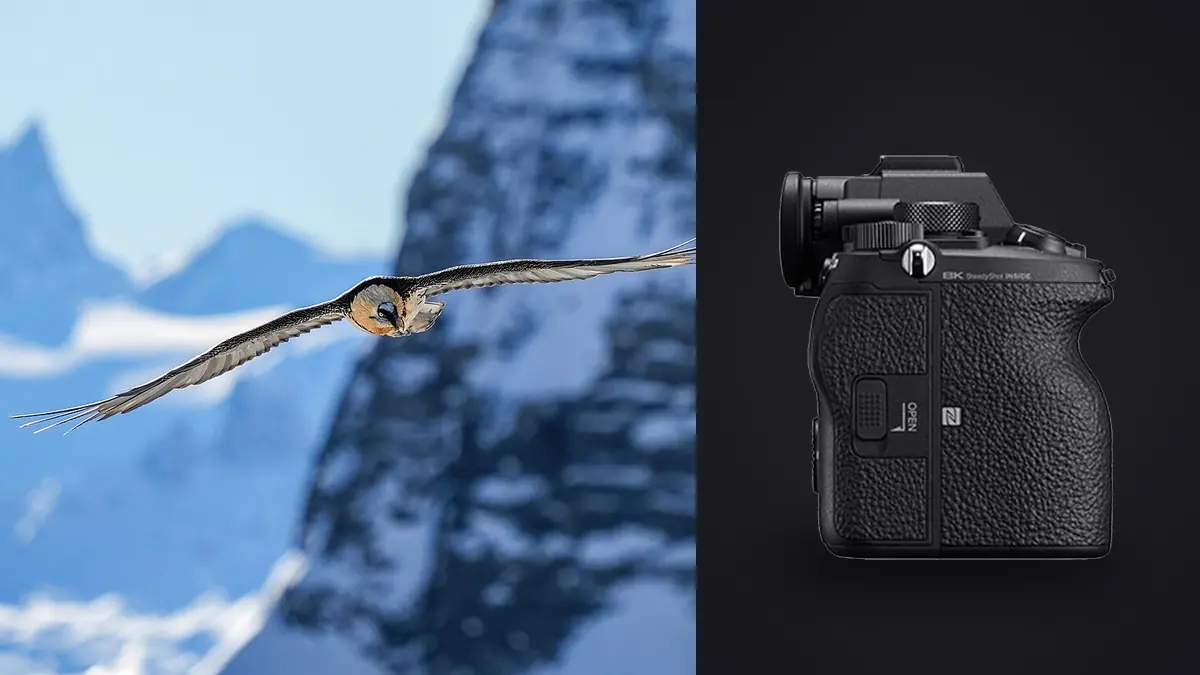
I spent three mornings last spring flat on a gravel bar on the Platte River waiting for sandhill cranes to lift off, and that trip is where I actually understood what the Sony A1 is for. Not the spec sheet version of that understanding, the field version: a camera that lets you stop negotiating with your gear and just track the bird. That's a strange thing to say about a body that lists for around $6,500, but after two decades of switching between high-resolution cameras that choked on burst rate and speed-first cameras that gave up detail, the A1 is the first one I've used that genuinely doesn't ask you to pick a side.
This isn't a spec dump. It's what actually matters when you're trying to nail a peregrine stoop or a kingfisher's dive: how the autofocus behaves when a bird crosses branches, what shutter speed floor keeps a hummingbird's wings from turning into soup, which lens earns its keep on this body without breaking your back on a six-hour hide sit, and what a day of 30fps bursts does to your evening once the light's gone.
What actually changes for bird photography on this body
The headline number is 30fps with a fully electronic shutter and zero viewfinder blackout, and it's worth pausing on why blackout-free matters more than the frame rate itself. When you're panning on an erratic flier like a barn swallow, the thing that loses you the shot usually isn't a slow burst, it's losing the bird in the finder for a fraction of a second between frames and coming back to an empty patch of sky. The A1's viewfinder shows a continuous live feed even while it's firing, so your eye never has to guess where the subject went. I didn't believe this would matter as much as it does until I shot a colony of cliff swallows with it after years on an A9, which already had a version of this and still blacked out more than I remembered.
Underneath that is a 50.1-megapixel stacked, backside-illuminated sensor with 759 phase-detection points covering about 92 percent of the frame, paired with real-time tracking and subject recognition that a firmware update not long after launch extended to birds specifically, distinct from the human eye and animal-eye modes it shipped with. That distinction matters in the field. Human and general animal recognition tend to lock onto the largest contrasty shape near the center, which on a perched bird is usually fine but on a bird in flight against a cluttered background can mean it grabs a wingtip or a branch instead of the eye. Bird-specific recognition is noticeably better at finding the eye through motion blur and at holding it once found, though it still struggles on birds smaller than a sparrow at long range, where the eye simply isn't enough pixels for the algorithm to commit to.
The other quiet win is the APS-C crop mode, which turns the 50MP sensor into a roughly 21MP APS-C frame with the same pixel density benefit you'd get from a longer lens, without touching your glass. For small, distant songbirds this is genuinely useful reach in a pinch, though I treat it as a last resort rather than a default, since you're throwing away the resolution advantage that's a big part of why you bought this camera in the first place.
Autofocus settings that actually hold through erratic flight
Default AF-C with Wide area tracking will get you through a lot of situations, but it's not what I run for anything faster than a heron. My baseline for active BIF work is Focus Area set to Tracking: Expand Flexible Spot, subject recognition set to Birds with priority set to Eye, and AF Tracking Sensitivity pushed toward the responsive end (I run it around 4 or 5 out of the available range) rather than the locked-on end. The locked-on settings are built for subjects that get briefly obscured, like a running fox slipping behind grass, and they're the wrong choice for a bird that changes direction against open sky, where you want the AF to commit to the new position immediately rather than hold on the old one.
Back-button focus is non-negotiable for this kind of shooting and I'll say that as an opinion, not a rule everyone needs to follow. Separating AF-ON from the shutter means you can release the AF-ON button to re-frame or catch your breath and then re-acquire without the camera trying to refocus on whatever crossed the frame in between. On a body this capable of holding focus, the AF-ON button becomes less about triggering focus and more about telling the camera when to start trusting a new subject, which is a meaningfully different job.
One setting people skip that I'd put near the top of the list is the AF area registration under the custom key menu, mapped to a spare button on the lens barrel (I use the one on the 200-600mm's focus-hold ring). It lets you snap between a tight Spot focus area for a bird perched deep in branches and the wider Expand Flexible Spot for open-sky flight without digging through a menu, and on a lens with a focus-hold button in a natural thumb position it becomes reflexive within a day or two of shooting.
Shutter speed and the exposure choices that actually matter
Aperture priority with auto ISO is my default for BIF, but the shutter speed floor you set in auto ISO is doing more work than people give it credit for. A generic "fast shutter speed" rule doesn't account for how differently birds move. A great blue heron's wingbeat is slow enough that 1/1600s freezes it cleanly with the wingtip still showing a touch of natural motion. A mourning dove or a swallow needs closer to 1/3200s before the wings stop turning into a blur, and a hummingbird's wings are moving fast enough that even 1/3200s only partially freezes them, you're choosing motion blur aesthetics at that point rather than eliminating it. I set my auto ISO shutter floor around 1/2500s as a working default for mixed flight subjects and adjust up when I know I'm working a fast, small flier, or down when I'm after slower raptors like ospreys and eagles where a touch of wingtip blur actually reads as more natural in the final frame. Wide open aperture is almost always the right call on long glass for subject separation, the exception being multi-bird flock shots where you want enough depth of field to hold two or three birds sharp, and there I'll stop down to f/8 or f/9 even at the cost of ISO.
Lens pairings, and which one actually tracks well on this body
The A1's AF system is fast enough that it exposes real differences between lenses more clearly than a slower body would. Here's how the three most common long-glass pairings actually behave in the field, based on time with each.
| Lens | Max aperture at long end | Weight (body + lens, approx.) | AF tracking on erratic subjects | Best fit |
|---|---|---|---|---|
| FE 200-600mm F5.6-6.3 G OSS | f/6.3 | ~4.6 lb / 2.1 kg | Reliable on medium-to-large birds in good light; noticeably slower to re-acquire in low light or against dense foliage | Handheld birding from a boat, roadside/car-window shooting, travelers who want one lens |
| FE 600mm F4 GM OSS | f/4 | ~9.3 lb / 4.2 kg | Fastest, most confident tracking of the three, holds focus through brief obstructions where the zoom hunts | Hide/blind work, pre-dawn and dusk light, serious raptor and owl photography |
| FE 100-400mm GM + 1.4x TC | f/8 (at 560mm) | ~4.0 lb / 1.8 kg | Good in bright conditions, AF speed drops noticeably once light falls or the teleconverter is added | Hiking-heavy trips, general wildlife where birds are one subject among several |
If I had to keep exactly one, it's the 200-600mm. It's not the fastest of the three and it's not the sharpest wide open, but it's the one I actually carry on the days I don't know what I'll find, and a lens left at home tracks nothing. The 600mm f/4 earns its enormous weight back on the mornings when the light is bad enough that everything else is hunting, which for owls and dawn raptor flights is most mornings that matter.
Buffer depth, cards, and why 30fps isn't actually free
The 30fps number gets quoted constantly and almost never with the buffer numbers attached, which is the part that decides whether it's useful to you. The A1 takes one CFexpress Type A / SD UHS-II slot and one dedicated SD UHS-II slot, and the difference between shooting on a fast CFexpress Type A card versus a fast SD card is not subtle at 30fps.
| File format | Card in slot 1 | Approx. sustained burst before slowdown | Approx. buffer clear time |
|---|---|---|---|
| Compressed RAW | CFexpress Type A | ~15-18 seconds (450-550 frames) | 10-15 seconds |
| Compressed RAW | SD UHS-II (fast card) | ~6-7 seconds (180-210 frames) | 25-35 seconds |
| Uncompressed RAW | CFexpress Type A | ~7-8 seconds (210-240 frames) | 20-25 seconds |
| JPEG Extra Fine only | SD UHS-II (fast card) | Effectively unlimited at 30fps | Under 10 seconds |
These are field-observed ranges from my own cards, not lab numbers, and they'll shift with the specific card, but the pattern holds: if you're shooting compressed RAW on an SD card and you hold the shutter down for a full 5-second flight sequence at 30fps, you can genuinely stall the camera mid-shot waiting on the buffer to clear, which is the last thing you want when the bird finally does the thing you've been waiting an hour for. I keep CFexpress Type A in slot one and a fast SD as backup/overflow in slot two, and I've mostly stopped shooting default 30fps for anything except flight take-offs and landings, where the extra frames genuinely earn their keep. For general flight tracking, the 20fps electronic or even 10fps mechanical mode gives a longer working buffer and, frankly, plenty of frames to pick a sharp one from.
Worth a note on weather: the body is rated for dust and moisture resistance and I've shot it through drizzle and a fair amount of river-bottom fog with no issues, though I still wouldn't call it storm-proof and I keep a rain cover on hand for anything beyond light weather. Battery life on the NP-FZ100 holds up reasonably well for the sensor and processing this camera is doing, but a genuinely active BIF morning at 20-30fps will chew through a battery faster than the CIPA rating suggests. I carry two spares as a rule, not one.
The part nobody puts in the spec sheet: what happens after the shoot
Here's the tradeoff nobody warns you about before you buy into this system: a good morning of BIF shooting at 20-30fps produces an absurd number of files, and the vast majority of them are near-identical bursts where only one or two frames actually have the eye sharp and the wing in a flattering position. I came back from that Platte River trip with a bit over 6,000 frames from three mornings, and realistically fewer than 200 were worth a second look. Sorting that by eye, frame by frame, at full resolution, is a multi-hour task that I used to do on the couch every night of a trip instead of sleeping.
That's the actual reason I moved my culling workflow to imagic instead of dragging every card through Lightroom's grid view first. It does local sharpness and focus scoring on the actual imported frames, so instead of stepping through a 40-frame swallow burst one by one, I get the sequence pre-ranked by which frames are genuinely in focus on the subject rather than the background. It also clusters bursts and near-duplicate frames together, which for BIF sequences means I'm reviewing "this take-off sequence" as one group instead of forty individual thumbnails competing for attention. Because it runs entirely on the machine with no cloud upload, that's also just practical for a lodge or remote hide with bad or nonexistent internet, which describes most of the good birding locations I've shot at.
The other piece of imagic that's saved actual editing time is the apply_my_style preset feature, which trains on how you've already edited your own photos rather than shipping a generic look. Wildlife and bird work tends to want a fairly consistent treatment (feather detail held without over-sharpening halos, warm-but-not-orange golden hour color, blacks that don't crush a dark-plumaged bird into a silhouette), and having that applied automatically across a culled batch means the editing session is mostly fine-tuning rather than starting from a blank slate on 150 keepers. If you haven't looked at how automated culling actually scores frames versus a human doing it by eye, it's worth reading through how AI photo culling works before trusting it with a trip you can't reshoot. And if the bottleneck in your process is generally the time between "card full" and "photos edited," this rundown of faster workflow habits covers more of that ground beyond just the culling step.
Frequently Asked Questions
Do I actually need 30fps for birds in flight, or is it marketing?
For most flight photography, no, not as a default. I use 20fps electronic for the bulk of tracking shots and save 30fps for specific moments, a take-off, a strike, a mid-air food pass between raptors, where the extra frames meaningfully raise the odds of catching the exact wing position. Running 30fps constantly mostly just triples your buffer pressure and your culling workload for the same number of usable keepers.
Is the 200-600mm G good enough, or do I need the 600mm f/4 GM?
The 200-600mm is good enough for the large majority of daylight birding, and it's the one I reach for most often because I can hand-hold it all day. The 600mm f/4 pulls ahead specifically in low light and against cluttered backgrounds, where its faster maximum aperture gives the AF system more contrast to lock onto. If most of your shooting happens midday in open habitat, save the money and the shoulder strain.
Does the A1's electronic shutter cause rolling shutter smear on fast wingbeats?
Practically speaking, no, and this is one of the genuine upgrades over older stacked-sensor bodies. The sensor readout is fast enough that I haven't produced visible skew on wingtips even with quick wingbeats and fast pans, which used to be a real limitation on electronic-shutter-only shooting with earlier cameras. Under certain flickering artificial light sources you can still get banding on electronic shutter, but that's a non-issue for outdoor daylight birding.
How do you deal with the sheer number of files a day of BIF shooting produces?
By not reviewing them all manually at full size, which is the mistake I made for years. I let a local culling pass on imagic handle the first sort, sharpness and eye focus scoring plus grouping the burst sequences, before I ever open a full editing app. It cuts a night of squinting at near-identical frames down to reviewing maybe 5-10 percent of what came off the card, which is the difference between processing a trip in one evening versus losing three.