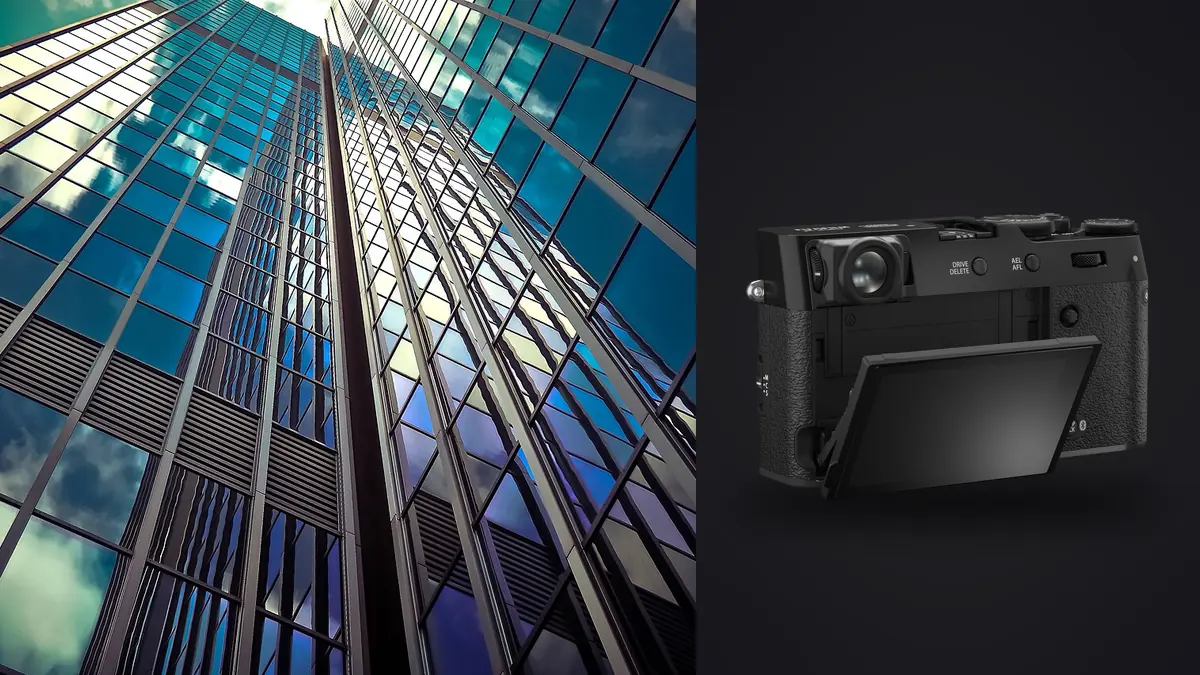
The Fujifilm X100VI showed up in my kit almost by accident, bought as a walk-around camera for personal work, and it turned out to be more useful for interior work than half the gear already sitting in my bag. That's a strange thing to admit about a camera with one lens welded to the front of it, but a fixed 23mm f/2 optic (35mm equivalent once you account for the APS-C sensor) forces decisions that a 16-35mm zoom lets you avoid entirely. On interior and architectural shoots, forced decisions are sometimes the faster route to a finished set.
This isn't a spec sheet rundown. Fujifilm's own site covers megapixels and menu depth better than I could here. What follows is what actually changed in my workflow once I started bringing the X100VI onto listings, a couple of small commercial fit-outs, and two portfolio shoots for a local architecture firm, plus the places it fell short and I had to reach for something bigger.
The case for a fixed lens on a job that usually wants a zoom
Architectural and interior photography has a default answer to "what lens," and that answer is almost always a wide zoom, something in the 16-35mm equivalent range that lets you swing from a full room to a tight corner without changing position. A camera that can only do 35mm equivalent looks like the wrong tool on paper. In practice, I don't use the X100VI as my primary body on a shoot. I use it as the second camera that never leaves my shoulder, for the shots that a wide zoom actually makes worse: a stairwell detail, a reading nook, the way light falls across a countertop at 4pm, a hallway view down the length of an apartment that benefits from some compression instead of a bulging wide-angle stretch.
The other reason it earns a spot in the bag is discretion. Occupied homes and staged commercial interiors mean people are often standing nearby, sometimes clients, sometimes tenants who did not sign up to have a stranger crouching in their kitchen with a tripod-mounted body that looks like news equipment. A compact rangefinder-styled camera with a nearly silent leaf shutter draws a fraction of the attention a DSLR-and-grip combo does. On a walkthrough where I'm shooting fast and trying not to disrupt anyone's day, that matters more than raw focal range.
Where 35mm equivalent runs out of room
Here's the honest limitation: 35mm equivalent is a comfortable focal length for hallways, living rooms, and most bedrooms of average size. It is not wide enough for a galley kitchen, most bathrooms, or the kind of boxy home office that real estate clients still expect to see photographed corner-to-corner. I learned this the hard way on an early listing shoot, backing into a bathroom vanity trying to fit the whole room in frame and still cutting off the far wall. Fujifilm sells a clip-on wide converter, the WCL-X100 II, that brings the field of view down to roughly 28mm equivalent. It helps. It does not solve the problem. A 28mm equivalent frame is still noticeably tighter than the 16-20mm equivalent range a dedicated wide zoom covers, and in a small bathroom or closet that difference is the gap between getting the shot and not. I treat the converter as a way to extend the X100VI's usefulness for slightly-too-tight rooms, not as a substitute for bringing a proper wide-angle body when the floor plan calls for one.
The leaf shutter and built-in ND, an underrated pair indoors
Two features that sound like spec-sheet trivia turned out to matter a lot once I started shooting interiors with this camera regularly. The leaf shutter syncs with flash at shutter speeds well beyond what a focal-plane shutter allows, which means balancing a bright window against a dim interior with a single off-camera speedlight is genuinely workable without stacking neutral density or resorting to a blended exposure in post. On a bright afternoon shoot where the window view was part of the sale, being able to sync at a fast shutter speed and still fill the room saved me from bracketing five frames and merging them later. The built-in 4-stop ND filter does the opposite job. On overcast days shooting an architecture firm's lobby, I wanted a slower shutter to smooth out foot traffic passing through frame without stopping down the aperture so far that depth of field turned into a design problem. Flip the ND on, drop the shutter speed, and the people walking through become a soft blur instead of a distraction, all without touching a filter thread or carrying a separate ND kit. It is a small thing that only having a fixed lens with a leaf shutter makes this convenient in the first place.
40 megapixels does some of a second lens's job
The X100VI's sensor resolution turned out to be more relevant to interior work than I expected going in. Cropping into a 40-megapixel file still leaves more than enough resolution for web use and most print sizes, which means a single wide-ish frame of a kitchen can be cropped down after the fact into a tighter "detail" shot of the hardware, the tile pattern, or the light fixture, without walking back into the room with a longer lens. It is not a substitute for actually shooting a tighter frame when you have time to, but on rushed listing shoots where every extra minute in a room adds up across a dozen properties a week, being able to manufacture a second composition from one file is a real time saver.
How the field kit stacks up in practice
| Setup | Effective field of view | Weight in hand | Best for | Where it struggles |
|---|---|---|---|---|
| X100VI body only | 35mm equivalent, fixed | ~478g | Living rooms, hallways, occupied walkthroughs, detail vignettes | Galley kitchens, small bathrooms, tight closets |
| X100VI + WCL-X100 II | 28mm equivalent, fixed | ~560g combined | Squeezing a full small room into one frame without stitching | Still short of a true wide-angle for architectural elevations |
| Full-frame body + 16-35mm zoom | 16-35mm equivalent, variable | 1.3-1.6kg combined | Whole-room coverage, exteriors, anything needing the widest usable frame | Louder shutter, noticeably heavier across a multi-hour walkthrough |
| Tilt-shift prime (17mm-class) | Fixed wide, shift-corrected | ~800g-1.1kg plus body | Elevation shots and exteriors where converging verticals actually matter | Manual everything, slow to work with while a client is waiting on you |
| Smartphone wide camera | ~13-16mm equivalent | Pocketable | Quick reference frames, agent walkthrough clips for social | Dynamic range collapses fast in mixed window and interior light |
Culling a week of bracketed interiors without losing a weekend to it
The volume problem with interior work isn't the shooting, it's what happens after. A single property with fifteen to twenty angles, each bracketed three to seven stops for a window-and-interior blend, adds up to somewhere between 100 and 200 raw files before you've even left the driveway. Multiply that across four or five properties in a week and the sorting alone can eat an entire evening, mostly spent scrubbing through near-identical frames trying to tell which bracket in a seven-shot sequence actually landed sharp on the foreground furniture. This is the part of the workflow where imagic actually changed how I work rather than just being a nice-to-have. Its duplicate and burst clustering groups those bracketed sequences automatically, so instead of scrolling past six variations of the same kitchen angle one at a time, I'm looking at one cluster and picking the sharpest frame from it. The local sharpness scoring catches the frames where focus drifted onto a foreground plant or a doorframe instead of the room itself, which matters more on a fixed 35mm lens shoot than people expect, since there's no autofocus point recomposition trick to fall back on when you're also managing exposure brackets. Once the culling pass is done, I run the surviving frames through an apply_my_style preset built from my own past edits, so a batch of forty rooms across five properties comes out with consistent color and contrast without me manually matching white balance room to room. And because all of this runs locally rather than through a cloud upload, it works fine on properties that are under a pre-listing NDA, which is common on architecture-firm projects. If your culling process is still the bottleneck on shoot weeks like this, how AI photo culling actually works is worth a read, and these workflow tips cover a few adjacent habits I picked up the same way.
What the X100VI won't do for you
None of this is a case for treating the X100VI as an architecture camera outright. There's no tilt-shift mechanism, so verticals in tighter rooms or on exteriors shot close to a building still need correcting in post, the same as they would with any non-shift lens. Fixed focal length means there's no zooming out of a bad position, you either physically move or you don't get the shot. Weather sealing on the X100VI only kicks in with the optional adapter ring and a protective filter installed, so shooting an exterior in light rain without that ring attached is not something to risk on a job you cannot repeat. And it's a single card slot camera, which is tolerable on a listing shoot, but on higher-stakes architecture-firm portfolio work a second body as backup beats trusting one card for the whole day.
Frequently Asked Questions
Is the fixed 35mm-equivalent lens actually workable for shooting small rooms?
For anything average-sized or larger, yes, it's a comfortable and familiar field of view. For galley kitchens, small bathrooms, and closets, it runs out of room fast. My workaround on tight spaces is either the wide converter or standing in the doorway and shooting two overlapping frames to stitch later, neither of which is as clean as just bringing a wider lens on a second body when I know the floor plan is tight ahead of time.
Does the WCL-X100 II wide converter make this a real interior lens?
It closes some of the gap, taking you to roughly 28mm equivalent, but it's still narrower than the 16-20mm equivalent range most dedicated interior work leans on. I use it as a supplement for slightly-too-tight rooms, not as a reason to leave a proper wide-angle setup at home.
Can the leaf shutter and built-in ND filter replace a flash kit for balancing window light?
Partly. The high flash sync speed from the leaf shutter makes balancing a bright window against a dim room workable with a single speedlight, and the ND filter is genuinely useful for slowing shutter speed on overcast days without opening the aperture. For a genuinely dark interior that needs real fill, though, I still bring proper lighting. This setup shrinks how often I need it, it doesn't eliminate the need entirely.
How do you manage the sheer number of files from bracketed interior shots?
Culling software carries most of that load now. Grouping bracketed sequences automatically and flagging the sharpest frame in each cluster turned what used to be an evening of scrubbing through near-duplicates into something closer to twenty minutes per property, which is the difference between this being sustainable at volume or not.