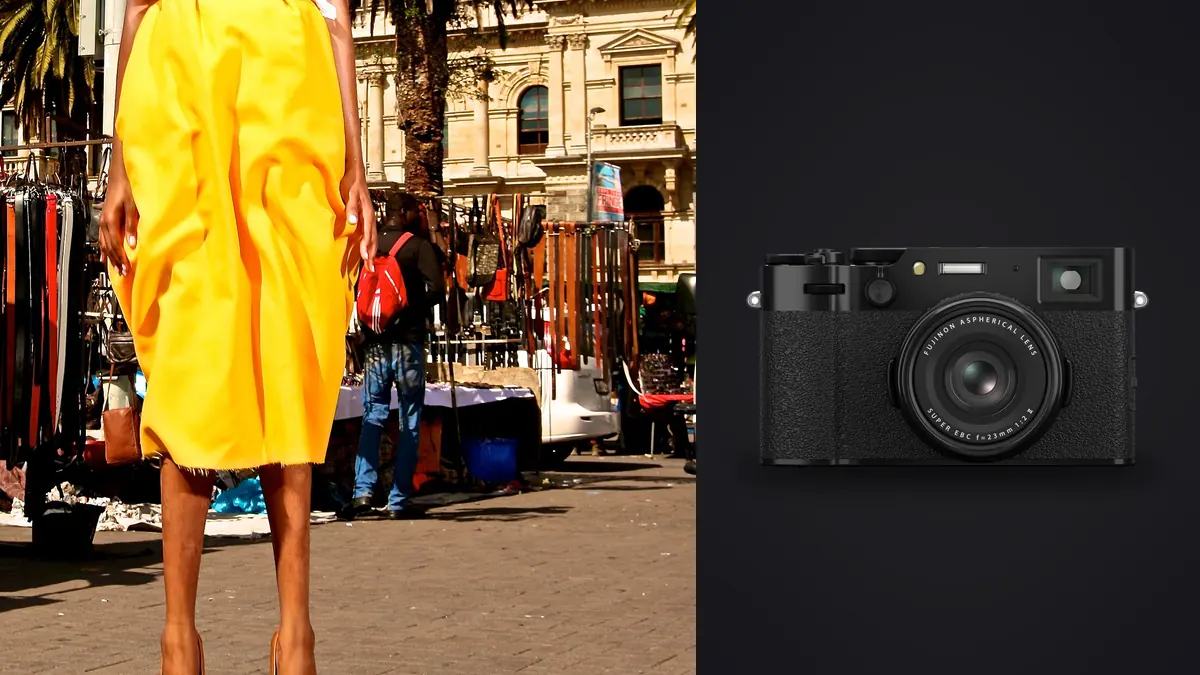
Picture a friend running a six-piece capsule label asking you to shoot her lookbook. Budget for one camera body, two days on location, no studio. You bring a full-frame kit as the primary rig and pack the X100VI in a jacket pocket almost as an afterthought, the kind of camera you bring because leaving it behind feels wasteful. By the middle of day one it stops being a backup. It becomes the camera you reach for between setups, while the model walks to the next mark or leans against a doorway waiting for someone to fix a strap. Fixed-lens cameras get talked about as street photography tools or personal projects, rarely as something you'd build a paid commercial delivery around. After a job like that, I think that reputation undersells what the X100VI is actually good for on a fashion set, and it also oversells what it can replace.
This isn't a spec-sheet review. Fuji already publishes those numbers, and you can find them faster on their site than in a blog post. What I want to cover is narrower: what happens when you point a 40-megapixel fixed 35mm-equivalent camera at a paid fashion job where the client expects a specific set of deliverables, in a specific order, by a specific evening.
Where the Fixed 35mm Field of View Actually Earns Its Keep
The 23mm f/2 lens (35mm full-frame equivalent) is the whole personality of this camera, and on a lookbook it does something a 24-70mm zoom kit quietly discourages: it forces you to walk. A zoom lets you stand in one spot and change the frame with your wrist. The X100VI makes you change the frame by moving your feet, which on a fashion shoot means you're constantly renegotiating the background, the light falling on the model's face, and the distance between camera and subject. Lookbooks live and die on believable environments, not compressed backgrounds. A brand doing a capsule collection wants shots that say "you could wear this walking down this actual street," and a 35mm equivalent framing at f/2 gives you enough separation from the background to keep the garment legible while still showing you're in a real place, not a studio void.
Where it doesn't earn its keep is tight beauty work and anything that wants telephoto compression, the kind of shot where a 135mm lens flattens a face and blurs a background into soft color. You're not getting that from a fixed 35mm equivalent without help, and I'll get to the workaround (and its limits) below. If your lookbook brief leans heavily on close beauty crops or a stack of near-identical model portraits against a seamless, this isn't the camera for that day. It's the camera for the walking shots, the in-between shots, the ones that make a lookbook feel like a place instead of a catalog.
The Leaf Shutter Trick That Actually Changes How You Shoot Outdoors
The one feature that matters on almost every outdoor lookbook day is the leaf shutter's full flash sync range. Because the shutter is built into the lens rather than sitting in front of the sensor, you get flash sync at every speed up to 1/4000 mechanical (electronic goes further but you lose flash sync there), not the 1/200 or 1/250 ceiling you'd hit on a typical focal-plane shutter body. That matters more than it sounds like on paper. Midday sun on a location shoot is usually the enemy: flat light, harsh shadows under the eyes, a sky that blows out the second you expose for skin. With sync at 1/2000 or 1/3200, you can drop the ambient two or three stops with shutter speed alone and bring a small strobe or even a speedlight back in to shape the face, without needing high-speed sync mode and the power loss that comes with it. On a two-person crew with one collapsible reflector and one small strobe, that's the difference between shooting from 11am to 3pm or being stuck waiting for open shade.
Stretching the Reach Without Turning It Into a Different Camera
The honest answer to "what do you do when you need something other than 35mm" is: not much, gracefully. There are two real options and one fake one. The fake one is cropping hard in post, which the 40-megapixel sensor tolerates better than the older 26-megapixel X100V did, but it's still a crop, not a focal length. The two real options are the in-camera digital teleconverter, which uses the extra resolution to give you a cropped 50mm or 70mm-equivalent framing right in the viewfinder, and the actual optical converters, the WCL-X100 II wide adapter and TCL-X100 II tele adapter, both of which screw onto the front thread and change the optical path rather than just the framing.
| Shot type on the lookbook | Lens configuration | Effective focal length | Where it actually gets used |
|---|---|---|---|
| Full-length environmental | Native, no converter | 35mm equivalent, f/2 | Opening spread, walking shots, anything establishing location |
| Fast three-quarter reframe | In-camera digital tele crop | ~50mm equivalent | Quick change of pace without swapping gear; softer at 100% crop |
| Hero portrait for a spread | TCL-X100 II optical converter | ~50mm equivalent, true optical | Shots you know will get printed large or blown up for a homepage banner |
| Fabric, stitching, hardware | Native lens, macro mode | 35mm equivalent, ~10cm minimum focus | Detail inserts: buttons, seams, jewelry, shoe soles |
| Tight backstage or showroom | WCL-X100 II optical converter | ~28mm equivalent, true optical | Cramped fitting rooms, vans, anywhere you can't back up |
The converters aren't cheap accessories to bolt onto what's already a $1,599 body. Figure another few hundred dollars each, and you're now carrying a small pouch of glass for a camera whose whole appeal was that it doesn't need a bag. A sensible setup is the tele converter alone, leaving the wide one at home most days, because on a lookbook shoot the wide end is rarely the problem; the native 35mm already reads as fairly wide once you're close enough to a model to fill the frame. The digital crop modes are the pragmatic middle ground: free, instant, no glass to screw on or lose, and good enough for web galleries and social crops even if a print house would notice the softness at full size.
Where It Falls Down: This Isn't a Tethered-Capture Camera
Here's the part that actually matters most for booking this camera on paid work, and it's the part most gear reviews skip because they're not thinking about a client standing behind the photographer's shoulder. Commercial fashion clients, especially ones with an art director or brand manager on set, expect to see frames land on a tethered monitor in real time. That's standard practice with a full-frame body running into tethering software over USB-C, images appearing full-size on a laptop within a second or two of the shutter firing. The X100VI doesn't have that ecosystem built out the same way. You can pull images over Wi-Fi or Bluetooth to Fuji's phone app for a quick look, and USB-C file transfer works fine after the fact, but there's no seamless "shoot and it appears on the art director's screen" workflow that matches what a dedicated tether setup gives you.
What this means practically: the X100VI is not the camera you hand the crew when the client needs to approve every look on a big screen before moving to the next outfit. It's the camera that works when nobody's tethering anyway, either because the brand is small enough that approvals happen by scrolling the camera's own screen, or because you're using it deliberately as a second layer, documentary-style frames that run alongside the primary tethered captures rather than replacing them. On a shoot like that, that's exactly the role it settles into: the art director watches the tethered feed from the main camera, and the X100VI quietly picks up the in-between moments nobody is directing.
Sorting a Day's Worth of Frames Without Losing the Evening
Two days, two cameras, a leaf shutter that lets you fire off short bursts between poses without worrying about flash recycling, and you end a shoot day with a genuinely unpleasant number of frames to look through. Even conservative shooting on a lookbook day, six or seven looks, thirty to sixty frames per look across two bodies, puts you well past a thousand images before dinner. Nobody wants to click through that at 100% zoom looking for the one frame where the fabric isn't creased and the model's eyes are open.
This is the part of the job I stopped doing manually a while back. I run the day's card through imagic before I touch anything else, letting its local sharpness scoring flag the genuinely soft frames (motion blur on a walking shot is common with this lens at f/2 and a moving subject) and its burst clustering group the near-duplicate frames from each look so I'm reviewing one representative image per pose instead of eight. It runs entirely on the laptop, no upload step, which matters more than it sounds on a job like this: the collection hadn't been publicly announced yet, and the client was clear about not wanting unreleased garment photos touching anyone's cloud storage before launch. Local processing wasn't a nice-to-have there, it was a condition of getting the booking. If you want the mechanics of how that kind of scoring actually works under the hood, we've written about it separately at how AI photo culling works.
Keeping the Grade Consistent Across Two Cameras and Two Days of Light
Shooting a lookbook on two different sensors is a color-matching headache nobody warns you about until you're staring at a contact sheet where the full-frame files and the X100VI files clearly came from different cameras, even after you've tried to eyeball-match them in a grading pass. Fuji's film simulations are genuinely good, Classic Chrome and the newer Reala Ace profile both flatter skin without the color needing much rescue work, but for commercial delivery you shoot RAW and grade to the brand's established look rather than leaning on in-camera JPEG rendering, because the client wants files that match whatever they used on their last campaign, not whatever Fuji's engineers decided looks pleasant.
The workaround that's actually saved me time is training a preset on a small batch of already-approved images from the brand's previous shoot, using imagic's apply_my_style feature, then running it across both cameras' RAW output. It doesn't erase the sensor differences entirely (a 40-megapixel X-Trans file and a full-frame Bayer file still behave a little differently under heavy shadow recovery) but it gets the two sets of files close enough, fast enough, that I'm not manually matching white balance and contrast curves shot by shot at 11pm the night before delivery. That's a real time cost recovered, not a marketing line: on the two-day shoot mentioned earlier it took the color-matching pass from most of an evening down to about forty minutes, most of which was just double-checking rather than adjusting sliders.
What a Full Day With This Camera Actually Costs You
A few practical numbers worth knowing before you book a paid job around this body. The NP-W126S battery is small, and a day of chimping between looks, reviewing bursts, and occasionally pulling images to the phone app for a quick client preview will burn through one battery faster than the CIPA rating suggests. I carry three and still watch the meter. The buffer is respectable but not endless: shoot a long burst at the top mechanical shutter speed chasing a walking sequence and you'll eventually feel it catch up to you, especially if you're also shooting RAW and not just JPEG. None of this is disqualifying. It's just the kind of thing you plan around rather than discover mid-shoot, which is the whole point of writing any of this down.
Frequently Asked Questions
Can the X100VI survive a full day of outfit changes on a paid shoot without slowing things down?
Yes, with caveats. Buffer and battery are the two limits worth respecting. Carry spare NP-W126S batteries (three is comfortable for a full day), format cards fresh each morning, and avoid stacking very long high-speed bursts back to back if you're also shooting RAW, since that's where the buffer actually gets tested.
Do I need the weather-resistant kit for an outdoor lookbook shoot?
The body alone isn't weather sealed. Full weather resistance requires the AR-X100 adapter ring plus a protective filter screwed onto it; without that combination, treat the camera as you would any unsealed body around light rain, dust, or beach spray. For a dry location day it's not something I bother attaching.
Is 40 megapixels enough resolution for lookbook images that might end up printed?
For the vast majority of lookbook use, yes. Most lookbooks live online, in a lookbook PDF, or at most as a small print run, and 40 megapixels comfortably covers a full-page print at typical viewing distance. Where you'd want to think twice is a full-bleed billboard-scale crop taken from a heavily cropped detail shot; that's a job for the tele converter or a different camera entirely, not for digital crop modes stacked on top of an already-cropped frame.
How do clients react to not having a live tethered feed from this camera?
Mixed, depending on who's on set. Smaller brands without an agency handler usually don't notice or mind, since approvals happen by passing the camera around or glancing at frames pushed to a phone. Larger clients used to a tethered monitor workflow will ask about it, which is exactly why the X100VI shouldn't be the primary camera on jobs with an art director expecting real-time review; run it as a second layer alongside a properly tethered body instead.
None of this makes the X100VI a replacement for a proper tethered fashion rig, and I don't think it's trying to be one. What it's good at is narrower and, on the right job, more useful: a small, fast, genuinely pleasant camera to carry for the hours of a lookbook shoot that aren't the hero shots, the walking, the waiting, the in-between frames that end up giving a lookbook its sense of place. If your workflow already involves sorting a large take quickly and matching color across cameras, it's worth reading through our notes on speeding up that part of the process as well, since a lot of what makes this camera work on a paid job happens after the shoot, not during it.