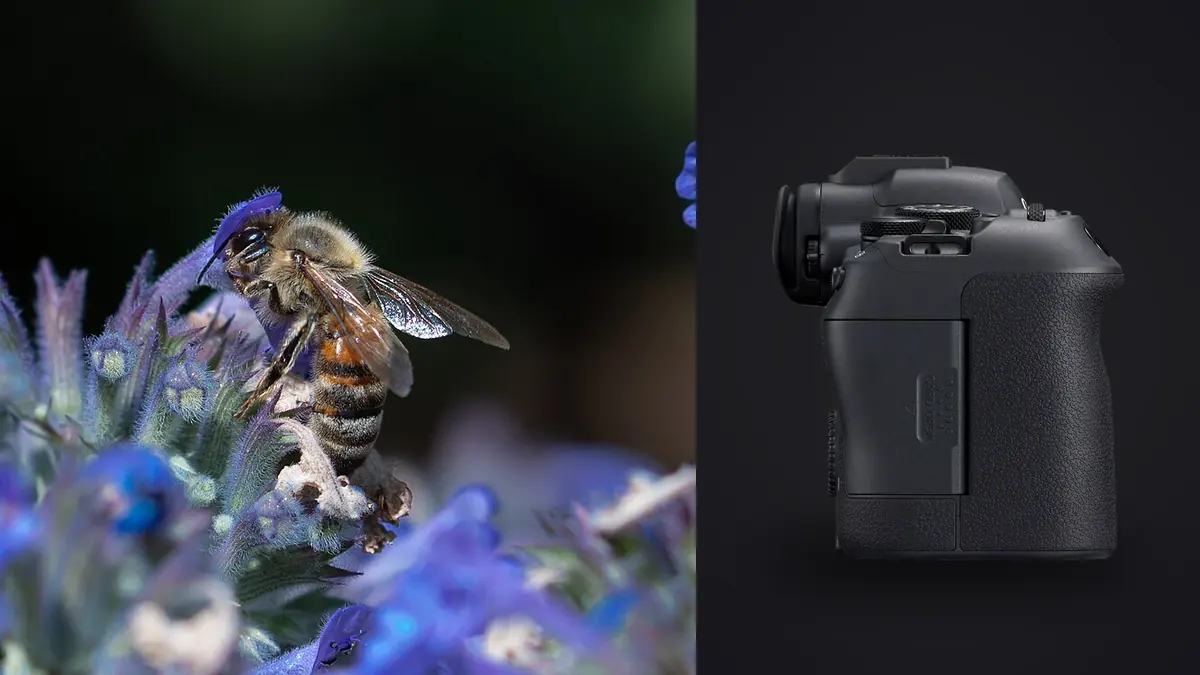
I did not buy the EOS R6 Mark II for insects. I bought it as a general-purpose body for everyday shooting, and the macro work happened almost by accident, one August afternoon chasing a hawker dragonfly around a pond with a borrowed 100mm macro lens because my usual crop-sensor body was away for a sensor clean. Two seasons and a few thousand frames of bees, jumping spiders, and one spectacularly uncooperative stag beetle later, I have a pretty settled opinion on it. Canon does not market this camera as a macro tool, insects barely get a mention in the spec sheet, and yet it has turned out to be one of the more forgiving full-frame bodies I have used for this genre, for reasons that have almost nothing to do with why most people buy it.
What 24.2 Megapixels Actually Buys You With a Bug
People new to macro insect work tend to obsess over resolution, on the assumption that more megapixels means more room to crop into a tiny subject. The R6 Mark II sits at 24.2MP, which is modest compared to something like an R5 or an R7's 32.5MP APS-C sensor, and on paper that looks like a disadvantage for a genre where you are often working at 1:1 or beyond. In practice it matters less than the spec sheet suggests, because insect macro is rarely about cropping after the fact. If you need to crop hard to fill the frame with a fly, the lens or the working distance failed you before the sensor did. What the lower pixel count actually buys you is cleaner files at ISO 800 to 3200, which you will use constantly once you start stopping down to f/11 or f/13 for depth of field on a three-dimensional subject like a beetle or a bee's compound eye.
The tradeoff runs the other way too. A crop-sensor body gives you free reach, the same 100mm macro lens behaves like a 160mm on an APS-C camera, so you can back off and still fill the frame, which matters enormously with anything that flees at the first shadow. On the R6 Mark II you either accept the full-frame field of view and get physically closer, or you crop your final files knowing you have less headroom before noise and softness show up. I still lean full-frame for this work because the low-light performance and the smoother tonal gradation on iridescent wing cases (think jewel beetles, some wasps) is worth more to me than the extra reach, but I would not argue hard against someone who prefers the crop-sensor tradeoff instead.
One thing the sensor does well that does not get talked about enough: dynamic range on backlit subjects. Insects photographed against foliage in dappled light produce brutal contrast, bright highlights on a wing and near-black shadow under the thorax in the same frame. The R6 Mark II's files hold detail in both ends better than I expected going in, which means fewer blown highlights on translucent wings and more recoverable shadow detail without the file falling apart.
The Autofocus Story Nobody Puts in the Brochure
Canon's marketing around this camera generation leans hard on subject detection, eye tracking that locks onto people, dogs, cats, and birds, and vehicle tracking for cars and motorcycles. None of that helps you with a dragonfly. The R6 Mark II does not have a dedicated insect detection mode, and even in general subject-tracking mode it tends to either ignore a small, fast-moving bug entirely or grab the leaf behind it. If you go into a macro insect session expecting the eye-AF magic you have read about in bird photography reviews, you will be disappointed within the first ten minutes.
What actually works is closer to how photographers shot macro a decade ago. Single-point AF, moved manually to the smallest point size available, placed directly over the eye or the leading edge of the subject. Back-button focus so a half-press of the shutter does not hunt and lose your position while you are trying to time a wing position. And for anything under about 1:1 magnification, a fair amount of manual focus with focus peaking or magnified live view, because at extreme close focusing distances the depth of field is measured in millimeters and autofocus motors, even fast ones, tend to hunt right past the plane you want.
The one AF-adjacent feature that genuinely earns its keep here is focus bracketing, built into the camera's shooting menu. Set a focus increment and a shot count, and the R6 Mark II will step the focus point through a range and fire a sequence automatically, which you then combine into a single deep-focus image in stacking software afterward. For a stationary or slow-moving subject (a resting butterfly, a caterpillar, most spiders in web) this is far more reliable than trying to nail focus on a single frame at f/16 and hoping diffraction does not eat your detail. For anything airborne or fast-walking, focus bracketing is useless, you are back to single-point manual work and a high enough shutter speed to freeze the moment.
In-Body Stabilization, Shutter Choice, and Getting Flash to Sync
The in-body stabilization is rated up to 8 stops when paired with certain RF lenses, and while that number is measured under ideal lab conditions, the real-world benefit for macro is still noticeable. Handheld macro at 1:1 without flash used to mean accepting a fair amount of blur or bracing against something. With this body and the RF 100mm macro, I can handhold down to shutter speeds that would have been unusable on older gear, though I still would not push my luck below about 1/60s on a live subject that might twitch mid-exposure. Stabilization helps you hold the frame steady, it does nothing for the insect moving inside it.
Shutter choice matters more here than most people expect. The electronic shutter can hit 40 fps, which sounds ideal for catching a bee mid-wingbeat, but rolling shutter readout distorts fast-moving wings into a warped, slightly rubbery shape at high frame rates on fast subjects. For anything with visibly beating wings, the mechanical shutter (topping out at 12 fps) actually produces cleaner results, because it avoids that readout skew entirely. I only reach for the electronic shutter when I want a silent burst on something easily spooked, like a mantis that will bolt at the click of a mechanical curtain.
Flash sync caps out at 1/250s on the mechanical shutter, which is standard for this class of camera and fine for most macro flash setups (twin-lite or ring flash), since flash duration rather than shutter speed is usually what freezes the subject at close range anyway. High-speed sync is available if you want to shoot wide open with continuous ambient fill outdoors, but for typical insect macro at f/11 to f/16 you rarely need it. The bigger practical issue is that a macro flash bracket adds real weight and bulk to an already front-heavy setup, and the R6 Mark II's grip is comfortable enough to carry that combination for a few hours without your wrist giving out, which is not something I can say about every body I have used.
Matching a Lens to the Body
Working distance is the number that actually decides whether you get the shot with a living insect, far more than magnification ratio does. A lens that reaches 1:1 but forces you within 5cm of a wasp is less useful in practice than one that gets you to 0.7x from 15cm away. Here is how the lenses I have actually used on this body compare on that specific point.
| Lens | Max magnification | Approx. working distance at max mag | Autofocus | Best use |
|---|---|---|---|---|
| RF 100mm f/2.8L Macro IS USM | 1.4x | ~4cm (1.5in) | Yes, fast and quiet | All-round insect lens, best balance of reach and detail |
| RF 35mm f/1.8 Macro IS STM | 0.5x | ~14cm (5.5in) | Yes | Habitat context shots, insects with surrounding environment |
| EF 100mm f/2.8L Macro IS USM (adapted) | 1.0x | ~15cm (6in) | Yes, via adapter | Budget option if you already own it from DSLR days |
| MP-E 65mm f/2.8 1-5x (adapted, manual only) | 5.0x | ~4cm (1.6in) at max | None, fully manual | Extreme close detail on tripod, patient or still subjects |
The RF 100mm is the lens I reach for on nine out of ten outings, mostly because 1.4x magnification native (no extension tubes needed) covers almost everything from a housefly to a small jumping spider, and the autofocus, while not perfect on erratic subjects, is fast enough to be useful on slower ones. The MP-E 65mm is a specialist tool, no autofocus, no image stabilization, and a working distance so short that most live insects will not tolerate you getting close enough to use it. It earns its keep on dead specimens, cooperative subjects like slow-moving weevils, or controlled setups with a flash rig and a tripod, not on a dragonfly hunt.
Field Practicalities: Weight, Sealing, and Battery
Ready to shoot with a battery and card, the body comes in around 670g, and paired with the RF 100mm macro (about 730g) plus a flash bracket, you are carrying close to 1.5kg for hours at a time, often held at odd angles crouched over vegetation. It is not heavy by full-frame standards, but macro shooting involves a lot of holding still in awkward positions, and that adds up differently than the same weight carried on a strap for a normal walk-around session. The weather sealing is decent rather than exceptional, fine for damp grass and light drizzle around a pond, but I would not push it through a genuine downpour the way I might a 1-series or R3 body.
Battery life is where macro insect work quietly punishes you compared to Canon's headline CIPA numbers. Those figures assume normal shooting, not extended magnified live view for manual focus checking, which is exactly what you do constantly during a macro session. A battery that would comfortably last a full day of general shooting gets eaten in three or four hours of macro work with the screen active most of the time. I carry three LP-E6NH batteries on any dedicated insect outing and have run the third one down more than once.
What Happens After You Get Home
The part of this workflow nobody warns you about is the sheer number of files a productive macro session generates. A single focus-bracket sequence on one resting butterfly can easily produce 15 to 25 frames, and if you shoot three or four subjects with a couple of bracket attempts each because the wind moved the stem between shots, you can come home with 400 frames from an afternoon that felt unproductive at the time. Sorting through that by eye, frame by frame, to find which single shot in each bracket is actually the sharpest, or which of six nearly identical dragonfly frames has the wings in the best position, is the slow part of this hobby, not the shooting.
This is where I stopped doing it manually. imagic runs its sharpness and focus scoring locally on the machine, so it can flag which frame in a bracket sequence actually landed critical focus on the eye rather than the wing tip a few millimeters closer to the lens, without me squinting at a laptop screen zoomed to 200% for twenty minutes. It also clusters near-duplicate bursts, which matters a lot here specifically, because a 20-shot focus bracket is exactly the kind of sequence that otherwise clutters a library with frames that all look identical at thumbnail size. If you have not used a tool like this before, this rundown of how AI photo culling actually works covers the mechanics in more depth than I will here.
The other piece that has genuinely changed how I finish these images is the apply_my_style preset feature. Insect macro edits tend to follow a consistent pattern once you find a look you like (a bit more clarity in the exposed detail areas, controlled highlight recovery on shiny cuticle, warmer color balance to counteract the greenish cast of foliage backgrounds), and training that pattern from my own past edits means new sessions get a consistent starting point instead of me re-deriving the same adjustments every single time. And because the whole process runs offline with nothing uploaded anywhere, it works the same whether I am editing at my desk or on a laptop at a nature reserve with no signal, which for field photography is not a minor convenience, it is the difference between editing on location or waiting until I am back near wifi. If your library has grown past the point where manual sorting is sustainable, the pricing page lays out what a one-time purchase actually costs versus the subscription tools most people default to.
Frequently Asked Questions
Can the R6 Mark II autofocus reliably on something like a dragonfly in flight?
Not consistently. Subject detection is tuned for dogs, cats, birds, and vehicles, not insects, and small fast-moving subjects tend to get ignored or the AF locks onto background clutter instead. Single-point AF with back-button focus, or manual focus with peaking, gets far more consistent results on erratic insects than relying on tracking modes.
Is 24.2 megapixels really enough for insect macro, or should I look at a higher-resolution body?
For most insect macro work it is enough, since the goal is usually to fill the frame optically with a close-focusing lens rather than crop in after the fact. If you frequently shoot from a distance and crop hard, a higher-resolution APS-C or full-frame body gives you more room, but it is not a requirement for good results with this genre.
Do I need the MP-E 65mm lens, or does the RF 100mm macro cover most insect subjects?
The RF 100mm at 1.4x magnification covers the large majority of insect subjects with usable working distance and autofocus. The MP-E 65mm goes further (up to 5x) but has no autofocus, no stabilization, and an extremely short working distance, which makes it a specialist tool for cooperative or still subjects rather than a everyday insect lens.
What aperture should I actually be shooting at for insect macro on this camera?
Most working insect macro sits between f/11 and f/16 to get enough depth of field across a three-dimensional subject, with ISO raised as needed to compensate, since the sensor handles ISO 800 to 3200 cleanly. Going narrower than f/16 starts introducing diffraction softness that outweighs the depth-of-field gain.