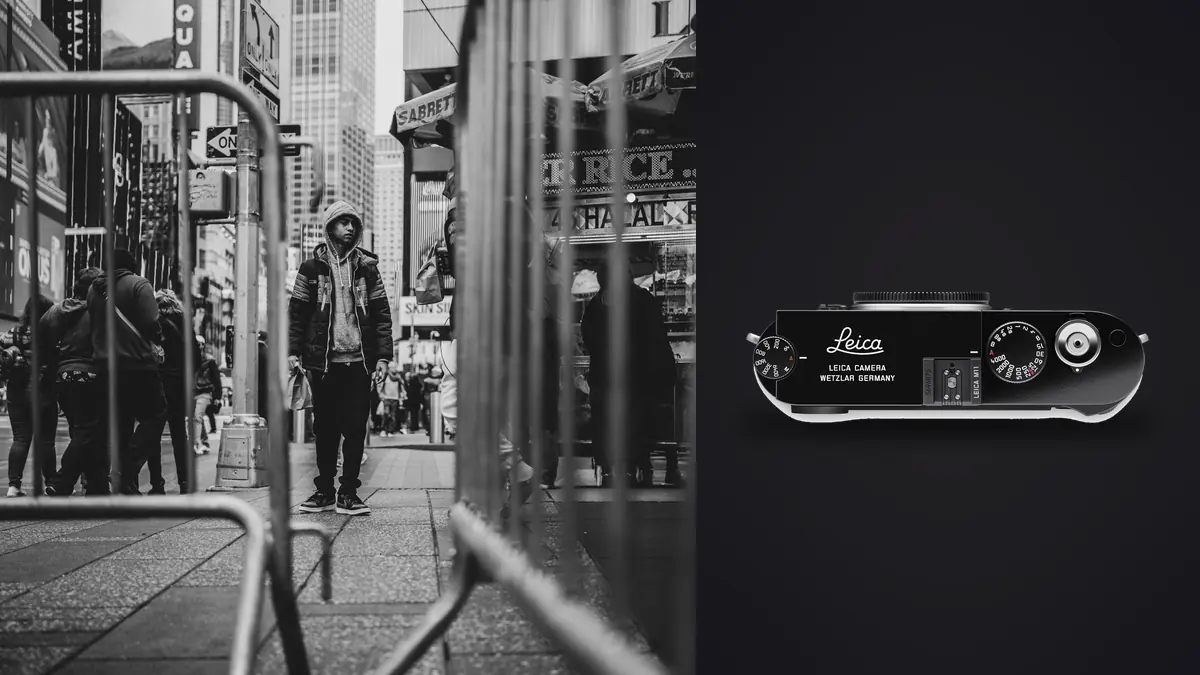
I've carried a Leica M11 through three years of documentary work now, mostly on foot, mostly in cities where a big DSLR draws stares and a phone gets ignored. The rangefinder format wasn't a nostalgia purchase for me. It changed how I approach a scene, for better and for worse, and after enough missed frames and enough frames I'm still proud of, I have opinions about where this camera earns its price tag on the street and where it genuinely gets in the way.
Why a rangefinder changes your approach before you even lift the camera
The first thing people notice isn't the sensor or the shutter speed range, it's how small and quiet the whole thing feels compared to a pro-body DSLR with a long lens. No mirror slap, no motor whir, and the mechanical shutter has a soft, almost domestic click rather than the mechanical clatter you get out of a flagship SLR. Switch to the electronic shutter and it's silent up to 1/16000, which matters more than people expect once you're standing eighteen inches from someone at a market stall or a protest line.
The bigger shift is the viewfinder itself. A rangefinder shows you the frame lines floating inside a wider view of the scene, so you can see what's about to walk into your composition before it happens. With an SLR or mirrorless EVF you only see what's already inside the frame, which means you're always reacting a beat late. For documentary work, where a gesture or a glance lasts a fraction of a second, that extra half-second of anticipation is worth more than any autofocus system.
Manual focus in a genre that doesn't wait for you
I'll say this plainly: you will miss focus more often on an M11 than you would on a modern autofocus body, especially with kids running, cyclists cutting across the frame, or anyone moving toward you at a normal walking pace and beyond. That's the trade you're making, and pretending otherwise does new M-series shooters a disservice.
What actually works is splitting your technique into two modes. For most walking-around street work, I zone focus: aperture around f/8 to f/11, distance scale set to roughly 2 to 3 meters with a 28mm or 35mm lens, and I barely look through the viewfinder at all. I'm framing by instinct and shooting from a rough eye-level guess. For anything shot wider than f/2.8, where depth of field won't bail me out, I switch to the rangefinder patch and actually focus, which is where the M11 is genuinely satisfying to use, but also where low-contrast subjects (a blank wall, skin in open shade, anything without a clean vertical edge) will fight you. The patch needs contrast to lock onto, and in flat light it can be genuinely hard to tell if you've nailed it until you're looking at the file later that night.
Picking a resolution mode you'll actually stick with
The M11's "triple resolution" system is pixel binning across the full 60MP sensor rather than an actual crop, so your field of view and lens angle stay identical no matter which setting you choose. What changes is file size, buffer depth, and how much room you have to crop later. For street and documentary work specifically, here's how the three settings actually play out in practice:
| Resolution setting | Approx. DNG file size | Rough buffer depth | Where it earns its keep on the street |
|---|---|---|---|
| L-DNG, 60MP | roughly 75-85MB | around 13-15 frames before the buffer chokes | Slower documentary sequences where you might crop hard later, or a body of work headed for print |
| M-DNG, 36MP | roughly 45-55MB | around 25 frames | General walking-around street work; this is the setting I leave the camera on most days |
| S-DNG, 18MP | roughly 22-28MB | 60+ frames | Multi-day trips or assignments where card space and laptop time matter more than pixel count |
I default to 36MP for almost everything. Sixty megapixels is genuinely useful if you know a frame is going into a gallery print or you need to crop a tight portrait out of a wider environmental shot, but it also means every card fills faster and every import session takes longer. Eighteen megapixels sounds like a downgrade until you're three weeks into a documentary trip with limited card space and a laptop that's starting to groan under the weight of your RAW folder.
Where the M11 slows you down in the field
Battery life is rated around 700 shots by CIPA standards, but that number assumes minimal chimping. In practice, once you're reviewing shots on the rear screen after every set of frames (which you will, because you can't always trust the rangefinder patch in tricky light), I get closer to 300 to 400 shots per charge on a busy shooting day. I now carry two spare batteries as a matter of routine, not paranoia.
There's no in-body stabilization, so handheld shots in dim alleys or interiors at anything under 1/60 need real discipline, or you lean on the M11's usefully high native ISO ceiling and accept some noise. There's also no built-in electronic viewfinder for anyone who wants to shoot above eye level or use longer glass; the Visoflex add-on works but it's another accessory to keep charged and another thing that can work loose if you're not careful clipping it into the hot shoe. And it's a single SD card slot, backed by 64GB of internal storage that acts as a safety net rather than a real second slot, worth knowing before you rely on it the way you might rely on true dual-slot redundancy on a working body.
None of this is a dealbreaker. It's just the honest list of things nobody mentions in the marketing copy, and all of it matters more on a documentary assignment than it does on a weekend walk around your own neighborhood.
Sorting the take when every frame took real effort
Here's something nobody warns you about going into rangefinder work: because every frame was a deliberate, manually-focused decision, you become reluctant to delete anything. That instinct is understandable and it's also a trap. A day of street documentary shooting on the M11 still produces plenty of frames where the moment was right but the focus wasn't, or where you worked the same scene from three slightly different positions hoping one gesture would land.
That's exactly the situation where I lean on imagic to do the sorting I don't have the patience for at 11pm. The duplicate and burst clustering groups those repeated attempts at the same scene together automatically, so instead of scrolling past forty near-identical frames of the same street corner, I'm comparing four or five side by side and picking the one where the framing and the expression both worked. The local sharpness and focus scoring matters even more here than it would on an autofocus camera, because manual rangefinder misses aren't a creative soft-focus choice, they're just missed shots, and being able to sort real keepers from near-misses across a few hundred frames from an afternoon walk saves genuine time. Because it all runs locally with no cloud upload, I'm also not sending faces of strangers I photographed without asking to someone else's server, which matters more in documentary work than in most other genres. If you haven't looked at how that kind of AI-assisted sorting actually works under the hood, this breakdown of AI photo culling covers the mechanics in more depth than I will here.
Building a look that survives a decade of files
A documentary project worth anything usually spans years, not weekends, and the M11's color science stays consistent enough across that time that a look you developed on year-one files should still apply cleanly to year-four files. The trouble is actually doing that consistently by hand, especially if you're the kind of photographer who edits in bursts between deadlines rather than in one continuous stretch.
What I do now is train imagic's apply_my_style feature on a set of my own past edits (the ones I'm still happy with a year later, not just the most recent batch) and let it apply that same treatment automatically to new imports. It's built from my own edit history rather than a generic filter, so it holds onto the specific contrast and tonal choices I actually make, and it saves me from re-tuning the same curve every time I sit down to a new folder of M11 DNGs. If you want more on how a consistent grading approach holds up across a large body of work, this guide to color grading workflow is worth a read alongside whatever software you're using.
The lenses that actually stay on the camera
Gear talk aside, the lens matters more than the body for how a street documentary kit actually behaves day to day. A 35mm Summicron f/2 has lived on my M11 more than anything else; it's small enough to disappear into a jacket pocket and wide enough to work in tight urban spaces without constantly backing into traffic. A 28mm Elmarit comes out for interiors and crowded market scenes where I need more of the environment in frame. I've tried a 50mm for more portrait-driven documentary sequences and it's a fine lens, but it demands a level of precision from the rangefinder patch that I don't always have the patience for mid-assignment. The heavier, faster Summilux glass is gorgeous wide open, but on long shooting days the extra weight adds up fast, and I reach for it far less often than I expected to when I bought it.
Frequently Asked Questions
Is the Leica M11 fast enough to shoot documentary work as it happens?
For deliberate, observational documentary work, yes, once you build the zone-focusing habit described above. For fast action, kids in motion, sports-adjacent scenes, no, an autofocus mirrorless body will out-hit-rate it every time. Most working street and documentary photographers I know who use the M11 accept a lower keeper rate in exchange for the discretion and the slower, more deliberate way it makes you look at a scene before pressing the shutter.
Do you actually need the 60MP mode for street and documentary work?
Rarely, day to day. It's worth switching to for a specific project you know is going to print large or that needs heavy cropping later, but for general shooting the 36MP setting balances file size, buffer depth, and editing speed far better, as the table above shows.
How do you keep a full day's shoot from turning into hours of editing?
Cull ruthlessly and early, ideally the same evening while the context of each shot is still fresh in your memory. I run imports through imagic first to group near-duplicate attempts and flag genuinely sharp frames, which cuts the pile down to something manageable before I even open an editor. Trying to make every decision from scratch on two hundred manually-focused frames is how a one-hour edit session turns into three.
Is the M11 too conspicuous or too valuable to carry into rougher assignments?
It's a genuinely expensive object to have visible around your neck in some environments, and I won't pretend otherwise. What helps is that the body itself is small and quiet enough not to read as "professional camera" to most passersby the way a gripped DSLR with a long lens does. I keep it on a plain wrist strap rather than a branded neck strap, carry it in a nondescript bag between uses, and I've never had it draw the kind of attention a bigger rig would in the same situations. It's a personal risk calculation more than a technical one, and it's worth thinking through honestly before an assignment rather than during one.