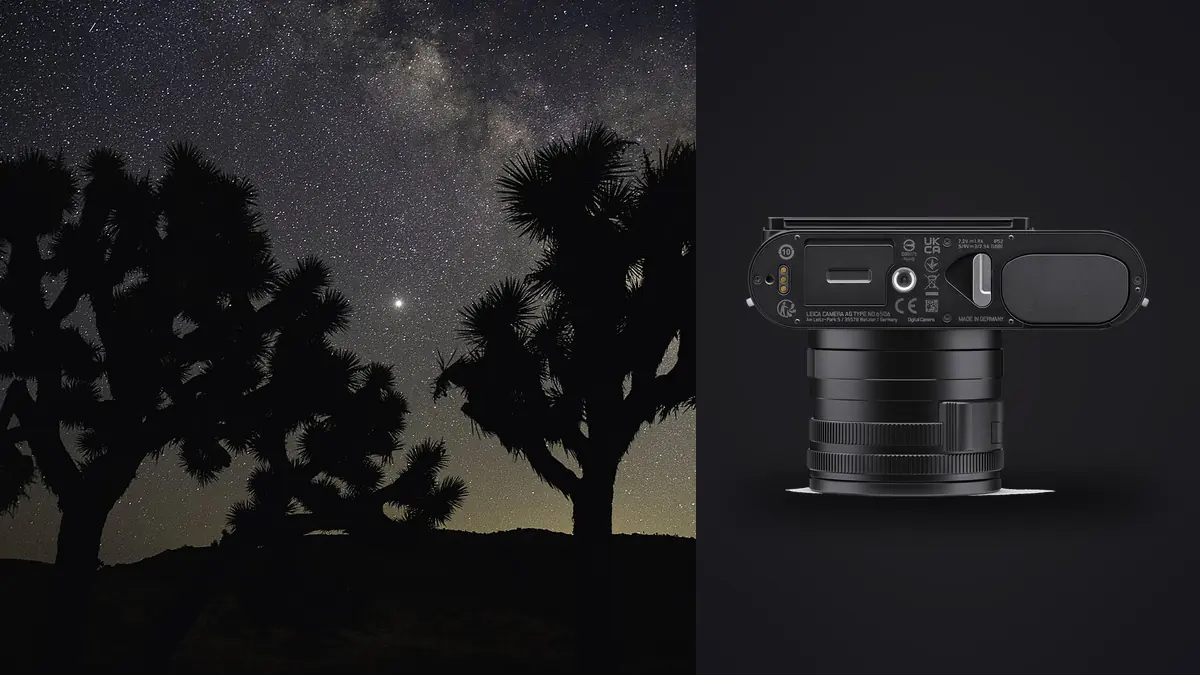
The first time I tried to stack star frames from a Leica Q3, I made the mistake every fixed-lens shooter makes at least once: I framed the Milky Way core the way I would with a 14mm rectilinear, then wondered why half my composition was empty foreground. A 28mm lens is not a wide-field astro lens in the way most people mean that phrase. It is a documentary lens that happens to have a fast enough aperture and a clean enough sensor to do serious night work, if you plan the shot instead of expecting the lens to do it for you.
That reframing is really the whole story of shooting astrophotography with this camera. The Q3 was never built as an astro tool. It has no interchangeable lens mount, no dedicated tracking hardware, and a focal length that most night photographers would call "a bit tight." What it does have is a 60.3-megapixel full-frame sensor, a genuinely fast 28mm f/1.7 Summilux, in-camera crop modes that use that extra resolution instead of just throwing pixels away, and clean enough high-ISO files that stacking actually pays off. Used deliberately, it is a surprisingly capable stacking camera. Used the way you'd shoot a landscape lens, it will frustrate you.
Why the fixed 28mm changes the exposure math
Star trailing is a function of focal length, sensor resolution, and declination, not just the old "500 rule" most people quote. The 500 rule (500 divided by focal length, so roughly 18 seconds at 28mm on full frame) was written for cameras with far lower pixel density than 60 megapixels. At that resolution, star motion that would be invisible on a 24MP file starts showing up as slight elongation once you pixel-peep, especially near the celestial equator where stars move fastest across the frame.
In practice I treat 10 to 12 seconds as my real ceiling for pin-sharp stars on the Q3 at 28mm, not 18. That is annoying, because it means I need more light per frame than the "rule" suggests, which pushes ISO higher than I'd like on a single exposure. This is exactly the situation stacking exists to solve: instead of chasing one heroic 20-second exposure at ISO 12800 that then needs aggressive noise reduction, I shoot a burst of shorter frames at a more reasonable ISO and let the stack do the noise reduction instead of software sliders.
The other wrinkle specific to this lens is coma and edge sharpness wide open. The Summilux is very good for a fixed 28mm, but f/1.7 wide open does show some coma stretching on point-source stars near the frame corners, particularly in the outer 15 percent of the image. I shoot most star fields at f/2 or f/2.2 rather than wide open. You lose a fraction of a stop, but the corner stars stay round instead of turning into little seagulls, and I'd rather manage that with a slightly longer shutter than fight it in post on every single frame.
The crop modes are more useful here than people assume
The Q3's in-camera 35mm, 50mm, 75mm, and 90mm crop modes are digital, but because the sensor has so much resolution to spare, the 35mm crop still delivers a genuinely usable 40-plus megapixel file. For a Milky Way core shot where the surrounding empty sky at 28mm just adds dead space, I'll often compose using the 35mm crop framing but still record the full-frame DNG (the crop lines only show as guides in the EVF and are baked into metadata rather than the actual RAW pixels unless you're shooting JPEG). That gives me a tighter composition to judge in the field while keeping every pixel available for the stack and for cropping decisions later, once I know exactly how the star field aligned.
Exposure settings I actually use, by subject
These are the combinations that have worked for me across a few dozen nights out with this camera, not manufacturer defaults. Adjust ISO for your local light pollution; everything below assumes a Bortle 3 or darker sky.
| Subject | Aperture | ISO | Shutter | Frames to stack | Field note |
|---|---|---|---|---|---|
| Milky Way core, no foreground | f/2 | 6400 | 10 sec | 25-40 | Use the 35mm crop framing to fill the sensor with sky |
| Milky Way with foreground blend | f/2.8 (foreground exposure) | 800-1600 | 60-120 sec | 1 foreground + 25-40 sky | Shoot foreground at blue hour or with a separate light source; stack only the sky layer |
| Wide star field, no core | f/1.7-2 | 3200 | 12 sec | 20-30 | Wide open is fine here since coma at the edges reads as texture, not a distraction |
| Star trails (stack for streaks, not noise) | f/4 | 800 | 25-30 sec per frame | 120-250 | Turn off in-camera long exposure noise reduction or you'll lose half your shooting window to dark frames |
| Lunar-lit landscape astro | f/2.8 | 1600 | 8 sec | 15-20 | Moonlight adds enough ambient light that fewer frames resolve a clean stack |
Do you actually need a star tracker
Short answer: not for what a 28mm lens is good at. A star tracker earns its keep once you're pushing focal lengths past 35-50mm, where the exposure ceiling before trailing drops well under 10 seconds and you start losing so much light per frame that stacking a hundred images barely catches up to what a single 90-second tracked exposure would give you. At 28mm, your untracked ceiling of 10-12 seconds is workable, and the math for "shoot more short frames instead" holds up.
I do carry a small tracker (I use a Move Shoot Move puck, though any lightweight star tracker works) for two specific situations: nights where I want a genuinely deep Milky Way core with minimal grain even after stacking, and any session where I'm also running a longer lens on a second body for a tighter composition. For the Q3 alone, I've stopped bothering with the tracker for standard wide-field work. The extra rigging time and the risk of a bad polar alignment ruining the whole session usually cost more than they save, given how well the untracked stack already performs.
The actual stacking workflow, start to finish
Here's roughly what a session looks like once I'm home with the cards.
A single night of star-field shooting on this camera easily produces 150 to 300 nearly identical DNG files once you count bracket tests, focus checks, and multiple compositions. Before any of that goes near stacking software, I run the take through imagic to cull it. The local sharpness scoring is genuinely useful here in a way I didn't expect from a tool built primarily for portrait and event work: it flags the handful of frames where a gust of wind or a footstep near the tripod introduced a hair of blur that isn't obvious at thumbnail size but will visibly soften your final stack if it sneaks in. Since the culling runs entirely on-device, I can do this at a campsite with zero signal, which matters more than I expected the first time I tried it two hours from the nearest cell tower.
The duplicate and burst clustering is the other piece that saves real time. When you're firing 10-second exposures back to back for twenty minutes, imagic groups those runs into clusters automatically instead of forcing you to scroll a flat filmstrip of 200 nearly identical dark frames trying to remember where one composition ended and the next began. That's a small thing but it adds up across a season of shooting.
Once I've got a clean, culled folder of frames from one fixed composition, the actual stacking happens in dedicated software, not in imagic. I'll cover the options below. After the stack is flattened and I've done the star/foreground blend, I bring the final image back through imagic's apply_my_style feature, which applies a preset trained on my own previous edits rather than a generic astro LUT. My astro color grade leans slightly toward cooler blacks and a specific warm-to-cool gradient in the sky that I've refined over probably forty edited images, and having that applied consistently and automatically across a batch is more useful for astro work than for almost anything else I shoot, because a night at one location usually produces several final compositions that all need the same treatment.
Stacking software that actually reads Q3 DNGs cleanly
| Software | Platform | Cost | Best for Q3 files |
|---|---|---|---|
| Sequator | Windows only | Free | Fast noise-reduction stacks with automatic sky/ground separation; handles 60MP DNGs without much fuss |
| Starry Landscape Stacker | Mac only | Paid, one-time | More manual control over the sky mask; better for foreground blends with trees or jagged horizons |
| DeepSkyStacker | Windows only | Free | Built for deep-sky/tracked work; overkill for wide-field but fine if you're already using a tracker |
| Photoshop (Statistics stack mode) | Mac/Windows | Subscription | Slowest option at 60MP but gives you full manual layer control if the automated tools misalign a frame |
My honest recommendation for someone starting out with this exact camera: use Sequator or Starry Landscape Stacker depending on your OS, do the noise-reduction stack there, then bring the flattened result into whatever you use for grading. Photoshop's built-in stack mode works but it chokes noticeably on files this large if you're stacking more than about 30 frames at once on an older machine.
Field notes that aren't in any manual
- The Q3 has no in-body stabilization. On a solid tripod that doesn't matter for star work, but if you're hand-holding anything (rare for astro, but I've done quick test frames this way) don't expect stabilization to bail you out at 10 seconds.
- Battery life drops hard in cold weather, and a stacking session at 25-40 frames per composition burns through a charge faster than you'd guess from daytime shooting. I carry two spares and top up via USB-C from a power bank between compositions rather than swapping cold batteries in the dark.
- Turn off long exposure noise reduction for anything you intend to stack. The in-camera dark frame subtraction doubles your time between shots, and you're about to do noise reduction through stacking anyway, so it's redundant work that costs you shooting window.
- Dew on the front element is a real problem in humid conditions. A basic dew heater band around the lens barrel earns its space in the bag on any night with high humidity.
- The electronic level is worth using even in the dark. Framing a star field by eye against a black horizon is harder than it sounds, and a couple degrees of tilt across a wide-field composition becomes obvious once you're aligning and cropping a stack.
Frequently Asked Questions
Is a 28mm lens actually wide enough for Milky Way photography?
It's on the narrower end of what most astro photographers reach for, but it works well for compositions where you want the core itself to be a strong graphic element rather than a thin band across a huge sky. If you want to capture the full arc of the Milky Way in one frame, 28mm won't get you there without stitching several frames into a panorama, which the Q3's resolution actually handles nicely since each panel is already high-resolution.
Can I skip stacking and just shoot one long exposure instead?
You can, and for casual shots it's honestly fine. But at 28mm on a 60MP body your clean shutter ceiling is short (10-12 seconds in my experience) before trailing shows up at full resolution, which limits how much light you can gather in a single frame without pushing ISO uncomfortably high. Stacking twenty or thirty shorter frames gets you the equivalent light gathering with dramatically less grain than one exposure at a high ISO would produce.
Does the Q3's fixed lens limit which stacking software I can use?
No, the lens has no bearing on file compatibility. The DNG files out of the Q3 are standard enough that Sequator, Starry Landscape Stacker, DeepSkyStacker, and Photoshop all read them without conversion. The only practical issue is file size and resolution: 60-megapixel DNGs are heavier than most stacking software was originally built around, so expect slower processing than you'd get from a 24MP body, especially past 30 or so frames in one batch.
How do I keep a season's worth of astro shoots organized without losing track of which frames belong to which stack?
This is the part that trips people up more than the actual astrophysics. A single season of night shoots can leave you with thousands of near-identical DNGs across a dozen locations. I lean on imagic's duplicate and burst clustering to group each session automatically by composition and timing before I ever open a stacking tool, since scrolling a flat folder of hundreds of dark, nearly identical thumbnails to find where one composition ends and the next begins is a genuinely miserable way to spend an evening. If you haven't tried an AI culling pass on a big astro folder before, it's worth reading up on how AI photo culling works before your next dark-sky trip.
If you're weighing whether a tool like this is worth adding to your workflow at all, the pricing page lays out the one-time cost against what a season of manually sorting star-field bursts actually costs in time.