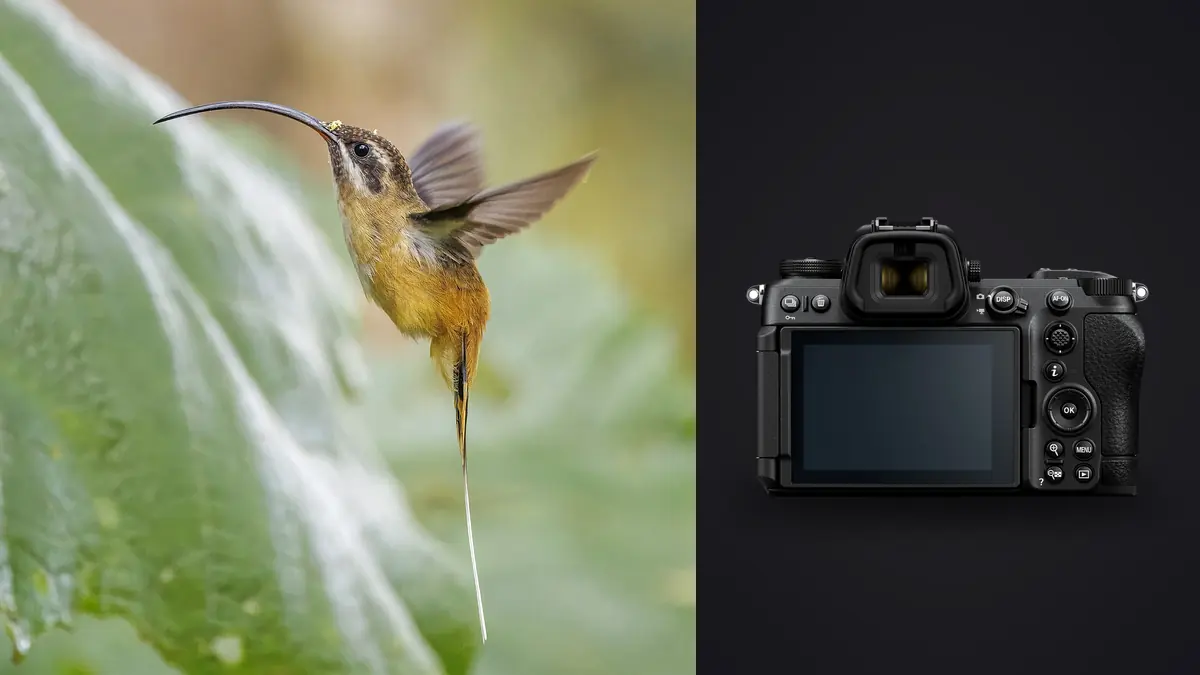
An osprey dropped out of a grey sky over a reservoir near me back in March, folded its wings about eight meters up, and hit the water at an angle that gave me maybe a second and a half of usable shooting time before it either came up with a fish or didn't. That second and a half is the entire test of a wildlife camera. Everything else, the megapixel count, the button layout, the menu depth, is background noise next to whether the autofocus held the eye through that drop and whether the buffer let me keep firing through it. I've been running the Nikon Z6 III since a few weeks after release, mostly on estuary terns, ospreys, and whatever passes through the wetland reserve twenty minutes from my house, and this is what I've actually learned about it for flight work, not what the spec sheet implies.
Why this body changed how I shoot flight sequences
I came to the Z6 III from a Z6 II, and the difference isn't subtle once birds are moving. The Z6 III uses what Nikon calls a partially-stacked sensor, which is a compromise between a fully stacked chip like the Z9's and the older conventional readout in the Z6 II. In practice that means the sensor reads out roughly three to four times faster than the previous generation. You feel that in two places: the viewfinder stays blackout-free through a burst instead of stuttering, and rolling shutter distortion on fast-moving subjects is much better controlled, though not eliminated the way it is on the Z9.
The other change that matters more than people give it credit for is the electronic viewfinder itself. Nikon rates it up to roughly 4000 nits of brightness, which sounds like a marketing number until you're tracking a tern against a washed-out overcast sky at 2pm and you can actually still see the bird instead of a silhouette blown into the finder's own glare. I didn't expect that to matter as much as it does, but half my missed frames on the old body were from losing the subject in the viewfinder for a fraction of a second, not from the autofocus itself failing.
The autofocus system in conditions that aren't a test chart
Subject detection on the Z6 III comes from the same lineage as the Z9 and Z8, scaled down slightly. Set to Animal detection, it recognizes birds specifically, not just a generic blob, and it will lock onto an eye at surprisingly small frame proportions. Against open sky it's close to unshakeable. A gull crossing a plain grey background gets picked up and held with almost no hunting, even at 500mm and full extension.
Where it gets honest is clutter. A heron flying low along a reed line, where the background is moving branches and broken light, will occasionally cause the system to jump off the bird and grab a patch of reeds instead, usually for a frame or two before it recovers. It's better than the Z6 II was in the same scenario, noticeably so, but it's not the same as the near-immunity to clutter I've seen described from Z9 owners shooting the same reserve. Wide-area AF (S) with subject detection layered on top has been my most reliable combination for erratic fliers like swallows and terns, where I want the system searching a defined zone rather than the whole frame, since letting it hunt the entire sensor area tends to invite exactly the kind of background snag I just described.
Shutter modes: what the extra frame rate actually costs
The Z6 III gives you more shutter options than most people bother sorting through, and each one trades something specific. This is the breakdown I actually use, not the marketing list.
| Mode | Frame rate | File output | Rolling shutter risk | When I reach for it |
|---|---|---|---|---|
| Mechanical shutter | 14 fps | Full-res 14-bit RAW | Negligible | Low light dawn starts, or anything with hard side-lighting where I don't want electronic shutter artifacts near contrast edges |
| Electronic shutter, full-res | Up to 20 fps | Full-res 12-bit RAW | Low to moderate on fast horizontal pans | My default for raptors and terns; the extra six frames per second over mechanical genuinely catches wing positions I'd otherwise miss |
| High-speed frame capture (C30) | 30 fps | JPEG, roughly 19MP crop | Moderate | A single unpredictable strike, like an osprey dive, where I'm chasing the exact moment of impact and I'll accept JPEG for it |
| High-speed frame capture+ (C60) | 60 fps | JPEG, further cropped | Higher | Rarely. Wingbeat-freeze shots I already know I'll crop hard, never a keeper straight out of camera |
The number that actually matters for flight work is the jump from 14 to 20 fps in RAW. That's not a huge percentage gain on paper, but at the wingbeat frequency of something like a tern or a small falcon, those extra frames are frequently the difference between catching the wings fully extended versus catching them mid-blur. Pre-release capture, which buffers up to a second of frames before you fully press the shutter, has also quietly become one of my most-used features. It covers the reaction-time gap between seeing a bird commit to a dive and actually mashing the button, which for me is usually a quarter second I don't have to spare.
Lens pairing for realistic birding distances
The body is only half the story. Most birds in flight are shot from distances where reach matters more than autofocus speed, and the lens you put in front of the Z6 III changes the whole experience of using it. Here's what I've actually carried and how each behaves in the field.
| Lens | Focal length | Weight | Handheld comfort | Where it earns its keep |
|---|---|---|---|---|
| Nikkor Z 100-400mm f4.5-5.6 VR S | 100-400mm | ~1.4kg | All day, boat or kayak friendly | Close passes, terns diving nearby, anything where birds come to you |
| Nikkor Z 180-600mm f5.6-6.3 VR | 180-600mm | ~1.95kg | An hour or two before my shoulder complains | Distant perched subjects and the reach for birds that won't close the distance, at a price point that doesn't hurt |
| Nikkor Z 800mm f6.3 PR S | 800mm fixed | ~2.4kg | Monopod strongly preferred | Shorebirds scattered across a mudflat, subjects too skittish to approach within 40 meters |
| F-mount 500mm f5.6E PF + FTZ II | 500mm | ~1.46kg | All day | Budget route to real reach; AF acquisition is a touch slower to lock than native Z glass but tracks fine once it grabs |
The 180-600mm has become my most-used lens for this specific body, mostly because the Z6 III's in-body stabilization, rated around 8 stops, makes handholding a 600mm effective reach genuinely viable for stretches of a session rather than requiring a tripod the whole time. That wasn't true for me on the Z6 II with the same lens; the older body's stabilization felt noticeably less confident at the long end.
Buffer depth and cards: the part that bites you mid-session
Nobody mentions buffer limits until they've hit one mid-burst. The Z6 III has a substantially deeper buffer than the Z6 II thanks to the faster sensor readout, but it's still finite, and the card you put in the CFexpress slot decides how quickly it recovers. With a fast CFexpress Type B card I can hold 20 fps RAW for well past a hundred frames before the rate noticeably drops, which covers almost any realistic flight pass. Drop down to the SD UHS-II slot and that number falls hard, closer to 30-40 frames before the camera throttles, which is exactly the moment a long dive sequence runs out of runway.
My practical rule: CFexpress for anything I expect to burst on, SD as the backup slot for redundancy, not as the primary recording card if birds are the subject. It's the one piece of gear math in this whole setup that's worth spending on before the trip rather than discovering in the field.
Where the real bottleneck shows up afterward
Here's the part that doesn't get talked about enough: shooting at 20 fps for an afternoon produces an absurd number of files. A single good osprey dive at full RAW burst can leave you with 60-80 nearly identical frames, and a three-hour session at a productive site routinely leaves me with two to three thousand images to get through. Almost none of that volume is useful, most of it is the same wingbeat repeated four times over, but sorting it by eye is where evenings used to disappear.
This is the actual reason I moved my culling over to imagic rather than dragging everything into Lightroom's pick flags one frame at a time. It scores sharpness locally, per frame, which for BIF work means it's actually catching whether the eye is in focus rather than just whether something in the frame is sharp, and it clusters near-duplicate burst frames instead of making me scroll through all 80 of them individually to find the two that are actually different. Because it runs entirely on the machine, none of a day's raw files get uploaded anywhere before I've even decided what's worth keeping, which matters to me with card dumps in the tens of gigabytes. Once the keepers are picked, I lean on the apply_my_style feature to carry my usual wildlife edit, the way I pull down highlights on overcast sky and warm up feather tones, across the whole batch instead of rebuilding it shot by shot. If you haven't looked at how AI-assisted culling actually separates sharp frames from soft ones, this breakdown of how AI photo culling works covers the mechanics better than I can in a paragraph here.
None of that replaces good shooting technique, and I'd rather not get 2,000 near-duplicate frames in the first place. But the Z6 III's speed and the culling backlog it creates are two sides of the same coin, and it's worth planning for both before you're staring at a card full of terns at 11pm. There's a broader set of habits for cutting that time down in this rundown on speeding up the overall photo workflow, most of which apply directly to high-volume wildlife shooting.
The settings I actually run
For what it's worth, this is the configuration that's worked for me across most flight sessions, adjusted slightly per species:
- AF-C with Wide-area AF (S) and Animal subject detection, rather than full 3D-tracking, when the background has any clutter at all
- Back-button focus assigned to AF-ON, shutter release doing nothing but firing the shutter, which matters a lot when you need to briefly release focus tracking on a bird that's about to pass behind a branch
- Minimum shutter speed floor set manually rather than trusting Auto ISO's default curve, usually 1/2000s for small fast fliers and 1/1600s for larger raptors
- VR set to Sport mode when panning, which noticeably reduces the viewfinder's tendency to lag behind a fast horizontal swing compared to Normal mode
- Electronic shutter as the default, dropping to mechanical only in harsh side light where I've occasionally seen faint banding on electronic frames
Frequently Asked Questions
Is the Nikon Z6 III actually fast enough for birds in flight, or should I be saving for a Z8?
For the vast majority of birding, yes, it's fast enough. The gap that remains is mostly in dense, cluttered scenes and in continuous full-mechanical-shutter-equivalent speed, where the Z8's fully stacked sensor and higher native frame rate pull ahead. If you're shooting open water, coastal terns, or raptors against sky most of the time, the difference in keeper rate is smaller than the price difference between the two bodies would suggest.
Does the Z6 III's electronic shutter cause visible distortion on fast wingbeats?
Occasionally, but it's subtle and mostly shows up as slight geometric skew on very fast horizontal pans rather than obvious banding. I've had it happen maybe a handful of times across a full season of shooting, almost always when swinging hard to follow a bird crossing close and fast. For anything moving primarily toward or away from the camera, which covers most flight photography, it's a non-issue.
What's a realistic keeper rate from a Z6 III flight sequence?
From an 80-frame burst on a genuinely fast subject like a diving osprey, I'll typically end up with 4-8 frames that are actually sharp on the eye and well-composed, and maybe one or two that I'd call a real standout. That ratio improves a lot on slower, larger birds like herons or gulls in a straight glide, where I've had entire short bursts come out usable.
Do I need CFexpress cards, or is SD UHS-II good enough for bird photography?
If you're shooting anything above roughly 30-40 consecutive RAW frames at the higher frame rates, CFexpress Type B is worth the cost. SD UHS-II works fine for slower subjects, static perches, and general wildlife work, but it throttles noticeably faster during sustained flight bursts, and that's exactly the moment you don't want the camera slowing down.