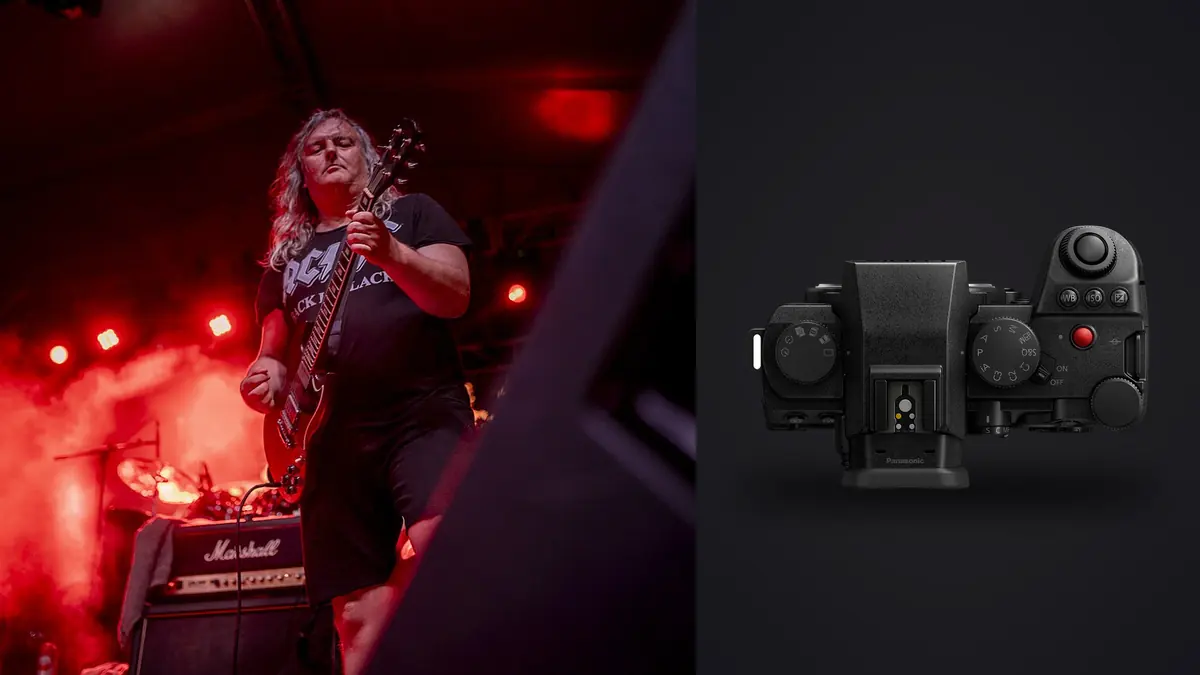
The first time I brought the S5IIx to a live show, it was a three-band bill at a mid-size club, the kind of venue where the lighting rig consists of maybe a dozen LED pars and a hazer that never quite clears between sets. That environment is a decent stress test for any camera: fast-changing color washes, backlit silhouettes, a singer who won't stay in one spot for more than half a second. It's also exactly where a lot of full-frame mirrorless bodies start showing their weak points, whether that's autofocus hunting under colored gel light or rolling shutter turning an LED wall into a banded mess. Here's what actually held up, and what I'd flag before you buy one specifically for gig work.
What the "x" actually changes for stills
Worth clearing up early, because it affects the buying decision more than most reviews admit: the S5IIx and the plain S5II share the same 24.2-megapixel sensor, the same autofocus system, the same burst speeds, and the same body shell (aside from the all-black finish on the x). The differences Panasonic built the x around are almost entirely video features: internal ProRes recording, raw video output over USB to an external SSD, timecode sync, and a slightly different heat management setup for longer takes. If your photo pass is stills-only, none of that touches your workflow.
Where it matters is if you're doing what a lot of venues and bands now ask for, which is a gallery of stills plus a 30-to-60 second recap reel from the same night. If that's your job, the x earns its premium because you're not juggling two camera bodies. If you're purely there to deliver a photo set to the publicist by morning, buy the S5II and put the difference toward a second card or a fast prime.
Sensor and ISO in a dark room
Concert lighting swings harder than almost any other genre you'll shoot. A ballad might be lit at ISO 3200 with a single warm wash, and thirty seconds later the room goes to strobing white at ISO 800 for the chorus. The S5IIx uses a dual native ISO sensor, with the second gain stage kicking in around ISO 4000, and the practical effect is that noise doesn't climb as steeply through that mid-to-high range as it does on a single-gain sensor. Native sensitivity tops out at ISO 51200, and I've used 12800 and 16000 without hesitation for punchy black-and-white conversions, since a little grain reads as texture in a live shot rather than a flaw.
Where I'd manage expectations: past ISO 25600 the files get soft enough in shadow detail that you're really shooting for social-sized output, not a print. And color noise under mixed sodium and LED lighting (a combination you get in a lot of older venues that haven't fully converted their house lights) needs a deliberate desaturation pass in post, not just a slider pull in the raw converter.
Autofocus when the subject won't hold still
The S5IIx moved Panasonic onto phase-hybrid autofocus, which was the single biggest complaint about the earlier S1 and S5 generation for anything with fast, erratic motion. For band photography specifically, human detection with eye and body tracking is the setting I leave on for the entire night. It picks up a singer's face even when they're side-lit or partially silhouetted against a backlight, which is a scenario that used to trip up contrast-detect systems constantly.
It's not flawless. Heavy haze plus a strobing light show will occasionally make the camera hunt for a frame or two, and if a guitarist is jumping directly into a spotlight the sudden exposure swing can cause a brief AF stutter. Panasonic rates the low-light AF sensitivity down to about -8 EV with an f1.8 lens attached, and in practice that's genuinely usable, meaning the camera will still lock focus in a nearly black room lit only by a single stage light, though hunting increases as you get closer to that floor.
Shutter choice and the LED banding problem
This is the part most spec sheets skip and most first-time concert shooters learn the hard way. The S5IIx's electronic shutter will go up to 30fps, completely silent, which sounds ideal for a quiet acoustic set where a mechanical shutter clack is genuinely disruptive. The catch is rolling shutter: modern LED video walls and moving-head fixtures refresh fast enough that electronic shutter can capture visible horizontal banding, especially at shutter speeds faster than around 1/500 under certain rigs.
The camera's variable shutter setting (sometimes called flicker scan on other bodies) lets you nudge shutter speed in fine increments while watching a live preview until the banding disappears, usually landing somewhere near 1/50 or 1/100 depending on the venue's power frequency and fixture refresh rate. It's a genuinely useful tool, but it costs you time you don't have mid-song. My habit now is to run a quick scan during soundcheck or the opening act, note the clean shutter speed for that specific rig, and carry it through the night. For anything with heavy LED walls, I'll often just default to the mechanical shutter at 9fps and accept the click, since a hall full of phone-recording fans rarely notices one more mechanical sound.
| Venue lighting | ISO range | Shutter speed | Shutter type | Note |
|---|---|---|---|---|
| Small club, static warm wash | 1600-6400 | 1/250-1/320 | Electronic, silent | Low banding risk, prioritize quiet operation |
| Mid venue, fast LED color changes | 2000-8000 | 1/200-1/400 | Mechanical | Run a flicker scan first if using electronic |
| Arena, LED video wall behind stage | 1600-6400 | 1/50-1/125 | Mechanical | Wall refresh rate causes visible banding on electronic |
| Outdoor festival, dusk to dark | 800-12800 (rising) | 1/320-1/500 | Electronic until dark, then mechanical | Re-check exposure every 15-20 minutes as light falls |
| Acoustic or seated show, house lights up | 800-3200 | 1/160-1/250 | Electronic, silent | Shutter noise is genuinely disruptive here |
Lens picks for pit, mid-house, and balcony
Most photo passes give you three songs, no flash, from the pit barrier. For that position I default to the Lumix S 24-70mm f2.8, wide enough to catch the full stage when everyone's spread out, long enough to get a tight shot of the vocalist without stepping back. If I know it's a small stage with band members close together, I'll swap to a 50mm f1.8 for shallower depth of field and cleaner separation from a busy backdrop.
For mid-house or balcony positions, where you're shooting the wide crowd shot or a longer lens angle on the whole stage, the 70-200mm f2.8 earns its weight. It's not light, and three hours of holding it up does add up, but the in-body stabilization (rated around 6.5 stops on its own, better paired with certain lenses using Dual IS) genuinely lets you hand-hold slower shutter speeds for atmosphere shots of the crowd or wide stage without a tripod, which most pit and photo-pass rules don't allow anyway.
If I could only bring one lens for a typical club show, it's the 24-70mm f2.8. It covers the widest range of realistic shooting distances in a small venue and it's the one I reach for nine nights out of ten.
Cards, buffer, and getting through a full bill
The dual slot setup pairs CFexpress Type A with SD UHS-II, and for concert work I keep the fast CFexpress card as primary and mirror to SD as backup, since losing your only copy of a festival headliner set to a corrupted card is not a mistake you get to explain twice. Buffer depth at full burst with a fast CFexpress card comfortably handles the kind of 2-3 second bursts you actually need for a jump shot or a drum fill, though I rarely shoot at the max 30fps electronic rate for an entire song; it fills a card fast and most of those frames are redundant anyway.
Battery life is the more honest concern. CIPA rates the battery around 370 shots, which sounds low, but that number assumes constant EVF use and menu navigation between shots, not the bursty, screen-off shooting pattern of a real gig. In practice one battery gets me through a three-band bill (roughly two and a half hours of actual stage time) if I'm conservative about chimping the rear screen. I still carry a spare in a jacket pocket, because the one night you don't is the night the headliner does an encore.
The part nobody puts in the spec sheet: what happens after the show
A three-band bill with three songs of photo access per act, shot at anything close to a real burst rate, easily produces two to three thousand frames by the time you're packing up gear at 1am. Most of those are near-duplicates of the same beat: a drummer mid-fill across six frames, a singer's mouth open across four. A good chunk are soft too, not from bad focus but from panning with a moving performer under a shutter speed that was a compromise between freezing motion and keeping ISO sane. Sorting that pile is where I actually use imagic rather than clicking through Lightroom's grid one image at a time. Its focus and sharpness scoring runs entirely on the machine (nothing gets uploaded anywhere, which matters when a publicist or artist's team has explicitly asked that unreleased show photos stay off any cloud service until the embargo lifts), and it flags the motion-soft frames from that drum-fill burst before I've even opened the folder properly. The duplicate and burst clustering groups those near-identical frames together so I'm picking the one sharp frame from a run of six instead of scrubbing through all of them by eye at 1am.
The other piece that's actually saved me time when I shoot the same band or venue again is the apply_my_style preset, since it trains off edits I've already made rather than a canned filter. Concert color grading has a house look most photographers settle into (deep blacks, saturated stage color kept intact rather than neutralized), and having that applied automatically to a fresh batch means the editing pass is mostly a final check rather than starting from zero on every gallery. If you're trying to tighten up the whole post-show pipeline rather than just this one step, the culling side of it is covered in more depth over at how AI photo culling actually works, and there's a broader rundown of speeding up the full edit-to-delivery process at 10 tips for a faster photo workflow.
Frequently Asked Questions
Is the S5IIx meaningfully better than the S5II for low-light concert work?
No. They share the identical sensor, AF system, and burst rates, so low-light stills performance is the same on both. The S5IIx's extra cost buys video features (internal ProRes, SSD raw output, timecode), not better stills in a dark venue.
Can I shoot an entire show on silent electronic shutter?
You can, but check for banding first. Static or slow-changing stage lighting is usually fine on electronic shutter; fast LED video walls and rapid color-changing rigs often show rolling shutter banding, which is when switching to the mechanical shutter is worth the audible click.
What's a realistic ISO ceiling for usable concert files?
Up to about ISO 12800-16000 the files hold enough detail for a normal print or full-size web gallery. Beyond that, up to the native 51200 ceiling, they're still usable but really suited to smaller social-sized output or a deliberately grainy black-and-white treatment.
How do I deal with the sheer number of photos from a multi-band bill without losing a whole day to editing?
Cull before you edit, not during. Running the raw folder through focus and duplicate scoring first (locally, without uploading a set of unreleased show photos anywhere) cuts a two-to-three-thousand-frame night down to a shortlist in minutes, which is the difference between an overnight turnaround and a three-day one.