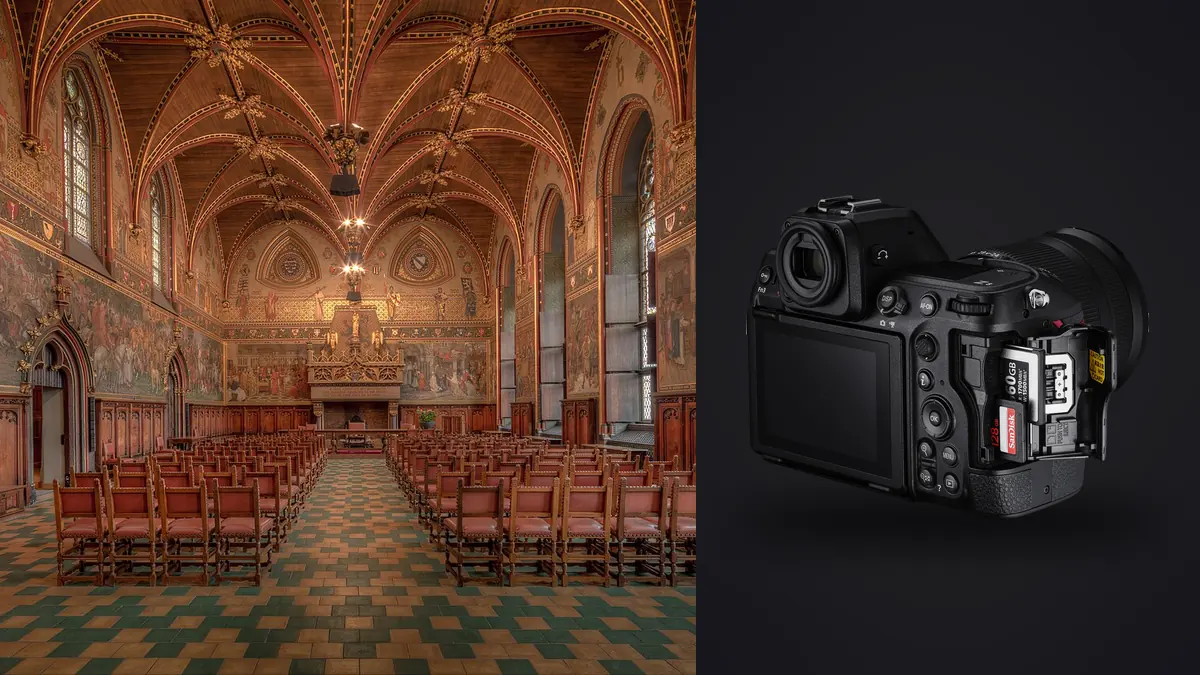
I picked up a Z8 about a year and a half after it launched, mostly because I was tired of hauling a D850 up scaffolding and ladders for commercial interior jobs. The D850 is still a phenomenal file, but it's a heavy, mirror-slapping brick when you're setting up the fortieth angle of the day in a stairwell with no elevator. The Z8 promised the same 45.7-megapixel sensor logic with less weight and Nikon's flagship autofocus system borrowed down from the Z9. What it doesn't promise, and what nobody tells you before you buy one for this specific genre, is that architecture and interiors expose a completely different set of strengths and annoyances than the sports and wildlife use case this camera was clearly built around first.
The sensor is the easy part to like
Base ISO 64, roughly 14 stops of usable dynamic range at that ISO, and enough resolution to crop a two-page magazine spread out of a corner of the frame. For interiors this matters in a very specific way: you're constantly fighting a scene where daylight through a window is six or seven stops brighter than the shadowed interior wall six feet away. With the Z8 I can expose for the mid-tones and pull detail back out of blown window light in post more often than I could with cameras a generation or two older. It's not magic, and I still bracket most rooms that have strong window light, but the single-frame latitude means fewer bracket sets are strictly necessary compared to what I used to shoot on a D750 years ago.
The camera has no mechanical shutter at all, which took some getting used to. On a tripod, in a quiet room, that's a non-issue and honestly a small win, since there's zero shutter-slap vibration to worry about on long interior exposures. Where it bites you is under mixed artificial lighting: some LED fixtures and older fluorescent ballasts flicker at a frequency that can produce faint banding with a fully electronic shutter, particularly at faster shutter speeds. The camera's flicker reduction mode catches most of it, but I've still had two shoots in office buildings with cheap retrofit LED panels where I had to drop shutter speed and raise ISO slightly to dodge a band that showed up in test frames. Worth checking on a live view zoom before you commit to a setup, not after you've broken down the tripod.
The lens situation is honestly the weak link
Nikon still hasn't shipped a native Z-mount perspective control lens. If you want true optical shift correction for verticals, you're adapting an older F-mount PC lens (the 19mm f/4E or the 24mm/85mm PC-E lenses) through the FTZ II adapter. It works, but it's a fully manual experience: manual focus, manual aperture ring, and the shift/tilt mechanism doesn't talk to the camera at all. I use focus peaking through the EVF to compensate and it's genuinely fine once you're used to it, but it's slower than I'd like when time is tight. For most of my interior work I actually reach for the 14-24mm f/2.8 S more often than the adapted PC lens. Corner sharpness wide open is excellent, distortion is well controlled for a lens this wide, and I'd rather shoot a hair wider than needed and correct verticals in post than fight a 25-year-old lens design bolted onto a modern body. The 20mm f/1.8 S is my second body's lens for tighter rooms where 14mm reads as a fisheye-adjacent exaggeration. If your budget allows it, the 24-120mm f/4 S covers detail shots and tighter compositions well enough that you're not swapping glass every five minutes on a residential shoot.
How it stacks up against what architecture shooters actually used before
I still get asked whether it's worth moving off a D850 or a Z7 II if you already own one. Here's the honest comparison based on what actually changes on a real shoot day, not spec sheet trivia.
| Camera | Sensor / resolution | Shutter type | IBIS | Body weight (approx.) | Where it wins for interiors |
|---|---|---|---|---|---|
| Nikon Z8 | 45.7MP stacked CMOS | Fully electronic, no mechanical option | Up to 6 stops (8 with synchro VR lenses) | ~910g | Handheld low-light corridors, vibration-free tripod exposures, deep buffer for bracket bursts |
| Nikon Z7 II | 45.7MP BSI CMOS | Mechanical + electronic | Up to 5 stops | ~705g | Lightest option for carrying up multiple floors, still ties adapted PC lenses well |
| Nikon D850 | 45.7MP CMOS (DSLR) | Mechanical, 1/8000s | None | ~1005g | Optical viewfinder for manual tilt-shift work, no rolling shutter concerns whatsoever |
The D850's optical finder is genuinely nicer for manually focusing an adapted PC lens with the shift engaged, because you're seeing real light through real glass with no EVF lag. But I don't miss carrying it up four flights of stairs with a case of lighting gear, and the D850 has no in-body stabilization at all, so handheld dusk shots in a hotel lobby need a tripod that the Z8 can sometimes skip thanks to IBIS. The Z7 II sits in an odd middle spot: lighter than both, but the non-stacked sensor and shallower buffer mean it chokes a bit faster if you're firing seven-shot HDR brackets back to back across a big shoot day.
Bracketing generates more files than any wildlife burst ever will
Sports and wildlife shooters talk about the Z8's 20fps RAW burst like it's the headline feature, and for that genre it is. For architectural interiors, the file-volume problem comes from a different direction: exposure bracketing. A single window-lit room with a dark wood floor and a bright exterior view can need five to seven bracketed frames to hold detail from the sky through to the shadow under a console table. Multiply that across thirty rooms in a listing shoot or a hospitality property, and you're looking at somewhere north of 1,500 frames by the end of the day, most of which look nearly identical to the human eye scrolling through a folder at 1am. This is where I actually lean on imagic rather than scrubbing through Lightroom thumbnails manually. Its local sharpness and focus scoring flags which frame in each bracket set is actually the sharpest (tripod creep and HVAC vibration are real problems on long exposures, even with IBIS off and mirror lock-up irrelevant on a mirrorless body), and the burst clustering groups the bracket sequences together automatically so I'm reviewing thirty rooms instead of scrolling past 1,500 near-duplicate thumbnails one at a time. Since it runs entirely on-device, I don't have to think about uploading site photos anywhere, which matters more than people expect when you're shooting inside a corporate headquarters or a property under an NDA. If you're building out a faster interior workflow generally, the culling step is usually the biggest time sink, and it's worth reading up on how AI photo culling actually works before assuming manual review is just the cost of doing business.
Practical stuff that doesn't show up in a review
Battery life is good enough that I rarely swap mid-shoot, even shooting tethered with the screen active most of the day. The tilting rear screen (not fully articulating) is enough for low tripod angles shooting up at a ceiling detail or a staircase, though I still occasionally wish for a full vari-angle screen when the tripod's down near floor height for a low, wide entryway shot. The electronic level in the viewfinder is accurate enough that I trust it over a bubble level now, which speeds up the tedious part of architectural work: getting verticals dead straight before you even trip the shutter, so you're not fighting a five-degree correction and losing resolution to the crop later. Silent shooting is a genuine benefit in occupied spaces. I've shot in working restaurant kitchens and open-plan offices where a mechanical shutter clack every few seconds would have been a real nuisance to staff trying to work around me. With the Z8's fully electronic shutter, nobody in the room notices I'm shooting at all, which changes how people behave in candid lifestyle-adjacent interior shots.
Editing consistency across a long shoot
Interior work punishes inconsistent white balance more than almost any other genre, because a hallway shot under tungsten and the next room shot under daylight from a skylight need to feel like they belong in the same building, even though the raw color temperature is wildly different. I settled on a personal editing style years ago (slightly cooler shadows, warm but not orange wood tones, and I never let whites go fully neutral because it reads sterile) and rather than rebuild that from scratch on every image, I run new batches through imagic's apply_my_style feature, which is trained on my own past edits rather than some generic preset library. It gets the base grade close enough on 80 percent of frames that I'm only hand-adjusting the tricky mixed-lighting shots individually. If your workflow currently means re-dragging the same five sliders on every single frame of a 40-room shoot, that repetition is exactly the kind of thing worth automating; there's a broader rundown of workflow shortcuts like this in this piece on speeding up a photo workflow if bracket-heavy interior work is a regular part of what you shoot.
Who this camera actually makes sense for
If you're shooting real estate listings on a volume basis, the Z8 is probably more camera than the job strictly needs. A Z7 II or even a well-kept Z6 III with a good wide lens will produce files that satisfy 95 percent of MLS listing clients, and the money saved is better spent on lighting gear or a second wide lens. Where the Z8 earns its price is on architectural and hospitality work where a client is printing large, where dynamic range headroom on a blown skylight actually shows up in the final deliverable, and where you're covering enough ground in a day that IBIS and a deep buffer save real time versus babysitting a tripod for every single frame. I'd still call the lens lineup the camera's weakest link for this specific genre until Nikon ships a native Z tilt-shift lens; until then, the 14-24mm f/2.8 S and careful vertical correction in post cover most of what a dedicated shift lens would have done anyway.
Frequently Asked Questions
Do you actually need a tilt-shift lens on the Z8, or is shift correction in editing good enough?
For most commercial and hospitality interior work, correcting verticals in post with a wide native lens like the 14-24mm f/2.8 S gets you 90 percent of the way there, and you retain autofocus and metering the whole time. True architectural print work, especially anything going to a large format or a design portfolio, still benefits from optical shift because you're not sacrificing resolution to a crop or introducing the subtle stretching that heavy digital correction can add to the edges of a frame.
Does the Z8's electronic-only shutter cause banding under interior lighting?
It can, but it's inconsistent and lighting-fixture dependent. Cheap LED retrofit panels and some fluorescent ballasts are the main culprits. The camera's built-in flicker reduction handles most cases, and dropping shutter speed slightly usually clears up whatever it doesn't catch. Always check a test frame at full zoom on the rear screen before you strike the setup, because banding is easy to miss on the small preview.
How many bracketed exposures does a typical interior shot actually need?
A room with a moderate window and even ambient light might only need three brackets. A room with a bright exterior view and dark interior surfaces, which describes a lot of hospitality and residential lobby work, usually needs five to seven to hold both the sky and the shadow detail without visible noise when you blend them. Shooting more than that is rarely necessary with the Z8's dynamic range at base ISO.
Is the Z8 overkill for everyday real estate listing photography?
For most single-family listing work, yes, honestly. The resolution and buffer depth are built for a genre (sports and wildlife) that has nothing to do with a tripod-mounted interior shoot. It becomes worth the price difference over something like a Z7 II when you're regularly shooting for print, working in low light without a tripod, or covering enough square footage per day that the deeper buffer and faster card-clearing actually save you time on set.