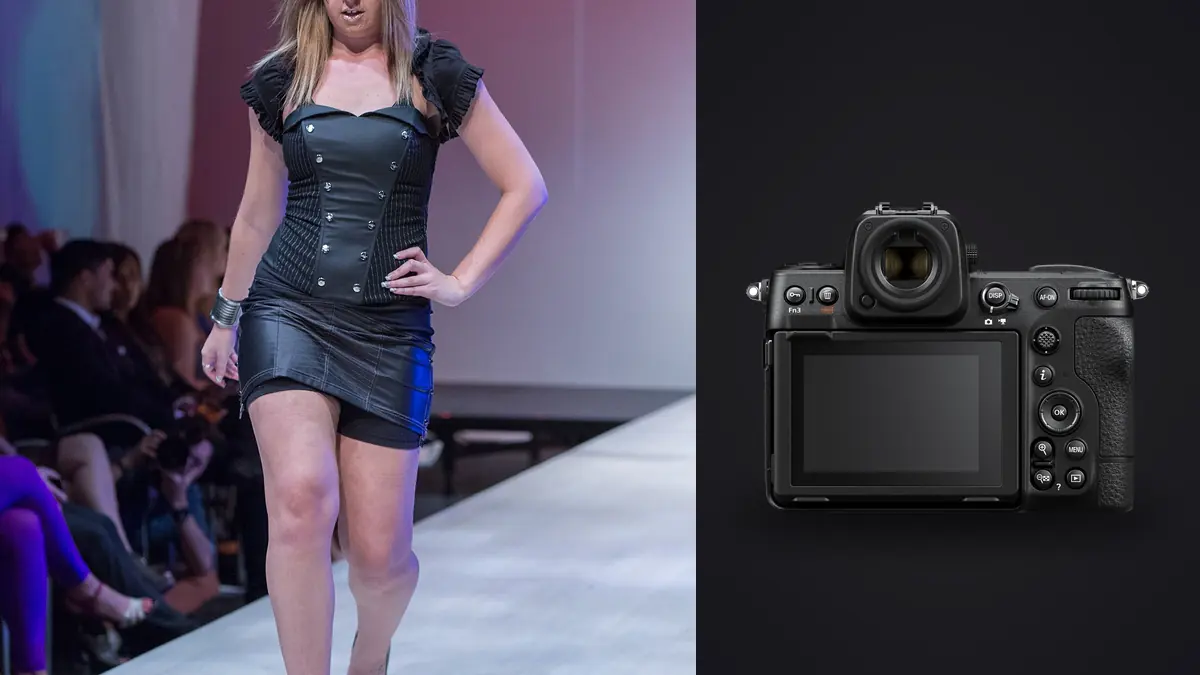
A lookbook day is not a fashion editorial day. Nobody is chasing one perfect frame for a magazine spread. You're moving through twenty-five to forty looks with a client, a stylist, and a steamer running in the background, and every single look needs to come out clean, consistent, and fast enough to hit an e-commerce launch date. I've shot three seasons of lookbooks for a mid-size apparel brand on a Nikon Z8, switching over from a D850 kit that had served me fine for years, and the change in pace was bigger than I expected going in. This isn't a spec rundown. It's what actually mattered on set, what didn't, and where the camera created a new problem on the back end that nobody warns you about.
What a lookbook shoot actually demands from a camera
Editorial fashion work rewards patience. Lookbook work rewards throughput. A brand gives you a day, sometimes a day and a half, to get through a full season's worth of garments, and the client is standing behind you checking looks off a list on their phone. The camera's job isn't to produce one transcendent image per outfit, it's to produce a reliable spread of usable frames per look, fast enough that you're not the reason the shoot runs long. That reframes which specs actually matter. Dynamic range and resolution still count, but autofocus consistency across dozens of near-identical poses and buffer depth during a walk sequence end up mattering just as much, if not more.
Burst speed and buffer depth in practice
The Z8 will do 20fps in raw with the electronic shutter, but that mode locks you into 12-bit capture, and on a shoot where you might want to push shadows on a dark garment during retouch, I don't love giving up two bits of depth just to have more frames of a static standing pose. For anything where the model is genuinely moving, a hem flick, a jacket toss, a walk cycle, 20fps earns its keep because you're trying to catch a fabric shape at its peak extension and you don't get a second take on the exact same movement. For standing poses and static hero shots I drop back to 10fps mechanical and full 14-bit, which is plenty of coverage for a pose that isn't changing frame to frame anyway.
Buffer depth held up better than my D850 ever did. Shooting 14-bit lossless compressed raw to a CFexpress Type B card, I could run a full walk sequence without the buffer choking mid-burst, which used to be the single most annoying failure mode on older bodies: the camera stalling for two seconds right as the model hits the best part of the movement. The SD UHS-II slot is genuinely useful for instant backup, but don't write raw to it as your primary card if you're shooting bursts. It's noticeably slower to clear and will bottleneck a fast sequence.
Resolution as insurance for the retoucher
45.7 megapixels sounds like overkill for garment photography until you remember how many different crops one lookbook frame ends up serving. A single full-length shot might get delivered as a website hero image, a square Instagram crop, a vertical story crop, and a tight detail crop of stitching or hardware for the product page. Having that resolution in the original file means you're not scheduling a second setup just to get a close-up of a zipper pull. I've saved entire extra shooting blocks by cropping hard into an existing frame instead of re-lighting a product detail shot from scratch.
Autofocus with fabric in motion
Eye and face detection on the Z8 stays locked through a surprising amount of fabric interference, a scarf whipping past the face, a hood flopping forward, hair catching wind from a fan just off camera. 3D-tracking mode outperformed auto-area AF for me specifically because a stylist's hand often darts into frame between takes to adjust a collar, and auto-area would occasionally grab that hand instead of re-acquiring the model's eye. Locking tracking onto the eye at the start of a sequence and trusting it through the movement worked more reliably than re-selecting a focus point between every frame.
Lens pairing that actually gets used
On a tight studio day I default to the 50mm f/1.8 S for full-length hero shots, since it gives natural proportions at a working distance that fits most rented studio spaces without backing into a wall. The 85mm f/1.2 S comes out for tighter torso-up crops and detail work where I want separation from the backdrop, but it demands more room than a lot of studios actually have, so I only bring it when I've confirmed the space in advance. When the schedule doesn't allow lens changes between three different backdrop setups, the 24-70mm f/2.8 S becomes the one-lens-day option. It's not as sharp wide open as either prime, but for lookbook delivery sizes that difference disappears, and the flexibility saves real time.
Studio settings by shot type
Different parts of a lookbook day call for genuinely different camera setups. This is roughly how I split it across a typical shoot.
| Shot type | Drive mode / AF | Shutter & light | ISO range | Why |
|---|---|---|---|---|
| Full-length walk / motion | 20fps electronic, 3D-tracking AF-C | 1/1000+ under continuous LED to freeze fabric | 400-1600 | Need burst depth to catch peak fabric extension; rolling shutter risk is low since motion is mostly vertical |
| Static standing pose | 3-5fps mechanical, single-point AF-C | 1/250 flash sync with strobes | 64-200 | Pose isn't changing frame to frame, so precision on the eye matters more than frame count |
| Product / detail close-up | 1fps, pinpoint AF-S, tripod | 1/125, strobes at low power | 64 | Maximum resolution and lowest noise for hard crops used on product pages |
| Fabric flow (hem flick, jacket toss) | 20fps electronic, wide-area AF-C | 1/1250-1/2000, continuous LED only | 800-1600 | Strobe recycle time can't keep pace with 20fps, so continuous light is the only option that supports the burst |
| Group / multiple models | 8fps mechanical, 3D-tracking | f/5.6-f/8 for depth across bodies | 200-800 | Priority shifts from isolating one subject to keeping every model acceptably sharp at once |
Where flash sync gets in the way
The 20fps mode is electronic-shutter-only, which means strobes are off the table at that frame rate unless you're using continuous LED panels instead. This tripped me up on my first shoot with the camera. I'd planned to use the fast burst for a movement sequence lit with monoblocks, and the frames came back either dark or with visible banding because the strobe simply couldn't cycle fast enough to expose every frame. Movement shots on this camera are a continuous-light job, full stop. Static poses are where the strobes come out, capped at the 1/250 mechanical sync speed like most modern mirrorless bodies. If a shoot needs both looks, plan the lighting changeover into the schedule rather than trying to run one setup for the whole day.
The culling problem a 20fps day creates
Here's the part nobody mentions when they're talking up the frame rate: a single day shooting 25-30 looks with regular use of 20fps bursts for movement shots produces somewhere between 4,000 and 8,000 frames. That's not an exaggeration, that's a real count from my card after a recent shoot. Every walk sequence, every hem flick, every jump shot for an activewear line adds another 40 to 80 frames that all look nearly identical at a glance, and somewhere in each burst is the one frame where the fabric is at the right point in its arc and the eyes are sharp. Sorting that by hand after a full shoot day is a bad use of a retoucher's time. I run everything through imagic before it goes anywhere near Lightroom or Capture One, mainly because its duplicate and burst clustering groups each walk sequence together automatically instead of leaving me to scroll through hundreds of nearly identical frames one by one, and its local sharpness scoring flags which frame in each cluster actually has the crisp focus lock rather than motion blur on the fabric edge. Since it runs entirely on the laptop with no cloud upload involved, it's also a culling step that suits shoots covered by an unreleased-collection embargo, since nothing leaves the machine before anyone has signed off. For background on how that kind of local scoring actually works, this piece on AI photo culling covers the mechanics in more depth than I will here.
Once the shortlist is built, consistency across the set becomes the next problem. A lookbook needs every look to read as part of the same shoot, same white balance intent, same contrast curve, same skin tone treatment, even though lighting drifts slightly across a ten-hour day. I grade the first hero shot by hand to match the brand's color story, then let imagic's apply_my_style preset (trained on that first edit) carry the same look across the rest of the set, which cuts what used to be a full day of matching grades down to an afternoon of spot-checking outliers instead of building every edit from scratch. If your current workflow still involves grading each look individually, this rundown on speeding up a photo workflow has a few adjacent ideas worth trying.
Weak points worth planning around
None of this is a complaint list so much as a heads-up for anyone budgeting a shoot day around the camera. The EN-EL15c drains faster than I expected once you factor in near-constant review on the rear screen between takes, so a spare battery or two is not optional on a full day. There's no built-in vertical grip the way there is on the Z9, so if you're shooting portrait orientation for most of the day, either budget for the accessory grip or expect some wrist fatigue by hour eight. Card management matters more than I initially gave it credit for: keep raw writes on the CFexpress slot and use the SD slot purely as a JPEG backup, because writing raw to both slots simultaneously during a 20fps burst will slow the buffer clear noticeably. And on a multi-day campaign, mechanical shutter actuation counts add up fast when you're running 8-10fps bursts across hundreds of looks, so it's worth knowing your body's actuation count going into a big booking rather than finding out mid-shoot.
Frequently Asked Questions
Is the Z8 more camera than a small brand's lookbook budget really needs?
It depends on how much movement is in the shot list. If a brand's lookbook is entirely static standing poses against a seamless backdrop, a Z6III handles that job at a lower price point and the resolution difference won't matter at delivery sizes. Where the Z8 earns its cost is on activewear, outerwear, or anything with hem and fabric movement in the shot list, since the buffer depth and tracking consistency during bursts genuinely reduce the number of unusable frames per look.
Do I need the vertical grip for a full lookbook day?
Not strictly, but if more than half the shot list is portrait crops, holding the body vertically all day without the grip gets tiring by the afternoon, and the grip also buys extra battery capacity that matters on a ten-hour day with client review between every take. I'd call it a convenience purchase rather than a requirement.
Should I shoot raw at 20fps for the whole day or drop to a lower frame rate?
Reserve 20fps for genuine movement, walks, fabric flicks, jumps. For static poses it just multiplies your culling workload without adding usable variety, since the pose isn't changing between frames. Dropping to 10fps mechanical for anything static also gets you back to full 14-bit raw instead of the 12-bit capture that comes with the 20fps electronic mode.
How does the Z8 compare to the Z9 specifically for lookbook work?
Autofocus and burst performance are close enough that it rarely decides the shot. The real difference on a lookbook day is size and weight: the Z8 is noticeably lighter to hold overhead or at odd angles for hours, which matters more on a shoot with dozens of looks than the Z9's built-in grip and larger battery would. I'd pick the Z9 for a multi-day campaign with heavy portrait shooting, and the Z8 for a single fast-paced lookbook day where handling speed matters more than endurance.