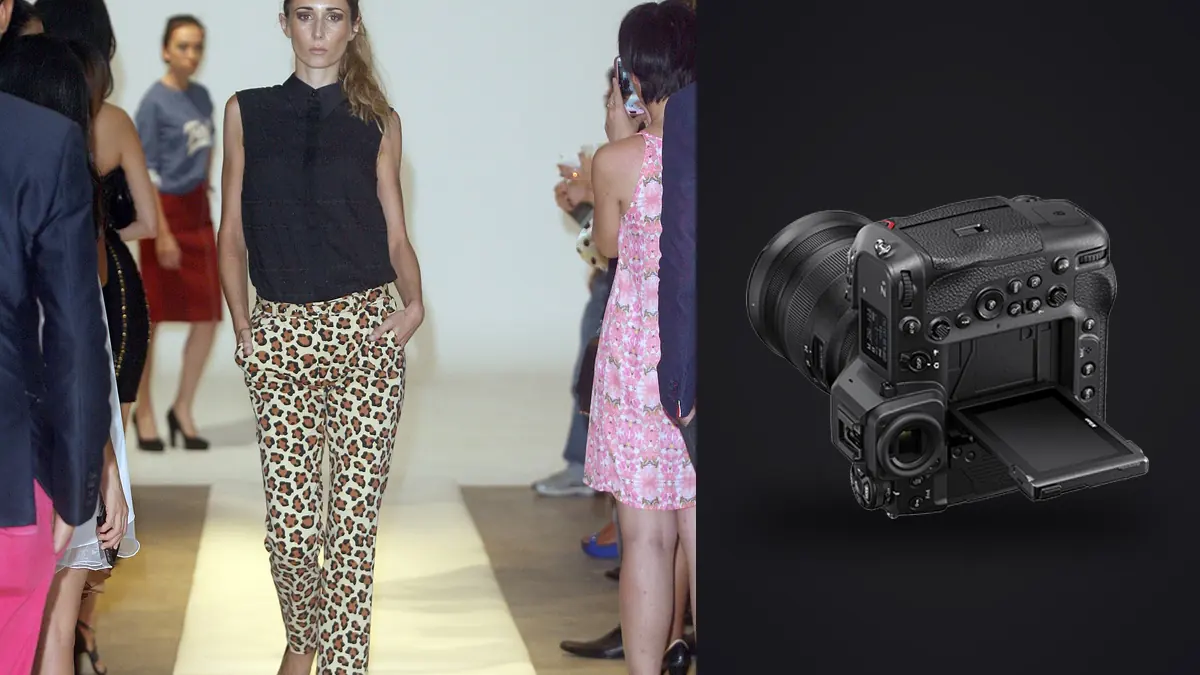
A Nikon Z9 commercial fashion lookbook RAW Workflow should make a large production searchable by product rather than by vague memory. The camera's high-resolution stacked sensor, integrated vertical body, and two CFexpress Type B or XQD slots can support sustained studio or location work. The commercial requirement remains simple: every approved garment and view must be correct, findable, and traceable.
The process links shot-list codes, NEF settings, dual-card safety, lighting references, on-set completeness checks, garment-led culling, consistent RAW development, specialist retouching, proof approval, and final delivery. Technical quality enters after product identity and consent are established.
Convert the product list into capture codes
Create a short, unique code for every look, garment, colorway, model, and set combination that matters. Photograph a slate at each change. If styling substitutes an item or modifies a look, record the change immediately rather than silently reusing the original code.
List mandatory views separately from creative options. Front, side, back, detail, horizontal, vertical, movement, and crop-safe frames may all have different commercial roles. Mark which items can be omitted and which require an alternate.
Keep personal data in controlled production records, not public filenames. Synchronize all camera clocks and assign body prefixes. A stable ID should survive from NEF through proof, retouched master, crop variants, and delivery.
Choose NEF settings for downstream use
Select the RAW compression option after verifying current support in the full editing and retouch chain. Make representative files with the present firmware, open them in each application, and render the expected outputs. Preserve the original NEF even if another stage uses TIFF.
High resolution supports fine fabric, accessories, and layout crops, while it also reveals movement, focus error, lint, and makeup edges. Use aperture and shutter for the garment and pose depth. A sharp near eye is not enough when the far lapel or required accessory leaves the useful plane.
Keep picture control and white balance stable for neutral on-set review. A stylized preview can hide product color or shadow texture. Make a neutral reference after meaningful light, modifier, background, or location changes.
Use the two card slots as documented redundancy
The Z9 offers two slots for compatible CFexpress Type B or XQD media. Duplicate NEF recording can provide an immediate second copy, while split or overflow modes serve different goals. Verify the chosen routing by reading both cards.
Label media by camera and number. A card handoff log should record look range, copy destinations, verification, and return status. Keep blank, exposed, and copied cards in distinct physical positions, and do not format from a verbal confirmation.
Transfer to a stable working directory and separate backup, then compare counts and open files from each look. Camera redundancy does not replace workstation backup. Store catalogs, previews, and exports outside the immutable NEF source directory.
Keep tethering outside the imagic stage
Tethering can support on-set garment, focus, and composition checks through separate compatible software. imagic does not provide tethering. Its workflow begins after files exist in a directory, so the production must define whether the card, tether folder, or both are authoritative at wrap.
Do not allow temporary tether caches to become untracked originals. Include them in access, backup, and cleanup policy. If ratings or color marks are created during capture, verify that they survive transfer before using them as approval evidence.
Restrict review screens to necessary participants. Unreleased collections and model images should not appear in shared operating-system folders or automatic consumer photo libraries. Local production still requires deliberate account and network control.
Audit completeness before the set changes
At the end of every look, compare frames with the mandatory view list. Check garment identity, colorway, labels, closures, accessory count, hem, fit, and styling continuity. Then magnify the intended eye and product details for focus and movement.
Inspect the full frame for stands, clips, tags, cables, mirrors, screens, and private objects. Correct simple problems on set when safe. A reshoot with the right garment state is more reliable than a complex repair that may alter product truth.
Mark a provisional hero and alternate with stable IDs. Do not treat the mark as final approval. A commercial reviewer may prefer clearer fit or product visibility over the most expressive pose.
Cull by look before overall aesthetics
First prove that every code and required view exists. Next compare product accuracy, then technical quality, then expression and creative fit. This hierarchy prevents a beautiful set from hiding one missing back view or wrong colorway.
imagic can ingest supported NEF files locally, score sharpness, exposure, closed eyes, and composition, and group bursts or near-duplicates. Those signals help navigate repeated poses, but a person must verify the product. Culling sets status and does not delete originals.
Keep alternates until layout and retouch approval. A near-duplicate may offer better drape, logo visibility, or crop space. Record why an alternate remains so it is not removed as mere repetition during later cleanup.
Normalize color within real lighting groups
Build groups from set, source, modifier, background, and meaningful daylight change. Begin with the corresponding neutral reference, then establish exposure and broad tone on a representative file. Synchronize conservatively and inspect the full group.
Compare product color with approved references under controlled viewing. Mixed light and colored spill may need local correction in a suitable editor. Do not force one global white balance to solve different colors on face, garment, and backdrop.
Protect texture in black textiles, pale fabric, reflective trim, lace, and layered materials. Strong contrast can erase construction detail. Keep the desired campaign tone without making different fabrics look artificially identical.
Build a consistent crop and pose system
Define headroom, foot room, camera height, and subject scale for each view type. Compare a contact sheet across the collection. Gradual framing drift is hard to see while editing one file at a time and obvious when all looks appear together.
Create crop variants non-destructively. A square product tile, vertical story, and horizontal banner should keep the same parent ID with distinct suffixes. Do not edit each derivative independently from the NEF because color and retouch can diverge.
Review movement frames as a separate visual group. Fabric swing and walking poses can support campaign rhythm even when static product views remain the commercial reference. Keep the roles clear in naming and approval.
Separate RAW development from retouch
RAW development sets lens correction, exposure, white balance, crop, and a conservative detail baseline. Retouching addresses approved local cleanup, backdrop work, and temporary marks. Version those stages and keep source identity visible.
imagic stores non-destructive adjustments and exports JPEG or TIFF but does not provide layers or tethering, and its retouching is limited to the Heal / Remove brush, red-eye correction and portrait polish in Plus and Max. A learned style, when available, comes from the photographer's own edited work and remains only a starting point. Every look still needs color and product review.
Document retouch boundaries. Logos, garment shape, seam construction, colorway, and fit can be commercially significant. Altering them without direction creates an inaccurate asset even when the change looks polished.
Manage proofs as temporary derivatives
Create appropriately sized proofs with stable IDs and a consistent profile. Use watermarks only when required and keep them separate from clean masters. Do not send full-resolution unreleased material merely to collect selections.
Consolidate comments into one approval manifest. Gallery positions can change, so every note should cite the file ID and requested crop or retouch. A substituted product requires a new approval state rather than inheriting the old one.
Remove temporary proof caches according to policy after approval, while retaining decision records needed for traceability. Confirm that withdrawn files are not present in later contact sheets or export sets.
Control multi-model and sample continuity
When several models wear the same product, add the model code without changing the official garment identity. Keep fit notes, styling differences, and approved combinations in the production record. A frame should not inherit approval merely because the garment code matches another model.
Track samples that change during the day. Pins, temporary alterations, replacement buttons, damaged hems, and accessory substitutions can make two visually similar frames commercially different. Mark the change point and prevent batch culling from merging the states conceptually.
Review a contact sheet by garment across all models, then another by model across all looks. The first checks product consistency; the second checks pose, crop, skin, and lighting continuity. Keep both reviews tied to source IDs rather than temporary gallery order.
Version retouch handoffs across the campaign
Provide the retoucher with an approved manifest, neutral high-quality source, product reference, crop intent, and explicit change limits. Separate global color notes from file-specific cleanup. A vague request to make everything match can erase real differences between materials and sets.
When revised masters return, verify source identity, dimensions, profile, layers or editability, and requested changes. Compare logos, seams, hems, accessories, and body edges against the NEF. Record the retouch version and reviewer decision.
Do not propagate an adjustment from one master to every look without inspection. A background repair or skin treatment may cross garment boundaries or alter product color. Generate final crop variants only from the approved retouched version, then lock the manifest for delivery. Record the lock date and approving role.
Export and audit the commercial set
Confirm JPEG or TIFF, color space, dimensions, compression, sharpening, crop variants, filename, metadata, and destination. Generate all derivatives from the approved retouched master. Keep product code and parent ID intact.
The imagic desktop workflow explains local culling and output, while AI and Technology provides broader automation context. Product systems, rights tracking, and layered retouching remain separate tools.
Open every final and compare it with the product list. Check garment, colorway, view, crop, profile, filename, and output count. Archive NEF originals, edit records, masters, approval manifest, and derivatives according to the production agreement.
Use a Z9 lookbook RAW workflow checklist
- Codes: assign every garment, colorway, model, and set.
- Views: separate mandatory product coverage from creative extras.
- Format: verify NEF through development, retouch, and archive.
- Cards: confirm both destinations and log every handoff.
- Audit: check completeness and garment state before reset.
- Cull: rank product accuracy before expression.
- Color: use references within coherent lighting groups.
- Retouch: preserve product truth and source traceability.
- Proof: collect approval through stable IDs.
- Deliver: audit products, views, crops, profiles, and counts.
Frequently asked questions
Can imagic tether a Nikon Z9 for fashion capture?
No. imagic begins with files in a directory and does not provide tethering. Use separate compatible capture software, then ingest the stable copied folder.
Should a fashion cull begin with expression?
No. Confirm product code, garment state, colorway, and required views first. Technical and creative ranking follows commercial completeness.
Can one batch edit cover every look?
Only when the light, background, modifier, and product requirements truly match. Group coherent setups and inspect every synchronized file against color references.