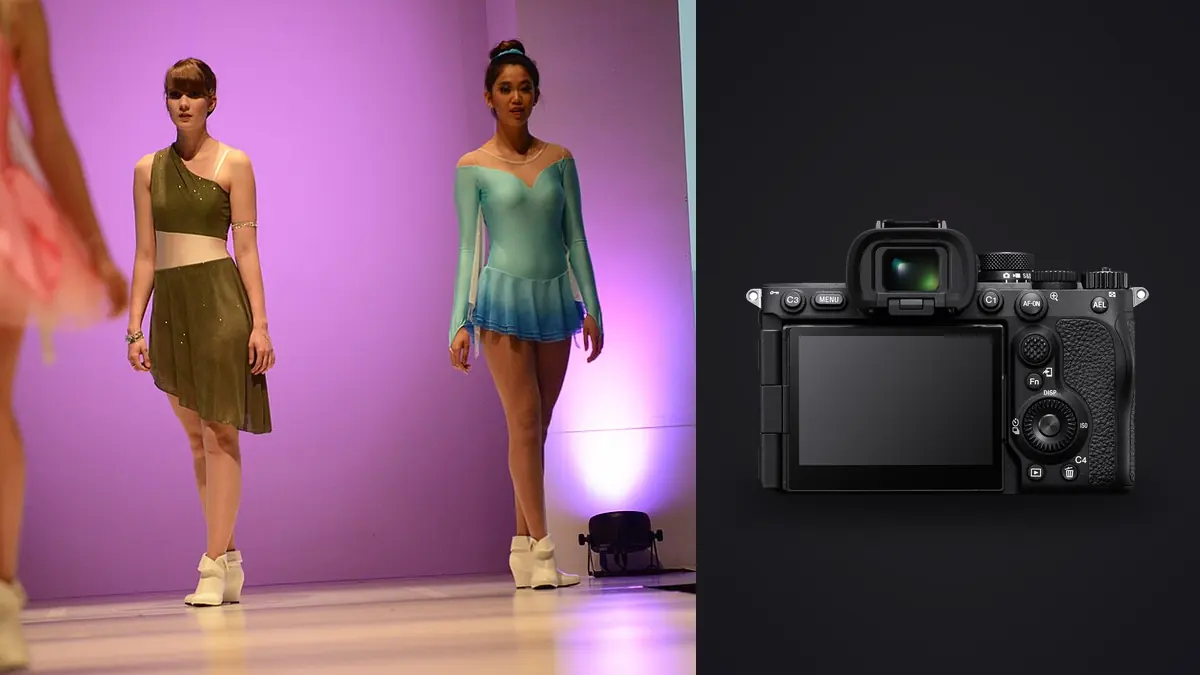
Picture a denim brand's fall lookbook shoot, where the producer asks three weeks out what body you'll be bringing. Not out of curiosity. She wants to know whether the files would survive being cropped four different ways: a square Instagram grid, a 4:5 for the Shopify product pages, a 16:9 spread for the printed lookbook PDF, and a couple of full-bleed hero shots for the homepage carousel. That question is why the Sony A7R V makes sense as the main body for a two-day shoot instead of the A7 IV you might normally reach for on a job with this little turnaround. Forty-two looks, one studio day, one half-day on location, same-week delivery. There is no room for a reshoot if a crop comes back soft, so resolution stops being a spec sheet number and becomes a production decision.
Why the A7R V specifically, and not a faster body
Picture a lookbook job where the A7R V was the pick, for three reasons that had nothing to do with which camera felt nicest to hold. First, the deliverable list was genuinely multi-format, and nobody knew at the time of shooting exactly how each frame would eventually be cropped, so the shooter wanted headroom to decide that later rather than nail the exact aspect ratio in camera on every single look. Second, the location half-day was a rooftop with shifting light and no time to rebuild lighting for every angle, so the in-body stabilization mattered more than it would in a controlled studio. Third, the schedule gave roughly twenty minutes per look including a wardrobe change, a light check, and the actual capture, which meant autofocus needed to be trustworthy enough that the shooter wasn't chimping every third frame to confirm focus landed.
Resolution as a production tool, not a spec sheet number
The A7R V's sensor outputs a native file of 9504 by 6336 pixels, a little over 61 megapixels. On a lookbook job that gets delivered across five or six different channels, that number matters less as a bragging point and more as insurance. A 24 or 33-megapixel file gives you plenty of resolution for one crop. It starts to get thin once you've cropped a 3:2 frame down to a tight 1:1 square and then that square gets cropped again for a thumbnail. With the A7R V you can frame a little loose on set, protecting yourself against the client changing their mind about crop later, and still deliver every format without upresing anything.
Here's the math for a shoot like that, using the native 9504 x 6336 frame as the source for each deliverable it might produce:
| Deliverable | Crop dimensions | Resulting resolution | Print size at 300dpi |
|---|---|---|---|
| Lookbook cover (full 3:2 frame) | 9504 x 6336 | 60.2 MP | 31.7 x 21.1 in |
| Shopify product shot (4:5) | 5069 x 6336 | 32.1 MP | 16.9 x 21.1 in |
| Instagram grid (1:1) | 6336 x 6336 | 40.1 MP | 21.1 x 21.1 in |
| Editorial double-page spread (16:9) | 9504 x 5346 | 50.8 MP | 31.7 x 17.8 in |
| Hardware/stitching detail crop | 4224 x 6336 | 26.8 MP | 14.1 x 21.1 in |
Every one of those still clears 25 megapixels after cropping, which is enough for large-format print if the client ever wants a window display or trade show banner made from a shot that was never composed with that in mind. Try that same math starting from a 24-megapixel file and the detail crop drops to roughly 10 megapixels, workable for web but risky for anything printed larger than a postcard.
Autofocus that survives twelve outfit changes an hour
Sony's AI-based subject recognition on the A7R V isn't new technology at this point, but it's worth being specific about what it actually does on a job like this. It's tracking a human pose skeleton, not just hunting for a face, so it kept locking onto a model's eye through hair blowing across it, through sunglasses on a couple of the sunnier looks, and through a head turned three-quarters away mid-stride. On a "walk and turn" burst, that mattered, because the model's face wasn't square to the camera for more than a frame or two at a time. It's not flawless. A couple of times, a model reaching into a pocket put a hand in front of her face for a frame and the system briefly latched onto the hand before recovering on the next frame. That's a real limitation, not a knock against the camera specifically, most AI tracking systems have the same blind spot. The fix on set was simply to shoot a slightly longer burst through each turn rather than trusting a single decisive frame, which the buffer depth on the A7R V handles fine for this kind of movement. It is not a sports body. If the brief calls for splashing water or a dance sequence needing 20-plus frames per second, rent an A1 instead. For a controlled runway-style turn or a coat swirling once, it kept up without complaint.
The frame count problem nobody mentions in the camera review
Two days, forty-two looks, three to five setups per look between the front view, back view, a detail crop, and a movement burst, and I came home with just under 6,800 raw frames. That's the part of shooting at 61 megapixels that doesn't show up in any spec comparison: the culling workload scales with resolution just as much as the file size does, because a sharper, larger file makes it easier to see focus misses you'd have missed on a smaller preview, which means you look harder, which takes longer. With a same-week delivery deadline, I couldn't spend a full day just scrubbing through Lightroom before the actual edit even started. My routine on this job was to offload both cards each evening and run the folder through imagic overnight in the hotel room. Its local sharpness scoring flagged the sharpest frame in each walk-and-turn burst instead of me eyeballing twelve nearly identical frames of the same swirl, and the duplicate and burst clustering grouped those bursts together automatically so the selects list I opened the next morning was already a fraction of the raw take. That mattered for a second reason on this particular job: the denim line hadn't been publicly announced yet, and the contract had an NDA clause specifically covering pre-release product photography. Because imagic processes everything locally on the laptop with nothing uploaded to a server, I didn't have to think about whether some cloud culling tool's thumbnail cache counted as a leak of unreleased garments. For anything under an NDA, that's not a minor convenience, it's the difference between comfortable and not. If you want the mechanics of how that kind of scoring actually works, I've written more on that in how AI photo culling works.
Keeping skin tone and grade consistent across forty looks
A lookbook with a mixed cast of models across two very different lighting environments (studio strobes on day one, shifting rooftop daylight on day two) is a real test of whether a color workflow holds up broadly, not just for one skin tone under one light. The A7R V's out-of-camera color is solid but I wasn't shooting JPEGs for delivery, so the heavier lifting happened in post. I'd built a preset in imagic ahead of the shoot using its apply_my_style feature, trained on a folder of previously graded work from the same studio's past campaigns. Running each night's import through it got the batch most of the way to the house look automatically, correcting the obvious exposure drift between the studio and the rooftop before I ever opened an individual frame for fine-tuning. It didn't replace the manual grading pass on the final selects, skin tone under changing daylight still needs a human eye, but it meant I wasn't starting every one of forty-two looks from a flat baseline. If color consistency across a mixed shoot is something you're actively working on, I go into more of the actual grading decisions in this guide to photo color grading.
Kit notes from the actual shoot
- Lenses: 24-70mm f/2.8 GM II covered most of the studio day. The 85mm f/1.4 GM handled hero crops and hardware/stitching detail shots where separation from the background mattered. A 16-35mm GM II came out for the wider rooftop environmental frames on day two.
- Batteries: one NP-FZ100 got through the full studio day with a spare in a pocket, unused. The location day burned through two, mostly from constant screen checking between setups and the IBIS running more often on handheld frames.
- Cards: CFexpress Type A in the primary slot to keep the buffer usable during bursts, SD UHS-II as the backup slot. CFexpress A cards are still pricier per gigabyte than SD and slower to offload on a laptop without a Type A reader built in, worth planning for if you're used to SD-only workflows.
- Backup body: I rented a second A7R V rather than pairing it with an A7 IV, specifically so color response and autofocus behavior would match exactly if I had to swap mid-look. On a paid commercial job with no reshoot budget, the extra rental cost was worth not introducing a variable.
Who this camera actually suits for lookbook work
If the brief is genuinely fast-motion, splashing water for a swimwear campaign, a dance sequence, anything needing twenty-plus frames a second to guarantee a peak moment, I'd steer you toward an A1 or similar body instead. The A7R V is not built for that and pretending otherwise wastes the resolution advantage that's the actual reason to book it. Files also run large, somewhere around 60 to 70MB per compressed raw frame on this shoot, which means backup discipline matters more than you'd expect. Bring more drives than feels necessary. For a controlled-movement lookbook that has to serve five or six aspect ratios out of a single shoot day though, the resolution buffer earned its cost and its weight in the bag.
Frequently Asked Questions
Do you actually need 61 megapixels for garment photography, or is that overkill?
It depends entirely on how many deliverable formats you're producing from the same shoot day. If you're shooting for a single fixed output, say one aspect ratio for one website, 24 to 33 megapixels is genuinely enough and you'll save yourself storage headaches. The resolution earns its keep specifically when one frame has to become a square social crop, a vertical product shot, and a horizontal spread without ever going back for a reshoot, which is exactly the situation most commercial lookbook jobs put you in.
How does the A7R V handle motion, like a model mid-turn or a coat swirling?
Well enough for controlled movement, walk-and-turn sequences, a single swirl, a jump held for a couple of frames. The AI subject recognition tracks a pose skeleton rather than just a face, so it holds onto the eye through a turned head or hair across the face more reliably than older contrast-detection systems did. It's not a sports body, and if a hand or prop briefly blocks the face it can lose the lock for a frame before recovering, so shoot slightly longer bursts through fast movement rather than relying on a single frame.
What's the realistic file management load from a full day at this resolution?
Expect it to be heavier than the megapixel jump alone suggests, because sharper files make you look harder at focus, and multiple setups per look multiply fast. Our two-day total came to just under 6,800 raw frames. Culling that volume by eye inside a same-week deadline isn't realistic, which is why I run the day's cards through imagic overnight rather than starting a manual pass cold the next morning. If your workflow is bottlenecked at this stage regardless of camera, it's worth reading through these workflow speed tips as a starting point.
Is the A7R V worth renting for one lookbook job, or should I just buy it?
If lookbook and catalog work is occasional for you, renting makes more financial sense than owning a body built around resolution you won't consistently need elsewhere. If you're shooting multiple lookbooks or catalog jobs a year and regularly delivering across several aspect ratios per shoot, the math flips, since rental costs stack up fast and you gain nothing from re-renting the same body every quarter. Renting it several times for similar jobs is usually the point where the math tips toward buying one outright.