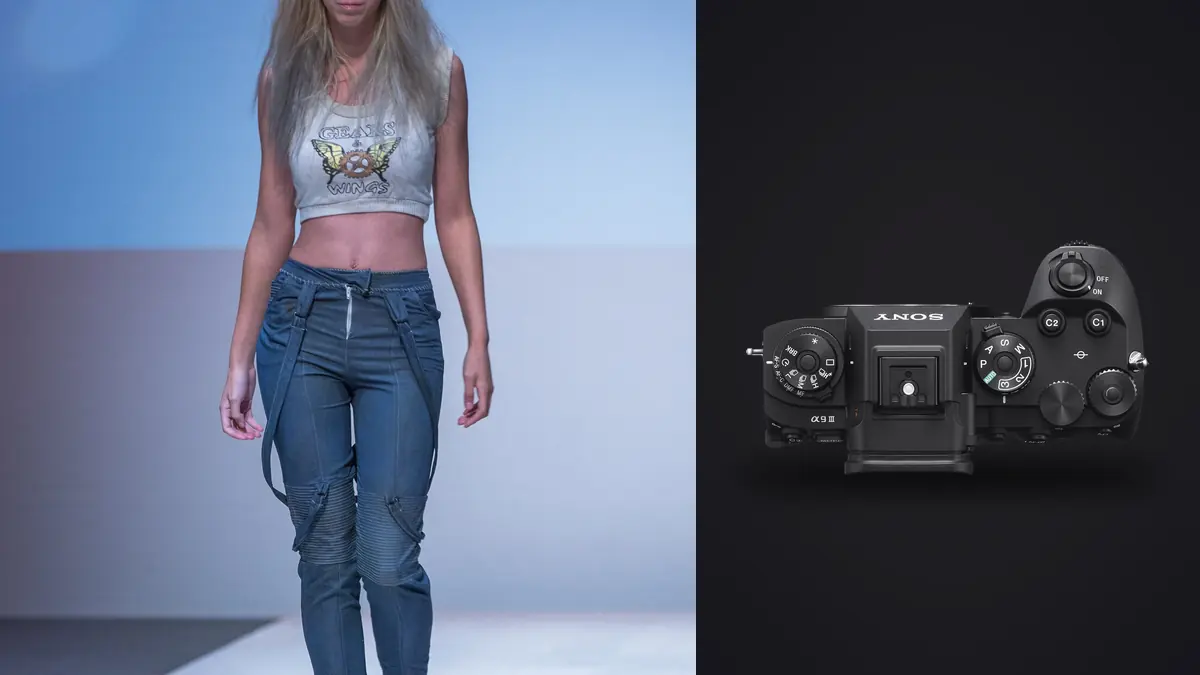
Picture a call sheet that says forty looks in one day, two models, a rotating cast of stylists steaming garments between setups, and a client who wants "movement, not just standing." That's the kind of brief that makes the Sony A9 III worth considering for lookbook work instead of treating it as only a sports camera. Here are some opinions, and most of them are about things nobody mentions in the spec sheet debates.
The shutter is the actual headline, not the megapixels
Everyone talks about the A9 III's 120fps burst rate first, but on a lookbook set the feature that changes your day is the global shutter itself. Every pixel on that 24.6MP stacked sensor reads out at the same instant, which means there's no rolling shutter skew when a model spins a coat hem or a stylist yanks fabric mid-frame. I've had rolling-shutter cameras turn a whipping scarf into a smeared diagonal streak in past shoots. That doesn't happen here, full stop.
The bigger practical win is flash sync. Because there's no mechanical curtain and no rolling readout to worry about, the A9 III syncs strobes at any shutter speed the camera offers, all the way to 1/80000s. On past bodies I was capped at 1/250s sync or forced into high-speed sync mode, which eats a stop or two of flash power every time you push past that ceiling. On a lookbook day where you're trying to underexpose a bright exterior background while keying the model with a single Profoto B10, that power loss matters. With the A9 III I've been shooting daylight exteriors at 1/2000s and full strobe output with zero compensation math, which alone has saved me from renting a second head on three separate jobs.
Where the old sync ceiling actually cost me jobs
I used to lose maybe fifteen minutes per outdoor look recalculating flash-to-ambient ratios whenever a cloud moved or the sun dropped. Multiply that by eight looks and it's two hours of a ten-hour day spent doing math instead of directing a model. That time is gone now, and it shows up as more looks captured per hour, which is the actual currency a lookbook client is paying for.
Frame rate and buffer depth when you're shooting look after look
120fps sounds like overkill for garment photography until you realize a lookbook isn't one photo per look, it's a sequence. Clients increasingly want three or four selects per look: a static hero, a walking frame, a laugh or turn, and a detail crop. Shooting that as discrete single frames means you miss the exact moment the coat flares or the earring catches light. Running a short burst at 30fps (I rarely need the full 120, which is more useful for sports) means I capture the entire arc of a movement and pick the peak later.
Buffer depth matters more than the headline fps number here. On a full day with CFexpress Type A cards you are unlikely to hit a buffer wall doing 20 to 30fps bursts of six to ten frames per look, which is the realistic shooting pattern for lookbook work. If you're the type who holds the shutter down for three straight seconds on every setup, you'll fill a card faster than you'd expect and generate a genuinely painful edit later.
| Shot type in the lookbook | Shutter speed | Drive mode | Sync note |
|---|---|---|---|
| Static hero, studio strobe | 1/250s | Single or 5fps | Full strobe power, no HSS needed |
| Walking / movement frame | 1/500s to 1/1000s | 20 to 30fps burst | Strobe at full power thanks to global shutter sync |
| Bright exterior, fill flash | 1/2000s+ | 10fps burst | Full flash sync with no power penalty |
| Fabric / hair detail | 1/1000s | Pre-capture, 0.5s buffer | Continuous light preferred, catches the exact peak |
| Group or lifestyle look | 1/320s | 5fps | Priority on AF hold across multiple subjects |
Pre-capture changed how I direct models
The buffered pre-capture function, which starts recording frames up to a second before you fully press the shutter, sounds like a gimmick until you use it on a model who jumps or spins on a count. I used to call "three, two, one, jump" and still miss the apex because human reaction time to the word "jump" plus my own shutter lag ate the moment. Now I half-press through the countdown and let the buffer catch everything, then trim to the actual peak in review. It's changed how I direct, honestly. I give looser cues because I'm not gambling on split-second timing anymore.
Autofocus that holds through the chaos stylists create
Fashion sets are messy. Stylists dart into frame to fix a collar, assistants hold reflectors at odd angles, and models often turn their backs mid-sequence to show a garment's drape. The A9 III's subject recognition (it tracks human pose and eye position even when the face isn't visible) held focus through turns and partial occlusions far better than the A7-series body I ran before it. I'd estimate my keeper rate on movement sequences went from something like 60 percent sharp-on-eye to closer to 85 percent, which is a meaningful difference when you want the frame where the coat is mid-swirl and the model's face happens to also be sharp.
It's not flawless. In dim studio corners with a busy background (racks of clothing behind the set, which happens more often than any client admits), I've had it grab a hanger edge instead of an eye for a frame or two. Nothing a quick AF area resize doesn't fix, but worth knowing before you trust it blindly on a paid job.
The file volume nobody warns you about
Here's the part that doesn't show up in camera reviews: forty looks, each shot in six to ten-frame bursts across three or four variations, adds up to somewhere between 2,500 and 4,000 raw files by the end of a lookbook day. That's before you've touched a single one in post. The camera's speed is a gift on set and a genuine problem the moment you sit down to edit, because scrolling through four thousand near-identical frames looking for the one with the best hand position is not a task any photographer enjoys doing at midnight.
This is where I stopped trying to cull manually. I run the day's card through imagic before I open anything in Lightroom. Its burst clustering groups those six-to-ten-frame movement sequences together automatically instead of making me scroll past duplicates one by one, and the local sharpness scoring flags which frame in each cluster actually has the crisp eye and the clean fabric edge, since sharpness genuinely does vary frame to frame even within a fast burst. It runs entirely on my machine, nothing gets uploaded anywhere, which matters when you're handling unreleased client garments before a campaign launches. If you haven't looked at how automated culling actually scores focus rather than just guessing, this breakdown of how AI photo culling works covers the mechanics better than I can in a paragraph here.
What a realistic lookbook cull looks like now
From 3,000 raw frames I typically land on 300 to 400 selects, then a final 40 to 60 hero images. Before I added culling software to the workflow, getting from raw dump to first-pass selects took me most of a day. Now it's closer to ninety minutes of review, mostly because I'm confirming the software's picks rather than hunting for them myself. That's not a small change when you're billing flat-rate for a lookbook and the editing hours come straight out of your margin.
Keeping forty looks color-consistent without losing your evening
A lookbook that shifts in tone from look twelve to look thirteen reads as sloppy to a brand's creative director, even if no single image is wrong on its own. Studio strobe color can drift slightly across a long day as modeling lights heat up, and if you mix in a window-lit look or two the white balance variance gets worse. I built out a color grade on a representative set of A9 III lookbook images a while back and now apply it through imagic's apply_my_style feature, which learns from edits I've already made rather than pushing a generic preset onto every file. It's not a one-click fix for bad exposure, but for holding a consistent look across a batch this size, it's saved me from manually matching white balance and contrast across forty separate looks by hand. For anyone building that kind of consistent grade from scratch, this guide on color grading workflow is a decent starting point before you try to automate any of it.
Glass that actually keeps up on set
The body is only half the story. For lookbook work, a good setup is the 50mm f/1.2 GM for hero shots and the 70-200mm f/2.8 GM II for the movement and detail sequences, since its shorter minimum focus distance lets you get tight on jewelry or stitching without swapping lenses mid-look. The 24-70mm f/2.8 GM II stays on for group and lifestyle setups where you need to reframe fast without breaking the model's rhythm. None of this is exotic, but it's worth saying that the A9 III's autofocus improvements are wasted if you're pairing it with older, slower-focusing glass. The camera can only track what the lens can physically move fast enough to follow.
Where it genuinely falls short for this kind of work
I want to be straight about the trade-offs, because I don't think camera write-ups do this enough. The global shutter sensor has a narrower usable dynamic range than Sony's rolling-shutter bodies, the A1 in particular. On a high-contrast lookbook shot (dark garment against a blown white cove, say) I've had to be more careful with my strobe ratios than I would on an A1, because there's less recoverable shadow detail to lean on if I get it wrong. It's not a dealbreaker, but it means you can't be as sloppy with exposure as the rest of the camera's speed might tempt you to be.
The other real cost is storage and card spend. CFexpress Type A cards are not cheap, and at this frame rate and file count you'll want at least three or four in rotation per day so you're never waiting on an offload during a paid shoot. Budget for that before you budget for the body.
Frequently Asked Questions
Do I need the full 120fps mode for a fashion lookbook, or is that overkill?
For most lookbook work, 20 to 30fps covers movement sequences fine and keeps file counts manageable. I reserve the higher rates for genuinely fast action, like a model jumping or fabric snapping in wind, where the extra frames actually give you more peak-moment options rather than just more near-duplicates to sort through.
Is the global shutter's flash sync advantage worth it if I mostly shoot with continuous LED panels instead of strobes?
Less so. The uncapped sync speed is specifically a strobe benefit. If your lookbook lighting is continuous LED, you're already free to use any shutter speed you want on a rolling-shutter body too, so the global shutter's main draw for you would be the elimination of rolling shutter artifacts during fast movement rather than the flash sync itself.
How do I stop a big lookbook shoot from turning into a week of culling?
Cull the same day you shoot, before the memory of which take was best fades. I run the card through imagic that evening so duplicate bursts get grouped and the sharpest frame in each is flagged before I ever open Lightroom, which turns what used to be a multi-day slog into a same-week edit.
Does the A9 III make sense as a first commercial camera, or should I rent before buying?
Rent it for one real job first if you can. It's a genuinely excellent tool for this specific kind of high-volume, movement-heavy commercial work, but if your bookings lean more toward slower editorial or product photography, a rolling-shutter body with better dynamic range and a lower price tag will serve you just as well and leave money for glass instead.