
The Cinematic Look in Photography
Vignette and grain are two of the most effective tools for creating a cinematic, filmic aesthetic in digital photography. Used well, they add depth, mood, and visual cohesion to an image. Used poorly, they look like Instagram-era over-processing. This guide covers the technique behind using both effectively.
Understanding Vignette
A vignette is a darkening (or sometimes brightening) of the image corners and edges, drawing the viewer's eye toward the center of the frame. It mimics a natural optical effect of older lenses — and it's effective precisely because our visual system reads it as "this is the important part."
Types of vignette:
- Post-crop vignette: Applied relative to the final crop, centered on the subject. The most common type in RAW processors.
- Lens vignette correction: Corrects natural lens falloff. The inverse of a creative vignette.
- Color vignette: Instead of darkening, shifts the edges toward a specific color tone — a more subtle, sophisticated approach.
Vignette Settings That Work
In RawTherapee, the vignette tool allows you to control amount, feathering, and roundness. For cinematic work:
- Amount: -15 to -30 (subtle darkening, not a black frame)
- Feathering: 80-95% (gradual transition, not a hard edge)
- Roundness: 50-70% (slightly oval, following the natural composition)
These are starting points — adjust for each image based on subject placement and mood.
Understanding Film Grain
Digital photographs are inherently smooth — too smooth, in a way that can feel clinical. Film grain adds a texture that breaks up the smoothness and gives images a physical, tangible quality. Modern grain simulation in RAW processors mimics the random, size-varying characteristics of actual film grain rather than the uniform digital noise of high-ISO capture.
Grain Settings for Different Moods
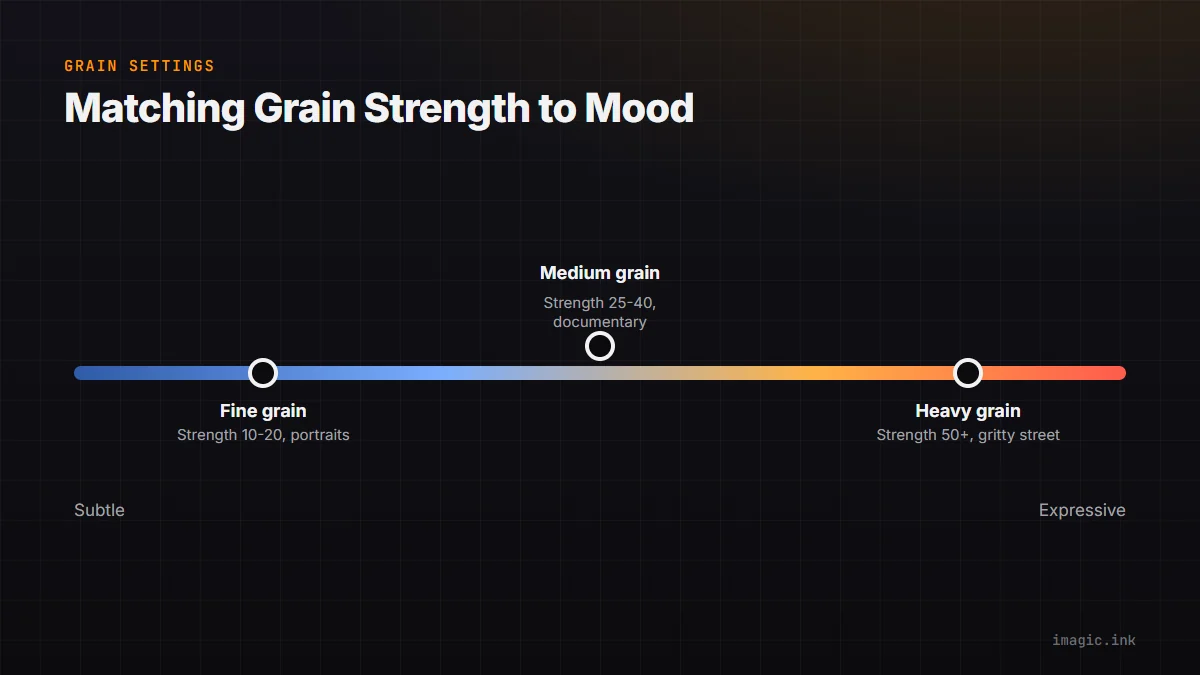
- Fine grain (Strength 10-20, Roughness 20-40): Subtle texture, suits portraits and fashion. Similar to ISO 400 35mm film.
- Medium grain (Strength 25-40, Roughness 40-60): Visible texture with a documentary feel. Similar to Kodak Tri-X or HP5.
- Heavy grain (Strength 50+, Roughness 70+): Expressive, gritty texture. Best for street, documentary, or intentionally rough aesthetics.
Combining Both for a Cohesive Look
Vignette and grain work best together when they serve the same emotional purpose. A heavy vignette with heavy grain creates an old photograph feel. A subtle vignette with fine grain creates a polished but still-organic look that works well for editorial portraits. Keep both adjustments consistent across a series by saving them in a RawTherapee processing profile and applying batch to all images after the imagic cull.
Starting from Well-Culled Images
The cinematic workflow starts with great source material. imagic's AI culling — scoring sharpness, exposure, detail, and composition — ensures you're applying your cinematic grade to the best possible frames from your shoot. An imagic-culled set of keepers, processed through RawTherapee with a vignette and grain profile, is a complete subscription-free cinematic workflow.