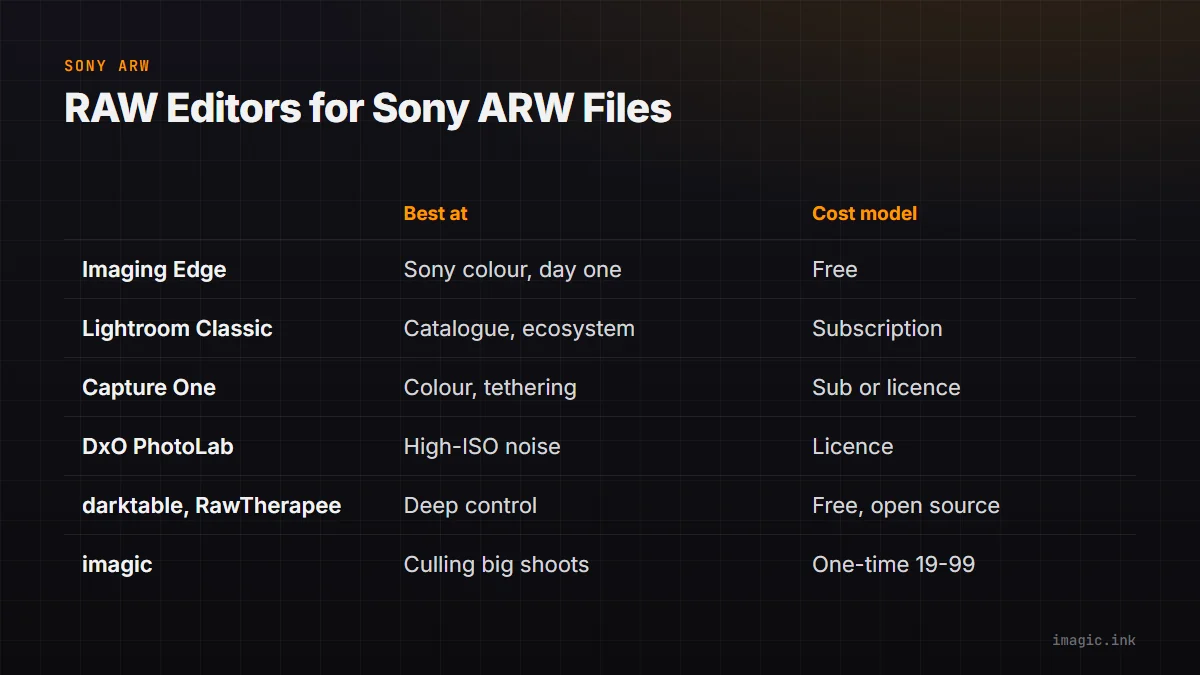
Almost every RAW editor opens Sony ARW files, so "does it support Sony" is the wrong question. The useful questions are narrower: does it read the ARW variant your body writes, does it keep up with new Alpha bodies, and can it cope with the sheer number of frames a modern Sony produces. This guide compares the best RAW editor for Sony shooters on exactly those points, from Sony's own free software to the paid and open-source options.
What Makes Sony Files Different
ARW is not one format. Depending on body and menu setting, a Sony writes compressed ARW (lossy, smaller), lossless compressed ARW, or uncompressed ARW, and recent bodies such as the a7 IV, a7R V and Alpha 1 offer all three. Older editors sometimes open one variant and choke on another, so the first test for any editor is a folder that contains the variant you actually shoot.
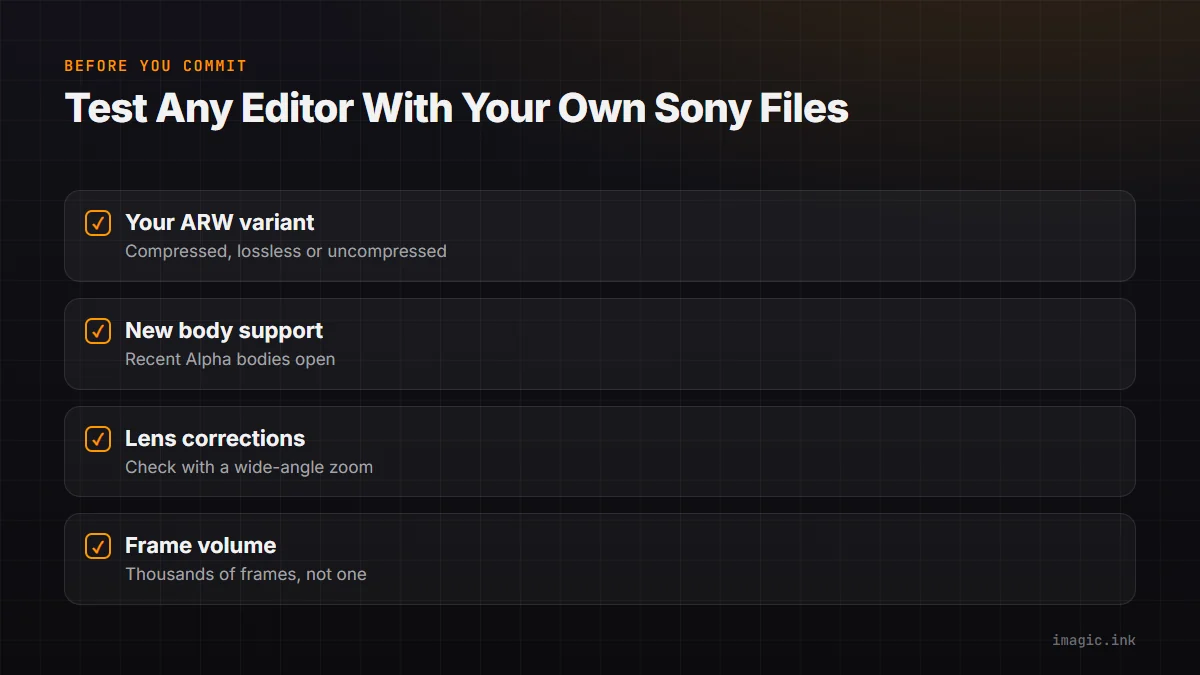
The second difference is volume. The Alpha 1 shoots at up to 30 frames per second and the a9 III at up to 120, and even a 33 MP a7 IV fills a card quickly in continuous mode. An editor that handles one ARW beautifully but makes you open 3,000 of them one by one is solving half the problem. For Sony shooters the choice of editor is often really a choice of culling workflow.
Third, Sony bodies embed lens correction data for native E-mount lenses in the file. Editors differ in whether they apply it automatically, use their own lens profiles instead, or leave distortion uncorrected until you pick a profile, which is worth checking with a wide-angle zoom before trusting a batch.
Sony's Own Software: Imaging Edge Desktop
Sony's free desktop software (Imaging Edge Desktop, with separate Viewer, Edit and Remote parts) reads every ARW variant from Sony's own bodies, usually on release day, because it comes from the same company. Its rendering is the closest you will get to the camera's own JPEG colour. The trade-off is workflow: it is slow on large folders, the editing tools are basic compared to a dedicated editor, and there is no real culling help. It is a good reference for what the camera intended and a sensible fallback when a brand-new body is not supported elsewhere yet.
Lightroom and Capture One: The Paid Standards
Adobe Lightroom Classic supports ARW broadly and adds new Sony bodies through its camera support updates, and its catalogue is the main reason people stay. The cost is the subscription, and for large Sony bursts its culling tools are slower than dedicated culling software. Capture One has a long-standing reputation with Sony shooters for colour rendering and tethering, and at one point shipped Sony-specific editions; today it is a paid product, sold as a subscription or perpetual licence depending on the current offer, so check the terms before committing. Both are strong editors; neither is cheap to own over several years.
DxO PhotoLab: Noise Reduction First
DxO PhotoLab is known for its DeepPRIME noise reduction and for lens modules built from lab measurements of specific camera and lens pairs. For Sony shooters working at high ISO (events, concerts, indoor sport) that noise reduction is the main draw. It is sold as a licence rather than a subscription. Its catalogue and culling tools are lighter than Lightroom's, so it tends to sit after a separate culling step rather than replacing it.
Free and Open Source: darktable and RawTherapee
darktable and RawTherapee are both free, both open source, and both open ARW files from most Sony bodies. They are powerful and deeply configurable, with a learning curve to match. The catch for Sony shooters is timing: support for a brand-new body arrives with a community release, which can take a while after the camera ships, and the less common ARW variants occasionally lag. For an established body they are genuinely capable editors at no cost. For a longer look at free options, see Sony ARW files: free processing options and free RAW editors for Mac, Windows and Linux.
Where imagic Fits for Sony Shooters
imagic is built around the volume problem. It reads ARW alongside eight other RAW formats with its own built-in RAW engine, runs AI culling first (sharpness, closed eyes, composition, and grouping of burst duplicates), then applies batch edits and one-click styles to the keepers and exports JPEG or TIFF. Everything runs locally on Windows or Mac, so a 3,000-frame Alpha shoot never uploads anywhere. It is a one-time purchase (Lite EUR 19, Plus EUR 49, Max EUR 99) rather than a subscription. It does not do tethering, layers, retouching or a full catalogue, so photographers who need those keep a second tool for them. See imagic and ARW files and the Sony a7 IV page for format and body details.
A Quick Comparison
| Editor | Best at | Cost model |
|---|---|---|
| Imaging Edge Desktop | Sony colour, day-one support | Free |
| Lightroom Classic | Catalogue, ecosystem | Subscription |
| Capture One | Colour, tethering | Subscription or licence |
| DxO PhotoLab | High-ISO noise reduction | Licence |
| darktable, RawTherapee | Deep control at no cost | Free, open source |
| imagic | Culling and batch editing large shoots | One-time, EUR 19 to 99 |
The honest answer is that many Sony shooters end up with two tools: one to get from thousands of frames to the keepers quickly, and one for the handful of images that need deep, per-photo work. Browse more software comparisons if you are weighing a specific pair.
Frequently asked questions
Which ARW setting should I shoot for editing?
Lossless compressed, on bodies that offer it, keeps full quality at a smaller size than uncompressed. Compressed ARW is lossy and can show artefacts in extreme edits, so it is better kept for situations where card space or buffer depth matters more.
Is Sony's free Imaging Edge software good enough?
For occasional edits and for colour closest to the camera, yes. For large shoots it is slow and has no culling help, so most people who shoot often pair it with, or replace it by, a faster tool.
Why does my editor not open files from my new Sony body?
Each new body needs explicit support in the editor, and some editors add it weeks or months after launch. Update the editor first; if support has not arrived yet, Sony's own software reads the files in the meantime.
Try imagic free for 500 exports, no card required, with full ARW support. Start the free trial.