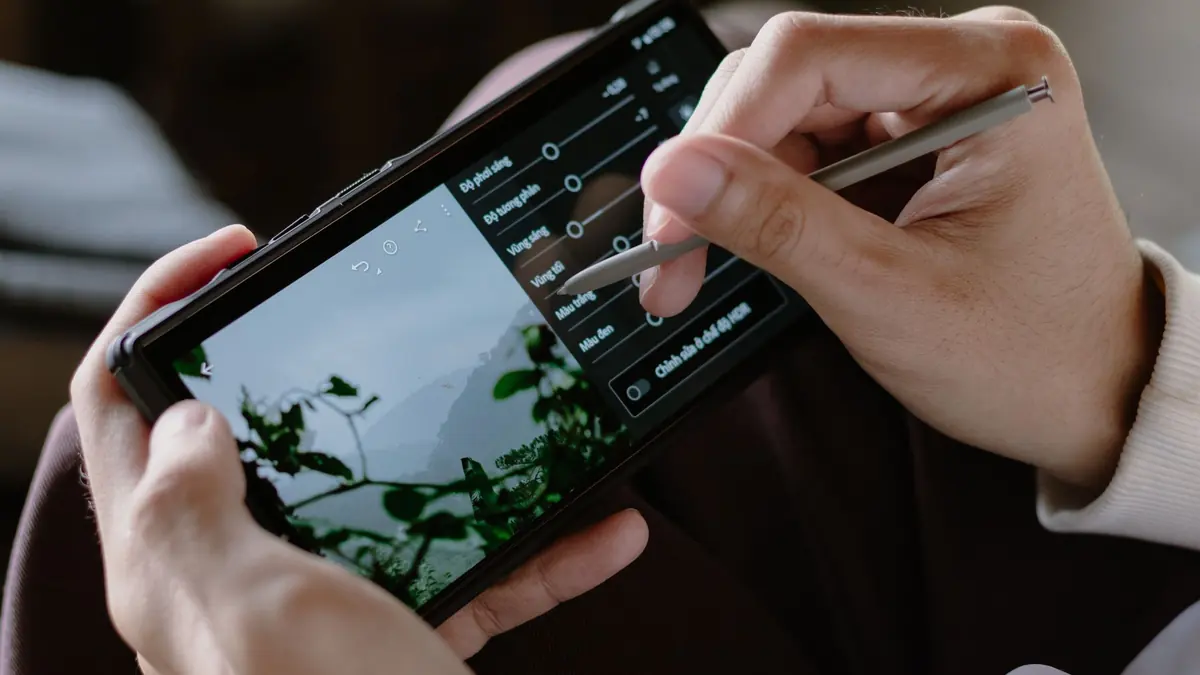
Darkroom and imagic both call themselves photo editors, but they were built for different hardware and different moments in a photographer's day. Darkroom is a polished editor for iPhone, iPad, Mac, and Vision, designed around editing a handful of photos quickly on the device already in your hand. imagic is a Windows and macOS desktop app built to get through a shoot day's worth of RAW files, sometimes thousands of them, before any single-photo editing starts. Comparing them as straight competitors misses the point a little: one is a mobile-first editor, the other is a desktop culling and RAW workflow tool, and most working photographers with a real shoot day end up needing the desktop tool regardless of what they use on a phone. Neither company currently publishes a page comparing the two directly, so every claim here is checked against each vendor's own site rather than either one's framing of the other. Here is what each verifiably offers, as of September 2026.
What Darkroom is actually built for
Darkroom is a photo and video editor built by Bergen Co., available on iPhone, iPad, Mac, and Apple Vision, with one purchase covering all supported Apple devices tied to the same App Store account. Per Darkroom's own pricing page, it supports RAW and Apple ProRAW files, offers batch editing (apply one photo's edits to many at once), and includes a Flag and Reject workflow specifically aimed at reviewing a shoot faster. Its premium tier, Darkroom+, unlocks masks, color grading, curves, a bloom and halation effect, 4K video export, metadata editing, and premium presets, on top of what the free tier allows you to try before you export. In practice that means the free version lets a photographer experiment with every tool, including the Darkroom+ ones, but exporting or sharing the result requires the paid tier, which functions as a try-before-you-buy gate rather than a feature-limited free plan.
Darkroom's design center of gravity is speed on a touch device: sliders and presets built for a phone screen, edits that sync across an individual's own Apple devices through the same App Store purchase, and an export flow built around posting or sending a photo quickly rather than delivering a large finished set to a client. Family Sharing is included with Darkroom+, which extends a single subscription or one-time purchase to other members of an Apple Family Sharing group, another detail aimed squarely at personal and family use rather than professional delivery at volume.
What imagic is actually built for
imagic runs on Windows and macOS, not iOS or Android, and has no mobile app at all. Its job is processing a shoot's worth of RAW files on a desktop machine: AI quality scoring for sharpness, closed eyes, and composition, duplicate and burst grouping, batch editing and one-click styles, and RAW processing through its own built-in engine across nine RAW formats (CR2, CR3, NEF, ARW, RAF, ORF, RW2, DNG, PEF), exporting to JPEG or TIFF. Where Darkroom's Flag and Reject is a manual review tool you operate photo by photo, imagic's AI scoring is doing an automated first pass across the whole set before you look at anything.
That design center of gravity is volume rather than speed on a single photo. imagic is built around the assumption that a session might involve several hundred or several thousand RAW files from a dedicated camera, not a handful of phone shots, and its scoring and grouping features exist specifically to make that volume manageable in a way that scrolling and manually flagging each frame does not scale to.
Darkroom vs imagic at a glance
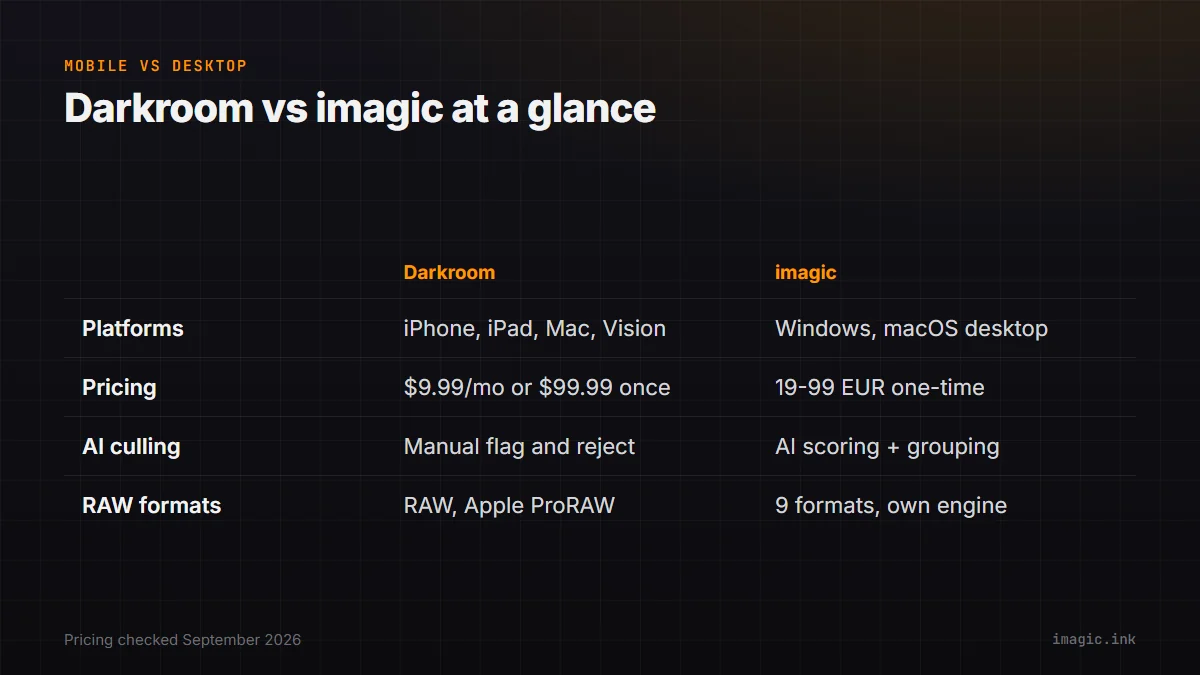
| Category | Darkroom | imagic |
|---|---|---|
| Primary job | Fast single-photo and small-batch editing on Apple devices | AI-assisted culling and RAW processing for a full shoot |
| Platforms | iPhone, iPad, Mac, Apple Vision (no Windows, no Android) | Windows and macOS desktop (no mobile app) |
| Pricing model (Sept 2026) | USD 9.99/month, USD 39.99/year, or USD 99.99 one-time "Forever" purchase | One-time license: Lite EUR 19 / Plus EUR 49 / Max EUR 99 |
| AI-assisted culling/scoring | Manual Flag and Reject tool, not AI-scored | AI quality scoring plus automatic duplicate/burst grouping |
| RAW support | RAW and Apple ProRAW | CR2, CR3, NEF, ARW, RAF, ORF, RW2, DNG, PEF (9 formats) |
Source for Darkroom pricing and features: Darkroom's official Darkroom+ pricing page, checked September 2026.
What Darkroom's pricing looks like against a one-time desktop license
Darkroom offers three ways to pay: USD 9.99 a month, USD 39.99 a year, or a USD 99.99 one-time "Forever" purchase that Darkroom's own pricing page frames as lifetime access on that Apple ID. That one-time option actually mirrors imagic's model more closely than most subscription software does, though at a noticeably higher one-time price than imagic's own Lite or Plus tiers (EUR 19 and EUR 49), and for a fundamentally different scope of work: single-photo mobile editing rather than desktop-scale RAW culling. Photographers who only ever shoot with a phone or want quick edits on the go before sharing something socially are paying for convenience and device integration; photographers processing a full shoot day's RAW output are paying for something Darkroom is not built to do at all, regardless of price.
Darkroom's monthly and yearly subscription options are also worth naming plainly: USD 9.99 a month works out to USD 119.88 across a year if paid monthly rather than annually, well above both the USD 39.99 annual plan and the USD 99.99 lifetime option, which makes the monthly plan the one to actively avoid for anyone planning to use Darkroom for more than a few months. imagic has no monthly option to compare against in the first place, since every tier is a single payment with no recurring choice to make.
What Darkroom does that imagic does not
Darkroom lives where a phone or tablet already is, which matters for editing and sharing a photo minutes after taking it rather than at a desk later. Its masks, curves, color grading, and bloom and halation effects are real single-photo creative editing tools that go beyond imagic's one-click styles and batch adjustments, and its video editing and 4K export reach into territory imagic does not touch at all, since imagic is a photo-only tool. For a photographer whose actual workflow is "edit on my phone, post it the same day," Darkroom is doing a job imagic was never designed for. Its video editing and 4K export in particular put it outside imagic's scope entirely, since imagic is a photo-only tool with no video timeline of any kind.
What imagic does that Darkroom does not
Darkroom has no Windows support at all, and nothing resembling AI-driven technical quality scoring; its Flag and Reject tool is a manual review aid, not an automated first pass across hundreds of RAW files. imagic's AI scoring and duplicate/burst grouping are built specifically for volume: getting through a few thousand frames from a real shoot day, not a handful of phone photos. imagic also processes nine distinct professional RAW formats through its own engine, where Darkroom's RAW support centers on Apple's own ProRAW format and camera RAW files rather than the broader professional-camera RAW ecosystem. A photographer shooting a format like Fujifilm's RAF or Panasonic's RW2 on a dedicated camera, rather than a phone, is working with formats imagic explicitly lists as supported, independent of whether Darkroom handles that same camera manufacturer's files on the mobile side.
Family Sharing versus per-machine licensing is a smaller but real distinction too. Darkroom+ extends to an Apple Family Sharing group, which suits a household sharing one subscription, while imagic's license is scoped to how the individual tiers are sold rather than a shared-family model; a working photographer buying imagic for a business is a different purchase decision than a family sharing one editing app across several personal devices.
Which tool fits which moment
The realistic split is platform and scale, not quality. A travel or street photographer shooting primarily on a phone, wanting quick edits and same-day sharing, is squarely in Darkroom's territory, and its travel photography use case overlaps with how imagic frames that same genre for photographers who also carry a dedicated camera and shoot RAW. A photographer coming home from a shoot day with a memory card full of RAW files, needing to cull and process hundreds or thousands of frames before anything gets delivered, is in imagic's territory, and Darkroom does not have an equivalent workflow at that scale or on Windows at all. Many photographers reasonably use both, just for different cameras and different moments in the same week. Photographers whose RAW files come from a dedicated camera rather than a phone can check exact format support on imagic's RAW format hub, and anyone who wants to see the desktop culling pass on their own shoot can start with imagic's free 500-export trial.
The devices themselves tend to make this decision automatically in practice. A phone has no memory card slot and cannot mount a dedicated camera's RAW files without an intermediate transfer step, so a photographer shooting on a mirrorless or DSLR body is already working on a desktop or laptop by the time culling needs to happen, regardless of whether they also enjoy editing phone photos in Darkroom on the side. The two tools rarely compete for the same file on the same day; they compete, if at all, for which device a photographer reaches for first.
Android shooters are worth a separate, honest mention: Darkroom has no Android version at all, so a photographer on an Android phone who wants a comparable mobile editing experience has to look elsewhere regardless of how they feel about imagic. That gap sits entirely on Darkroom's side of this comparison and has nothing to do with imagic's own Windows and macOS desktop scope.
Frequently asked questions
Does Darkroom work on Windows?
No. Darkroom is built for Apple platforms only: iPhone, iPad, Mac, and Apple Vision. It has no Windows or Android version. imagic runs on Windows and macOS but has no mobile app at all, so neither tool covers every platform a photographer might own.
Does Darkroom cull RAW files the way imagic does?
Not with AI scoring. Darkroom includes a manual Flag and Reject tool for reviewing a shoot, but it does not automatically score photos for sharpness or closed eyes, or group bursts and duplicates the way imagic's AI does.
Is Darkroom's one-time purchase comparable to imagic's pricing?
Darkroom's one-time "Forever" option is USD 99.99, which is closer to imagic's Max tier (EUR 99) than its Lite or Plus tiers, but the two cover very different scopes: single-photo mobile editing on Apple devices versus desktop-scale RAW culling and batch processing on Windows or macOS. Choosing between them on price alone misses the point; the platform each one runs on, and the job each one is actually built to do, settle the decision before the price tag does.