
Paying a monthly subscription for software you open a few times a month is a specific kind of bad deal, and it is the exact position a lot of hobbyist photographers find themselves in with Lightroom. A lightroom alternative for hobbyists should be judged on a different scale than a professional's toolkit: what do you actually use in a typical monthly session, and does the pricing model match that usage pattern.
The Occasional-Shooter Problem
A hobbyist shooting a few hundred frames a month, maybe a weekend trip or a local event, is paying the same monthly Lightroom fee as a full-time studio processing thousands of frames a week. The subscription does not scale down with usage, which means the effective cost per edited photo for an occasional shooter is dramatically higher than for a daily user. That mismatch is the entire reason this category of alternative exists.
Free Tiers Worth Knowing About
darktable is a genuinely capable, actively developed open-source RAW editor at no cost, with a steeper learning curve than a commercial tool but real depth once you climb it. Adobe's own free tools and mobile Lightroom have limited free tiers as well, though features are restricted compared to a paid plan. For a hobbyist testing whether they need paid software at all, starting free is a reasonable first step; see 10 Lightroom Alternatives That Are Completely Free for a fuller list.
What a One-Time License Actually Solves
For a hobbyist who wants AI culling and batch editing without a monthly bill, imagic's one-time pricing (Lite EUR 19, Plus EUR 49, Max EUR 99) means the cost is fixed regardless of how often you shoot. Someone who edits a batch of vacation photos twice a year pays the same as someone who edits weekly, which flips the subscription math entirely in the occasional shooter's favor. The free 500-export trial (no card required) is also long enough to fully test a typical hobbyist session before deciding.
Which Features Hobbyists Actually Use
Most hobbyists use a fraction of what a professional editing suite offers: basic exposure and color adjustment, a consistent style or preset applied across a batch, and simple culling to find the best few shots from a day out. Deep masking, tethered shooting, and advanced color-grading tools common in professional suites go largely unused in a hobbyist's actual monthly session. That gap is exactly why a narrower, cheaper tool often serves this group better than a full professional suite priced for daily use.
A Reasonable Starting Point
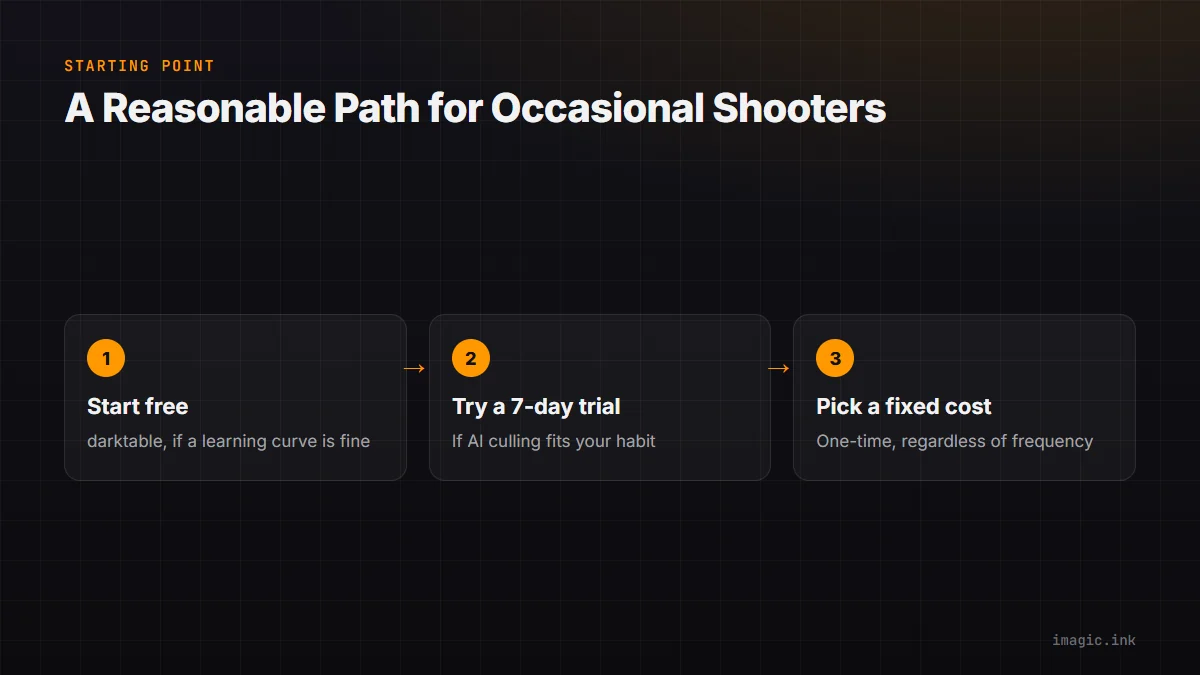
Start with a free tool like darktable if you are comfortable with a learning curve and want to spend nothing, or try imagic's free trial if AI culling and one-click styles fit how you actually edit. Both avoid the core problem of paying a professional-scale subscription for occasional-scale use. See Best Free Lightroom Alternatives for more free-tier options, and more software comparisons on the blog.
A useful gut check before committing to anything: add up how many separate sessions you actually opened Lightroom for over the last twelve months, and divide the year's subscription cost by that number. Seeing the real per-session cost in isolation, rather than the monthly figure alone, is often what makes the case for switching obvious one way or the other.
Frequently asked questions
Is a subscription ever worth it for a hobbyist?
It can be if you genuinely use cloud sync across devices or Photoshop regularly; the mismatch mainly hits hobbyists who use neither and still pay full price.
Does imagic have a free tier, or only a trial?
imagic offers a free 500-export trial with full Max-tier access and no card required, plus a free single-photo web editor at /editor for quick individual edits without installing anything.
Is darktable hard to learn for a casual user?
It has a steeper learning curve than most commercial tools, since its interface differs meaningfully from Lightroom's, but it is genuinely capable once learned and costs nothing.
Try imagic free for 500 exports, no card required, and see if a one-time tool fits a monthly shooting habit better than a subscription. Start the free trial.