
Photography students weighing a lightroom alternative for students are usually balancing three different pressures at once: a tight budget, a real need to build skills that transfer to whatever software a future employer or client uses, and portfolio deadlines that do not care which tool got the images ready. Here is how the actual options stack up against those three pressures specifically.
Student Discounts: Read the Fine Print
Adobe and other vendors often offer discounted student pricing on subscriptions, which can meaningfully lower the monthly cost while enrolled. The catch is timing: student pricing typically ends at graduation or after a fixed term, after which the subscription reverts to full price, right around the time a new graduate's income is least predictable. Worth factoring that cliff into the decision now rather than being surprised by it later.
Free Tools: Zero Cost, Real Learning Curve
darktable and other open-source RAW editors cost nothing and are genuinely capable, which matters when every euro counts. The tradeoff is a steeper learning curve and an interface that looks and behaves differently from the industry-standard tools a student may need to know for internships or entry-level jobs later. Free is not free of cost if the time spent learning a niche interface does not transfer anywhere useful afterward.
Cheap One-Time Licenses
A one-time-purchase tool sidesteps both problems: no discount cliff at graduation, and no recurring payment to maintain once purchased. imagic's Lite tier is EUR 19 one-time, with Plus at EUR 49 and Max at EUR 99, and a free 500-export trial with no card required to test before spending anything. For a student mainly needing AI culling to speed up review and batch editing to get a consistent portfolio look, that is a fixed, one-time cost that does not change after graduation.
Skills That Actually Transfer
The underlying skills, exposure judgment, culling discipline, consistent color and tone across a body of work, transfer between software regardless of which specific tool a student learns on. What does not transfer directly is muscle memory for a specific interface's exact menus and shortcuts. Given that, prioritizing a tool that teaches the underlying judgment over one that only teaches a specific brand's workflow is the more useful investment for a student's actual career, even if it means learning a second interface later for a job that requires Lightroom or Photoshop specifically.
Portfolio Deadlines and Culling Speed
A portfolio review or thesis deadline does not leave room for scrubbing through hundreds of frames by hand at the last minute. AI culling that scores sharpness, exposure, and closed eyes and groups duplicates automatically compresses that review time significantly, which matters more under deadline pressure than any other single feature. See imagic vs Lightroom Classic for a full feature comparison relevant to coursework, and free Lightroom alternatives if budget is the absolute priority.
A Practical Starting Budget
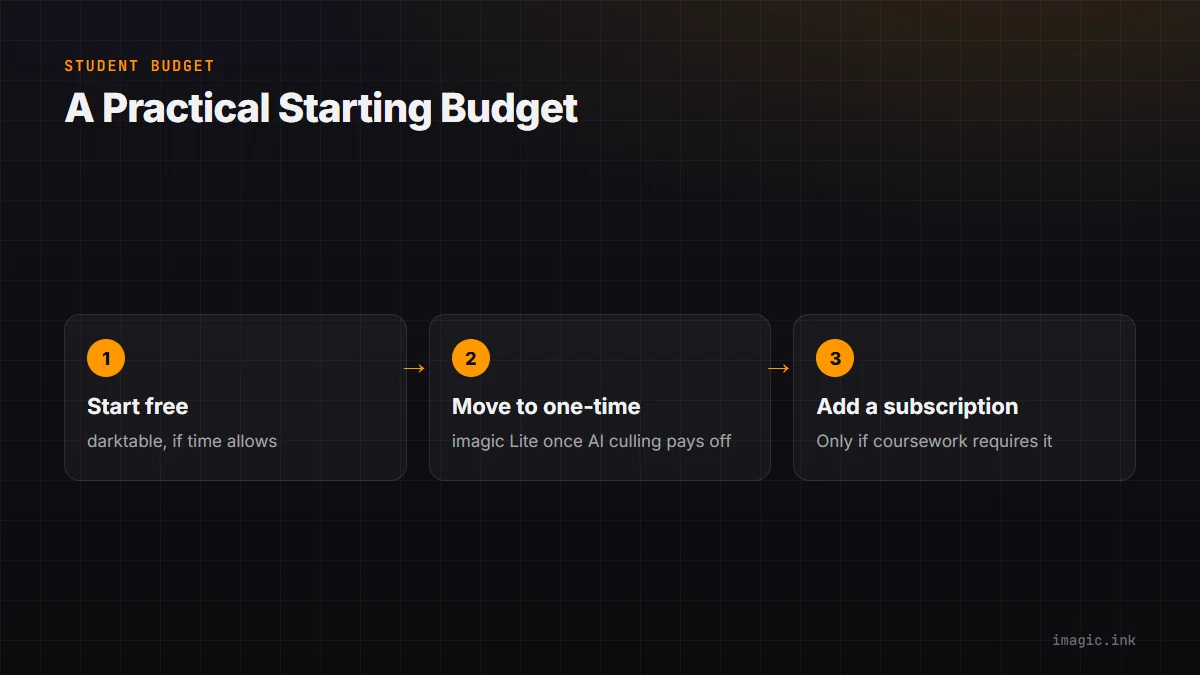
For a student weighing these options against a genuinely tight budget, a reasonable order to consider them in is: start free with darktable if time to learn a new interface is not scarce, move to a one-time tool like imagic's Lite tier once AI culling and batch consistency start saving more time than the interface cost, and only take on a discounted subscription if the coursework specifically requires Lightroom or Photoshop fluency for a class or internship.
Frequently asked questions
Will learning a non-Adobe tool hurt my job prospects?
Unlikely on its own. Employers generally care more about editing judgment and a strong portfolio than which specific software you learned on, though some roles do require Lightroom or Photoshop fluency specifically, worth checking target job listings.
Does student pricing ever continue after graduation?
Typically not automatically; most student discounts expire at graduation or after a fixed enrollment period, reverting to standard subscription pricing.
Is a one-time license cheaper than a full degree program's worth of student-discounted Lightroom?
Often yes for a multi-year program, since a one-time purchase does not accumulate monthly charges, though the exact comparison depends on the discount rate and program length.
Try imagic free for 500 exports, no card required, before committing your student budget to any tool. Start the free trial.