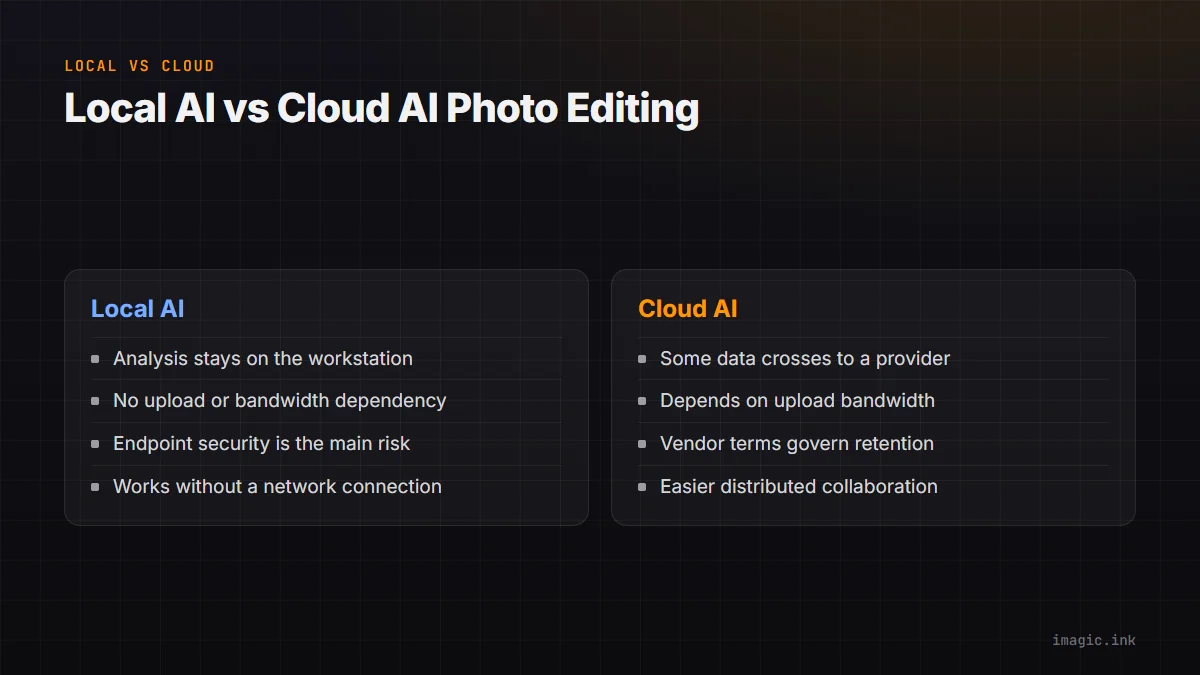
Local and cloud AI photo editing differ most in where data and control cross boundaries. A local system runs its analysis on the photographer's machine. A cloud system sends some combination of originals, previews, masks, embeddings, metadata, or instructions to infrastructure operated by a provider. Either model can be appropriate. The decision depends on the sensitivity of the photographs, network reality, team distribution, available hardware, service terms, and the cost of interruption.
The label "AI" is too broad to settle the choice. Denoising, culling, object selection, generative retouching, search, style matching, and client review may use different data paths inside the same product. A responsible comparison follows one real file from import to deletion and records what leaves the workstation at each step.
Define local and cloud at the feature level
A desktop application can still contact cloud services for licensing, updates, model downloads, synchronization, telemetry, support, or selected AI features. A browser application may keep some computation on the device while storing originals remotely. A hybrid product may generate previews locally, upload only selected files, and return adjustment instructions. Marketing categories rarely describe all of this precisely.
Build a data-flow table for each feature. List input data, processing location, transmitted data, provider, storage location, retention period, deletion control, and output. Include filenames, EXIF, faces, GPS, captions, ratings, and prompts, not only image pixels. Metadata can identify a person, home, event, or confidential project even when the full RAW file is not sent.
Repeat the map for optional features. Turning off synchronization may not disable crash reports or model requests. Conversely, a cloud account requirement does not prove every photograph is uploaded. First-party documentation, settings, network controls, and a contractual answer for business use are more reliable than assumptions based on the interface.
Classify the photographs before choosing tools
Not every job has the same sensitivity. Public landscape work carries different consequences from medical documentation, school portraits, unreleased products, private homes, legal evidence, intimate portraits, or embargoed campaigns. Classification should be set by contract, consent, law, and client expectation, not by whether a photograph appears ordinary to an editor.
Create simple levels. Public material may use approved connected tools. Routine client work may allow named processors under a data agreement. Restricted material may require local-only processing, encrypted storage, limited operators, and no generative services. Highly controlled work may also prohibit network-connected workstations. The labels should trigger concrete handling rules rather than vague caution.
Ask whether biometric identifiers, minors, health information, location data, or protected intellectual property are present. Confirm who is the data controller or responsible party, where processing may occur, and whether subcontractors are involved. Legal advice may be required for a particular jurisdiction; a software preference is not a substitute.
Evaluate privacy beyond the upload checkbox
For a cloud feature, read current terms covering training, service improvement, human review, retention, deletion, region, subprocessors, breach notice, and account termination. Distinguish consumer terms from business or enterprise terms. A provider may offer different controls under different plans, and those conditions can change. Keep a dated copy of the terms relied upon for approval.
For a local feature, examine what the application stores on disk and which users can access it. Local files can still be exposed through weak workstation accounts, unencrypted drives, remote-support tools, malware, automatic backup, or a shared preview cache. "Never uploaded by the editor" addresses one path, not the whole security model.
Minimize data either way. Upload only the selected derivative needed for a task rather than an entire card when possible. Remove GPS or client names if they are irrelevant. Restrict project permissions, enable strong account protection, and delete temporary transfers according to policy. Privacy improves when less material crosses fewer systems for less time.
Compare reliability under actual network conditions
Cloud processing depends on upstream bandwidth, latency, service availability, account authentication, and sometimes regional capacity. A fast download connection does not guarantee fast uploads. Hotels, arenas, rural venues, and shared studios can make a nominally connected workflow unpredictable. Estimate transfer from measured upstream performance and realistic selected data, then include retries and contention.
Local processing depends on workstation capability, power, storage, thermal behavior, supported operating systems, and installed models. It can continue without an internet path if licensing and feature design permit, but hardware failure can stop the job. A spare workstation or documented manual fallback may matter more than theoretical compute performance.
Run an interruption drill. Disconnect the network during a cloud task and record whether files resume, duplicate, or require manual recovery. For local work, fill a test volume, restart after an interrupted analysis, and confirm how state is reported. Do not perform destructive tests on the only copy of client material.
Account for hardware, service, and labor together
Local AI moves more cost toward computers, power, storage, maintenance, and replacement cycles. Cloud AI moves more cost toward subscriptions, usage, storage, transfer, and provider dependency. The cheaper option depends on job volume, file size, concurrency, hardware already owned, and how much operator time each path saves or adds.
A local workstation can be reused across tasks and keeps data transfer low, but it may sit idle or require specialized hardware. Cloud capacity can expand for peaks and support distributed teams, but variable usage and large originals need controls. Avoid cost claims based on one sample job. Build a worksheet from the studio's own monthly volumes and retention rules.
Include exception labor. Time spent redacting files, waiting for uploads, reconciling duplicates, moving masks between applications, or explaining a data path to a client is part of the system. So is the work of patching local machines, maintaining backups, and supporting remote access. A direct license comparison omits these operational costs.
Decide how collaboration should work
Cloud platforms can make distributed review, comments, versions, and approvals easier because participants reach a shared state. That convenience is valuable when editors, retouchers, and clients work in different places. It also requires permission design: who can download originals, invite another user, create a public link, restore a version, or delete a project?
Local workflows can collaborate through controlled file transfer, shared storage, remote desktop, sidecars, or exported review galleries. They may provide tighter physical control but require clearer ownership to prevent conflicting edits. A folder accessible to everyone is not a workflow unless naming, locking, and handoff are defined.
Use least privilege. A client reviewer usually needs comment or selection access, not original download and administrative control. Remove temporary accounts after delivery. Keep an export of final approvals in the project archive so a future account or service change does not erase the decision trail.
Inspect model updates and reproducibility
AI behavior can change when a model, application, or remote service is updated. A cloud provider may deploy a change centrally. A local application may let the studio control update timing, although model downloads and application dependencies can still change. For regulated or repeatable work, record application version, model version where exposed, settings, input file, and output date.
Keep the original RAW and non-destructive edit metadata. An AI-generated derivative should not become the only surviving source. For a critical approved image, archive the rendered master and enough information to understand how it was created. Exact regeneration may still be impossible when a proprietary model changes, so the approved output itself is part of the record.
Evaluate consistency with a fixed challenge set after updates. Include difficult skin, fine detail, motion, unusual color, and intentional blur. The goal is not a fabricated score; it is to catch a material visual or operational change before a client job encounters it.
Design human review around consequence
AI culling can rank technical attributes and group similar frames, but it cannot own editorial consent, representation, news value, or contractual selection. Generative removal can alter evidence or context. Face and subject tools can fail unevenly. Review effort should increase with the consequence of a wrong decision, not decrease because a process is automated.
Define which actions may run automatically, which require preview, and which are prohibited. Non-destructive ratings are lower risk than deletion. A suggested mask is lower risk than publishing an altered documentary image. Export to a confirmed destination is lower risk than writing into an unreviewed path. Log who approved each consequential transition.
Keep a manual route. If an AI feature is unavailable or unsuitable, the team should still be able to inspect, rate, adjust, and deliver a reduced set. A workflow that cannot operate at all without one model or account has a larger continuity risk than its interface may suggest.
Use a hybrid boundary when it is clearer
Many studios benefit from local ingest, backup, and initial culling, followed by cloud review of approved derivatives. This reduces upload volume and keeps rejected or sensitive originals out of a shared service. Another workflow may use cloud collaboration for public campaign selects while reserving restricted projects for an isolated workstation.
imagic's documented tools operate on the local machine: a directory is scanned, photos can be analyzed and statused without deletion, stored edits remain non-destructive, and exports are written to a confirmed destination. Its shell and MCP surfaces expose the same tool family, with exact parameters discovered from the installed build. The desktop page and MCP page describe these local entry points.
The boundary should be visible. Use separate folders for originals, approved derivatives, and cloud-ready exports. Strip unnecessary metadata, define dimensions and color space, and verify files before transfer. Document which system is authoritative after client comments return.
Make the decision with a risk register
List failure events such as network loss, provider outage, account lockout, workstation failure, storage exhaustion, data disclosure, model change, and accidental deletion. For each, record likelihood in the studio's context, consequence, preventive control, recovery action, and owner. A local system will score differently from a cloud system, but neither will have zero risk.
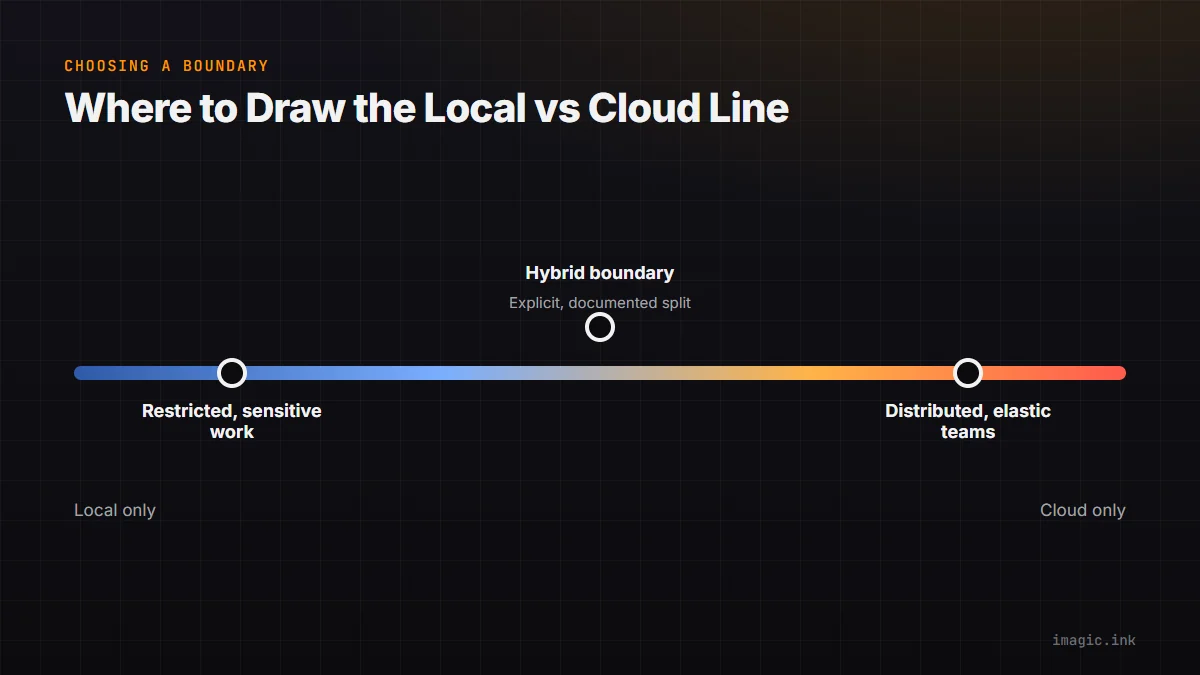
Choose local AI when data-control requirements, weak connectivity, predictable on-site work, or client policy make external processing unacceptable. Choose cloud AI when distributed access, elastic capacity, managed services, or integrated review outweigh the transfer and provider dependencies. Choose a hybrid when tasks can be separated cleanly. Reassess whenever terms, clients, data categories, or workflow features change.
Frequently asked questions
Does local AI guarantee complete privacy?
No. It avoids a particular external-processing path, but workstation security, backups, user accounts, and other software still matter. Verify the whole data flow and protect local storage.
Is cloud AI always faster than local processing?
No. Results depend on upload bandwidth, queueing, provider capacity, local hardware, file size, and task design. Measure the actual workflow without turning one run into a universal benchmark.
Can a studio safely mix local and cloud tools?
Yes, when the boundary is documented and only approved data crosses it. Use clear folders, permissions, retention rules, and human review for consequential edits.