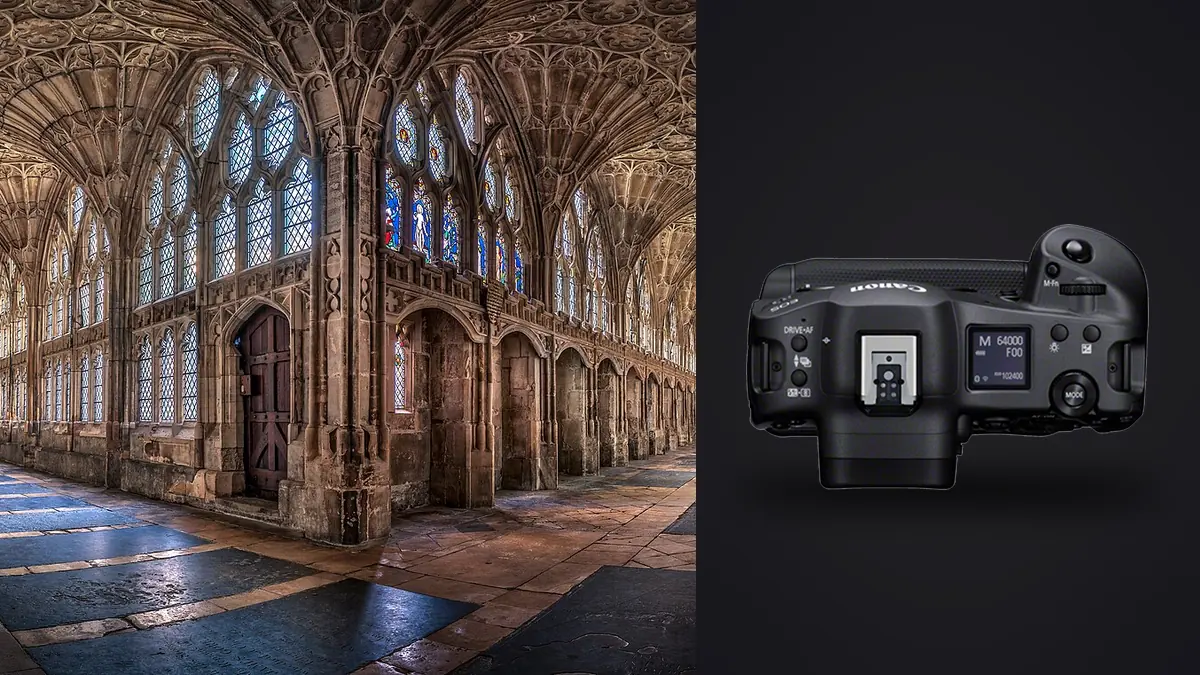
A designer friend asked me last month whether it was worth renting a Canon EOS R3 for a hotel lobby renovation shoot. She already owned an R6 II and figured the R3's bigger sensor and faster processor would just make everything better. It's a fair question, and the honest answer took longer to explain than she expected, because the R3 is a camera built for a completely different job than the one she needed done. That gap between what the camera is engineered for and what interior work actually demands is the whole story here.
Why this camera exists (and why that matters for interiors)
The R3 was designed around a 24.1MP stacked, back-illuminated sensor and Canon's fastest autofocus system to date, aimed squarely at sports and photojournalism. Eye Control AF, 30fps electronic shutter bursts, a rugged integrated grip rated for heavy-duty use in the field: none of that is what you're paying for when you're photographing a stairwell or a kitchen island. If you're buying a camera specifically for architectural and interior work, there are better dollar-for-dollar choices, and I'll get to those. But a lot of photographers who shoot events, sports, or weddings during the week end up with an R3 in the bag already, and then get asked to shoot a real estate listing or a restaurant interior on the side. That's the actual use case worth talking through.
The resolution question nobody skips
24.1MP is fine for web galleries and even for reasonably sized prints, but it's noticeably behind what a lot of architectural clients now expect, especially agencies producing large-format brochures or window displays. Canon's own R5 II sits at 45MP, and plenty of interior specialists have moved to medium format bodies in the 100MP range for flagship commercial work. If cropping is part of your workflow (straightening a slightly crooked wall shot, or pulling a tighter detail crop from a wide room shot), 24MP gives you noticeably less room to work with than you'd get from a higher-resolution body. This isn't a dealbreaker for most listing photography or blog content, but it's the first thing to be honest with a client about if they're expecting billboard-scale prints.
Dynamic range in rooms with windows
Interior photography lives and dies by dynamic range, because you're almost always dealing with a bright window or skylight in the same frame as a shadowed corner. Canon rates the R3 around 14 stops at base ISO in ideal lab conditions, but in practice, once you factor in noise floor and usable shadow detail at typical interior exposure levels, you're working with something closer to 11 to 12 stops before you start losing clean recoverable shadow. That's respectable, but it's not going to let you shoot a single frame of a sunlit conservatory and pull both the exterior garden and the interior furniture detail out of one RAW file without some banding creeping into the shadows when you push hard.
What this means practically: for anything with strong window light, bracketing is still the reliable approach, not a single heroic RAW exposure. I typically shoot 3 to 5 frame AEB sequences on interiors with any window in frame, and blend in post rather than relying purely on shadow recovery. The R3's buffer and processing speed make this fast (you're not waiting on the camera between brackets), but the sensor itself isn't doing anything magic that a properly exposed R6 II or R5 wouldn't also manage for this specific task.
| Room type | Typical challenge | Bracket spread I use | Frames per angle |
|---|---|---|---|
| South-facing living room, midday | Blown windows vs. dark interior | 2 stops apart | 5 |
| North-facing bedroom | Even, flat light, less contrast | 1.3 stops apart | 3 |
| Kitchen with under-cabinet LEDs | Mixed color temperature, hot spots | 1.7 stops apart | 3 to 5 |
| Stairwell with skylight | Extreme top-to-bottom contrast | 2.3 stops apart | 5 to 7 |
| Basement or windowless room | Single ambient/flash exposure usually sufficient | N/A | 1 to 2 |
That table alone should tell you something about the real workload here: a single 12-room property shoot with brackets can produce four or five hundred RAW files by the end of the day, most of which are near-duplicates of each other with only exposure or a half-second of stillness separating them. More on sorting that later.
Keeping your verticals straight without a native RF tilt-shift
Architecture and interior work punishes converging verticals more than almost any other genre. Tilt a wide lens up even slightly to catch a ceiling detail and your walls start leaning inward, which reads as amateurish the second a client zooms in. Canon still hasn't released a native RF tilt-shift lens as of this writing, so R3 shooters doing serious architectural work are either adapting the EF TS-E 17mm f/4L or TS-E 24mm f/3.5L II through the EF-RF adapter, or correcting verticals digitally with the RF 14-35mm f/4L or RF 15-35mm f/2.8L.
I run both approaches depending on the job. The TS-E 17mm adapted onto the R3 works fine mechanically (manual everything, but the electronic viewfinder makes focusing and checking rise/fall genuinely easier than it ever was on an optical finder), and it gets you clean verticals in-camera with more usable frame area than a heavy digital correction would leave you. For faster-paced shoots where a tilt-shift's slow, deliberate pace isn't practical (an agent waiting for you to move to the next room), I shoot the RF 14-35mm at f/8 to f/11, keep the sensor plane as parallel to the walls as I can manage with the electronic level, and finish verticals in post. It costs you some resolution at the edges of the frame after cropping, which circles back to that 24MP ceiling being a real constraint on tighter jobs.
Handling the body itself on a long shoot day
The R3's integrated vertical grip is genuinely comfortable for sports shooting one-handed with a long lens, but on an interior job you're mostly hand-holding a wide lens at chest height or mounting on a tripod and walking away from it, and the grip's bulk stops being an advantage. It's a heavier body than the R5 or R6 II, and after eight or nine hours of carrying it plus a tripod, a second lens, and often a small flash kit up and down staircases, that weight difference is noticeable by the end of the day in a way it wouldn't be shooting a two-hour event.
Where the body does pull its weight: battery life. The LP-E19 in the R3 comfortably outlasts a full day of tethered live view shooting, which is how most architectural and interior work actually gets shot, tethered to a laptop or tablet so the client or designer can approve angles as you go. I've run full property days without a battery swap, which isn't something I could say confidently about smaller Canon bodies running live view continuously.
The vari-angle screen earns its keep here
Sports shooters mostly ignore the R3's fully articulating screen. Interior photographers should not. Low, ground-level angles (shooting up at a staircase, getting a coffee table's reflection in frame, working around furniture you can't move) are a constant part of this genre, and being able to flip the screen out and down rather than crouching and craning to see through an eye-level finder saves your back and your knees across a long day. It's a small thing that matters more here than it would in most other genres this camera gets bought for.
Working in occupied spaces
A lot of interior photography happens in spaces that are still in use: a restaurant during a slow afternoon, an office between meetings, a place of worship, a boutique hotel with guests in the lobby. The R3's fully electronic shutter and genuinely silent shooting mode matter more here than in almost any other application of this camera. No mirror slap, no mechanical shutter clatter, means you can work a room without every click announcing itself. I've shot working restaurant interiors during service hours where a loud shutter would have been a real problem, and the silence made it a non-issue. Just watch for rolling shutter artifacts if anything in frame is moving quickly (a ceiling fan, someone walking past a window), since electronic shutter can skew fast motion, though for the mostly-static subject matter of interiors this rarely comes up.
What happens after the shoot
This is the part that doesn't get talked about enough when people evaluate a camera purely on specs. A single interior job with bracketing across a dozen rooms, multiple angles per room, and a few safety frames per angle in case someone walked into shot, routinely lands somewhere between 400 and 800 RAW files. Most of those are visually near-identical to each other: same framing, same room, different exposure or a fraction of a second apart. Manually clicking through that pile to find the sharpest, best-exposed frame from each bracket set is genuinely the slowest part of the day, slower than the shoot itself most of the time.
This is where I've actually changed my workflow. I run the card through imagic before I open anything in an editor. It scores focus and sharpness locally on the files themselves, which matters for architecture because a slightly soft frame from camera shake at 1/8s on a tripod-mounted bracket is easy to miss by eye on a laptop screen but obvious once you're looking at a full-res print. It also clusters bursts and near-duplicate framings automatically, so the five-frame bracket sets and the "just in case" repeat shots of the same angle get grouped instead of scattered across a folder, and I can pick the sharpest base frame from each cluster in a couple of minutes instead of scrubbing through hundreds of thumbnails one at a time. If you want more detail on how that clustering and scoring actually works under the hood, there's a breakdown at how AI photo culling works that covers the mechanics.
Because everything runs locally on the machine, none of the property photos (which are frequently under an NDA before a listing goes live, or tied to a client contract) ever leave the laptop to get processed. For commercial interior work where a client hasn't announced a renovation or listing yet, that offline processing isn't a nice-to-have, it's often a contractual requirement.
Getting a consistent look across a hundred rooms
The second half of the workflow problem is color and tone consistency. A property shoot might span a dozen rooms with completely different lighting: daylight-balanced living rooms, tungsten-heavy kitchens, mixed LED bathrooms. Grading each room from scratch to match a consistent brand look (say, a real estate brokerage's house style, or a hospitality client's brand guide) eats hours if you're doing it manually per image. Train imagic's apply_my_style feature on a set of interiors already graded to match a client's brand guidelines, and it can apply that same look automatically as a starting point across a new batch, which cuts the grading pass down to spot corrections on the handful of rooms with genuinely unusual lighting rather than starting fresh on all four hundred frames. If you're trying to tighten up the back half of a shoot day generally, not just the culling step, 10 tips for a faster photo workflow covers some adjacent ground on where time actually leaks out of a session like this.
So is it worth it for this specific genre?
If you're starting from zero and architectural or interior work is your primary business, I wouldn't recommend buying an R3 for it. You're paying a premium for autofocus speed and burst rate you'll never use on a tripod-mounted stairwell shot, while getting less resolution than bodies costing considerably less. An R5 II or a used R5 will serve that work better for less money, and if resolution for large-format print work is the priority, a medium format system earns its cost there in a way the R3 simply doesn't for this genre.
But if an R3 is already in your bag for events, sports, or wildlife, and interior or architectural work shows up occasionally as a side job or a client request, it's a perfectly capable tool for it. The dynamic range is solid if not class-leading, the silent shutter is a real asset in occupied buildings, the articulating screen helps more than you'd expect, and the battery life means you're not managing charge anxiety on top of everything else during a long shoot day. It's not the camera I'd tell someone to buy for this work specifically. It's a camera that won't hold you back if you already own one.
Frequently Asked Questions
Does the Canon EOS R3's electronic shutter cause problems in interior shoots?
Rarely, since most interior subjects are static. The main risk is rolling shutter skew if something in frame is moving quickly, like a ceiling fan at full speed or a curtain in a strong draft. For the vast majority of tripod-based room shots, the silent electronic shutter is an advantage rather than a limitation, especially in occupied spaces where a loud mechanical shutter would be disruptive.
Is 24.1MP enough resolution for professional real estate and architectural clients?
For listing photography, web galleries, and most print sizes up to roughly 16x20 inches, yes. For large-format brochures, gallery-scale prints, or heavy cropping after the fact, it's on the low end compared to competitors in the 45MP-plus range. Whether it's "enough" really depends on what the client does with the final files.
Can I use a tilt-shift lens on the Canon EOS R3?
Yes, via the EF-to-RF mount adapter. Canon's EF TS-E 17mm f/4L and TS-E 24mm f/3.5L II both work fully manually (focus and tilt/shift movements) and the R3's electronic viewfinder actually makes checking focus and verticals easier than it typically was on a DSLR optical finder. Canon has not released a native RF tilt-shift lens as of this writing.
What's the fastest way to sort several hundred bracketed interior photos after a shoot?
Manually scrubbing through bracket sets frame by frame is the slowest part of most interior jobs. Running the card through a local culling tool that scores sharpness and groups near-duplicate framings first, then only opening the winners in your editor, is a significant time saver on any shoot where bracketing multiplies your frame count the way interior work does.